
01Who this is for
- Founders who want specialized AI handling for pricing, support, or bookings to keep each agent focused.
- Customer service managers who need to route callers to language specific agents without human intervention.
- Sales teams that require a smooth handoff from a general AI greeting to a sales focused AI specialist.
02Agent Transfer, explained
Agent Transfer is an action available inside a Voice AI agent. It monitors the call for a trigger you define and, when the trigger occurs, switches the active agent to another Voice AI agent while the call stays open. The root agent starts the call and decides when to pass control based on the transfer condition.
Only the root agent’s settings for maximum call time, working hours, and backup behavior apply during a transfer chain. Destination agents keep their own prompts but do not play a greeting when they receive the call. Up to three destination agents can be attached, each with its own condition and optional spoken handoff.
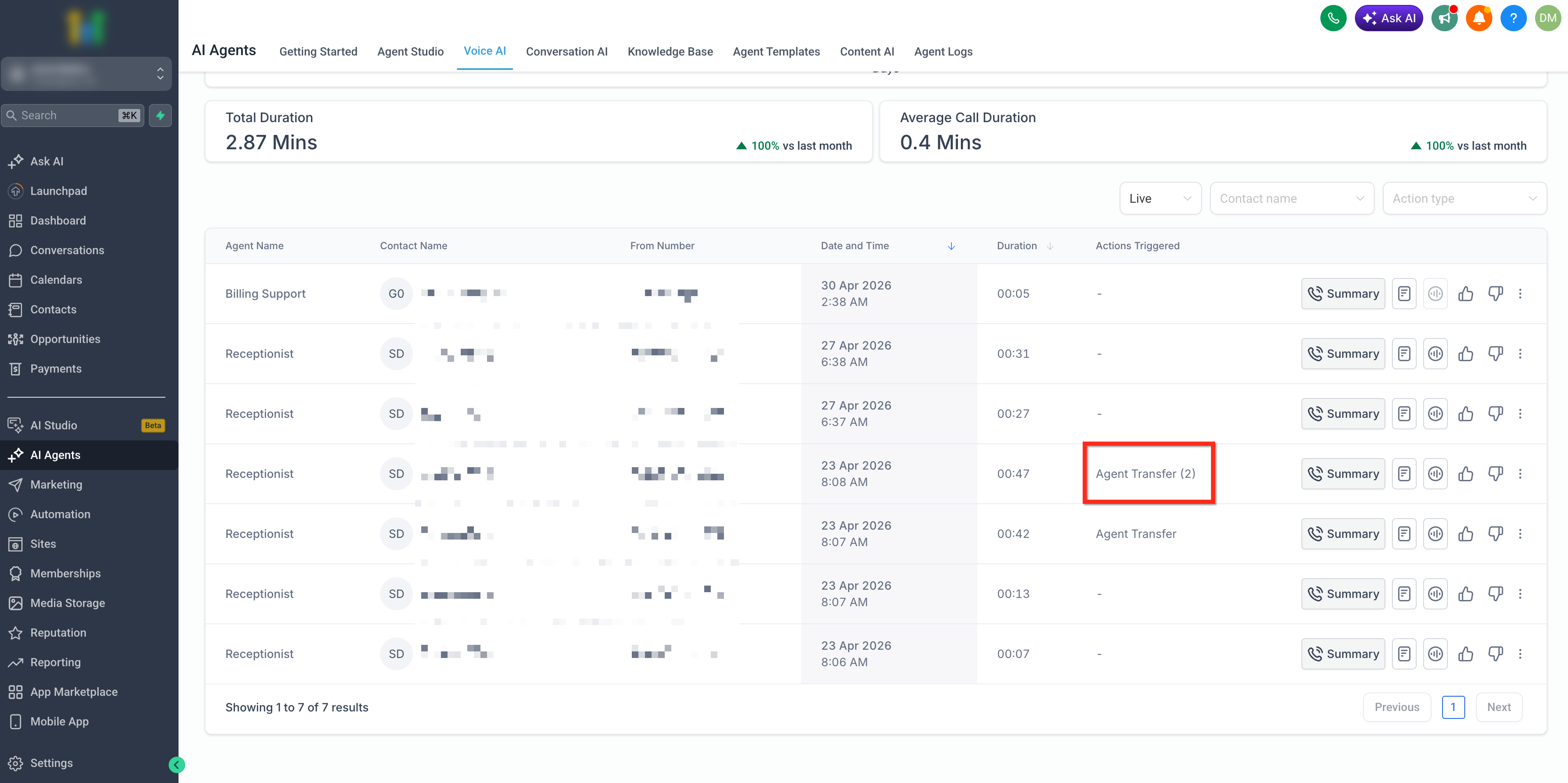
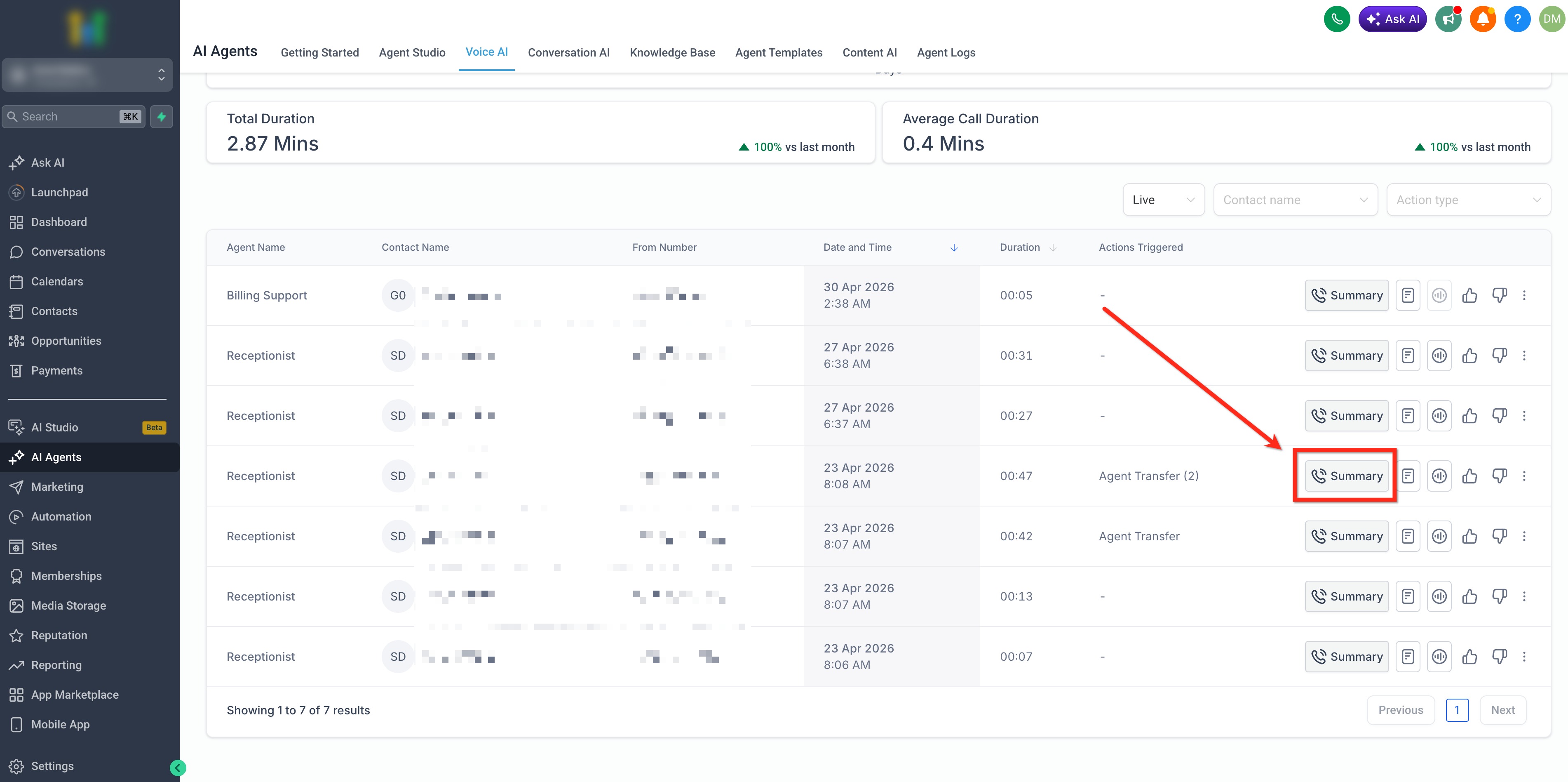
The feature lives under AI Agents > Voice AI in the platform. After configuration, you can verify transfers in call logs, view summaries, and read transcripts that mark each handoff point.
03How businesses use Agent Transfer
- Ecommerce store. The store creates a root agent for general inquiries and a destination agent that only handles pricing questions. When a customer asks about price, the root agent transfers the call to the pricing agent, which answers using its dedicated prompt.
- Medical clinic. The clinic builds a root agent for appointment scheduling and a Spanish language destination agent. If a caller requests Spanish, the root agent transfers the conversation, and the Spanish agent continues the booking flow.
- SaaS support team. The support team sets up a root agent for initial triage and a technical support destination agent. When the caller mentions a technical issue, the root agent transfers the call, and the specialized agent provides detailed troubleshooting.
04The numbers and rules that matter
- Each Agent Transfer configuration can include up to three destination Voice AI Agents.
- Root agent controls Maximum Call Time, Working Hours, and AI Agent as a Backup.
05Before you start
- A root Voice AI agent must already exist.
- Any destination Voice AI agents you plan to use must be created beforehand.
06How to set up and use Agent Transfer in HighLevel
Configure Voice AI Agent Transfer
- Navigate to AI Agents > Voice AI > Agent List and open the root agent that will start the call.
- Click + New Action and choose Agent Transfer from the dropdown menu.
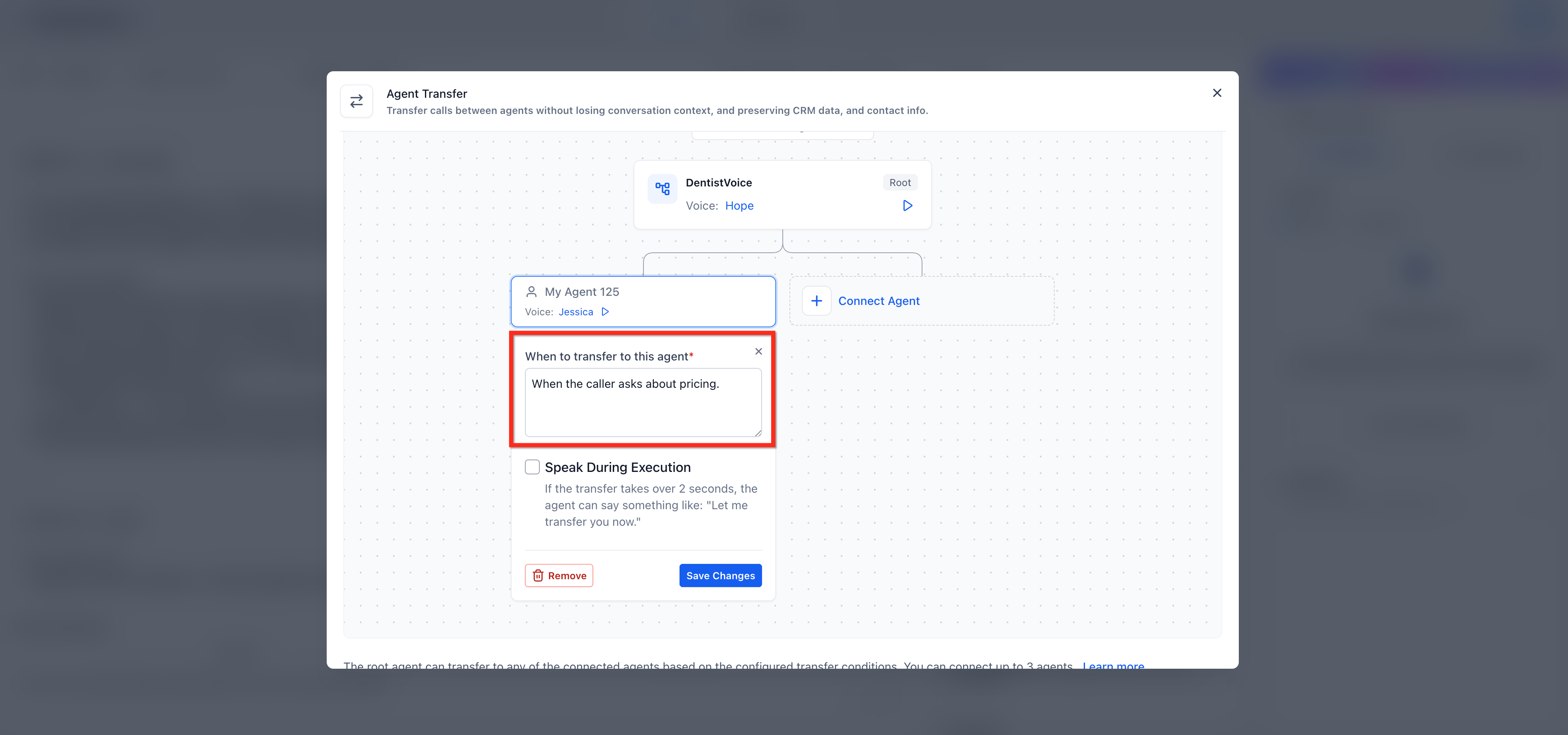
- In the Agent Transfer window, select Connect Agent and pick a destination Voice AI agent.
- Enter a clear natural language trigger in the When to transfer to this agent field.
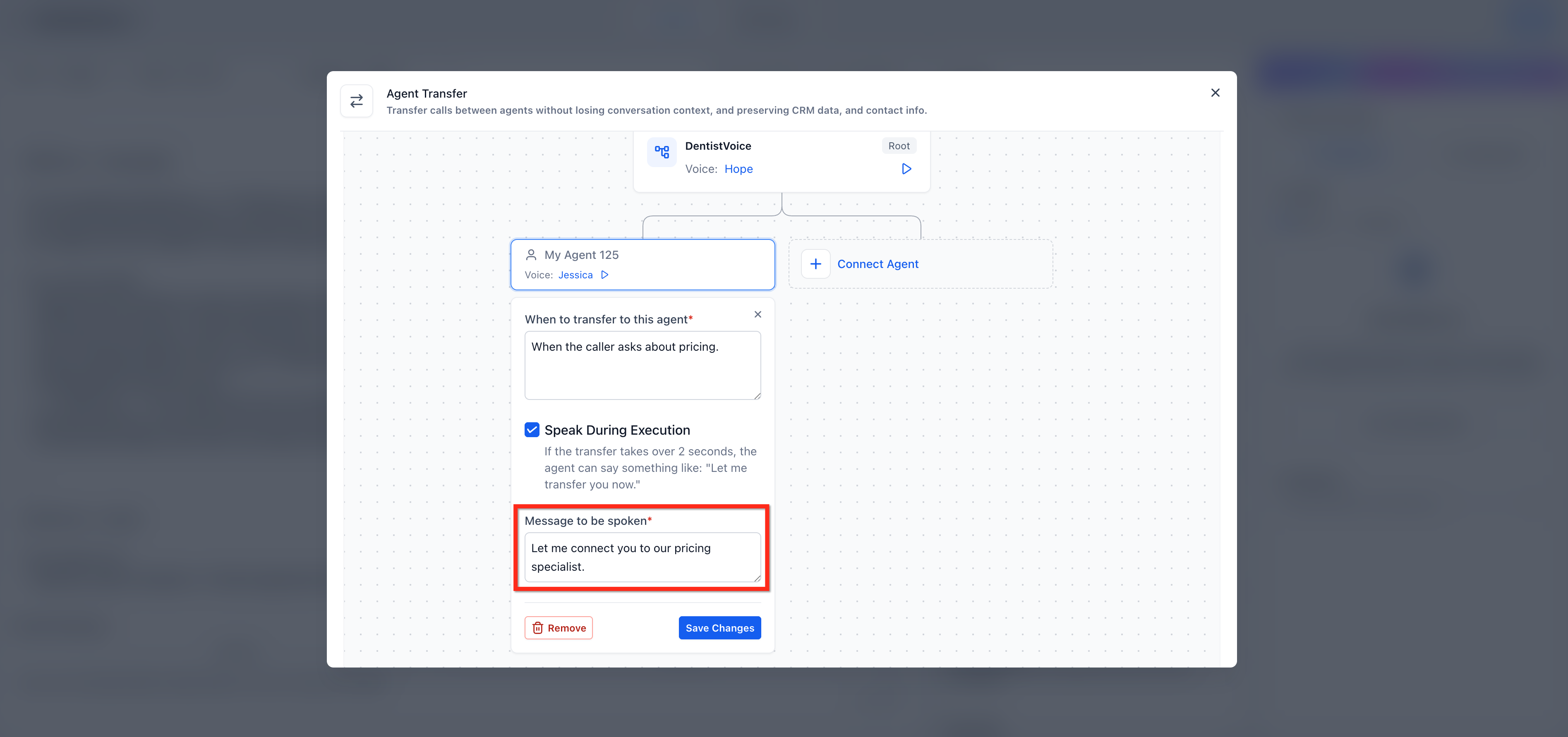
- Toggle Speak During Execution on if a spoken handoff is desired, then type the message the caller should hear.
- Open View Incoming Transfers to see which agents can send calls to this destination.
- Review the root agent’s Maximum Call Time, Working Hours, and AI Agent as a Backup settings.
- Click Save Changes and place a test call to confirm the transfer works as expected.
07What it looks like in HighLevel
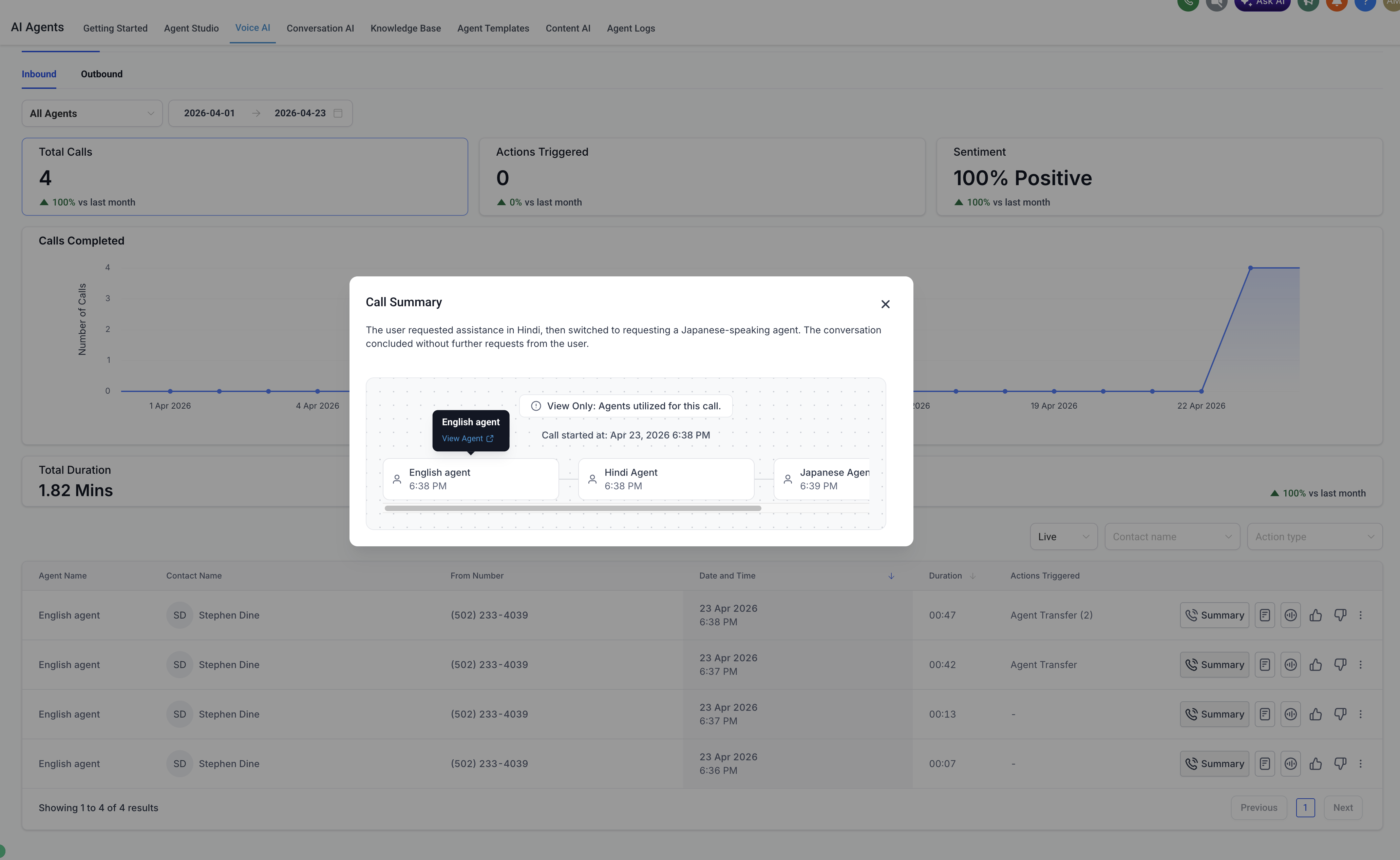
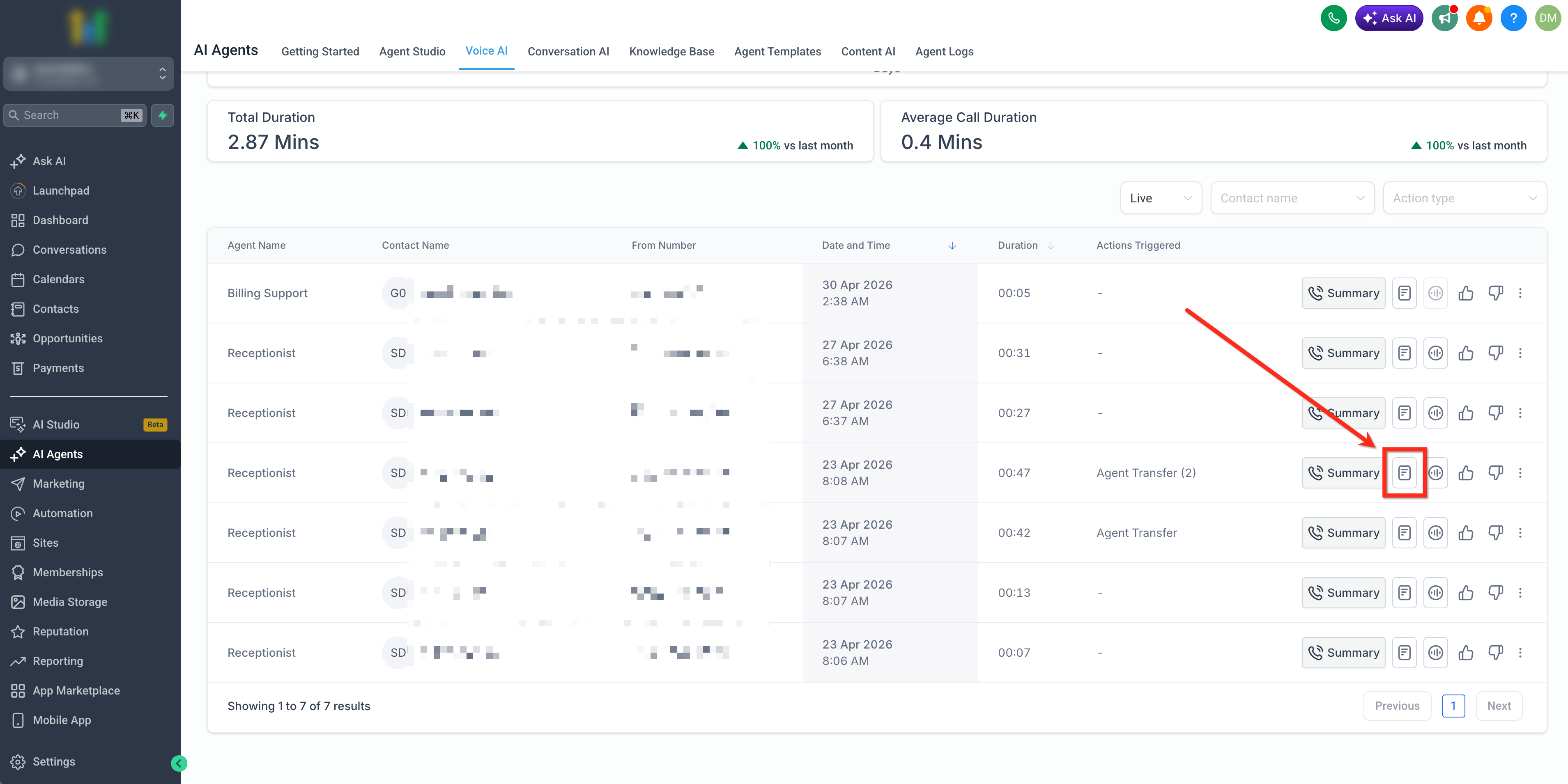
08Settings that matter
- Maximum Call Time. Controls the total duration allowed for the call while it moves through the transfer chain.
- Working Hours. Defines the time window when the root agent can accept calls and perform transfers.
- AI Agent as a Backup. Specifies a fallback agent if the primary root agent cannot handle the call.
- Speak During Execution. Determines whether the system plays a short handoff message during the transfer.
- When to transfer to this agent. Holds the natural language condition that triggers the handoff to the selected destination agent.
09Things to know before you rely on it
- A maximum of three destination agents can be attached to a single Agent Transfer action.
- Transfer loops are not allowed; agents should not be set to pass calls back and forth in a circular pattern.
- Only the root agent’s call time, working hours and backup settings are applied during the transfer; destination agents ignore those settings.
10How it connects to the rest of HighLevel
- Overview of Voice AI agents and their business uses Voice AI overview
- Configure inbound call flow for Voice AI Inbound call flow
- Testing Voice AI agents in HighLevel Test Voice AI
Michael's take

Agent Transfer works well when you need separate AI specialists for different caller intents. Skip it if you only route calls to humans and have no need for AI to AI handoffs.