
01Who this is for
- Founders of service businesses that field calls on multiple numbers can use a single AI agent to answer them all, cutting down on agent duplication.
- Operations managers in agencies that manage many client phone numbers benefit from centralized routing and consistent AI responses.
- Support team leads who need to handle inbound calls from various marketing numbers can assign those numbers to one Voice AI agent for uniform handling.
02Number pool support, explained
The Number Pool feature groups several phone numbers into a single collection. When the pool is linked to a Voice AI agent, any inbound call to a number in the pool is sent to that agent automatically.
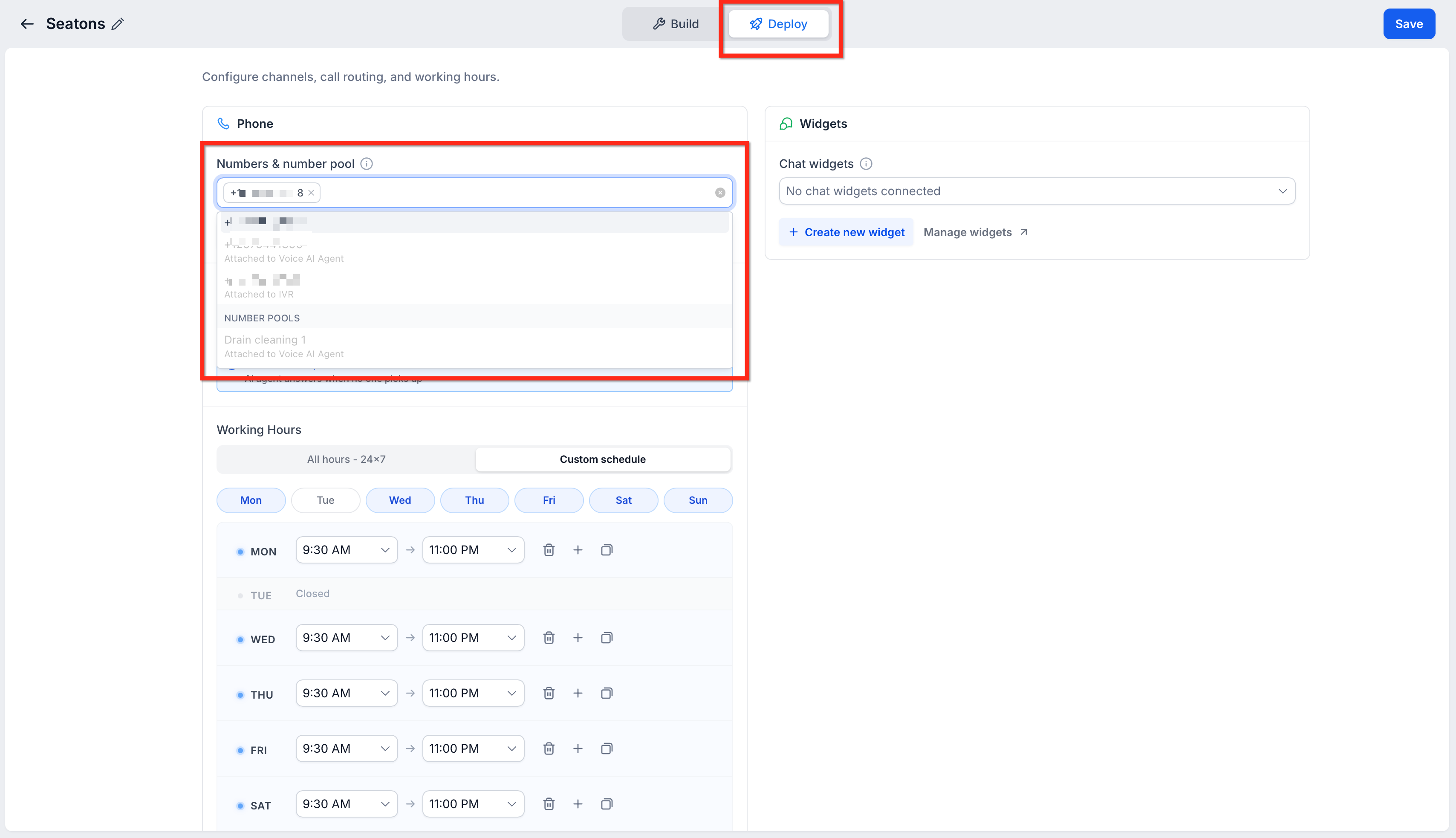
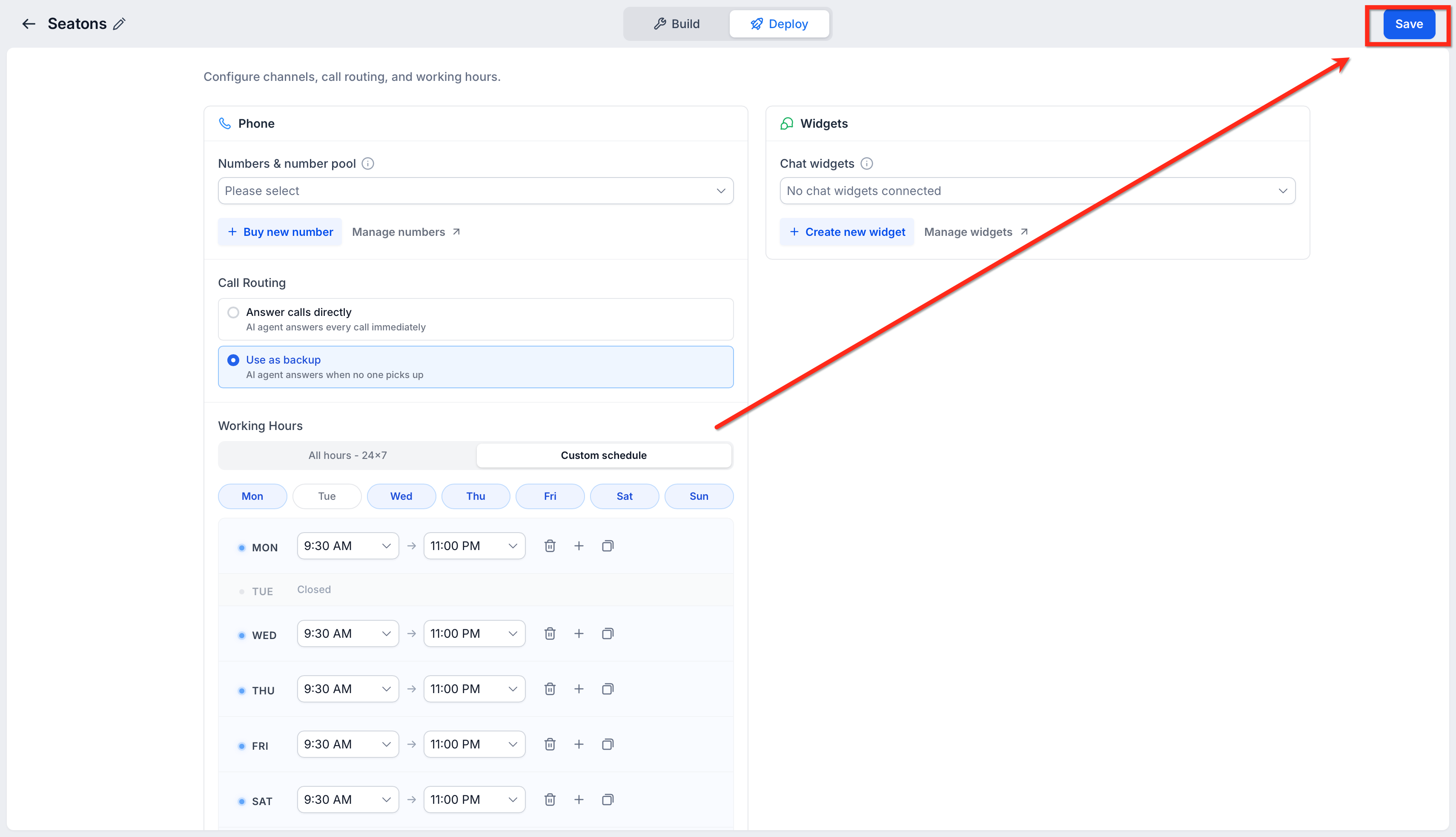
The assignment occurs in the agent’s Deploy tab under the Phone section. A dropdown called Numbers & number pool lists only pools that already exist in the account. Selecting a pool sets the routing rule for that agent.
The setting lives inside the Voice AI agent editor, accessible from the AI Agents > Voice AI menu. After choosing a pool, saving the agent finalizes the configuration.
03How businesses use number pool support
- Real estate brokerage. The brokerage creates a pool containing its listed property numbers. It then assigns the pool to a single Voice AI agent. Calls to any property number are answered by the same AI, providing consistent information.
- Dental practice. The practice adds its appointment line and after hours number to a pool. By linking the pool to a Voice AI agent, patients calling either number reach the same automated booking flow.
- Online coaching service. The service groups its marketing campaign numbers into a pool and assigns it to a Voice AI agent. The agent routes callers based on the AI’s configuration, handling all campaign calls without separate agents.
04Before you start
- Create at least one Number Pool in HighLevel before assigning it to an agent.
05How to set up and use number pool support in HighLevel
Assign a Number Pool to a Voice AI agent
- Log in to your HighLevel account.
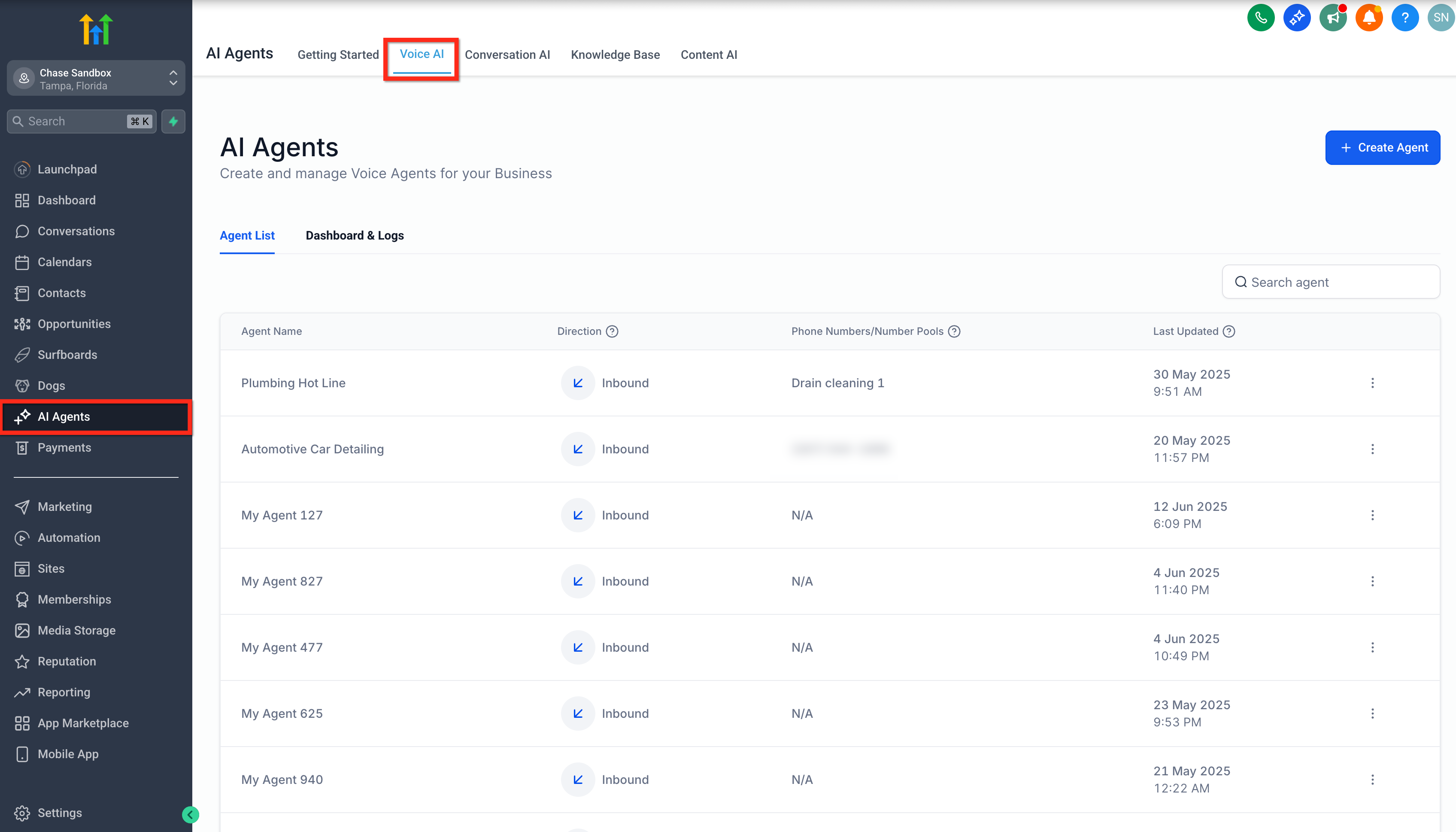
- Click AI Agents in the left hand menu.
- Select Voice AI from the top navigation bar.
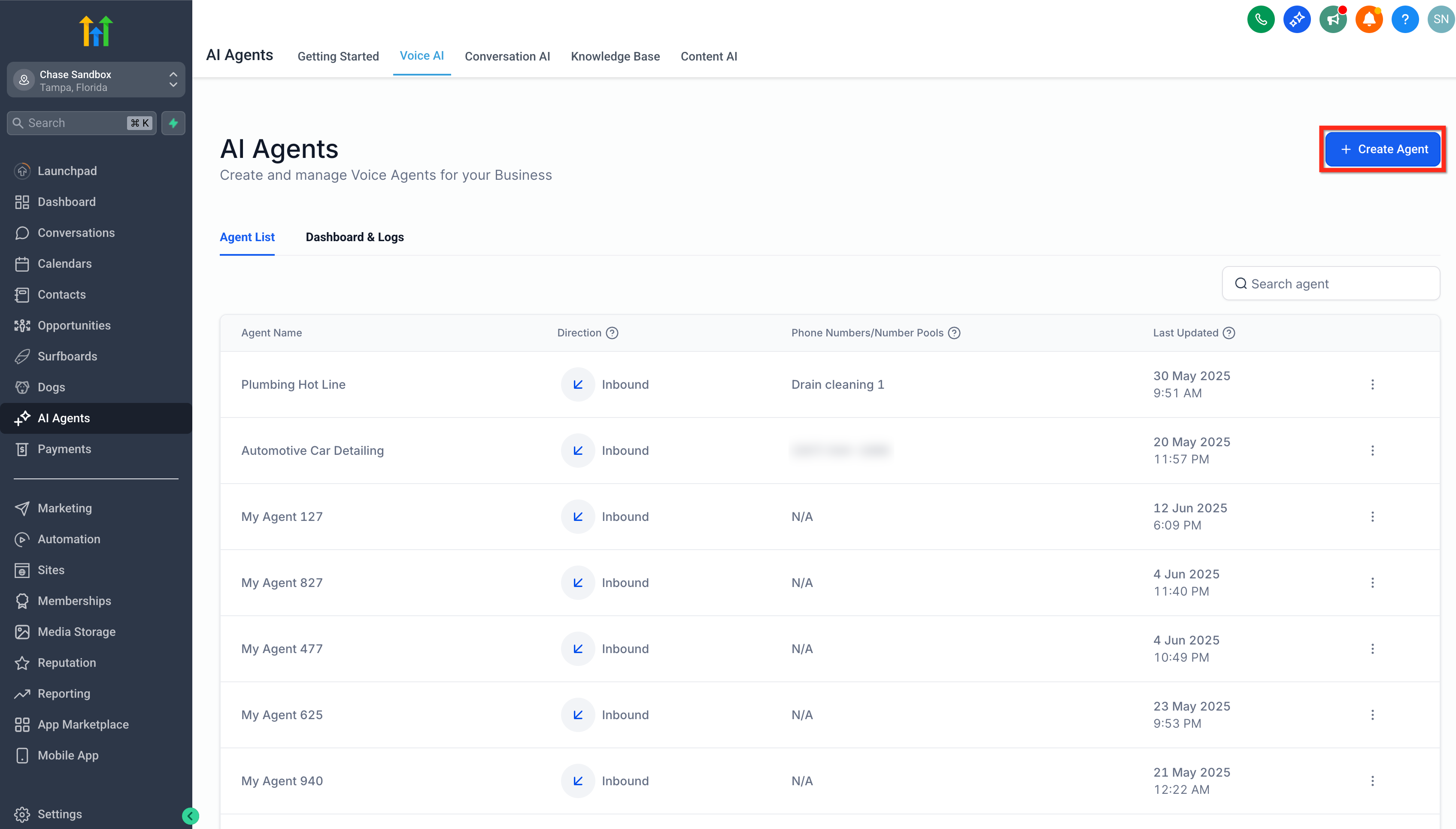
- Click + Create Agent to start a new Voice AI agent.
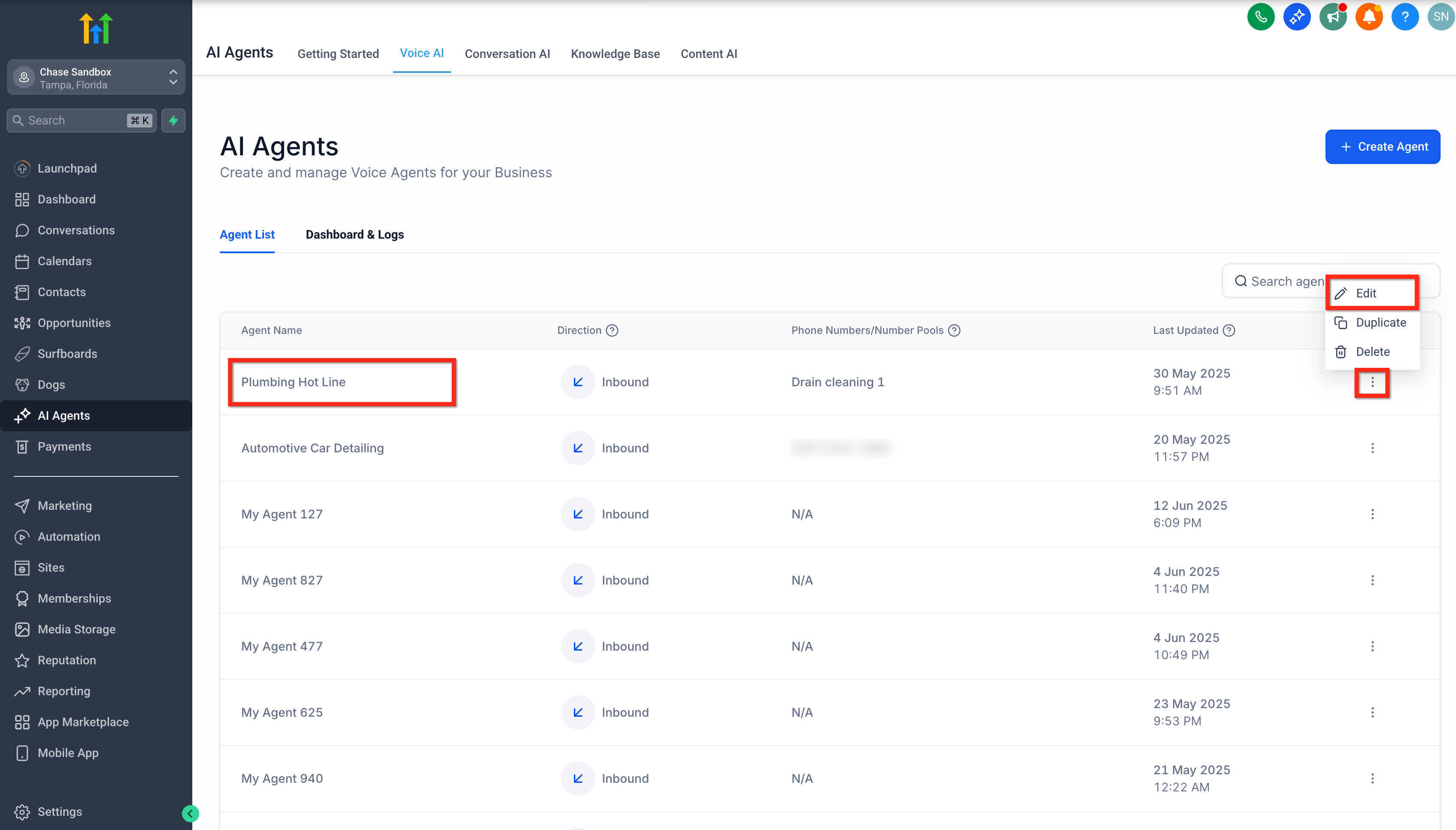
- In the agent editor, click the Deploy tab.
- Locate the Numbers & number pool field in the Phone section.
- Click the Numbers & number pool dropdown.
- Select the desired Number Pool from the list.
- Click Save to apply the assignment.
06What it looks like in HighLevel
07Settings that matter
- Numbers & number pool. Controls which existing Number Pool is linked to the Voice AI agent for inbound call routing.
08Things to know before you rely on it
- Only Number Pools that already exist can be selected; a pool must be created first.
- A Voice AI agent can have only one Number Pool assigned at a time.
09How it connects to the rest of HighLevel
- Create and launch a Voice AI agent Voice AI creation guide
- Overview of Voice AI agents and their uses Voice AI overview
- Configure inbound call flow for Voice AI Inbound call flow
Michael's take

What if I could answer all my inbound numbers with a single AI agent? That’s exactly what Number pool support does. It lets one Voice AI Agent listen on a whole collection of phones, so I only set up routing once.
I’d start by confirming I have a pool ready, then attach it in the Deploy tab. Once it’s saved, every call to any of those numbers follows the same agent logic, which keeps the setup lean and easy to manage.