
01Who this is for
- Call center managers can keep agents focused on real customers by cutting short telemarketing calls.
- Small business owners who use Voice AI for appointment booking benefit from polite call endings and spam blocking.
02Smart call ending & spam caller protection, explained
The feature adds an End Call action to the Voice AI agent builder. You can select a Hangup prompt that the agent says just before disconnecting, either using the default wording or a customized script. During call spam detection inserts extra instructions into the prompt so the agent can end a conversation when it recognises clear spam behavior.
After the call, the system can review completed inbound calls and flag those that look like spam. When the number of flagged calls reaches a threshold you set, the caller is placed on inbound Do Not Disturb automatically. You can also choose who receives an email when a number is blocked. All settings are edited inside the Voice AI Agent Builder under the Actions area.
To use the feature, first activate it in Settings > Labs, then open the desired Voice AI agent and configure the End Call action, Hangup prompt, spam detection toggles, block threshold, and notification recipients.
03How businesses use smart call ending & spam caller protection
- Real estate office. The office edits the Hangup prompt to ask callers if they need a property link before ending the call. During call spam detection is turned on so the agent can stop obvious telemarketing calls early.
- Insurance agency. The agency enables after call analysis, sets a low block threshold, and configures email alerts to the team admin. Repeated spam callers are automatically placed on inbound DND after the threshold is met.
- Online retailer. The retailer keeps the default Hangup prompt for consistency, activates both during call and after call spam protection, and adds a custom email address to receive block notifications for quick monitoring.
04The numbers and rules that matter
- Block threshold counts repeated spam flags within a 24 hour window.
05Before you start
- The Voice AI feature must be activated in Settings > Labs.
- A Voice AI agent must exist to edit its End Call behavior.
06How to set up and use smart call ending & spam caller protection in HighLevel
Set up smart call ending & spam protection
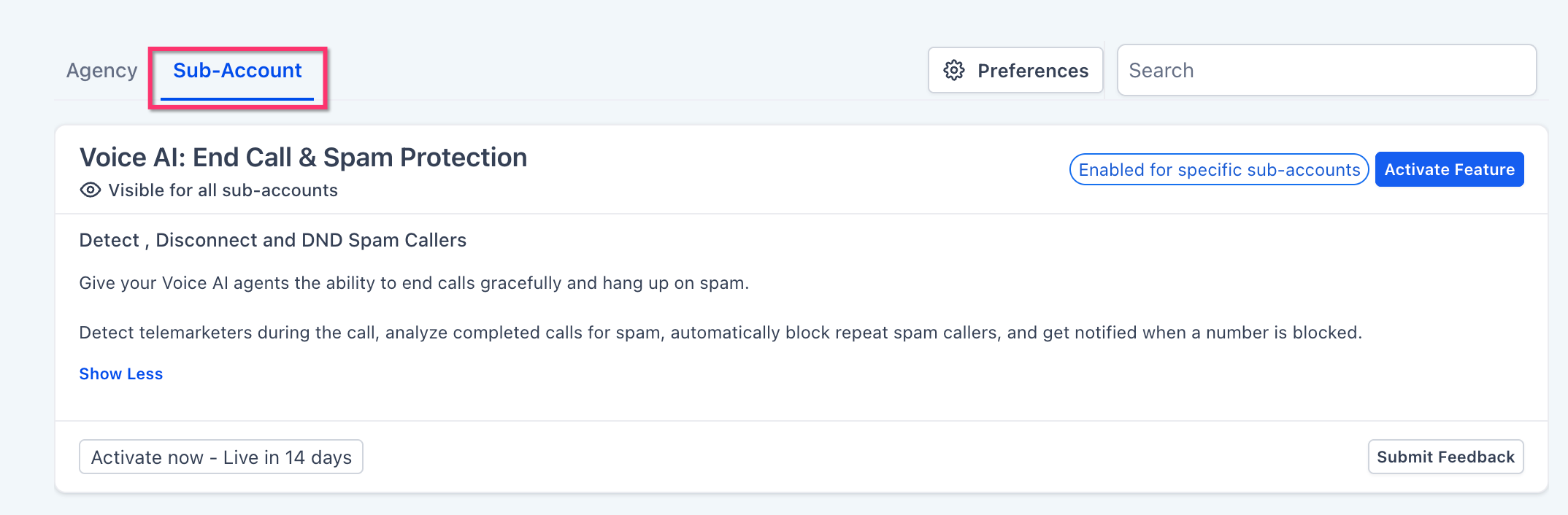
- Navigate to Settings > Labs.
- Open the Subaccount tab.
- Locate Voice AI: End Call & Spam Protection.
- Click Activate Feature for the selected subaccount.
- Go to AI Agents > Voice AI.
- Open the Voice AI agent you wish to configure.
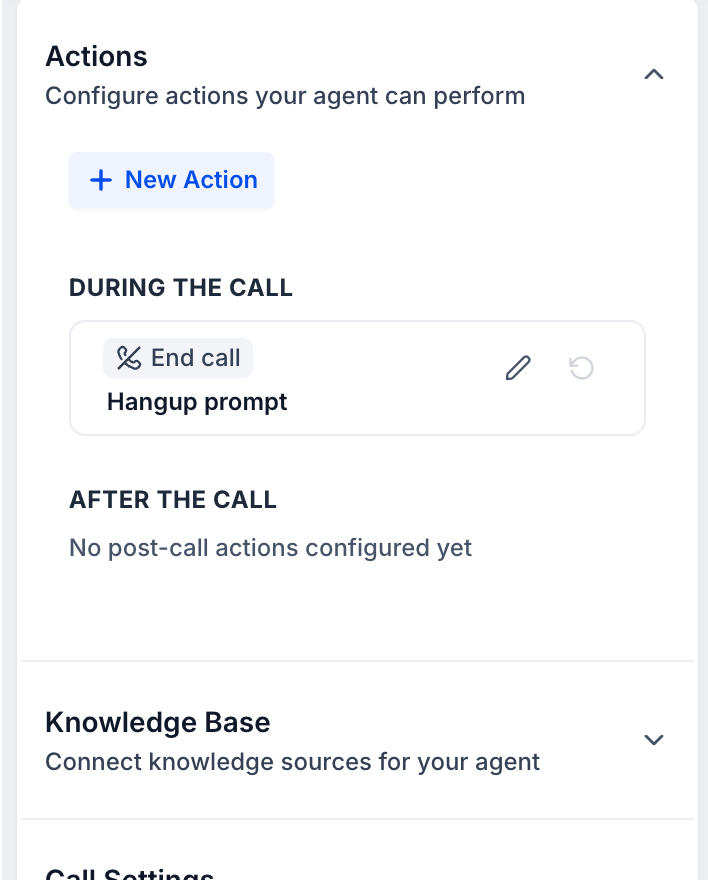
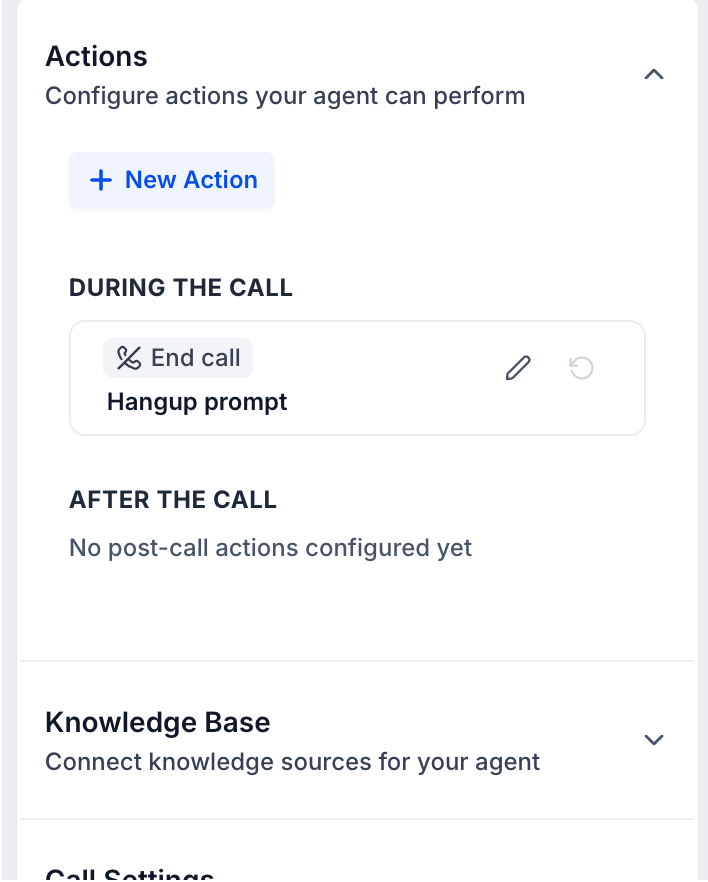
- Select the Actions area.
- Find End call under During the Call.
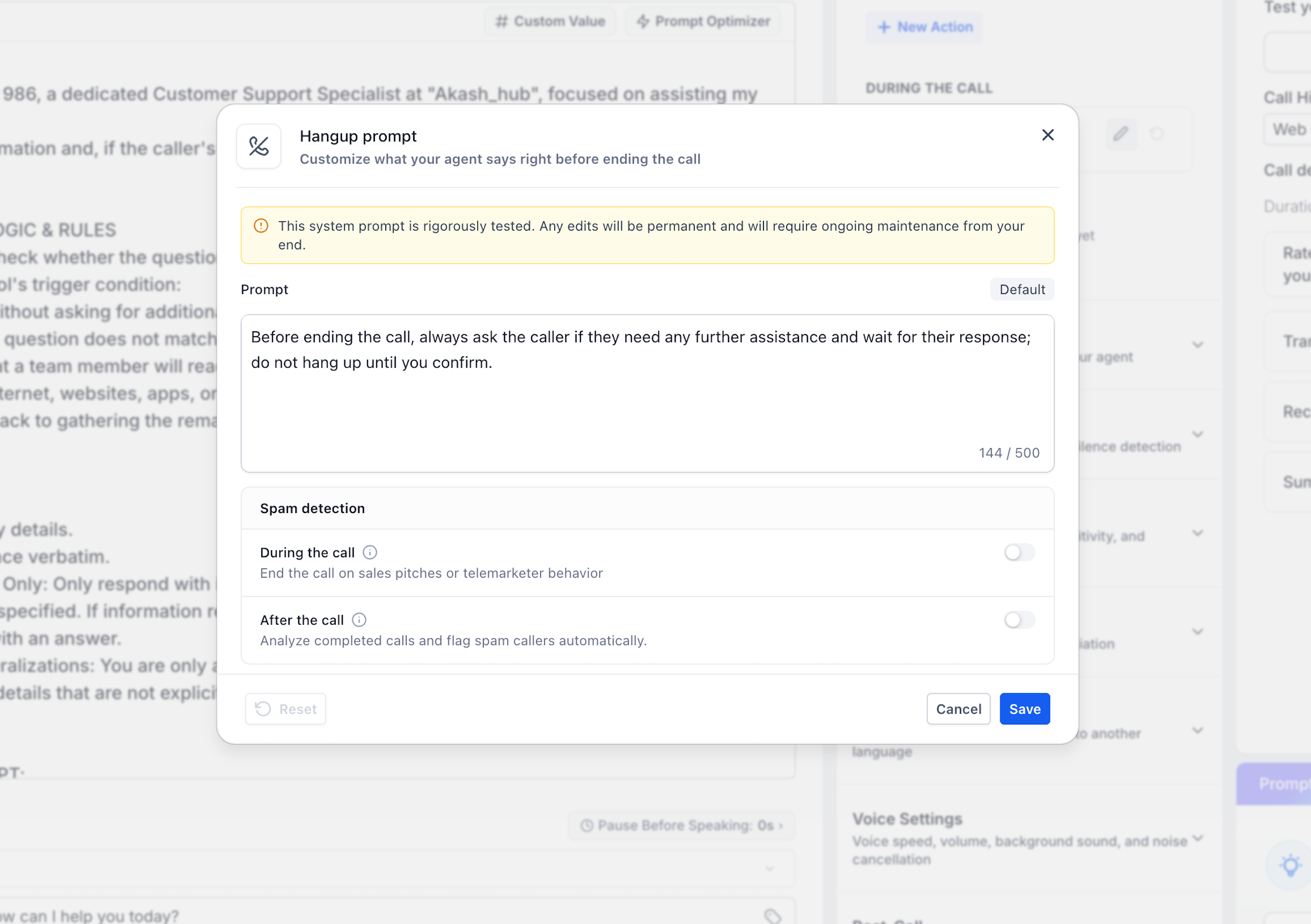
- Click the edit icon for the Hangup prompt.
- Review the default Hangup prompt.
- Keep the default prompt if it meets your needs.
- Edit the prompt if you require different wording.
- Click Save to store the Hangup prompt changes.
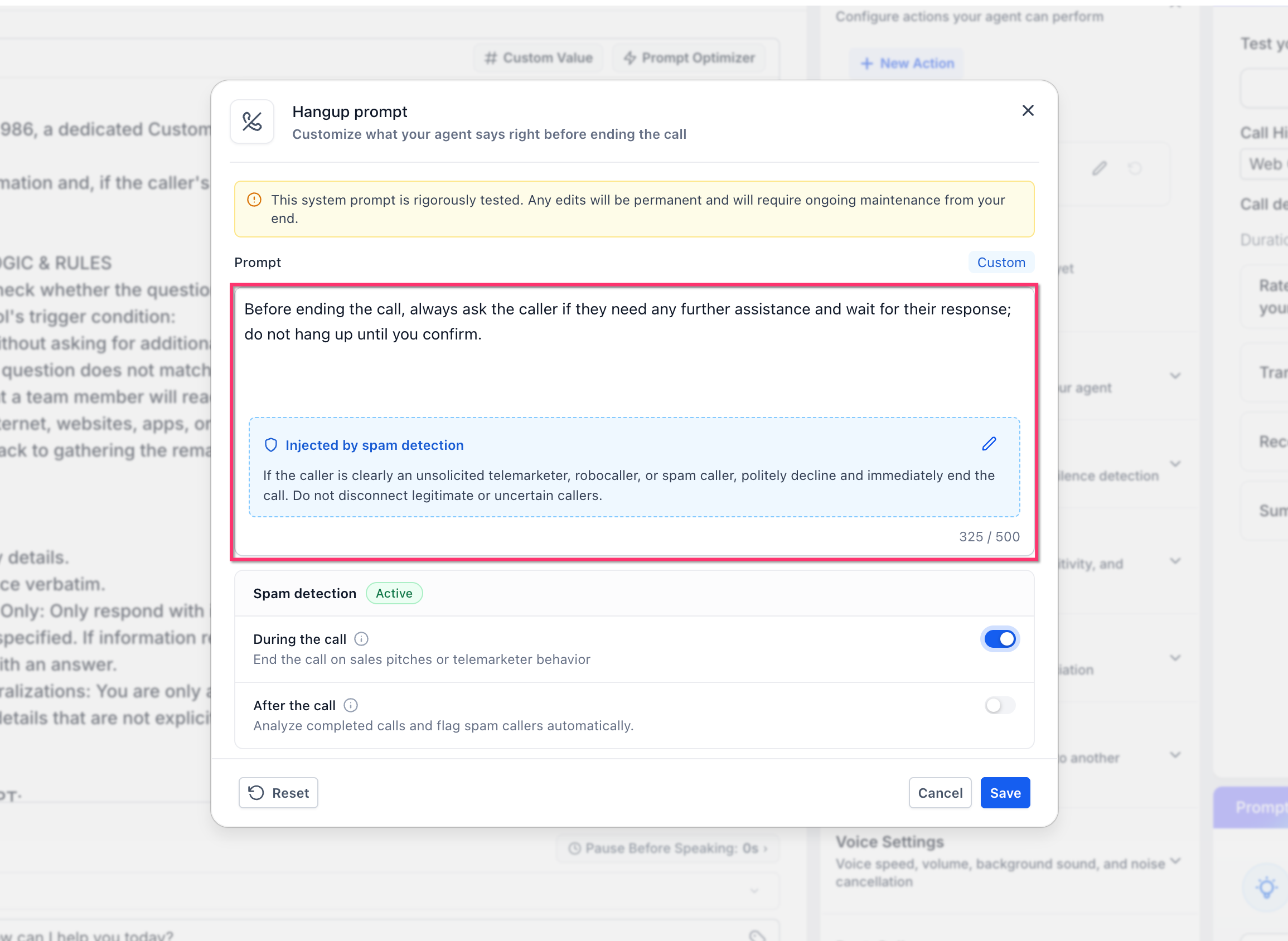
- Turn on the During the call toggle.
- Review the spam instruction added to the Hangup prompt.
- Edit the injected spam instruction if needed.
- Click Save to apply the spam detection settings.
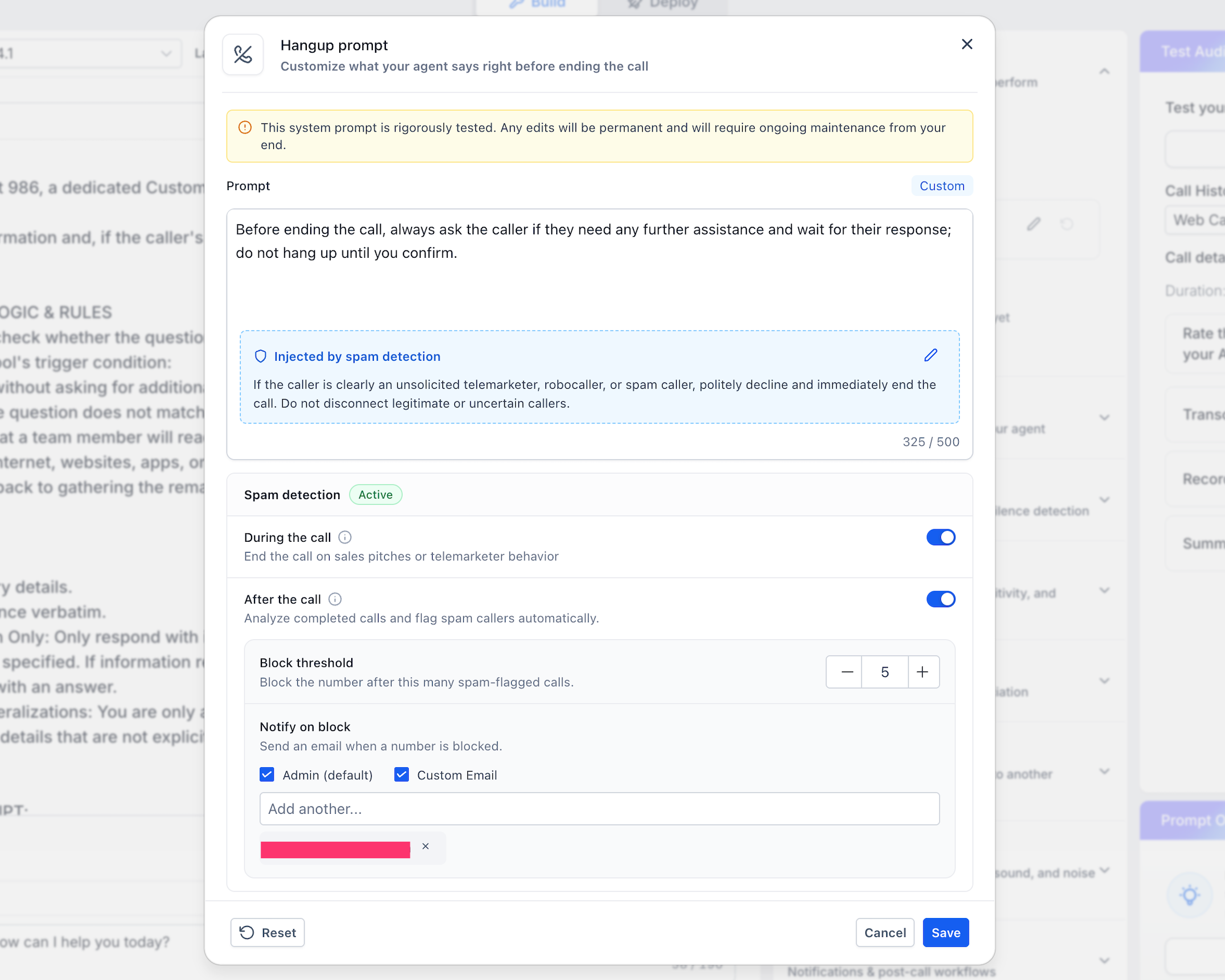
- Turn on the After the call toggle.
- Set the Block threshold using the plus or minus controls.
- Choose the email notification option under Notify on block.
- Click Save for all changes.
- Test the Voice AI agent using the testing tools.
- Confirm that normal calls end as expected and that spam handling works.
07What it looks like in HighLevel
08Settings that matter
- Voice AI: End Call & Spam Protection. Enables the End Call action, Hangup prompt customization, and spam detection features for the selected subaccount.
- End Call action. Controls how the Voice AI agent finishes a conversation, linking to the Hangup prompt.
- Hangup prompt. Defines what the agent says or does immediately before the call ends; can be kept default or customized.
- During the call spam detection. Adds spam handling instructions to the Hangup prompt and lets the agent end calls identified as spam during the conversation.
- After the call spam analysis. Reviews completed inbound calls to flag potential spam after the call has ended.
- Block threshold. Sets the number of spam flagged calls required within a 24 hour window before the caller is placed on inbound Do Not Disturb.
- Notify on block. Determines who receives an email when a number is automatically blocked; options include Admin, Custom Email, or both.
09Things to know before you rely on it
- Spam flags are counted only within a rolling 24 hour period.
- Custom Hangup prompts shift responsibility to you for testing and maintenance.
- Spam detection is not guaranteed to catch every unwanted call; configuration and testing are required.
- The feature must be activated in Labs before it appears in the Voice AI Agent Builder.
10How it connects to the rest of HighLevel
- Create and launch a Voice AI agent to use this feature. Build Voice AI Agent
- Test the agent’s behavior, including hang up prompts and spam handling. Test Voice AI Agent
- Configure inbound call flow to route calls to the Voice AI agent. Inbound Call Flow
Michael's take

Smart call ending & spam caller protection feels like a modest time saver at first, but for teams that handle a steady stream of inbound calls it can shift the daily grind. It trims wasted Voice AI minutes and shields your agents from repetitive robocalls, letting them focus on real customers.
A small to medium insurance agency that fields dozens of inbound inquiries each day would benefit. They could let the Voice AI politely close legitimate conversations while automatically silencing telemarketing bots, keeping the inbox clean and the agents’ workload manageable.