Home/HighLevel/Features/AI Employee/Upgrade Voice AI Agents to the new Voice AI Experience in HighLevel

AI

Upgrade Voice AI Agents to the new Voice AI Experience in HighLevel

In short

Voice AI agent upgrade in HighLevel moves an existing agent to the new Voice AI Experience. It improves call quality, stability and makes conversations sound more natural.

AreaAI Employee · Voice AI
Used forImprove call quality, Optimize prompts
Setup steps7 steps in 1 task
Last updatedNovember 3, 2026

01Voice AI Agents, explained

The Voice AI Agent upgrade moves an existing Voice AI agent to the new Voice AI Experience. This change may affect how prompts, responses, and call behavior work, so you should review the agent after upgrading.

The upgrade is permanent, so duplicating or documenting the agent before you upgrade is recommended. After the upgrade you can test calls, check recordings and adjust prompts to keep the agent performing as expected.

02How businesses use Voice AI agent upgrade

  • Improve call quality. After upgrading, the agent uses enhanced tone and clarity, making calls sound more professional. Test sample calls to confirm the new sound quality.
  • Optimize prompts. Run sample calls and review transcripts to see how prompts behave in the new experience. Update any prompts that need better naturalness or accuracy.

03Before you start

  • Review the agent’s configuration and test plan.

04How to set up and use Voice AI agent upgrade in HighLevel

Upgrade a Voice AI agent

  1. Log in to your subaccount.
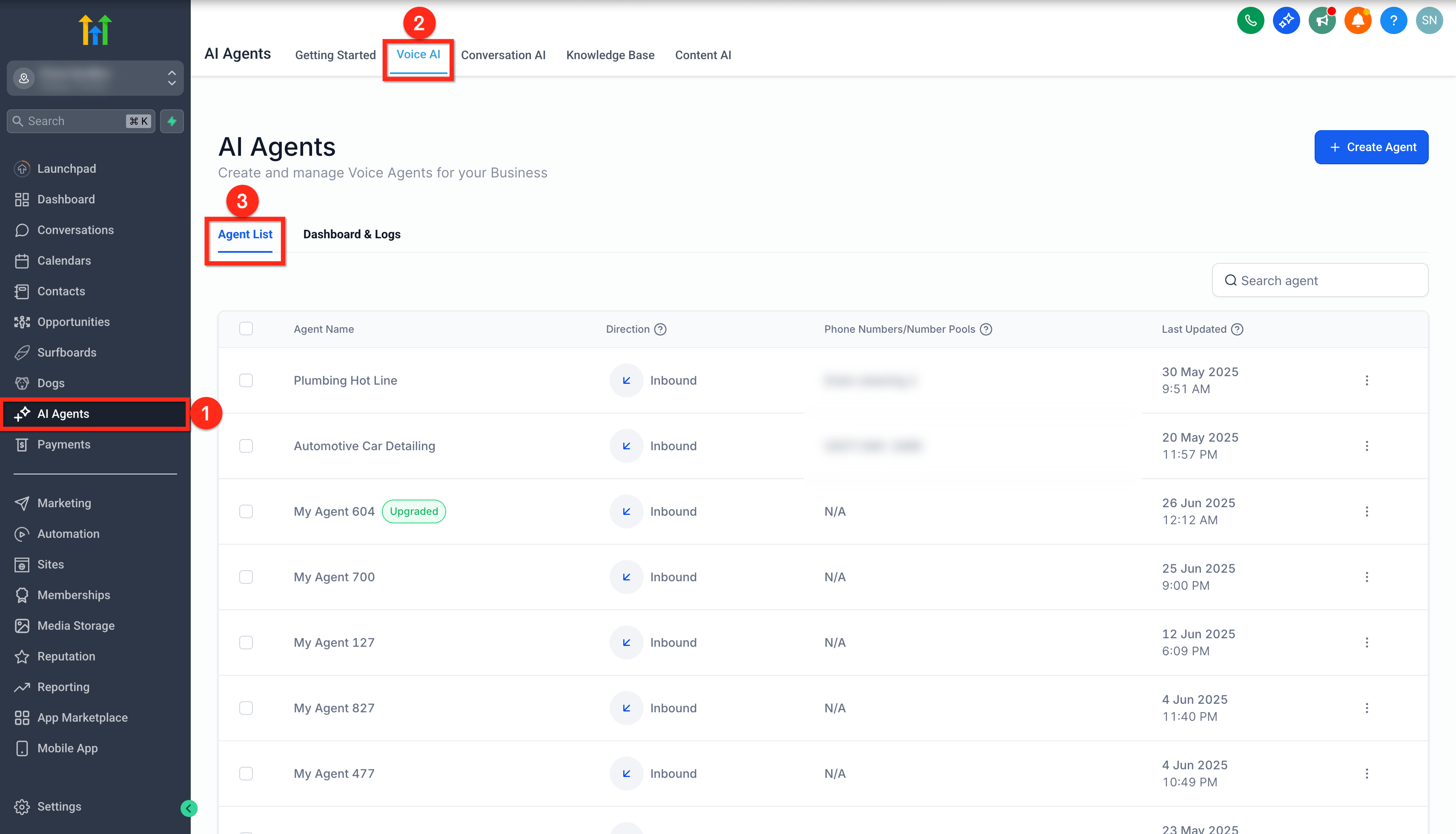
  2. Go to AI Agents > Voice AI.
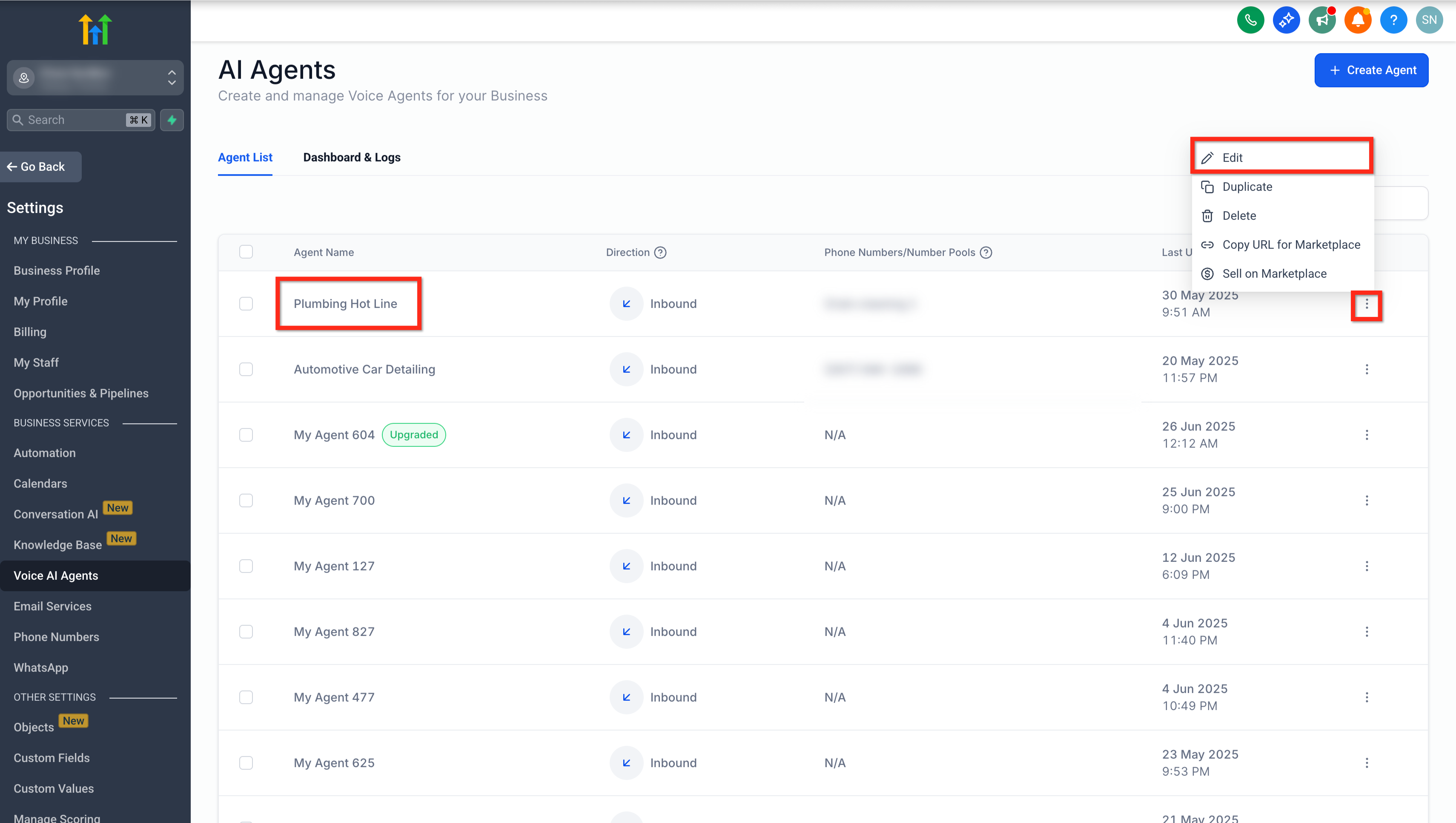
  3. From the Voice AI agent list, click the name of the agent you want to upgrade or click the three dot menu next to the agent name and select Edit.
  4. Confirm you selected the correct agent before upgrading.
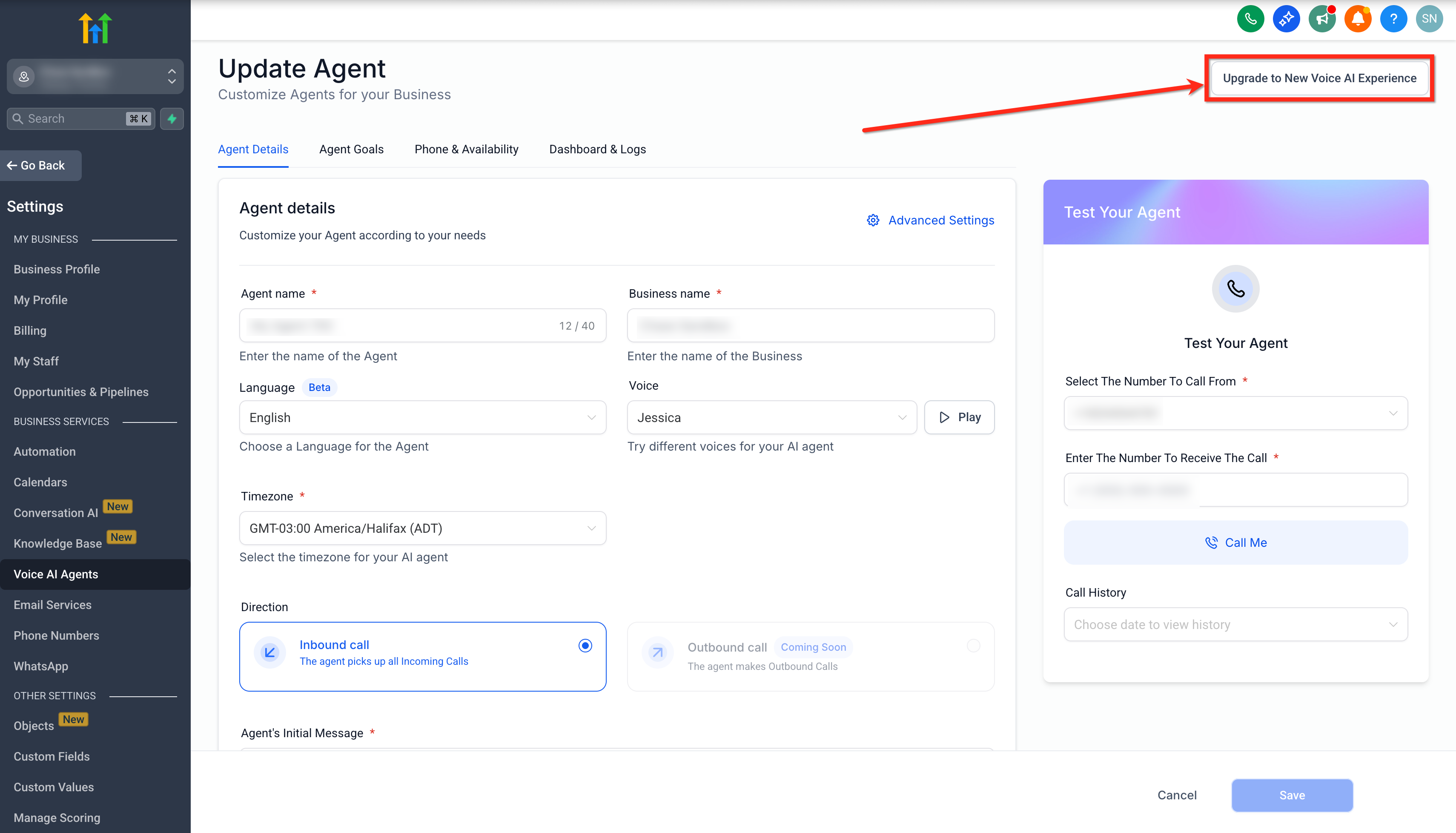
  5. On the agent edit page, click Upgrade to New Voice AI Experience.
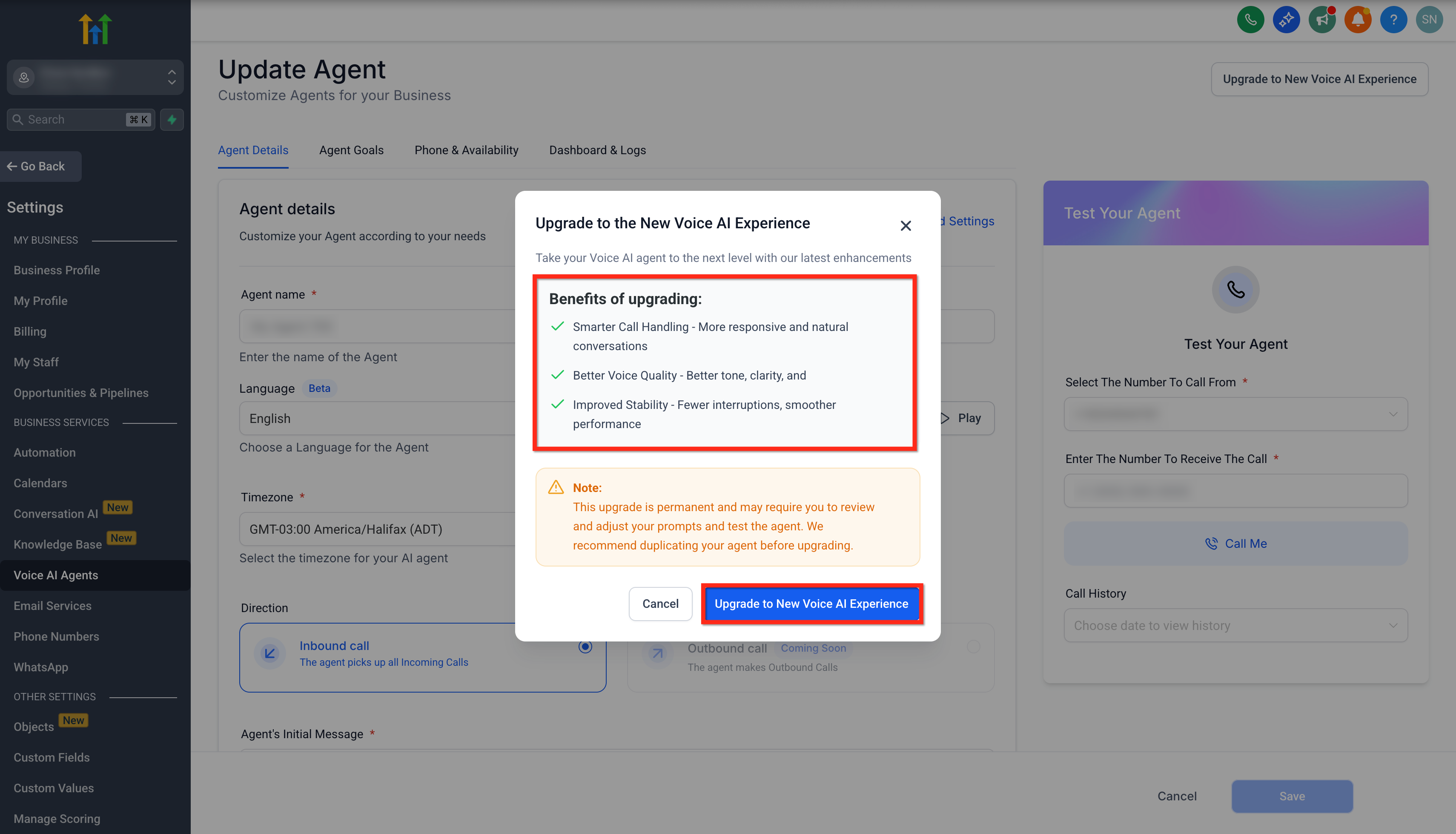
  6. Review the upgrade details shown in the confirmation modal.
  7. Click Upgrade to New Voice AI Experience to confirm and complete the upgrade.

05What it looks like in HighLevel
06Things to know before you rely on it

  • The upgrade is permanent and cannot be undone.
  • You cannot upgrade multiple agents at once; each must be upgraded individually.

07If something goes wrong

  • Prompts or call behavior change after upgrade. Test the agent after upgrading, review recordings and transcripts, then adjust prompts as needed.

Michael's take

Michael Reimer
Michael ReimerFounder of CRM Pros, HighLevel Commander and Certified Admin

The upgrade is only worth it if you need the better call quality and stability the new Voice AI Experience offers.

Teams that rely on existing prompts without the need for improved voice fidelity can skip this upgrade.

Read the full details on HighLevel →Published November 2, 2026 · Updated November 3, 2026

Common questions

Common questions about Voice AI agent upgrade.

Will upgrading affect my existing call flows or prompts?

The upgrade may affect how prompts, responses and call behavior are handled. Test the agent after upgrading and adjust prompts or settings if needed.

Can I revert to the previous Voice AI version if needed?

No. The upgrade is permanent. If you want to preserve the previous setup, duplicate the agent or document the configuration before upgrading.

Is there any downtime during the upgrade process?

Upgrading is typically seamless, but you should test the agent before using it for live calls.

Are there additional costs for upgrading to the new Voice AI Experience?

The upgrade is included with your existing Voice AI access. Standard Voice AI usage or subscription charges may still apply.

How do I know if my agent is already upgraded?

Upgraded agents display an UPGRADED badge next to the agent name in the Voice AI agent list.

Can I upgrade multiple Voice AI Agents at once?

No. Each Voice AI agent must be upgraded individually so you can review, test, and adjust each agent separately.

What should I check after upgrading?

After upgrading, test the agent’s greeting, prompt behavior, call transfers, appointment booking, workflow triggers, custom actions, and any phone or availability settings used by the agent.

Should I duplicate the agent before upgrading?

Yes. Because the upgrade is permanent, duplicating the agent or saving a copy of the current configuration is recommended before upgrading.

Next step

Pick the features that matter. Then get the plan that unlocks them.

Explore the features you want, start with the five at the top, and upgrade through my link when you are ready. The bonuses and the team come with it.

The features directory explains every HighLevel feature in plain English. Browse it to see what the platform can do.

Back to the FeaturesSee the full details
⌃

Site preview

Explore the next page

This destination is reserved in the page inventory and is not built yet.