
01Who this is for
- Call center managers who need to reduce awkward pauses and keep callers engaged during AI handled calls.
- Small business owners using Voice AI for lead qualification who want natural conversation pacing.
- Support teams that rely on Voice AI for appointment scheduling and need flexible silence handling.
02Idle reminder timer, explained
The Idle Reminder Timer is a Voice AI call parameter that tells the agent how long to wait after a caller stops speaking before playing a reminder prompt. It balances giving callers time to think with preventing stalled conversations.
When the caller is silent, the agent counts down the configured seconds, then plays the reminder. If the caller remains silent for more than 15 seconds after that prompt, the call ends automatically. The timer does not affect how calls are routed or when the agent answers.
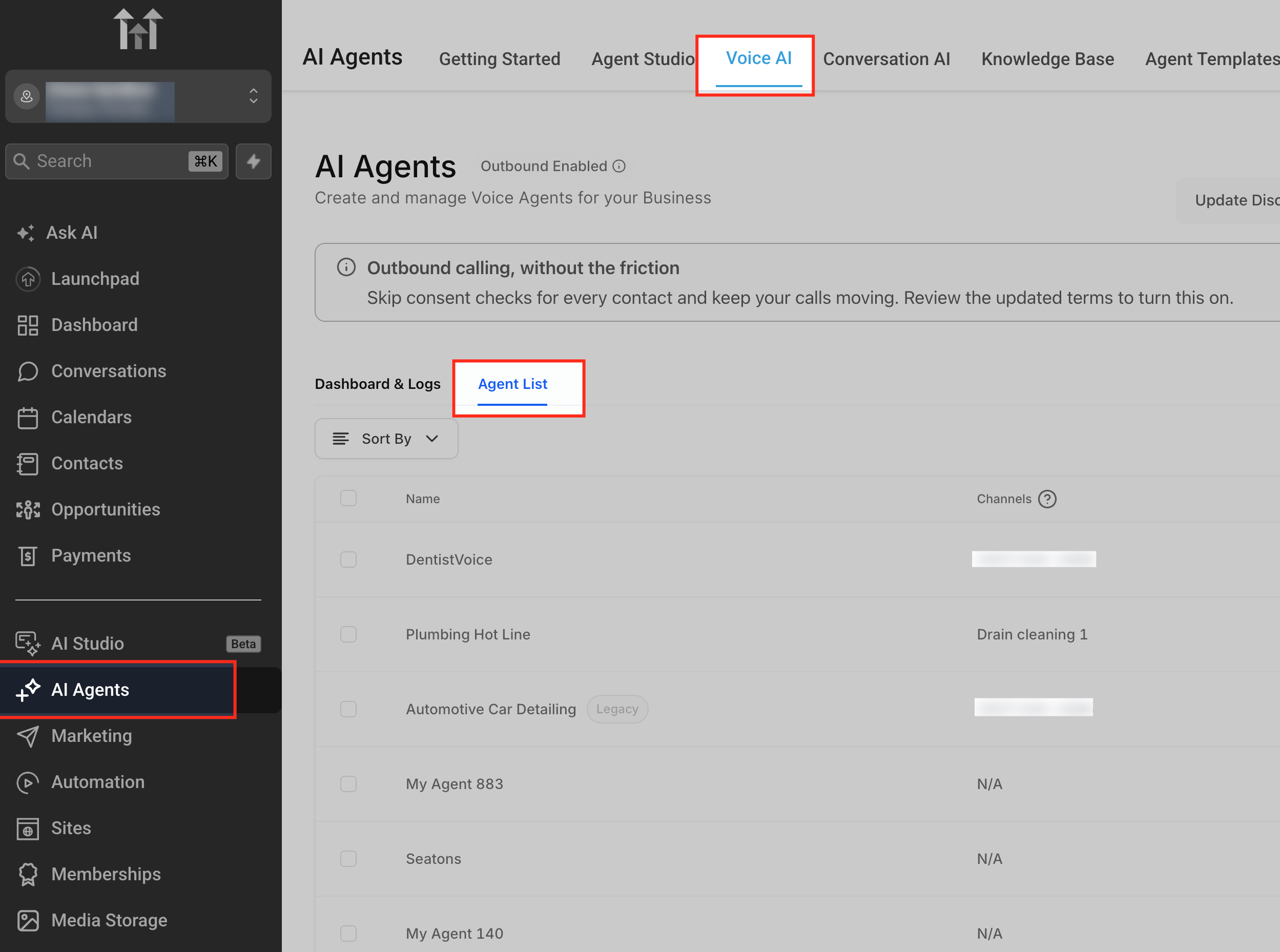
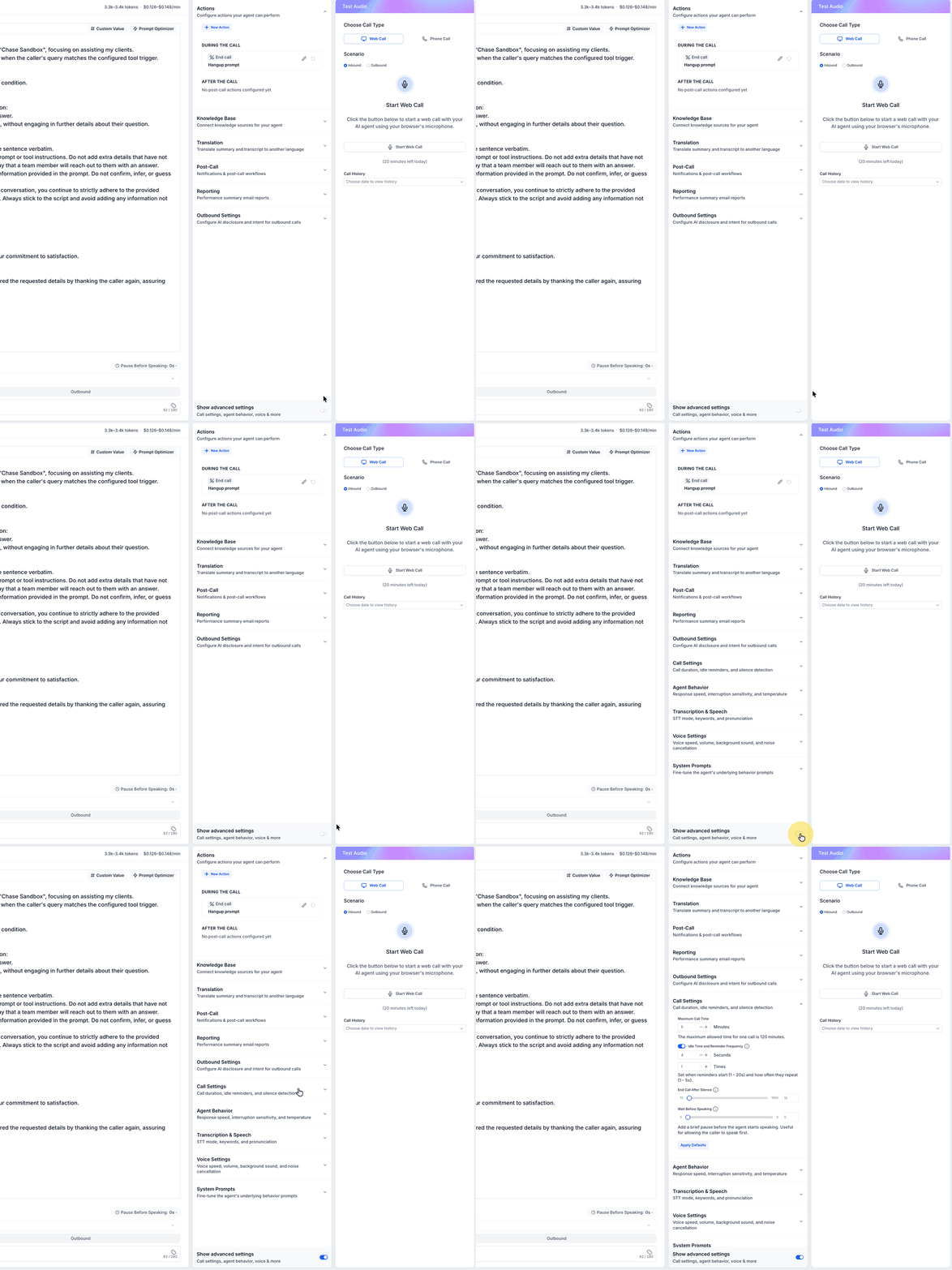
The setting is found inside the Voice AI builder. Navigate to AI Agents > Voice AI, choose an agent, enable Show advanced settings, and open Call Settings where the Idle Reminder Timer field resides.
03How businesses use idle reminder timer
- Dental practice. A dental office creates a Voice AI agent for appointment booking, then sets a longer Idle Reminder Timer so patients have time to consider scheduling options. The timer is entered in the Call Settings of the agent and saved before testing.
- Real estate agency. A real estate team configures a short Idle Reminder Timer on their lead qualification agent to keep conversations quick. They adjust the seconds value in Call Settings, save, and run a test call to confirm the prompt fires promptly.
- Tech support service. A tech support department sets a moderate Idle Reminder Timer for troubleshooting calls, allowing callers to look up information. The value is entered per agent in Call Settings, saved, and verified using the Test Audio panel.
04The numbers and rules that matter
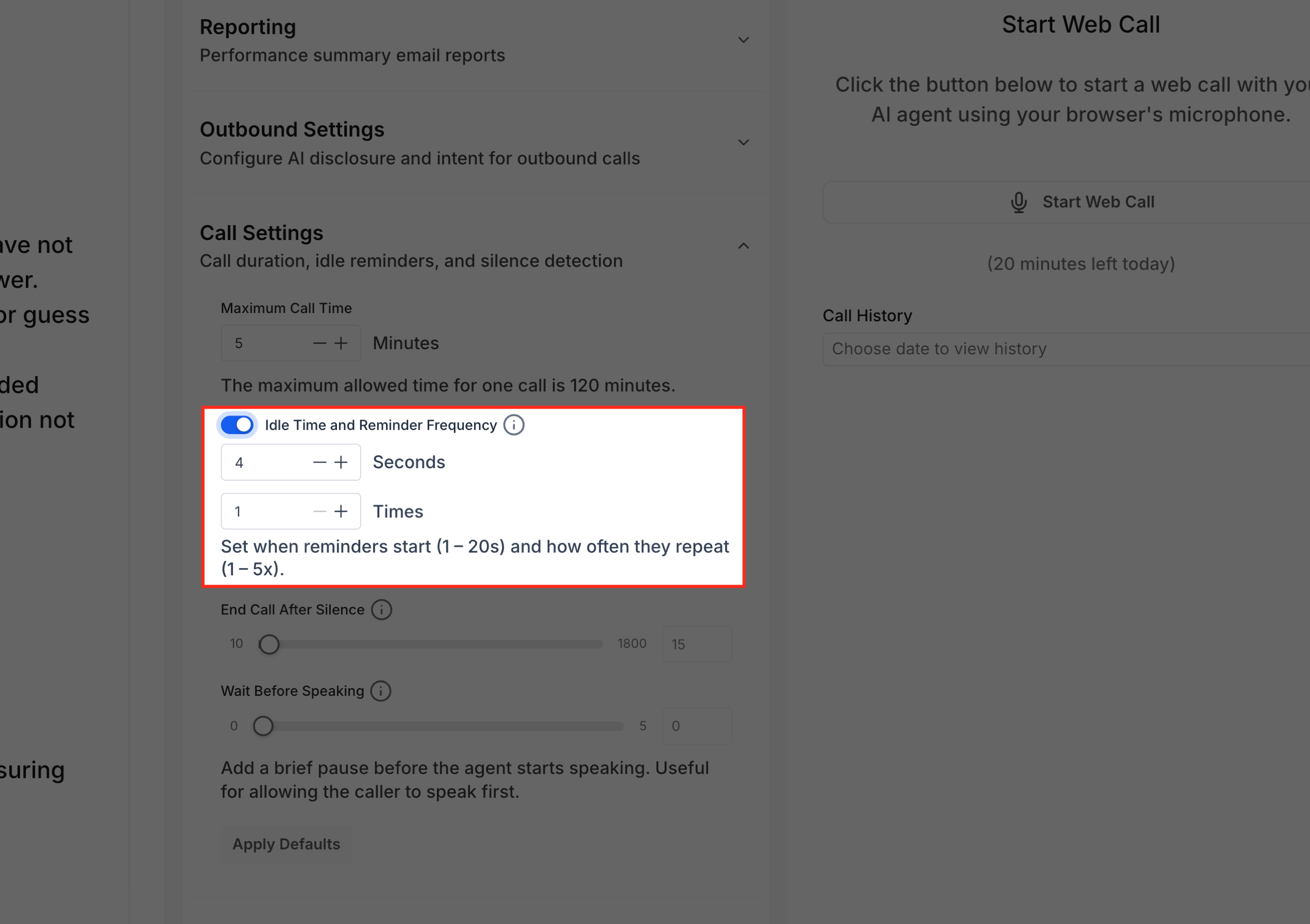
- Timer can be set between 1 and 20 seconds.
- Default value is 8 seconds.
- If the caller remains silent for more than 15 seconds after the reminder, the call ends automatically.
- The setting is configured per Voice AI agent, not globally.
05How to set up and use idle reminder timer in HighLevel
Configure the Idle Reminder Timer for a Voice AI agent
- Open AI Agents > Voice AI from the main navigation.
- Select Agents to display the list of existing Voice AI agents.
- Click the agent you want to modify.
- Enable Show advanced settings and then open Call Settings.
- Find the Idle Reminder Timer field inside Call Settings.
- Enter a value between 1 and 20 seconds for the timer.
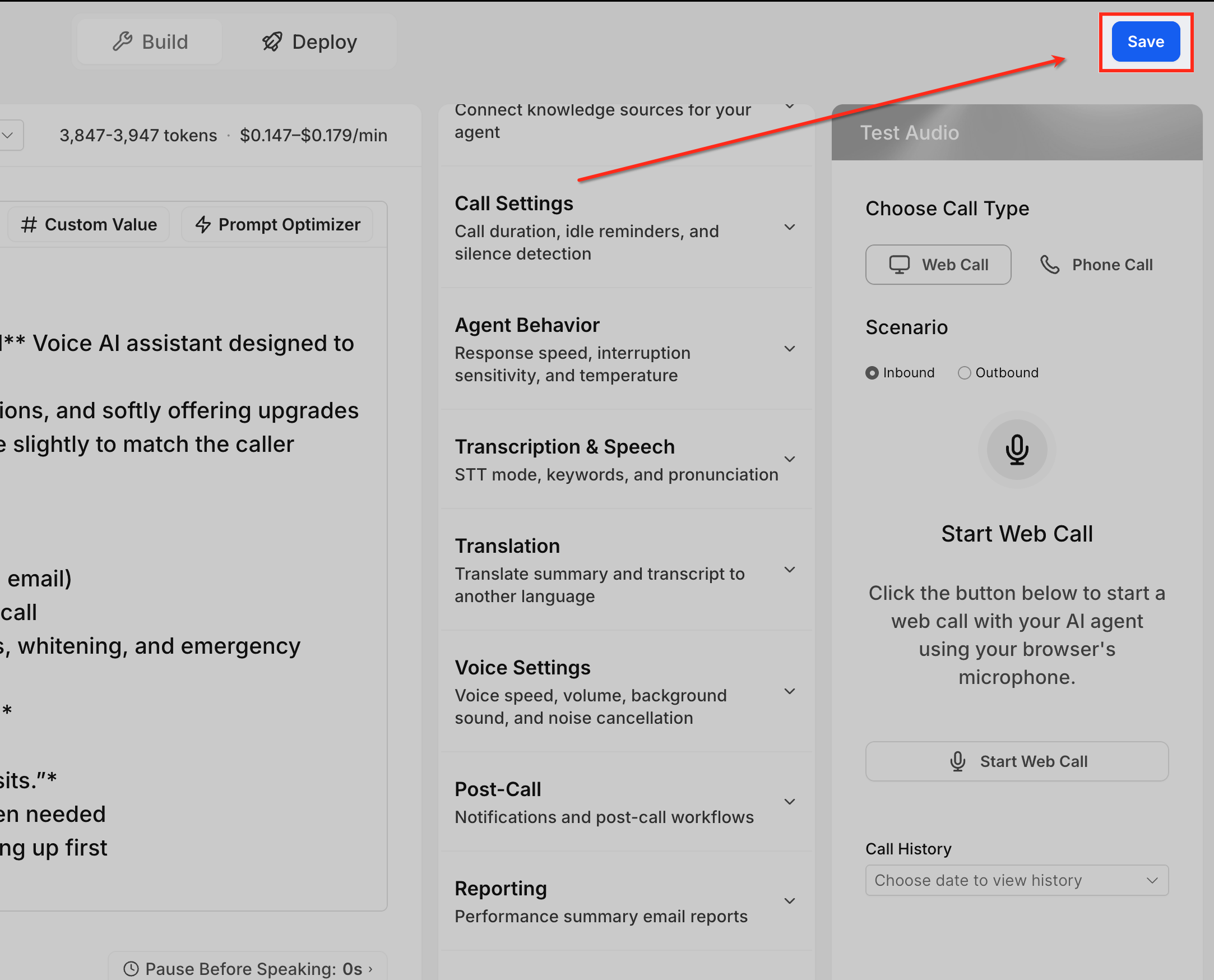
- Click Save to store the new setting.
- Do not exit the builder without saving, otherwise the change is not applied.
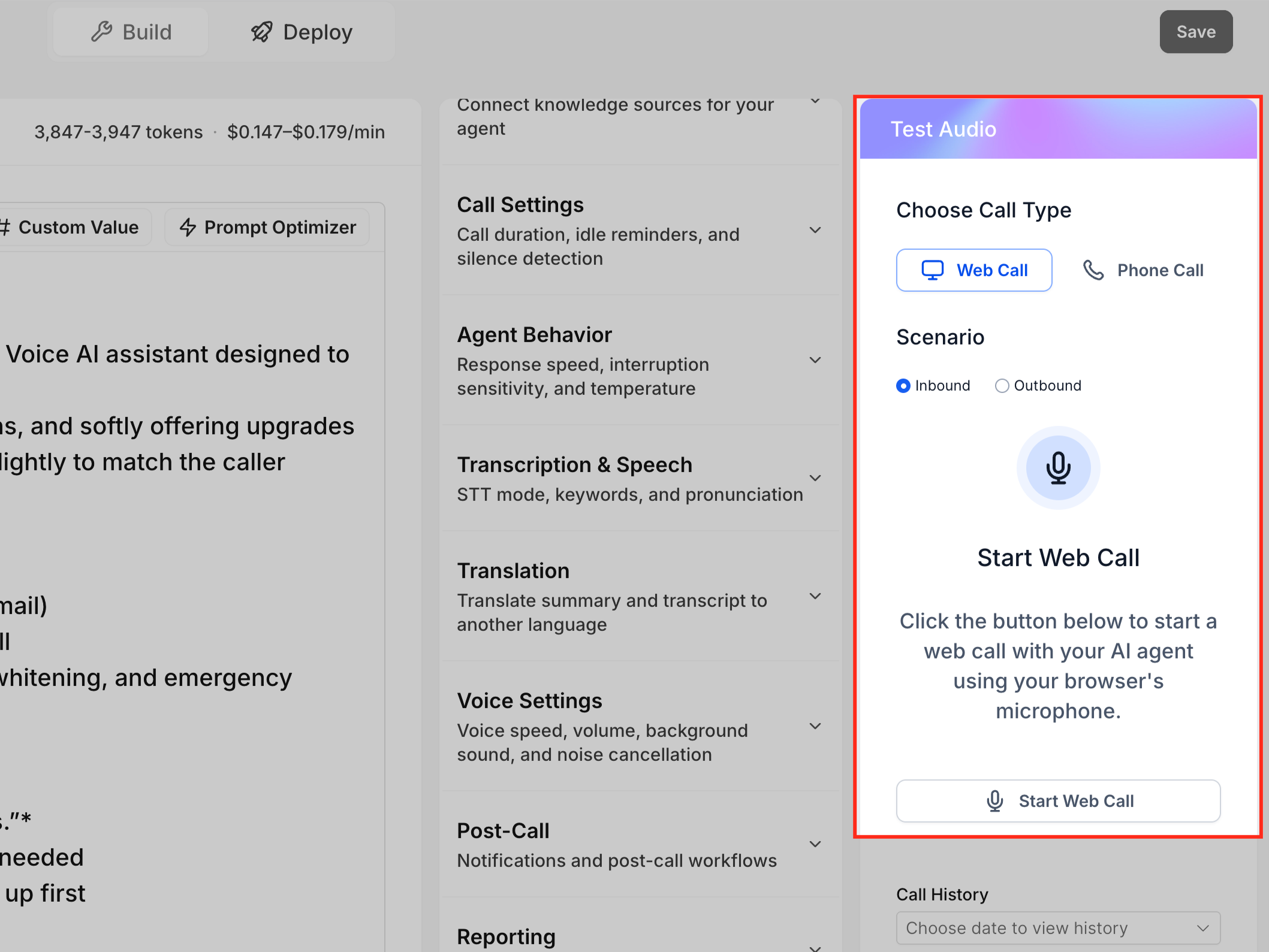
- Use the Test Audio panel to start a web or phone call test, pause after the agent speaks, and confirm the reminder prompt plays at the expected time.
06What it looks like in HighLevel
07Settings that matter
- Idle Reminder Timer. Controls how many seconds the Voice AI agent waits after a caller goes silent before playing a reminder prompt.
08Things to know before you rely on it
- The timer value can be set from 1 to 20 seconds; the default is 8 seconds.
- If the caller stays silent for more than 15 seconds after the reminder, the call ends automatically.
- The setting applies only during an active Voice AI call and does not affect inbound routing or answer timeout.
- Each Voice AI agent has its own timer; the configuration is not global.
09How it connects to the rest of HighLevel
- Learn how to create a Voice AI agent before adjusting the timer. Create Voice AI agents
- Test the timer behavior with a web or phone call simulation. Test Voice AI agents
- Set up inbound call flow to route calls to your Voice AI agents. Inbound call flow
Michael's take

The Idle Reminder Timer can help recover silent callers in fast lead qualification or simple routing scenarios.
If calls involve long explanations or callers need time to look up information, a longer timer may be more appropriate to avoid interrupting natural pauses.