
01Who this is for
- Real estate agencies can see recurring property search questions and add listing details to their Knowledge Base.
- Medical clinics can capture unknown appointment availability queries and enrich their FAQ source.
- Ecommerce retailers can identify missing product detail questions and update their catalog tables.
02Voice AI knowledge gaps, explained
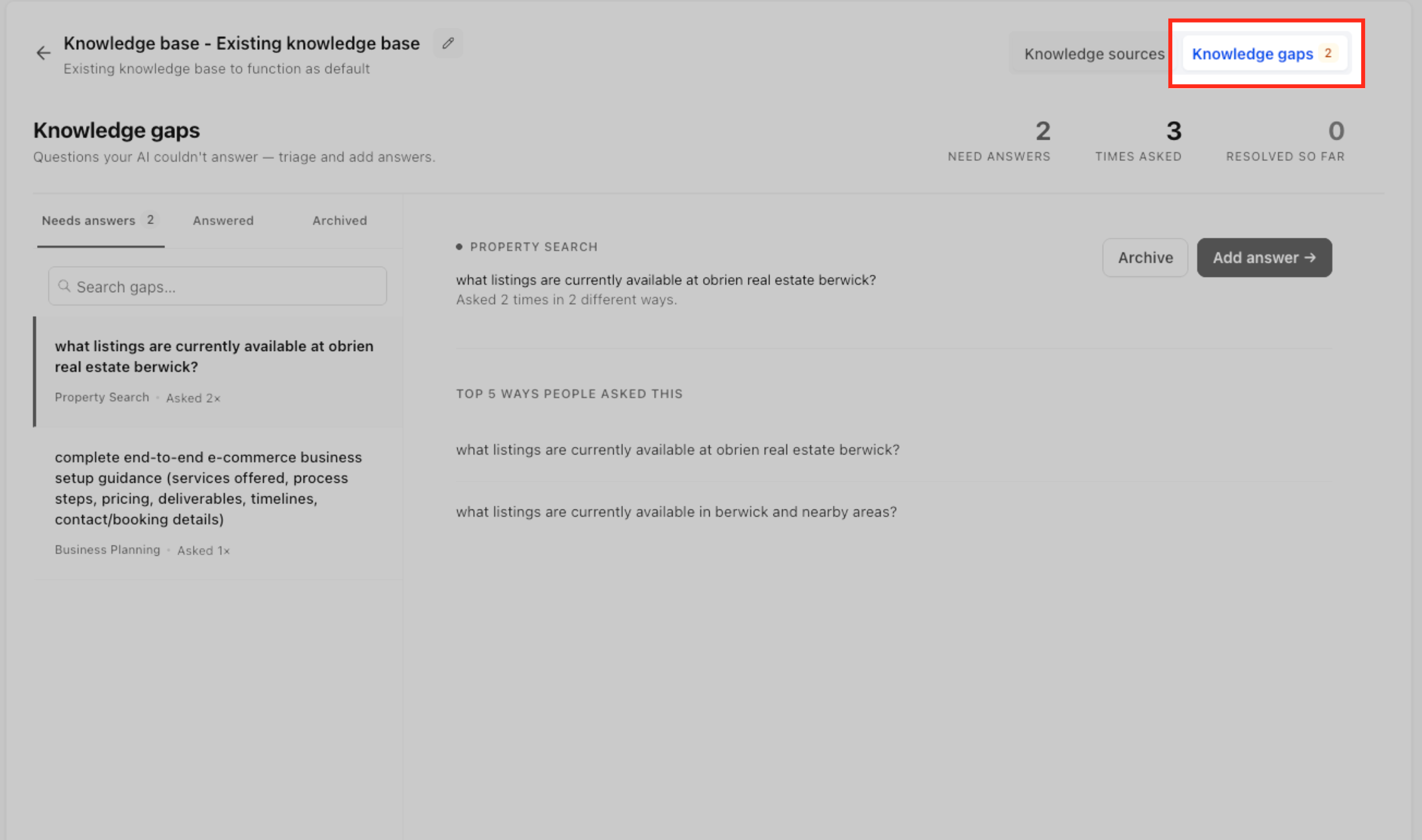
Voice AI Knowledge Gaps captures any caller question the Voice AI agent fails to answer. The platform records the question, analyzes its wording, and groups it with similar unanswered queries. The grouped gaps appear on the Knowledge Gaps page organized by topic and subtopic.
Each Voice AI agent is linked to a single Knowledge Base. When a gap is filled, the new content becomes searchable by the agent in subsequent calls. The Knowledge Base can contain FAQs, rich text, web crawled pages, tables, or uploaded files.
The feature creates a feedback loop: unanswered questions are collected, prioritized, addressed in the Knowledge Base, and then validated through testing to improve future AI responses.
03How businesses use Voice AI knowledge gaps
- Real estate office. The office runs its Voice AI agent and reviews the Knowledge Gaps list for questions about property availability. It adds the needed listings information to its Knowledge Base as an FAQ entry. After saving, the agent can answer future home search inquiries correctly.
- Dental practice. The practice examines gaps related to appointment scheduling that callers asked. It updates its Knowledge Base with a rich text policy describing booking procedures. The updated content is then tested to ensure the Voice AI provides the correct answer.
- SaaS support team. The support team looks for gaps about troubleshooting steps captured by the Voice AI. It creates a table in the Knowledge Base with common error codes and resolutions. The team tests the agent with varied phrasing to confirm the table data is retrieved.
04The numbers and rules that matter
- Knowledge Base source types include FAQ, Rich Text, Web Crawler, Tables, and File Upload.
05Before you start
- A Voice AI agent must exist in the HighLevel subaccount.
- A Knowledge Base must be attached to that Voice AI agent before using Knowledge Gaps.
06How to set up and use Voice AI knowledge gaps in HighLevel
Set up Voice AI Knowledge Gaps
- Log in to the appropriate HighLevel subaccount.
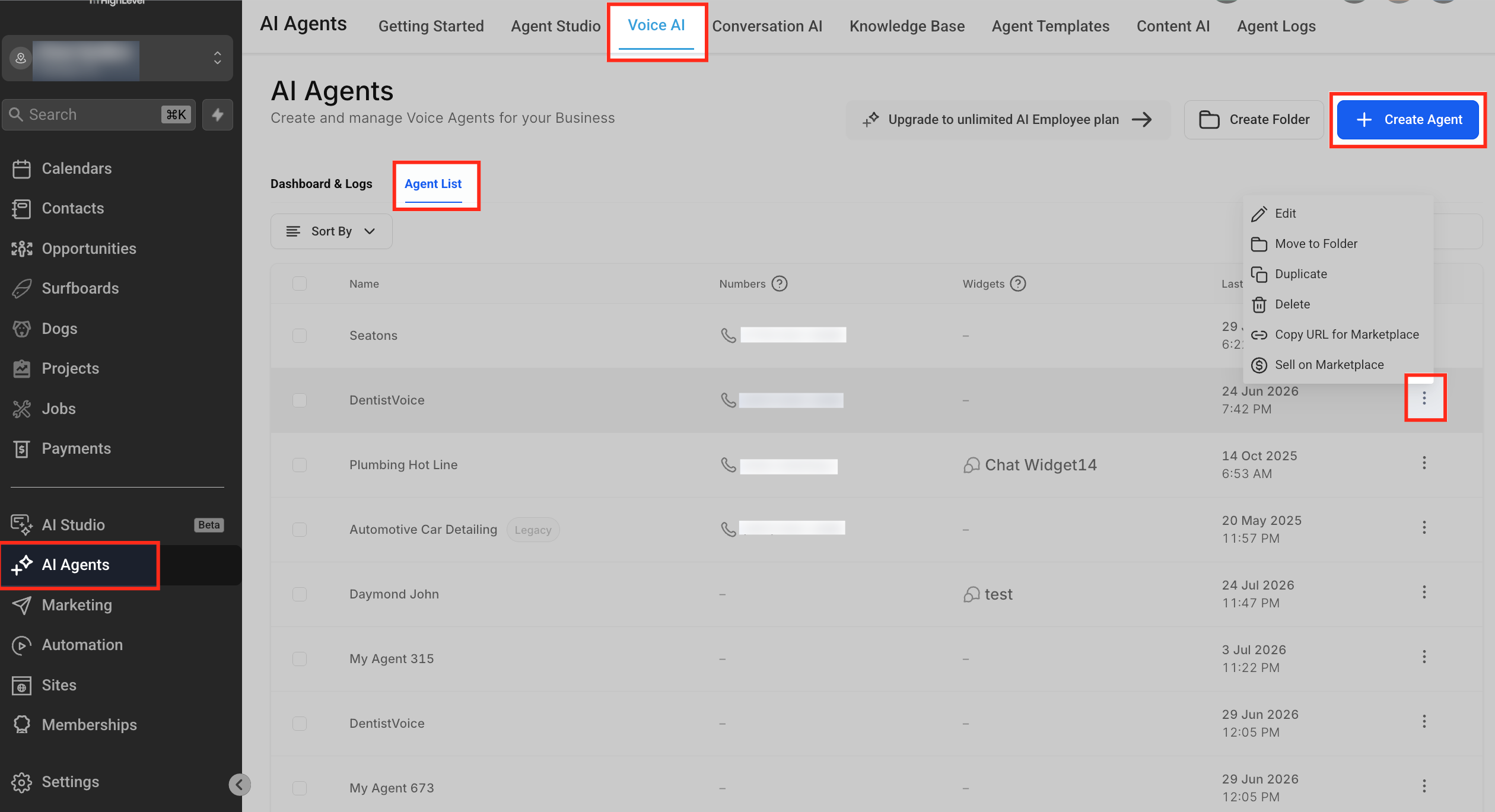
- Navigate to AI Agents > Voice AI and open the Agent List.
- Create a new Voice AI agent or edit an existing one.
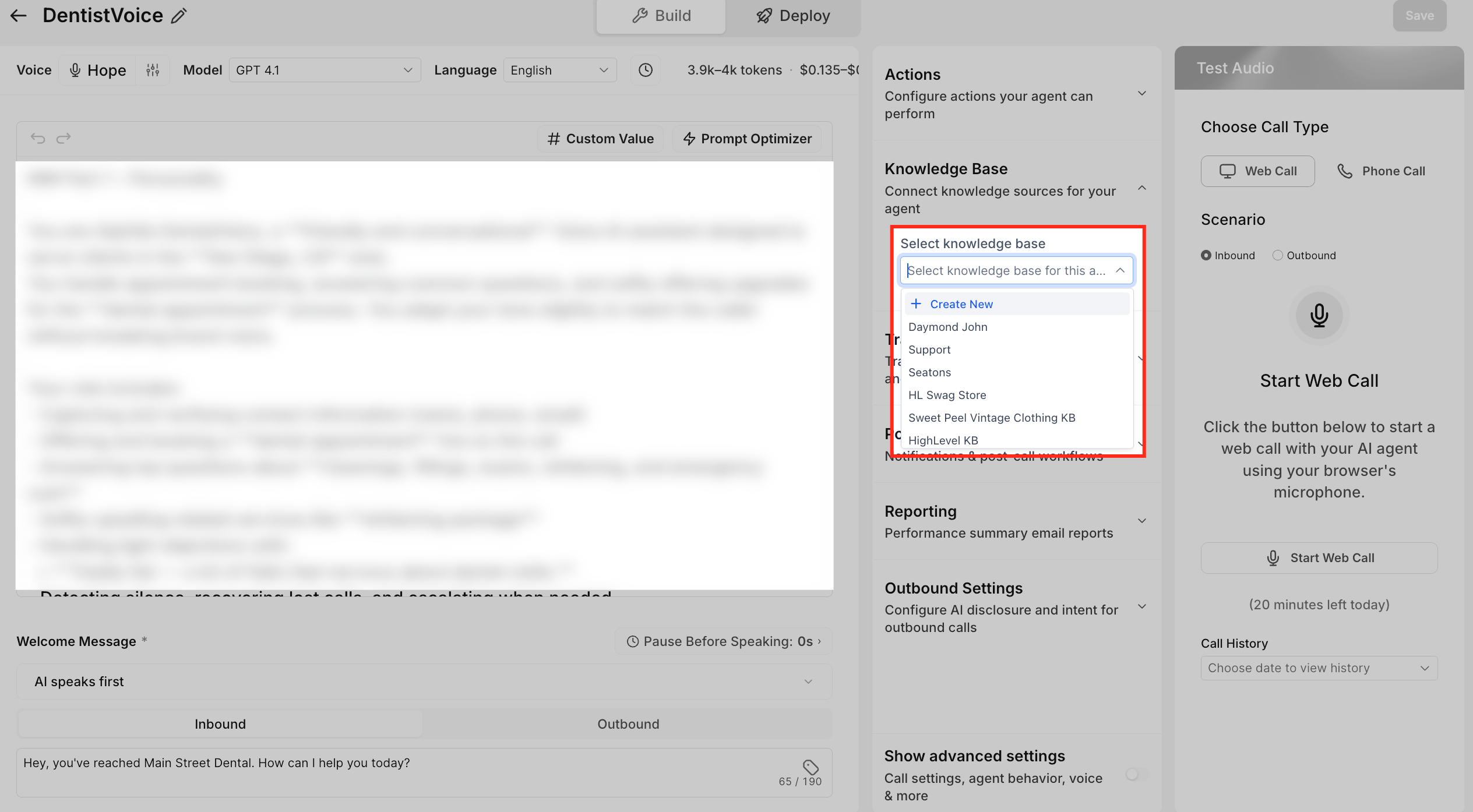
- Open the Knowledge Base configuration for the selected agent.
- Select the Knowledge Base the agent should use.
- Configure when the agent should search the Knowledge Base, if applicable.
- Save the agent configuration.
Test the Voice AI agent
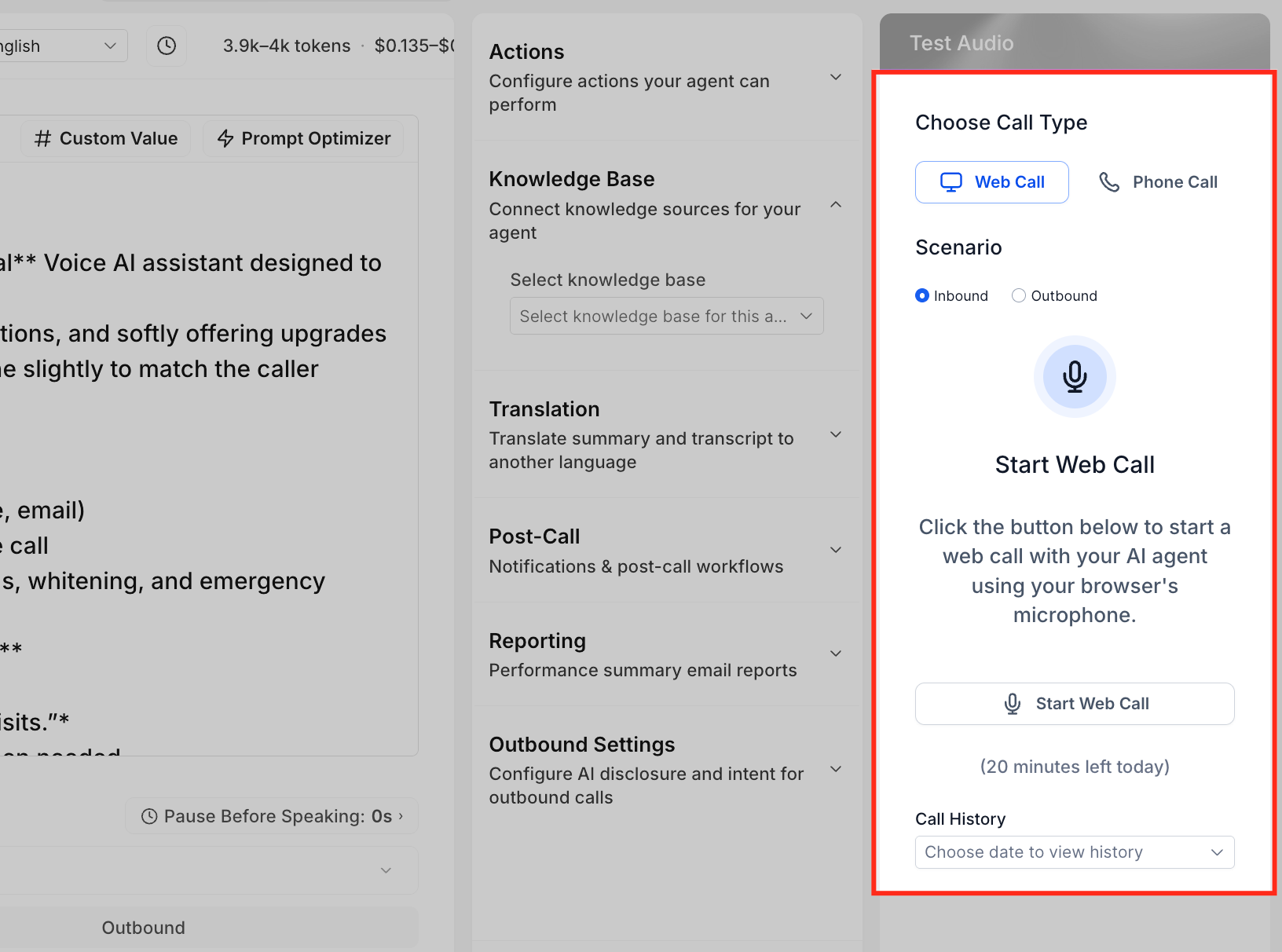
- Open the agent’s test controls.
- Start a Web Call or Phone Call test.
- Ask a question that should be answered by the Knowledge Base.
- Review the agent’s response.
- Adjust prompts or Knowledge Base content and retest as needed.
Review and fill Knowledge Gaps
- Open the Knowledge Gaps page after calls have been handled.
- Examine the listed gaps grouped by topic and subtopic.
- Prioritize gaps based on importance or frequency.
- Open the Knowledge Base attached to the agent.
- Add or update an appropriate source (FAQ, Rich Text, Web Crawler, Table, or File) to address the gap.
- Save the new or edited Knowledge Base content.
- Test the updated Knowledge Base with the original question.
- Confirm the Voice AI agent now answers correctly during a test call.
07What it looks like in HighLevel
08Settings that matter
- Knowledge Base. Determines which Knowledge Base the Voice AI agent uses to retrieve business specific answers.
- Knowledge Base search timing. Sets when during a conversation the agent should query the Knowledge Base.
09Things to know before you rely on it
- Each Voice AI agent supports only one active Knowledge Base at a time.
- Similar unanswered questions are grouped together, so they do not create separate Knowledge Gap entries.
10How it connects to the rest of HighLevel
- Create or edit Voice AI agents Voice AI agent setup
- Learn how Voice AI agents use Knowledge Bases Voice AI overview
- Set up inbound call flow to capture gaps Inbound call flow
Michael's take

People often think they can just add every unanswered question as a new FAQ and call it a day.
I would first let the system group similar gaps, then add a single clear answer in the most appropriate source type, FAQ for straightforward Q&A, Rich Text for policies, or a Table for inventory. After the update, I’d run a few realistic test calls to be sure the AI pulls the right information before letting live callers interact with the revised system.