
01Who this is for
- Agency admins can manage Content AI access for each client subaccount, ensuring the appropriate billing model is applied.
- Subaccount users who have a Starter, Growth, or Unlimited plan can generate blog outlines without extra cost beyond fair use limits.
- Content marketers in small businesses can use the tool to draft outlines quickly, reducing time spent on research.
02Content AI outlines, explained
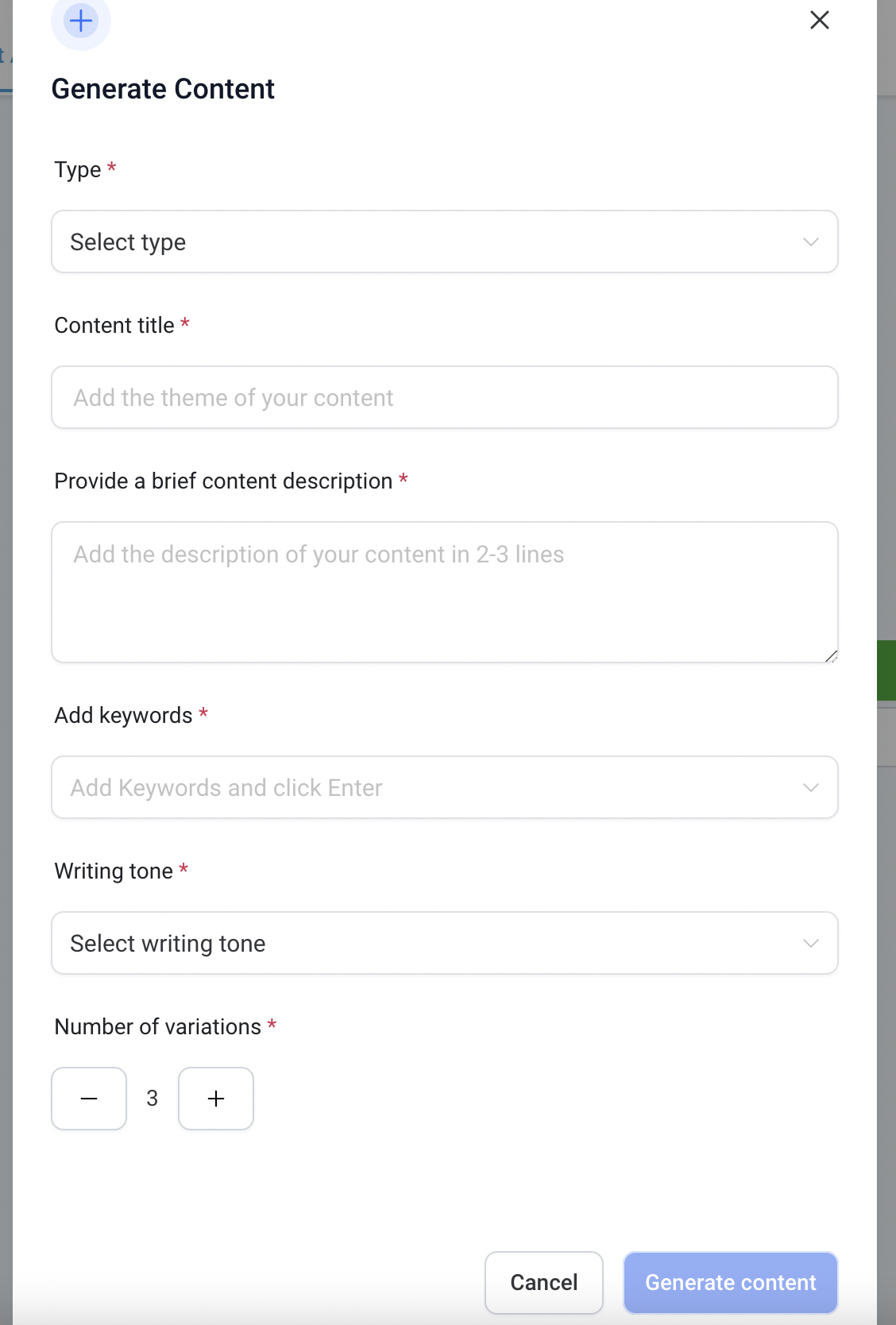
Content AI lives in the AI Suite of HighLevel. It offers three generation modes, Outline, Introduction, and Specific Section, each taking a title, description, keywords and tone as input. After submitting the form, the AI returns one to five variations that appear beside the blog editor.
The feature is accessed from the blog post editor after a new post is created. Agency users control availability and billing through the AI Suite > Plans & Limits screen, while subaccount users receive access via pay per use or an eligible AI Employee subscription.
03How businesses use Content AI outlines
- Digital marketing agency. The agency switches to Agency View, configures rebilling for a client subaccount, and enables Content AI so the client can generate blog outlines on demand while the agency tracks usage for billing.
- SaaS startup. A Founder with a Growth plan opens a new blog post, clicks Content AI, selects Outline, inputs the title and keywords, and receives multiple outline variations to speed up the content pipeline.
- Local service provider. The owner creates a blog post about a service, chooses the Introduction mode in Content AI, provides a brief description and tone, and copies the generated paragraph into the post editor.
04The numbers and rules that matter
- The first 500 words are FREE for each subaccount.
- Agency admins and agency users can access Content AI at no additional cost, subject to fair use limits.
- Subaccount users can access Content AI through pay per use billing or an eligible AI Employee subscription, subject to fair use limits.
05Before you start
- Agency admin must have access to the Agency View in HighLevel.
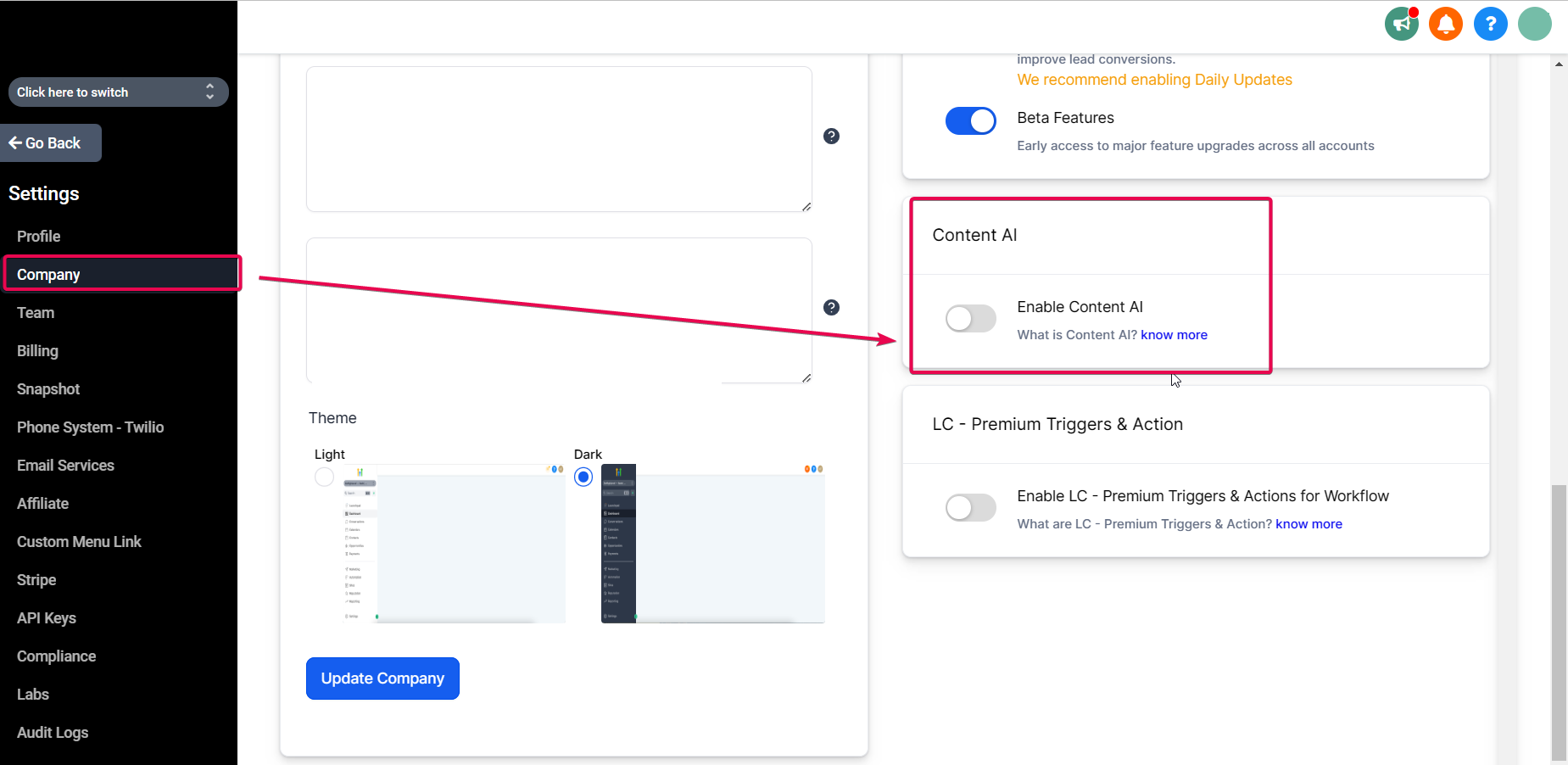
- User permissions for Content AI must be enabled in subaccounts.
- The subaccount must be on a plan that includes AI Employee features or be set up for pay per use.
06How to set up and use Content AI outlines in HighLevel
Enable Content AI for a subaccount (agency view)
- Switch to Agency View.
- Go to AI Suite > Plans & Limits.
- Locate the subaccount you want to manage.
- Click the three dot menu next to the subaccount and select Configure Rebilling.
- Review the available AI products, including Content AI.
- Enable rebilling, set the desired billing options, and save your changes.
Create a blog post outline with Content AI
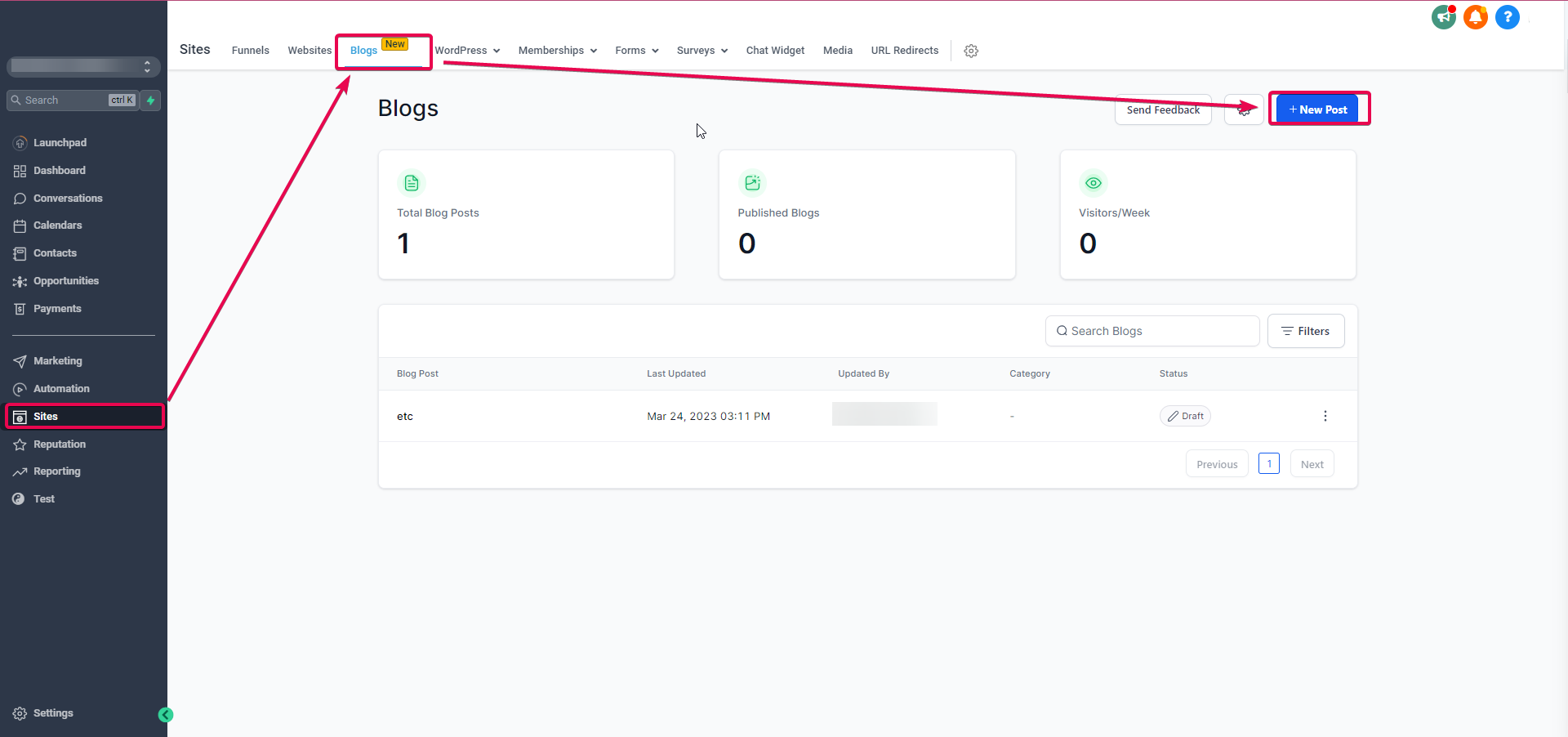
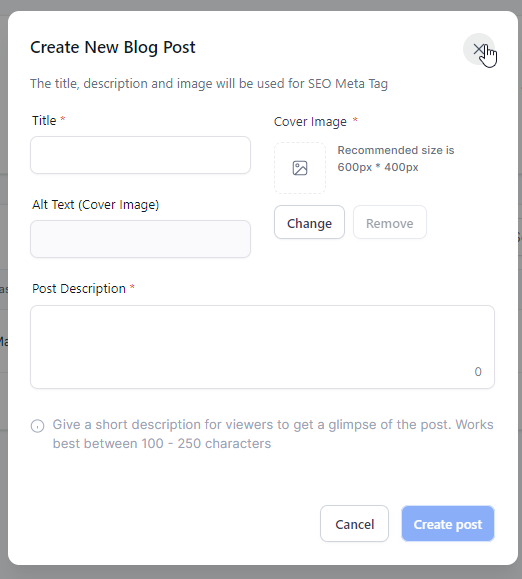
- Go to Sites > Blogs > Create New Post.
- Enable users' permissions to use Content AI in the subaccount.
- Add a meta description to the new post.
- Open the blog post editor where Content AI appears.
- Click the Content AI button.
- Select Outline as the content type.
- Enter the post title, description, keywords, choose a tone, and set the number of variations from 1 to 5.
- Copy a generated outline variation; it will appear on the right side of the editor.
- Verify the outline details and click Continue to insert it into the post.
07What it looks like in HighLevel
08Settings that matter
- Configure Rebilling. Allows an agency admin to set up billing rules for a subaccount’s Content AI usage.
- Enable rebilling. Turns on charging the client for supported Content AI consumption.
- Content AI. Controls whether the Content AI product is active for the selected subaccount.
- Outline. Selects the mode that generates bullet point outlines for a blog post.
09Things to know before you rely on it
- The first 500 words of Content AI output are free for each subaccount.
- Agency admins and users receive Content AI at no extra cost, but usage is subject to fair use limits.
- Subaccount access depends on a pay per use model or an eligible AI Employee subscription.
10How it connects to the rest of HighLevel
- Learn how to set up AI Employee access, rebilling and reselling. AI Employee access
- Check the AI product pricing and fair use limits for Content AI. AI pricing
- View all AI Employee features available in HighLevel. All AI features
Michael's take

Content AI outlines can significantly speed up the drafting process, allowing a small team to publish more frequently.
Don’t forget to grant Content AI permission to your subaccounts before you start creating outlines.