
01Who this is for
- Customer support managers can receive regular updates to monitor agent effectiveness.
- Sales team leaders can keep sales reps informed of call handling metrics.
- Operations directors can track overall Voice AI usage across the subaccount.
02Voice AI Performance Summary Emails, explained
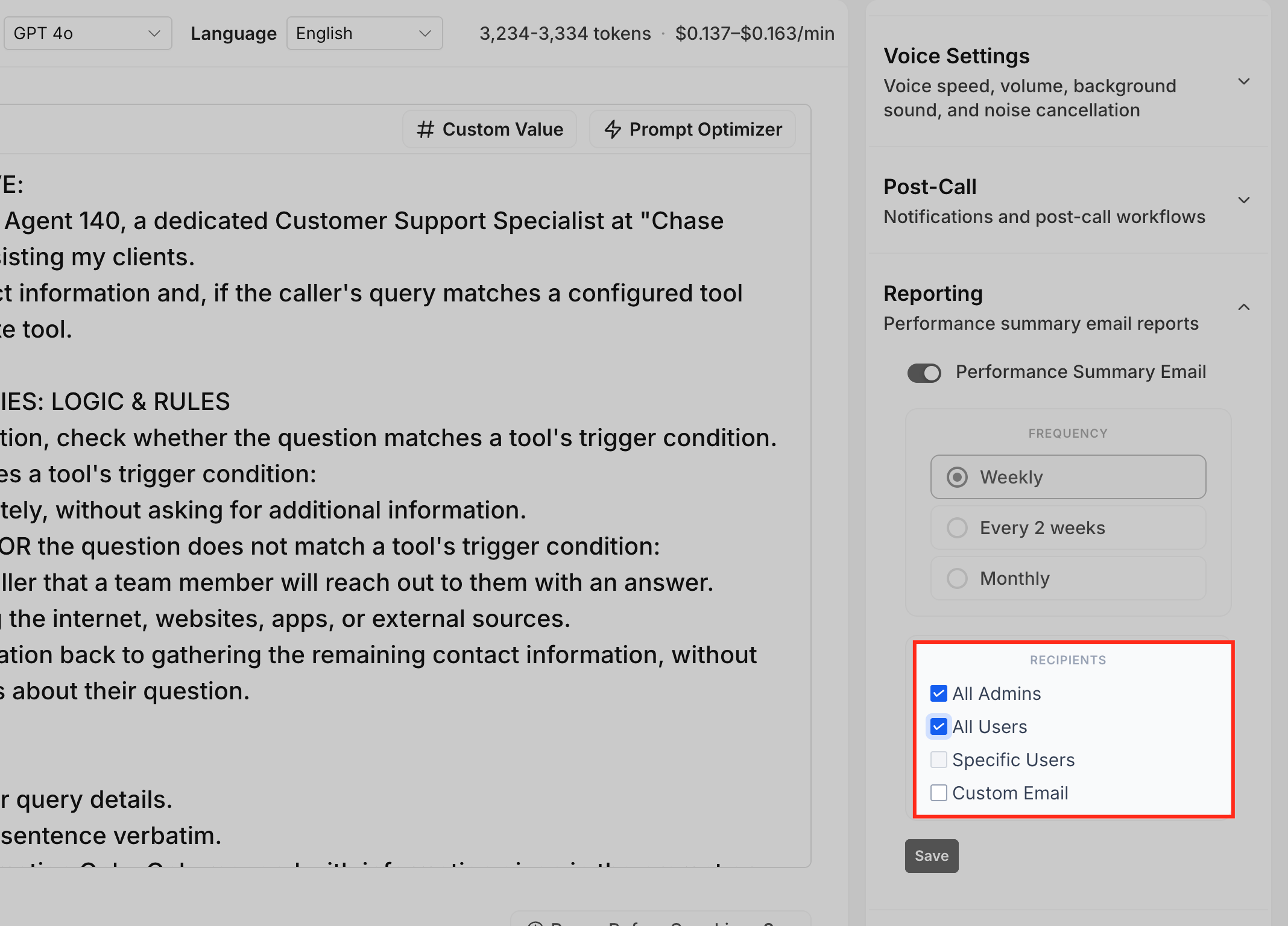
The feature creates recurring email reports that summarize activity for a single Voice AI agent. You choose how often the report is generated, weekly, every two weeks, or monthly, and who receives it. Recipients can be all admins, all users, selected HighLevel users, or any external email address you enter.
These settings are stored inside the agent’s Build tab under a Reporting panel. Each agent has independent configuration, so you can tailor reporting to the needs of different bots. The emails are sent automatically on the defined schedule; they do not appear right away after saving.
Performance Summary Emails complement other review tools. Use them for periodic visibility, while Dashboard & Logs remain the place for real time analysis.
03How businesses use Voice AI Performance Summary Emails
- Dental practice. A dental office creates a Voice AI agent for appointment reminders. The practice sets the summary email to weekly and selects All Admins so the office manager receives a concise report on reminder call success without opening the dashboard each time.
- Real estate brokerage. The brokerage assigns a Voice AI agent to qualify leads. They choose the Every 2 weeks frequency and add Specific Users, selecting the lead generation team members. The team receives targeted performance data on lead conversion.
- Fitness studio chain. The chain uses a custom email address to receive monthly performance summaries for its class booking Voice AI. The summary is sent to the corporate analytics inbox, allowing the central team to review trends across locations.
04The numbers and rules that matter
- Frequency options: Weekly, Every 2 weeks, Monthly.
05How to set up and use Voice AI Performance Summary Emails in HighLevel
Configure performance summary email
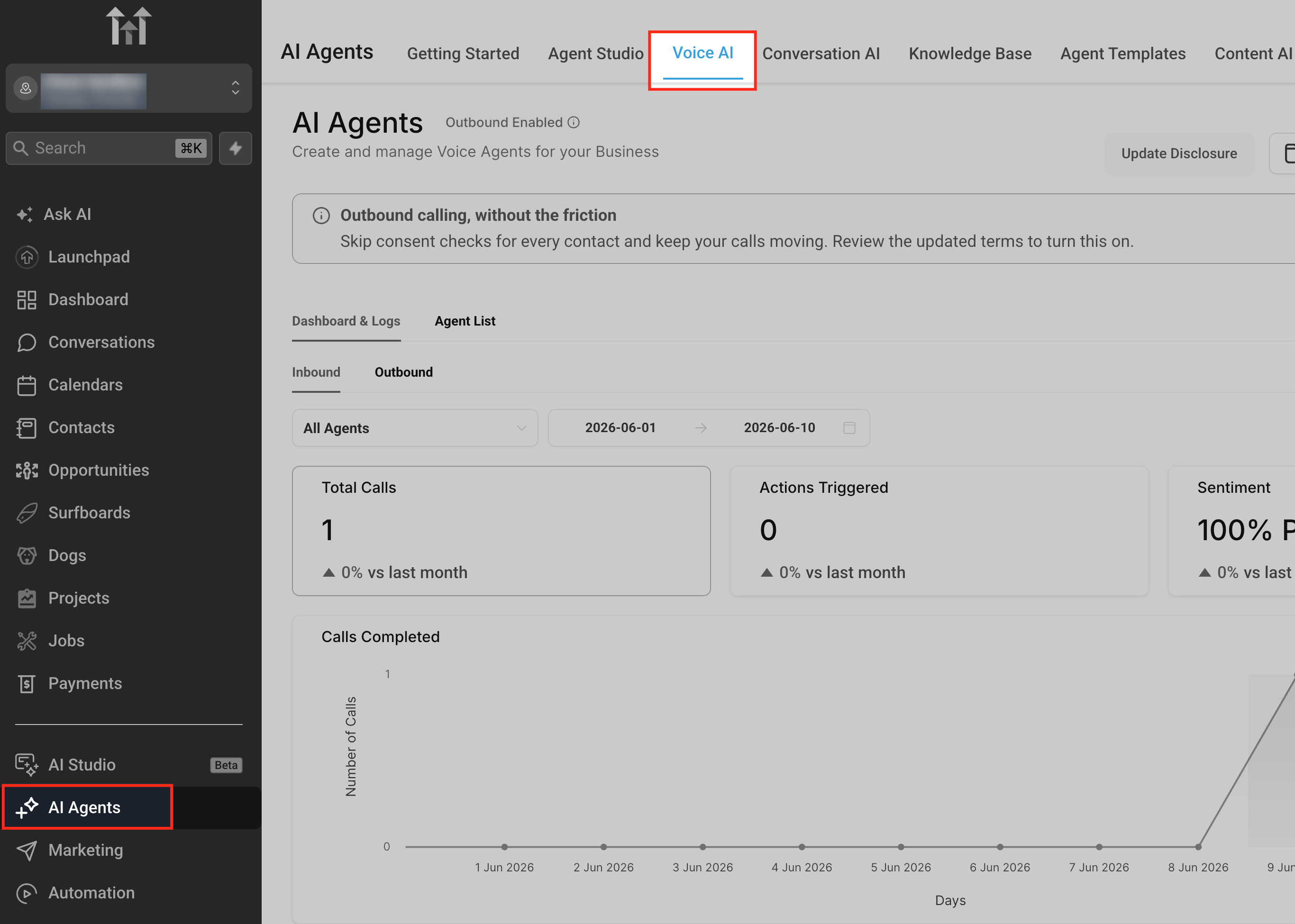
- Navigate to AI Agents > Voice AI.
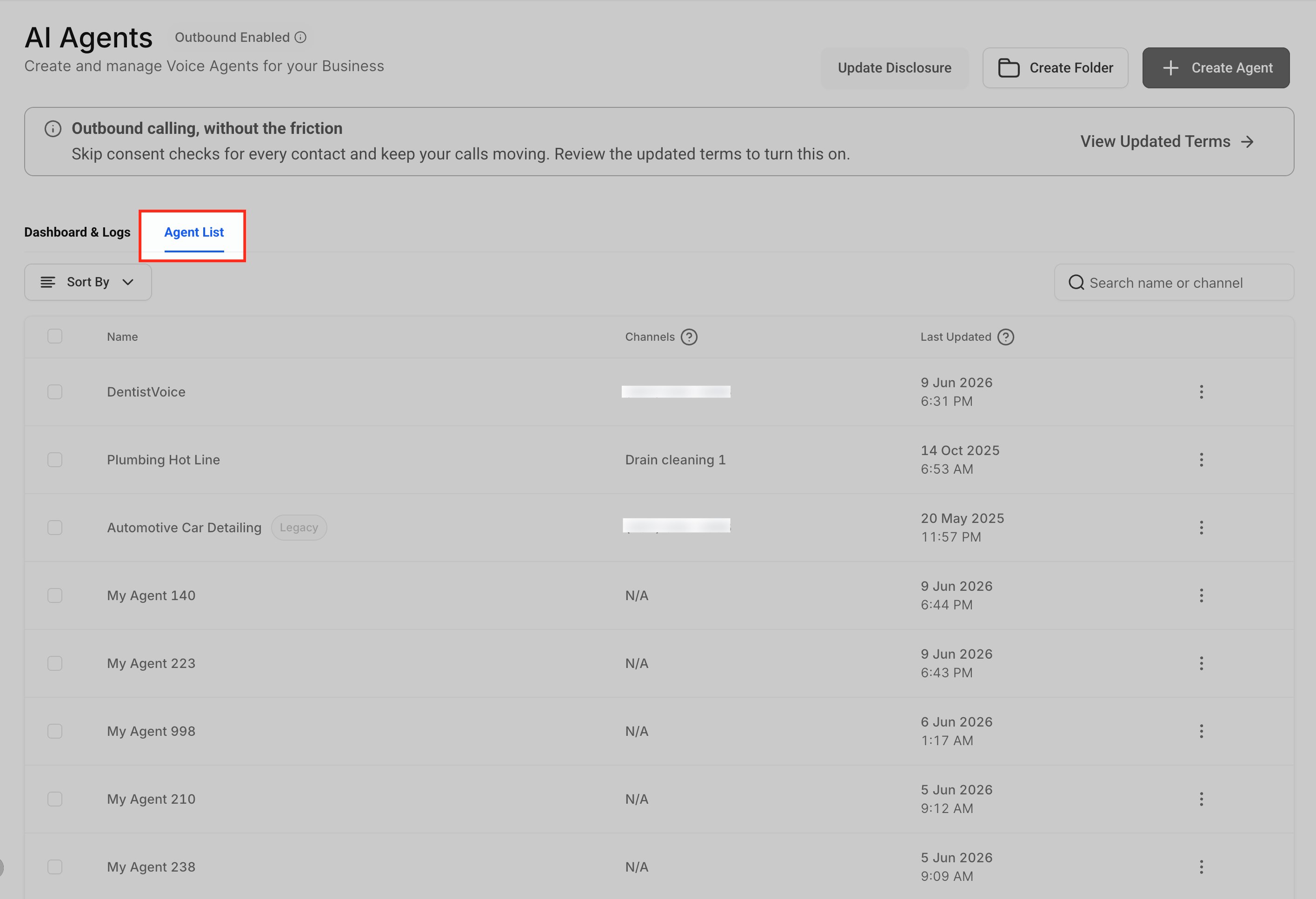
- Open the Agents List to view existing bots.
- Select the Voice AI agent whose report you want to set up.
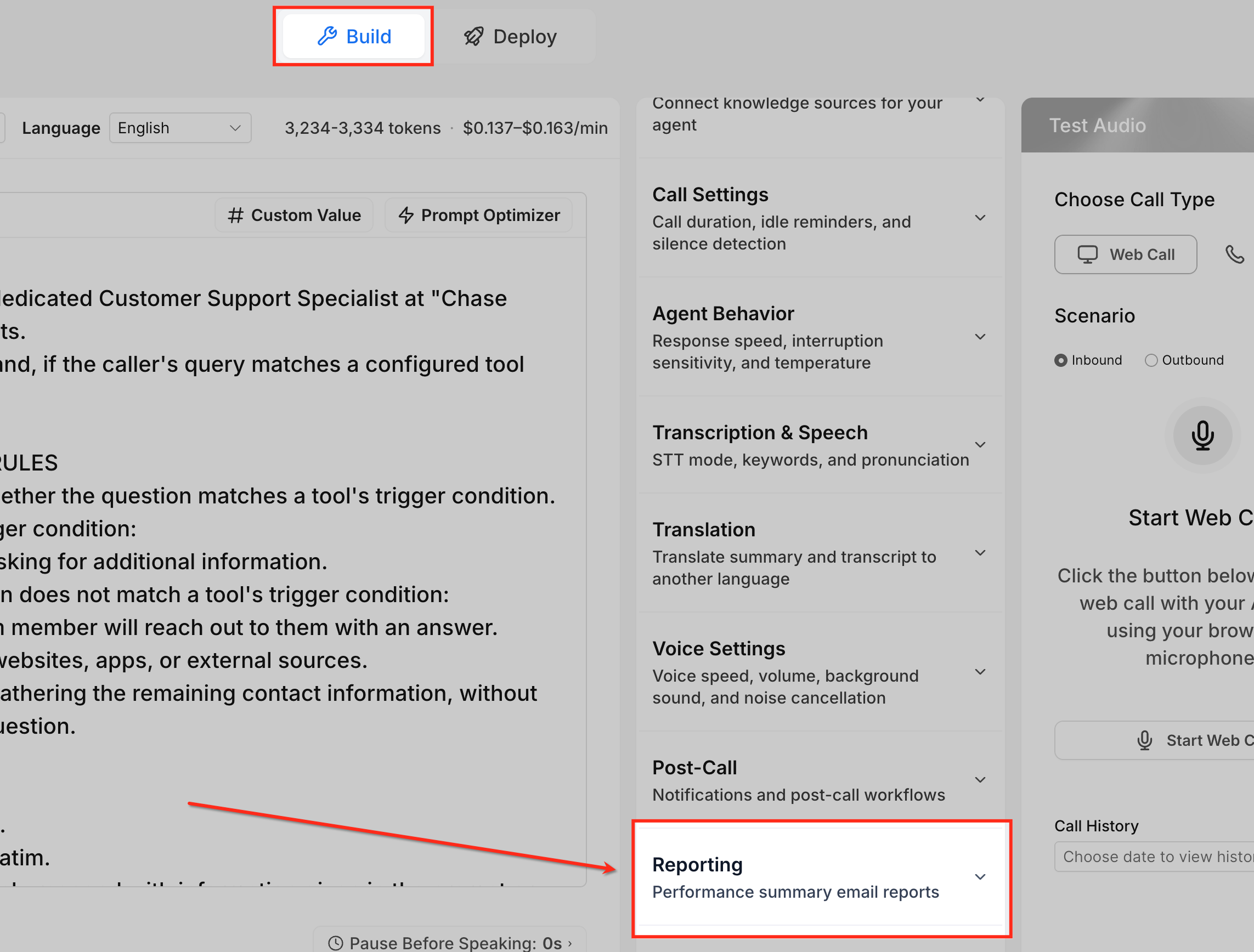
- Open the Build tab for that agent.
- In the right hand panel, expand the Reporting section.
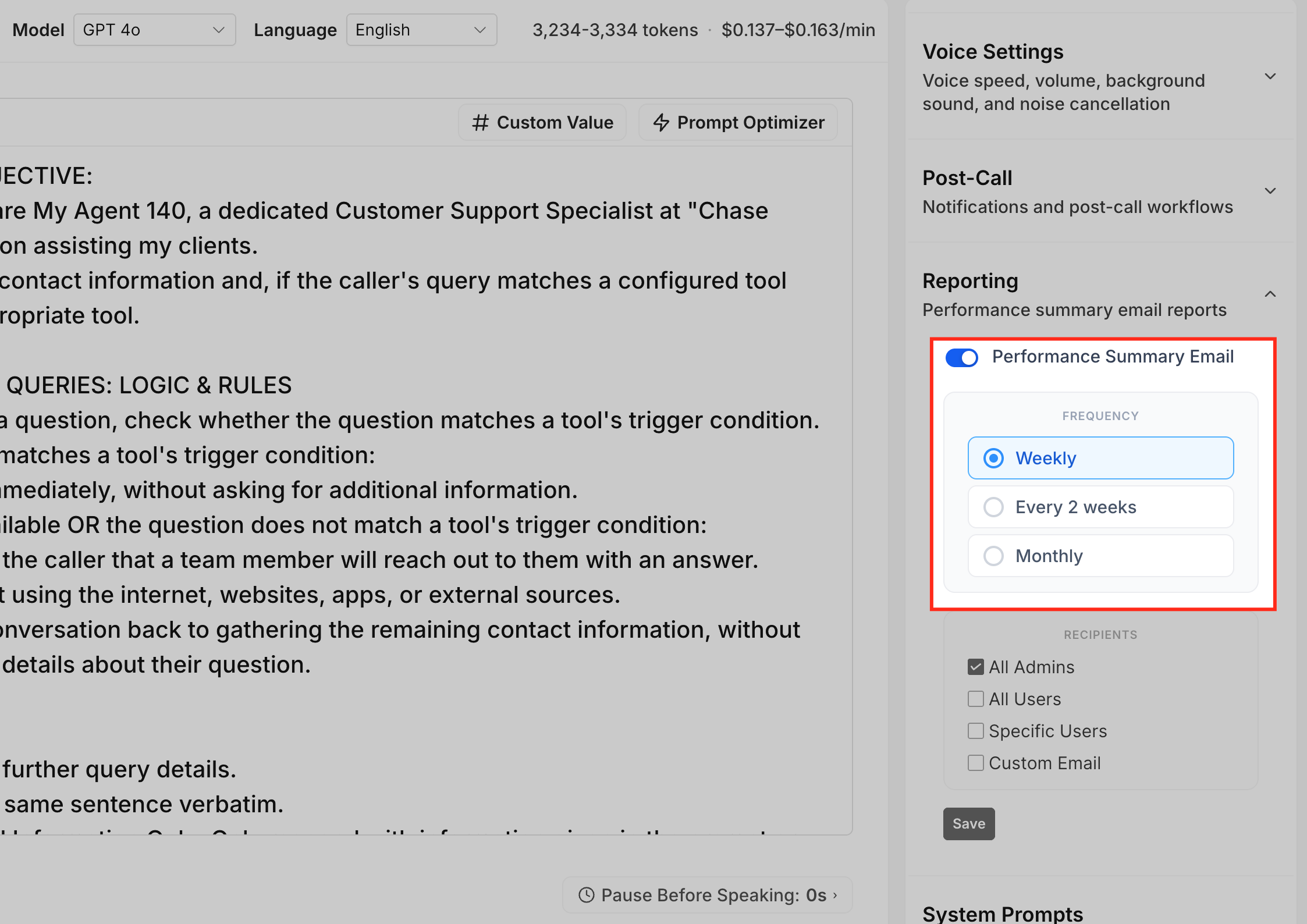
- Find the Performance Summary Email setting.
- Pick the desired frequency: Weekly, Every 2 weeks, or Monthly.
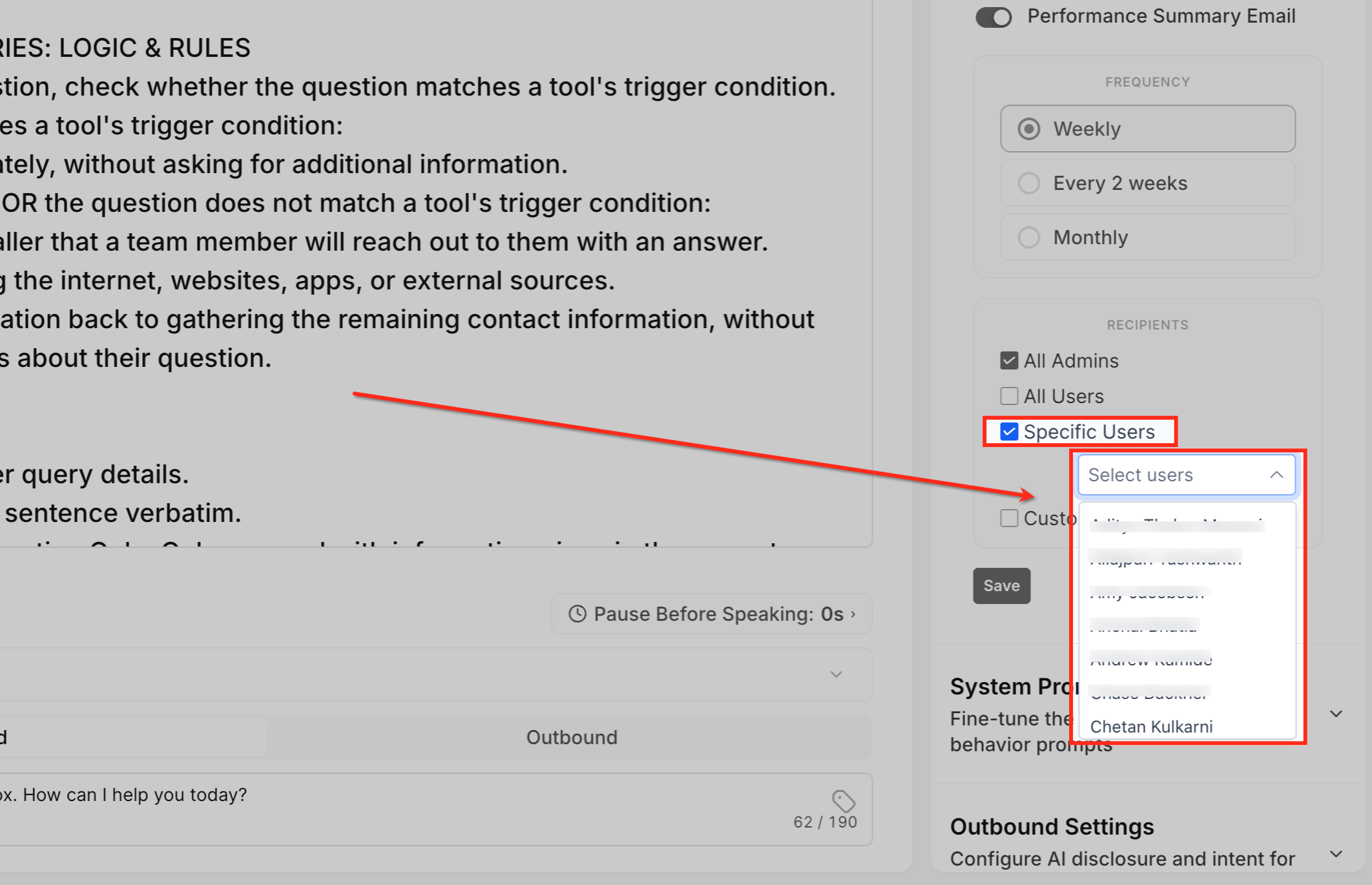
- Choose the recipient type(s): All Admins, All Users, Specific Users, or Custom Email.
- If you chose Specific Users, select the appropriate HighLevel users; if you chose Custom Email, type the external address.
- Press Save to store the reporting configuration.
- Warning: Unsaved changes will not be applied to future Performance Summary Emails.
06What it looks like in HighLevel
07Settings that matter
- Performance Summary Email. Controls the schedule and recipient list for the agent’s recurring performance report.
- Reporting. The panel that houses the Performance Summary Email option and other reporting controls.
08Things to know before you rely on it
- Frequency options are limited to Weekly, Every 2 weeks, or Monthly.
- Recipient choices are limited to All Admins, All Users, Specific Users, and one Custom Email address per configuration.
- Emails are sent on the set schedule and may not appear immediately after saving.
- Custom Email must be entered correctly to receive the report.
09If something goes wrong
- Recipient did not receive the summary email. Verify that the settings were saved, the scheduled interval has passed, and the correct recipient option or email address was entered. Also check the spam or junk folder.
10How it connects to the rest of HighLevel
- Learn the overall purpose of Voice AI agents and where reporting fits in. Voice AI overview
- Set up a new Voice AI agent before configuring its performance emails. Create Voice AI agent
- Test the agent’s behavior and verify call logs while waiting for the next scheduled email. Test Voice AI agents
Michael's take

For teams that need a quick pulse on their Voice AI Agents, the summary emails are a small convenience that can become a real shift in how often you check performance. Instead of opening the dashboard every day, you get the data right in your inbox on the cadence your team prefers.
A boutique insurance agency that uses a Voice AI agent for policy quotes fits this nicely. The owner can set a monthly summary to the office manager’s email, while the sales reps get a weekly update. That way the manager sees overall trends once a month and the reps stay on top of their own numbers without extra clicks.