
01Who this is for
- Call center managers can route inbound calls to specific AI agents, keeping the call flow organized.
- Small business owners with existing Twilio numbers can connect those numbers to AI agents without buying new numbers.
- SaaS providers that use multiple agents can assign separate numbers or pools to each agent for distinct routing rules.
02Twilio numbers for Voice AI Agents, explained
The feature allows a Voice AI agent to receive calls through a Twilio connected phone number or a pool of numbers. Numbers are assigned per agent on the Deploy tab, so each agent can have its own inbound line or share a pool.
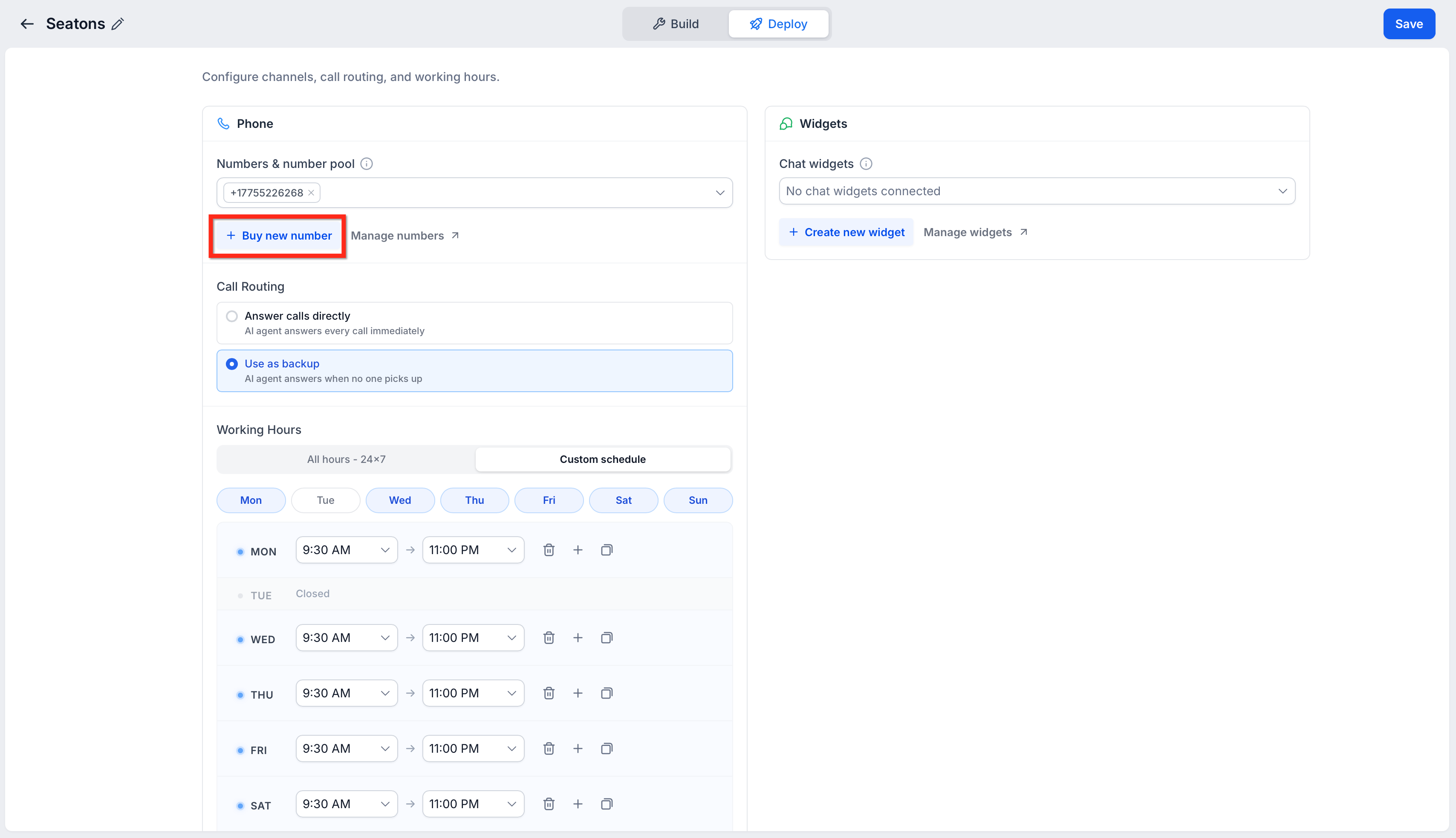
The assignment lives in the AI Agents > Voice AI section of HighLevel. From there you select an existing agent, open its Deploy tab, choose the Twilio number or pool, set call routing mode, optionally define working hours, and save the configuration. After saving, you test the number by calling it to verify the agent answers.
03How businesses use Twilio numbers for Voice AI Agents
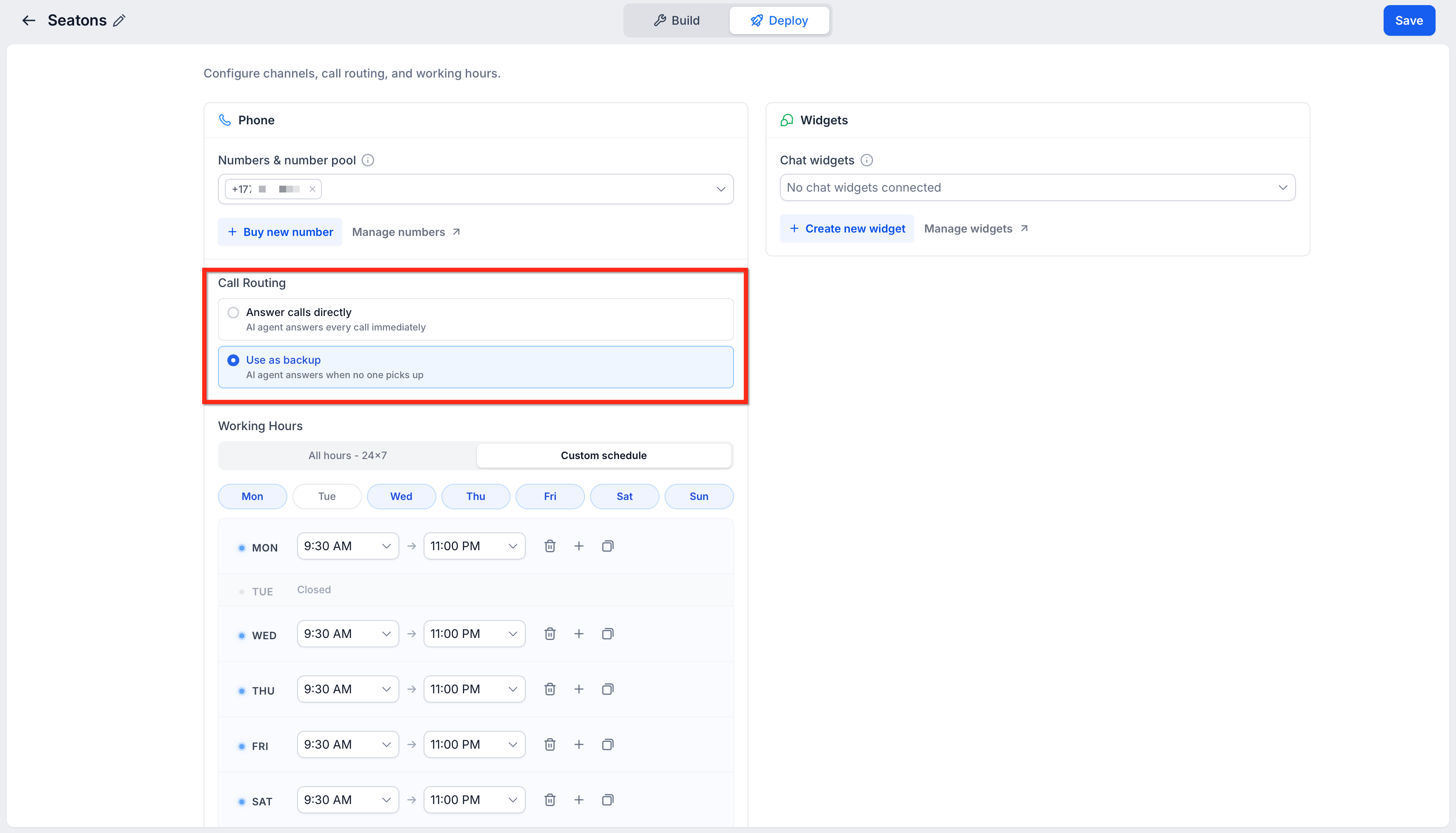
- Dental practice. The practice selects its clinic’s Twilio number, assigns it to a Voice AI agent that handles appointment booking, sets the routing to answer calls directly, and defines office hours. Calls during business hours reach the AI, while after hours calls follow the backup path.
- Real estate agency. The agency purchases a new Twilio number in the Deploy tab, assigns it to a Voice AI agent that provides property details, enables the "Use as Backup" routing mode, and leaves the agent available all hours. The AI answers only when the primary line is unanswered.
- Online tutoring service. The service uses an existing number pool to route calls to several language specific Voice AI agents. Each agent gets the pool assigned, custom schedules are set to match tutor availability, and the system routes calls based on the defined working hours.
04The numbers and rules that matter
- Number assignment is configured per agent.
05Before you start
- An active AI Employee or Voice AI subscription is in place.
- A Voice AI agent has already been created.
- A Twilio number or number pool is present in the subaccount.
- You have permission to edit Voice AI deployment settings.
- You know which number or pool should route calls to the chosen agent.
06How to set up and use Twilio numbers for Voice AI Agents in HighLevel
Assign a Twilio number or number pool to a Voice AI agent
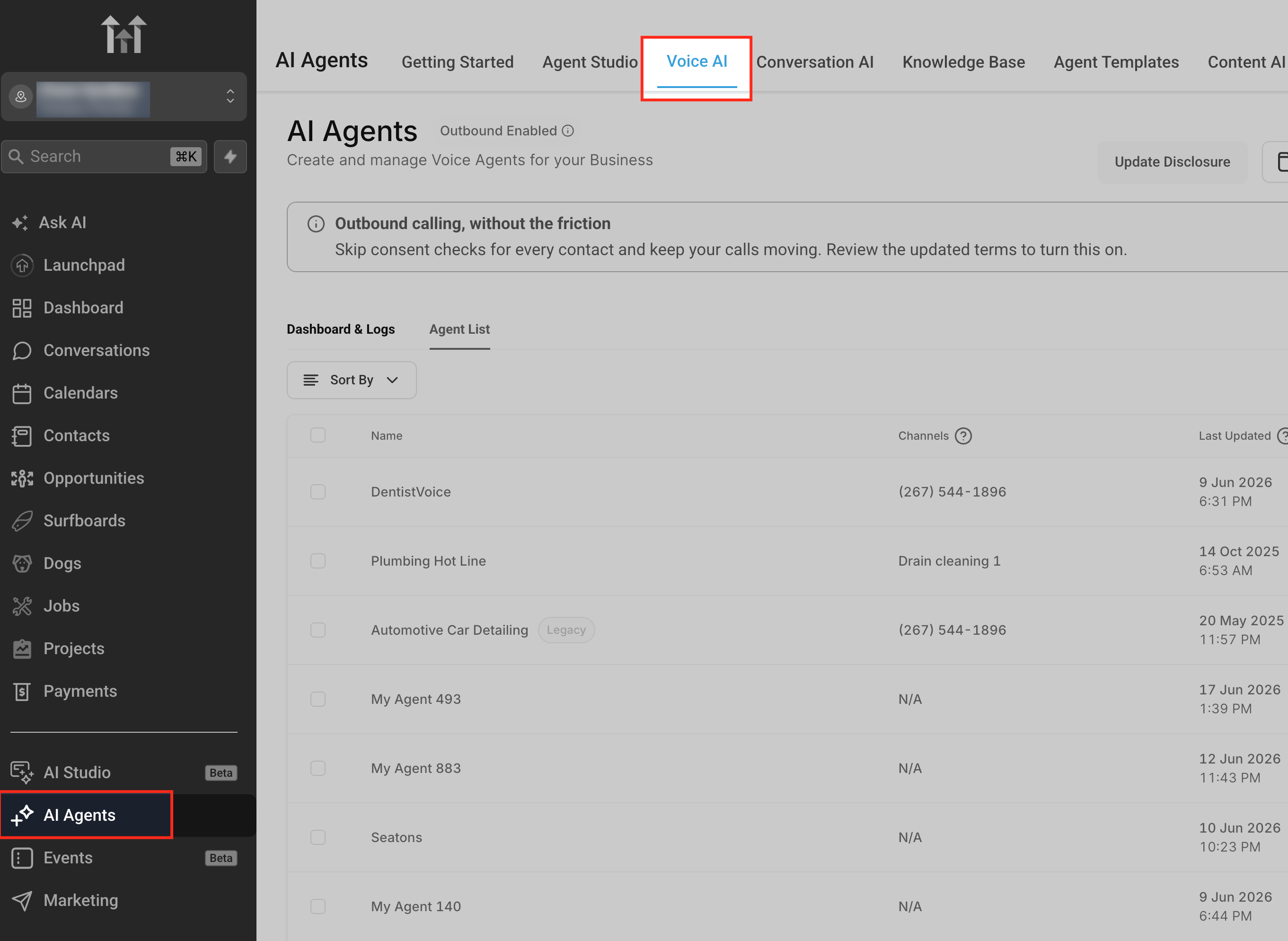
- Navigate to AI Agents > Voice AI.
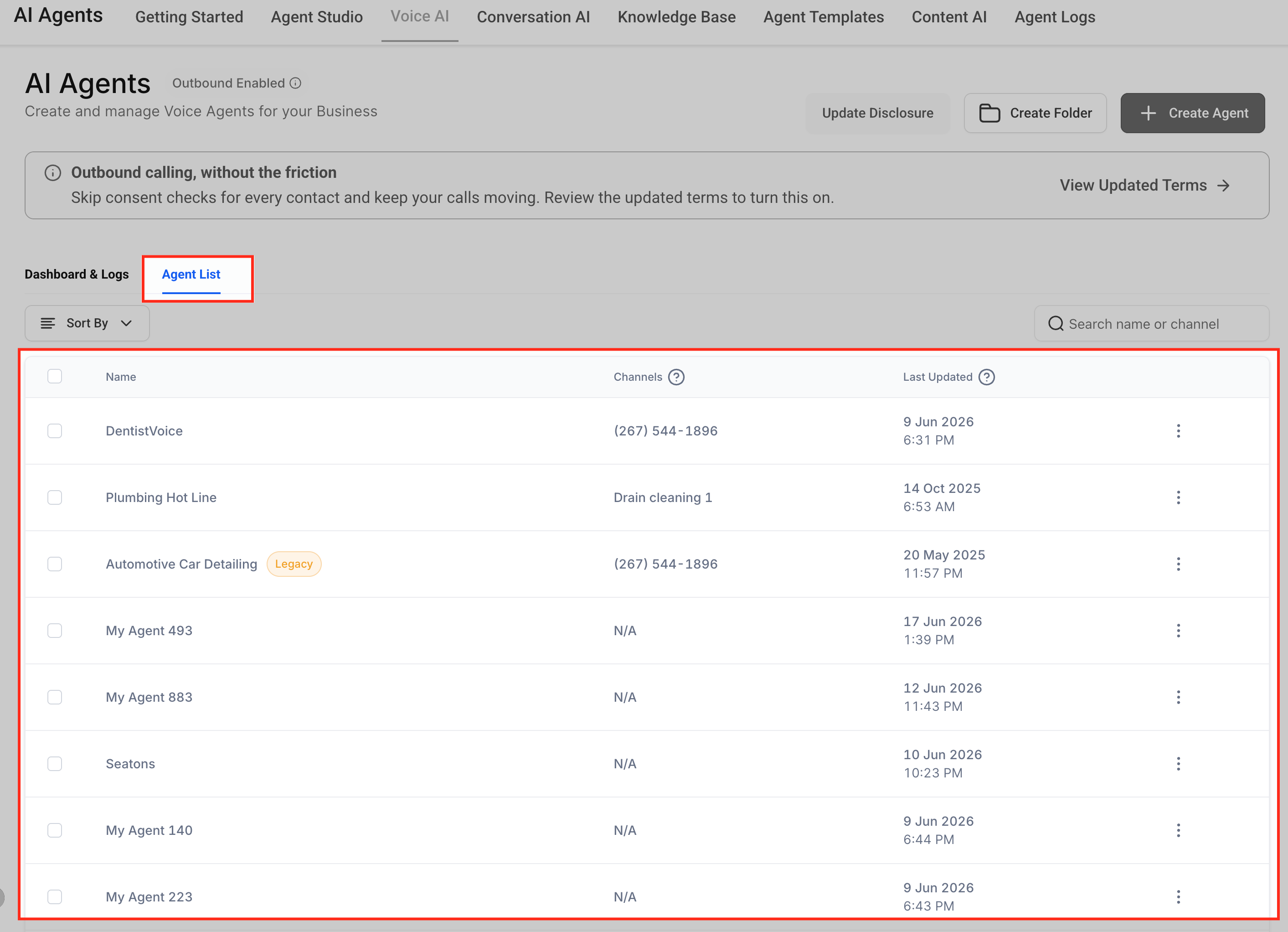
- Select Agents to view the list of Voice AI agents.
- Pick the agent that will receive calls from the Twilio number or pool.
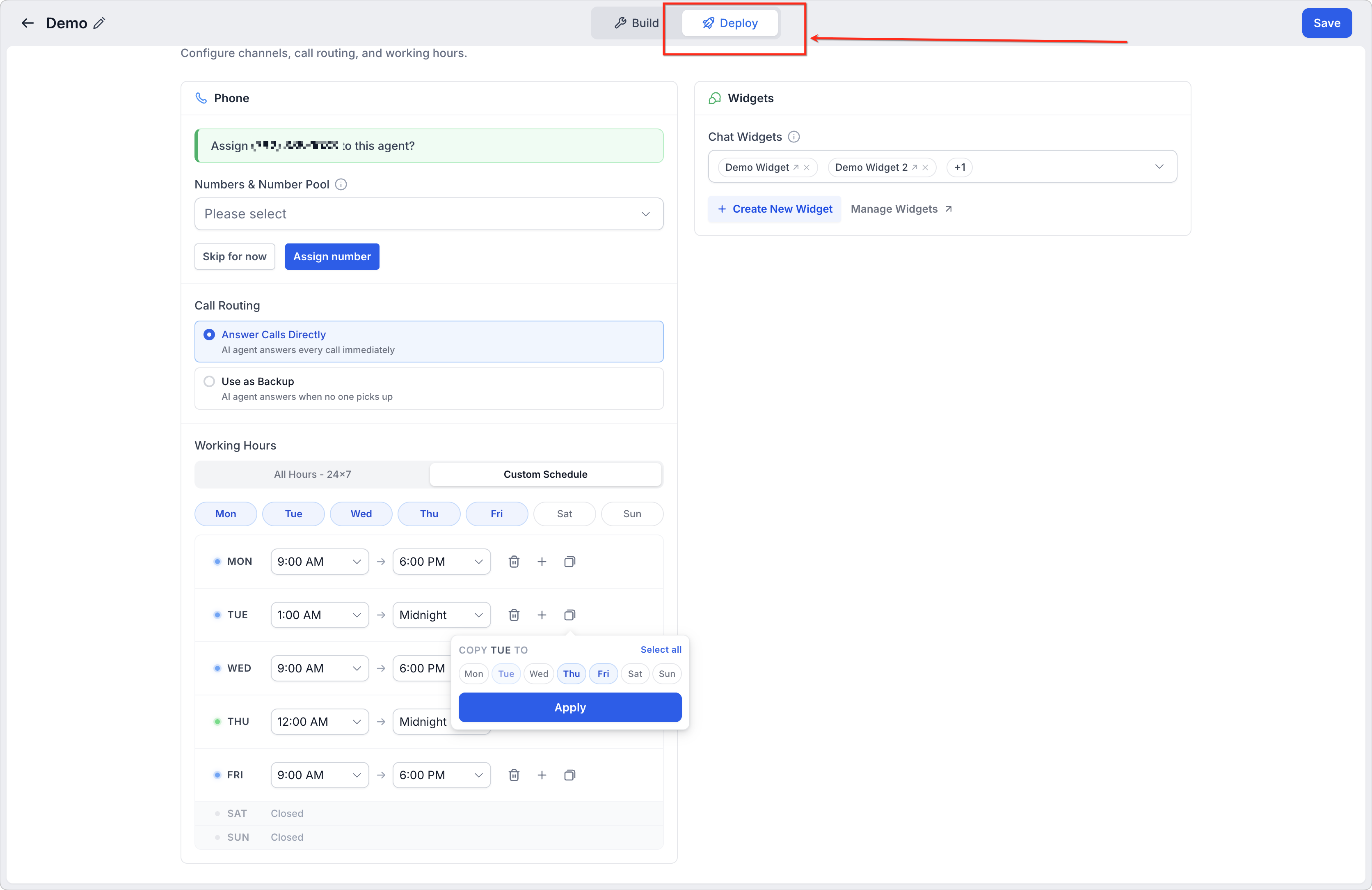
- Open the Deploy tab for the chosen agent.
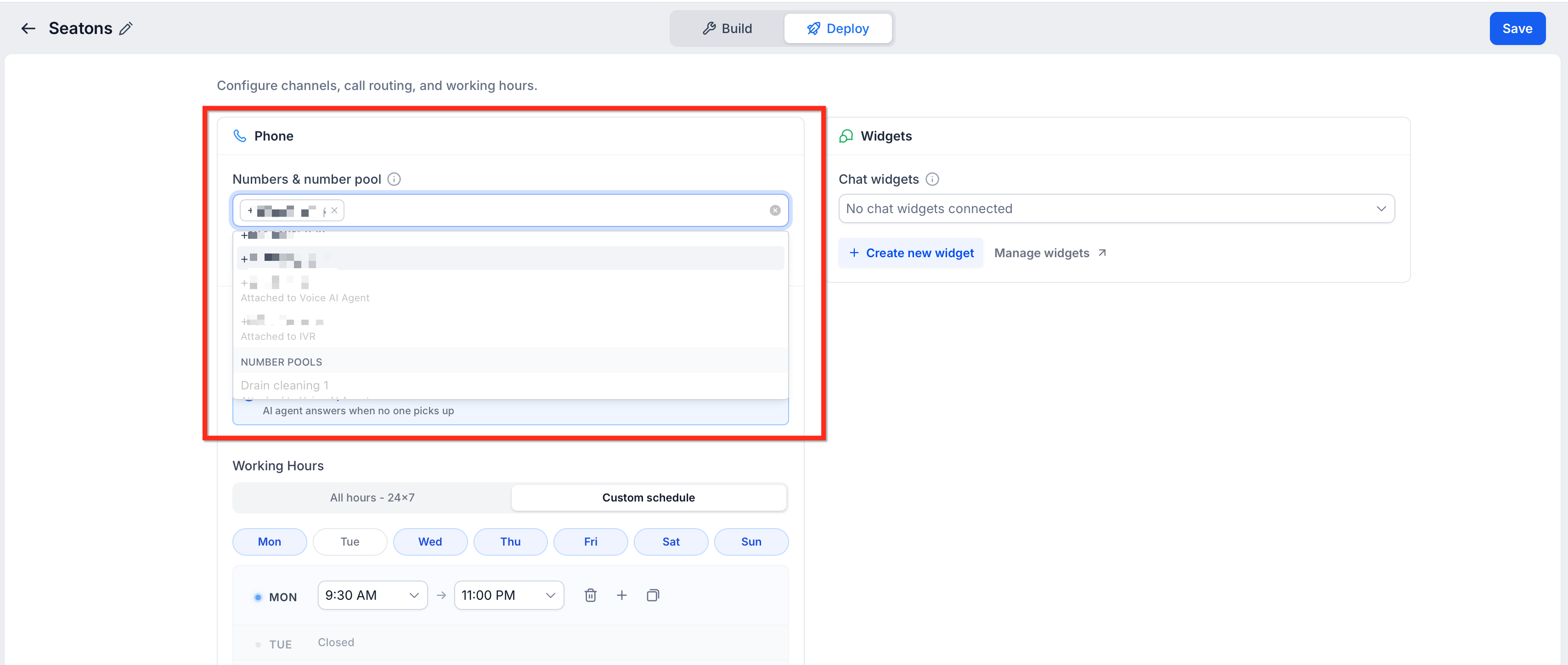
- Choose the Twilio number or available number pool to route calls.
- If needed, buy a new phone number directly from the Deploy tab.
- Set the Call Routing mode, either Answer Calls Directly or Use as Backup.
- Configure Working Hours, selecting All Hours or a Custom Schedule.
- Click Save to apply the assignment and settings; unsaved changes will not apply to live calls.
- Call the assigned Twilio number to verify the Voice AI agent answers as expected.
07What it looks like in HighLevel
08Settings that matter
- Select a Twilio number or number pool. Determines which Twilio connected phone number or pool will route inbound calls to the selected Voice AI agent.
- Call Routing. Controls whether the agent answers calls directly or acts as a backup when the primary call path fails.
- Working Hours. Defines the time periods when the agent is allowed to answer calls, using either All Hours or a Custom Schedule.
09Things to know before you rely on it
- Numbers must already exist in the subaccount before they can be assigned.
- Assigning a number does not ensure every call reaches the agent; Call Routing and Working Hours also affect call handling.
- Number pool assignment is possible only if a pool is available in the subaccount.
10If something goes wrong
- Twilio number does not appear in the selection list. Confirm the number is connected to the subaccount and visible in the phone number settings.
11How it connects to the rest of HighLevel
- Create a new Voice AI agent before assigning numbers Build Voice AI agents
- Set up inbound call flow to work with the assigned Twilio number Configure inbound call flow
- Review pricing and plan requirements for Voice AI and Twilio support HighLevel pricing
Michael's take

Many businesses struggle to make their existing Twilio phone lines work with AI driven call handling. Connecting those numbers to a Voice AI agent lets the AI answer calls, route them as a backup, or stay silent outside of business hours. The first thing I would lock in is the Working Hours setting, because a mismatch there can make the agent appear dead even though the number is correctly assigned.
Once the schedule is solid, I would run a quick test call during and after the defined hours to verify the routing mode and make sure the right agent answers. That gives confidence that the number assignment and backup logic are behaving as expected before you let live traffic flow.