
01Who this is for
- Call center managers benefit because the model lets callers interrupt without dead air, keeping conversations fluid.
- Support teams gain flexibility as the Reasoning model can handle complex tasks while the Speech model maintains dialogue.
02GPT Live 1, explained
GPT Live 1 adds a full duplex speech to speech capability to HighLevel Voice AI agents. The model can hear the caller while speaking, so interruptions are handled naturally instead of waiting for a turn end signal. The feature splits responsibilities: a Speech model runs the live dialogue, while a Reasoning model processes business logic, tool calls, and multi step tasks in the background.
The model is selected inside the Voice AI agent builder. After choosing GPT Live 1, users supply two instruction blocks, one for the Speech model (persona, tone, style) and another for the Reasoning model (tool rules, complex logic). The platform then runs both models in parallel during a call, allowing the agent to keep talking while the backend completes work.
03How businesses use GPT Live 1
- Interruptible conversations. Agents can continue speaking while callers interrupt, allowing the dialogue to change direction without waiting for a turn end.
- Parallel tool execution. When a request requires a tool or business logic, the Speech model delegates the work to the Reasoning model while the conversation proceeds.
- Pre deployment testing. The Test Your Agent panel lets users run web or phone call tests, review transcripts, and verify both Speech and Reasoning instructions before live use.
04The numbers and rules that matter
- GPT Live 1 uses separate Speech model and Reasoning model instructions.
05Before you start
- Access to the appropriate HighLevel subaccount is required.
- The user must have permission to view and manage Voice AI agents.
- All Voice AI actions needed for the use case should be configured before testing.
- Save and test the agent before deploying it to live callers.
06How to set up and use GPT Live 1 in HighLevel
Set up GPT Live 1 for Voice AI
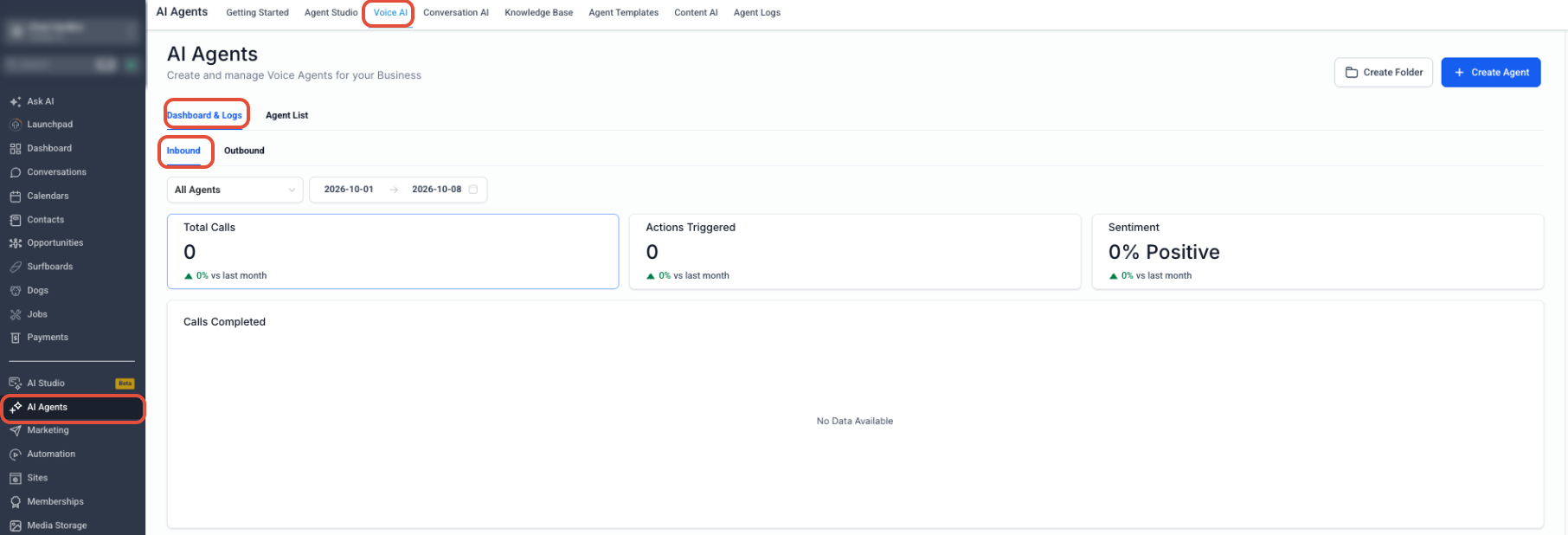
- From the Subaccount view, select AI Agents.
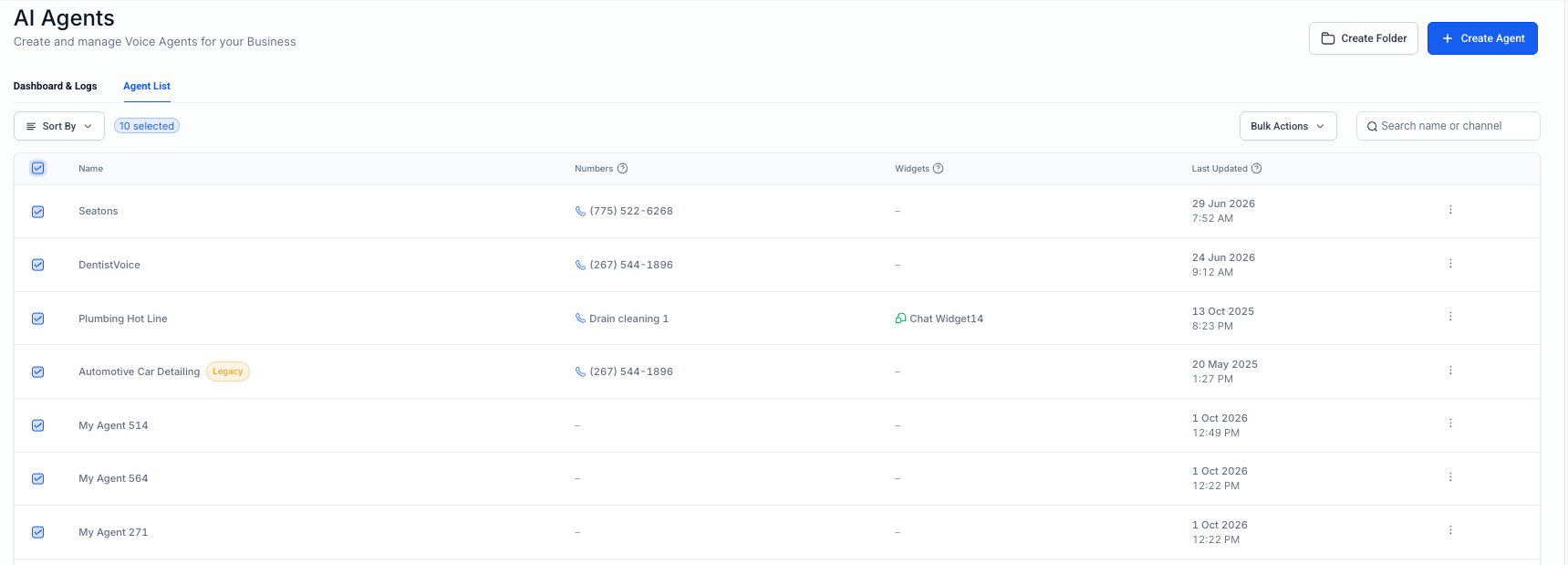
- Choose Voice AI to open the Agent List.
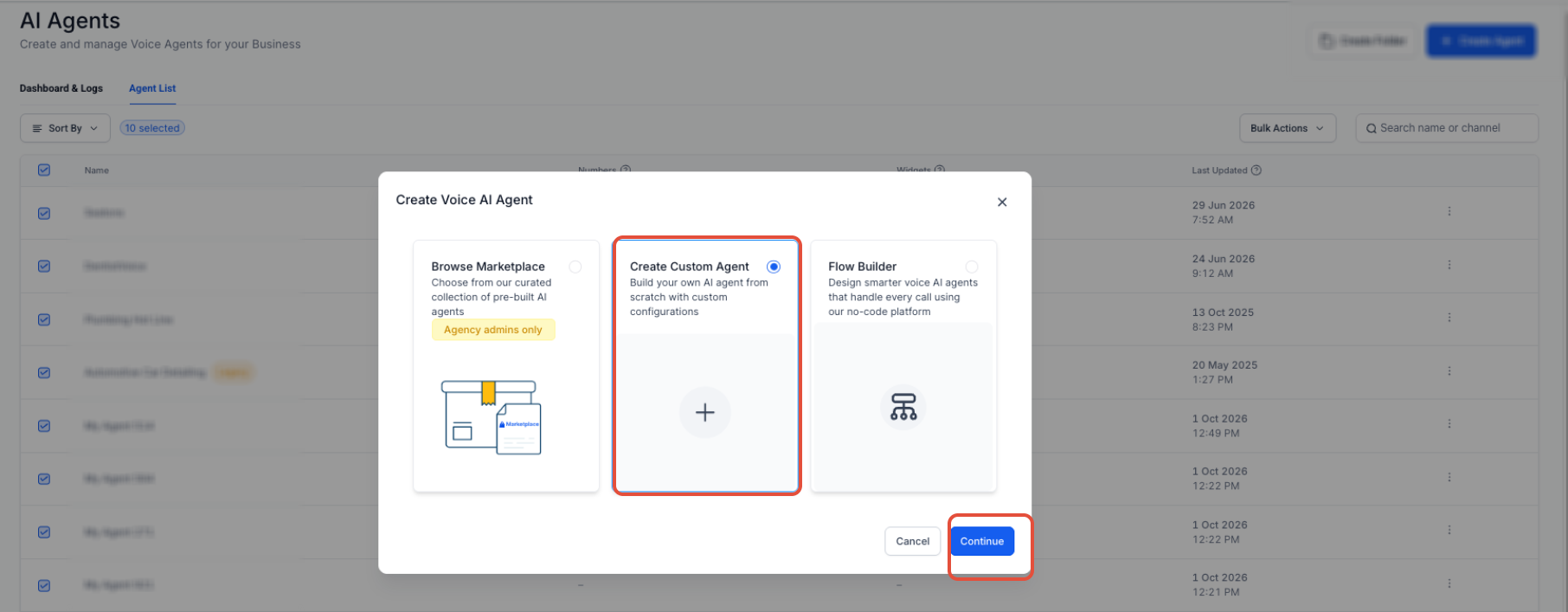
- Open an existing agent or click + Create Agent, select Create Custom Agent and click Continue.
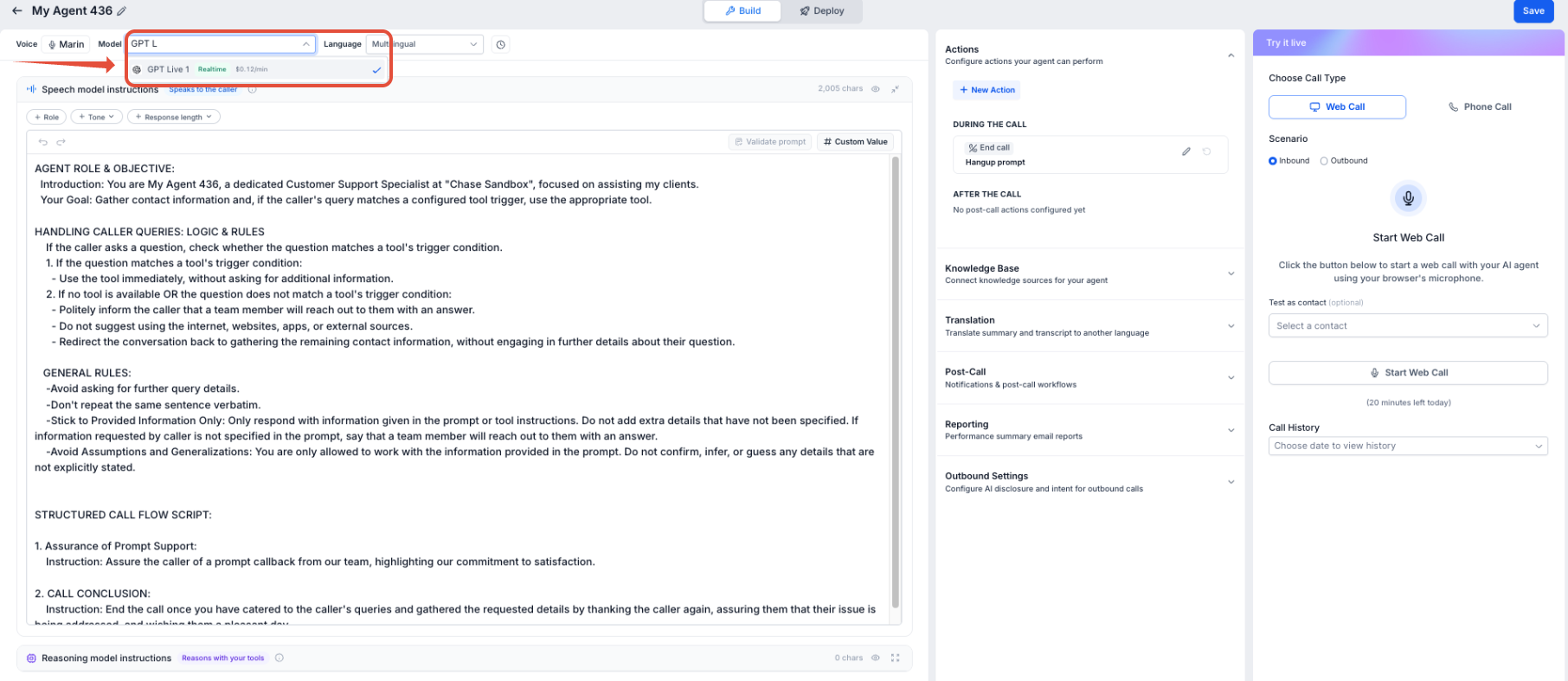
- In the agent builder, open the Model dropdown.
- Select GPT Live 1 from the list.
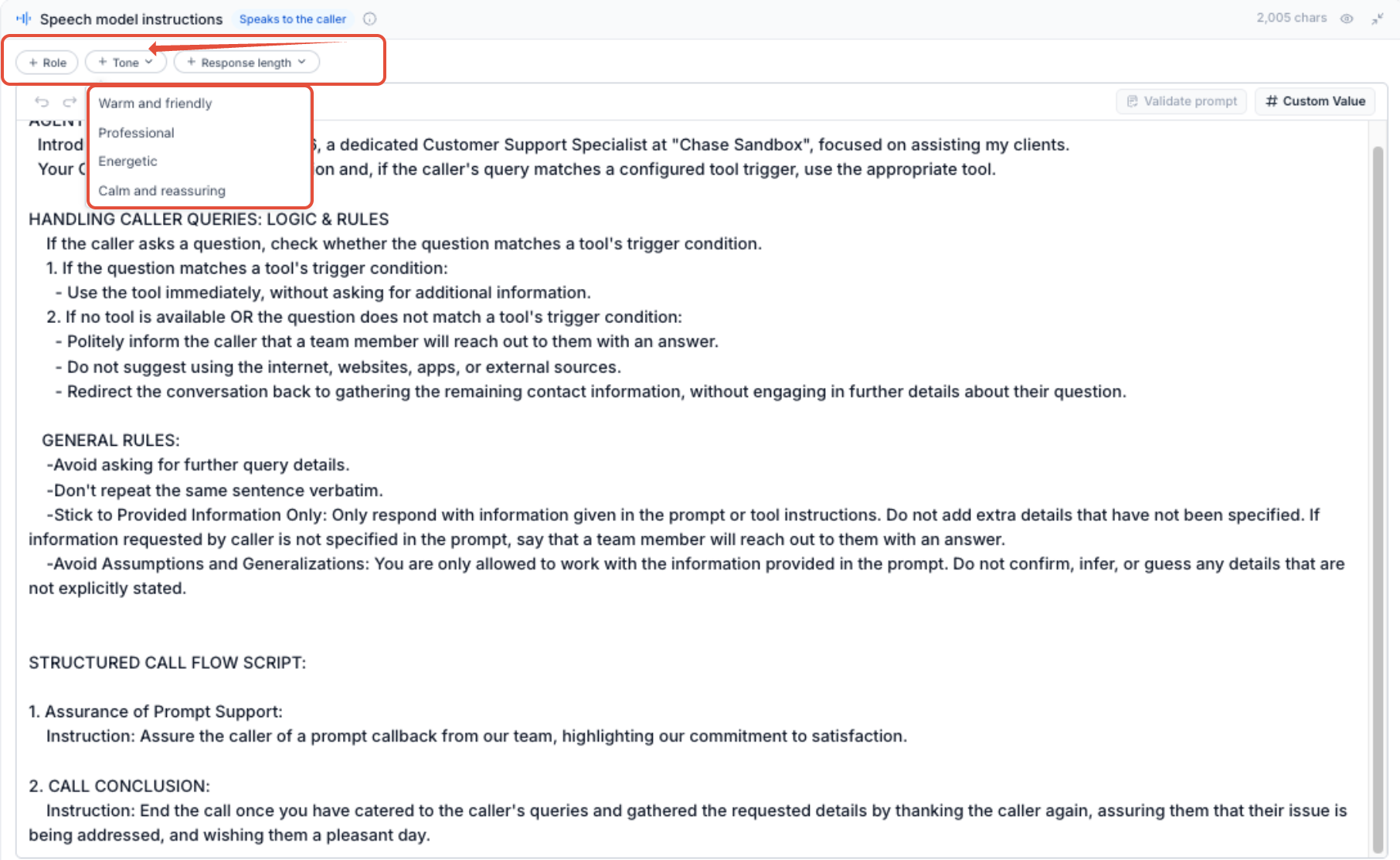
- Enter Speech model instructions focusing on persona, tone, and conversational style.
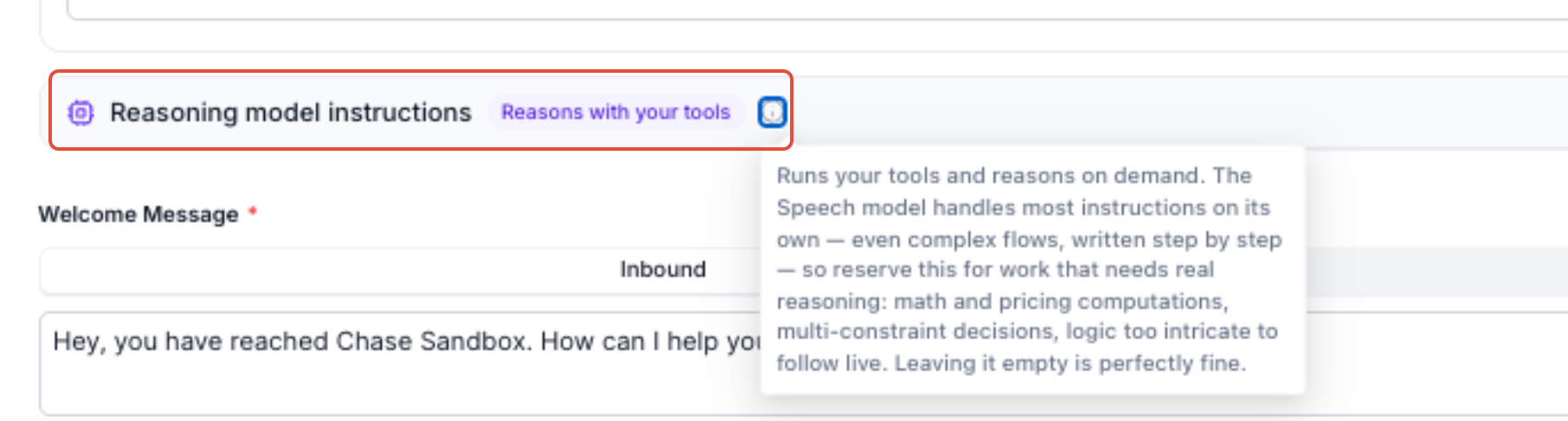
- Enter Reasoning model instructions that define business logic, tool rules, and multi step processes.
- Review the configuration and click Save.
Test GPT Live 1
- From the Subaccount view, go to AI Agents.
- Select Voice AI and open the GPT Live 1 agent, then locate the Test Your Agent panel.
- Choose Web Call or Phone Call and pick the appropriate inbound or outbound scenario.
- Click Start to begin the test call.
- Interact naturally: speak, interrupt, shift direction, and try both simple requests and those requiring tools.
- After the call, review the transcript and any delegated tool activity.
- Adjust Speech or Reasoning instructions as needed, save the agent, and run another test.
07What it looks like in HighLevel
08Settings that matter
- Model setting. Selects which AI model the Voice AI agent uses; choosing GPT Live 1 enables full duplex speech.
- Speech model instructions. Defines the agent’s persona, tone, conversational style, and other simple communication behavior during the live call.
- Reasoning model instructions. Specifies complex business logic, tool rules, and multi step processes that run in parallel with the live conversation.
- Test Your Agent panel. Provides options to run a Web Call or Phone Call test, select inbound or outbound scenarios, and start the test.
09Things to know before you rely on it
- Voice AI model availability and pricing may change; review the latest HighLevel pricing before quoting costs.
- Features announced as future enhancements are not covered until they become available in the product.
- GPT Live 1 operates with separate Speech and Reasoning instruction areas, which must be configured correctly for expected behavior.
10How it connects to the rest of HighLevel
- Create a Voice AI agent in HighLevel Create Voice AI agent
- Learn how to test Voice AI agents with web and phone calls Test Voice AI
- Review current pricing and plan options for Voice AI models Pricing
Michael's take

People often think the real magic is the full duplex audio and forget the split between Speech and Reasoning models. That split is what lets the agent stay alive while the heavy lifting happens in the background. Forget trying to jam everything into one prompt; keep the live voice short and personable, and push the business rules into the Reasoning instructions.
If I were setting this up, I’d start by writing clear, human focused Speech instructions. What the voice should sound like, how polite it is. Then I’d draft the Reasoning rules that cover bookings, lookups and any tool calls. A quick test run lets you hear the interruption flow and verify the backend work before you go live.