
01Who this is for
- Agency owners, gain a zero cost AI toolset for building client assets and internal processes.
- Agency admins, can monitor usage, enable Extra Usage and set spending caps for the whole team.
- Agency users, get instant access to Ask AI, AI Studio and other assistants without purchasing an AI Employee plan.
02Free AI, explained
Free AI is a built in offering that comes automatically with any HighLevel agency subscription priced at $97 (per HighLevel's help center, checked November 2026), $297 (per HighLevel's help center, checked November 2026) or $497 (per HighLevel's help center, checked November 2026). It unlocks AI Assistants for every agency admin and user, letting them generate copy, design layouts, create calendars and more. The service respects a fair use allowance that grows with the agency tier and resets each month.
Two separate limits govern the feature. A 5 hour window applies individually to Ask AI, AI Studio and Creator Studio; the clock starts on the first request in each product and restarts after five hours. A shared monthly quota covers Ask AI, AI Studio, Creator Studio and Content AI together and refreshes on the first day of each month at 00:00 UTC. When either limit is hit, AI stops unless Extra Usage has been turned on.
Extra Usage is an optional setting that activates pay per use billing once the free quota is exhausted. It can be limited with a monthly spending cap and can be configured to either halt AI or let it keep running after the cap is reached.
03How businesses use free AI
- Marketing agency. The agency can generate ad copy, landing page layouts and email drafts using Ask AI and AI Studio without extra cost. When the monthly or 5 hour allowance is reached, an admin can toggle Extra Usage to keep production flowing while paying only for the overage.
- SaaS startup. Team members use Content AI to draft documentation and FAQ pages. If the startup’s free quota runs out, the admin activates Extra Usage and sets a modest spending limit to avoid surprise charges while still accessing AI assistance.
- Real estate brokerage. Agents employ Calendar AI and Email AI to schedule showings and write property descriptions. Should the 5 hour window be exceeded, the brokerage’s admin can enable Extra Usage to let the tools continue operating for the rest of the day.
04The numbers and rules that matter
- $97, $297 or $497 agency plan includes Free AI (per HighLevel's help center, checked November 2026).
- Free AI features are subject to fair use limits.
- The $497 plan includes access to advanced Creator Studio models (per HighLevel's help center, checked November 2026).
- One shared monthly allowance per agency.
- 5 hour windows reset 5 hours after the first request in that product.
- Monthly limits reset on the 1st of each month at 00:00 UTC.
05Before you start
- The agency must be subscribed to a $97, $297 or $497 HighLevel plan (per HighLevel's help center, checked November 2026).
- The person enabling or using Free AI must be an agency owner, admin or agency user.
06How to set up and use free AI in HighLevel
Set up extra usage
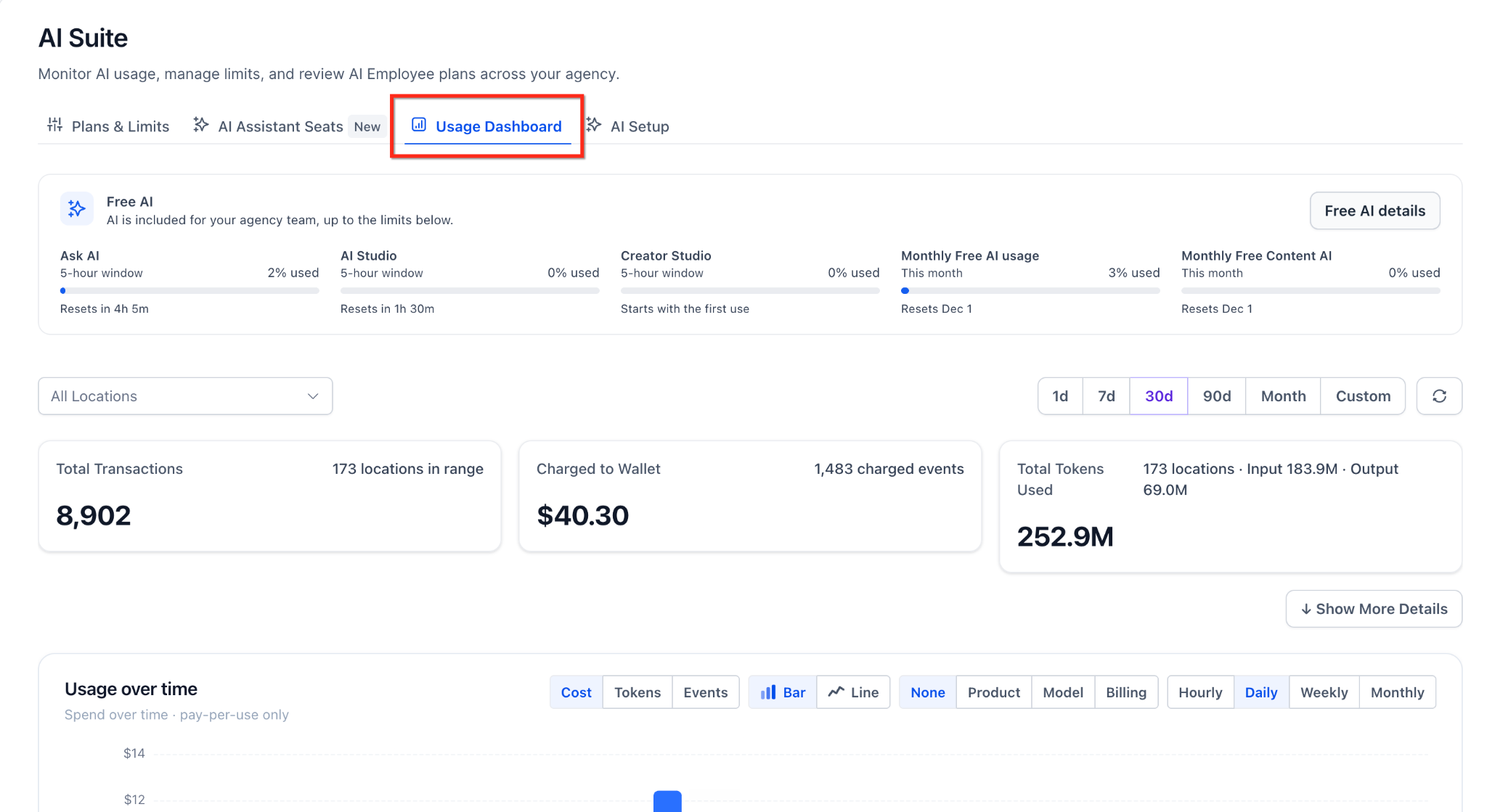
- From the agency view, open AI Suite in the left hand navigation.
- Select the Usage Dashboard tab within AI Suite.
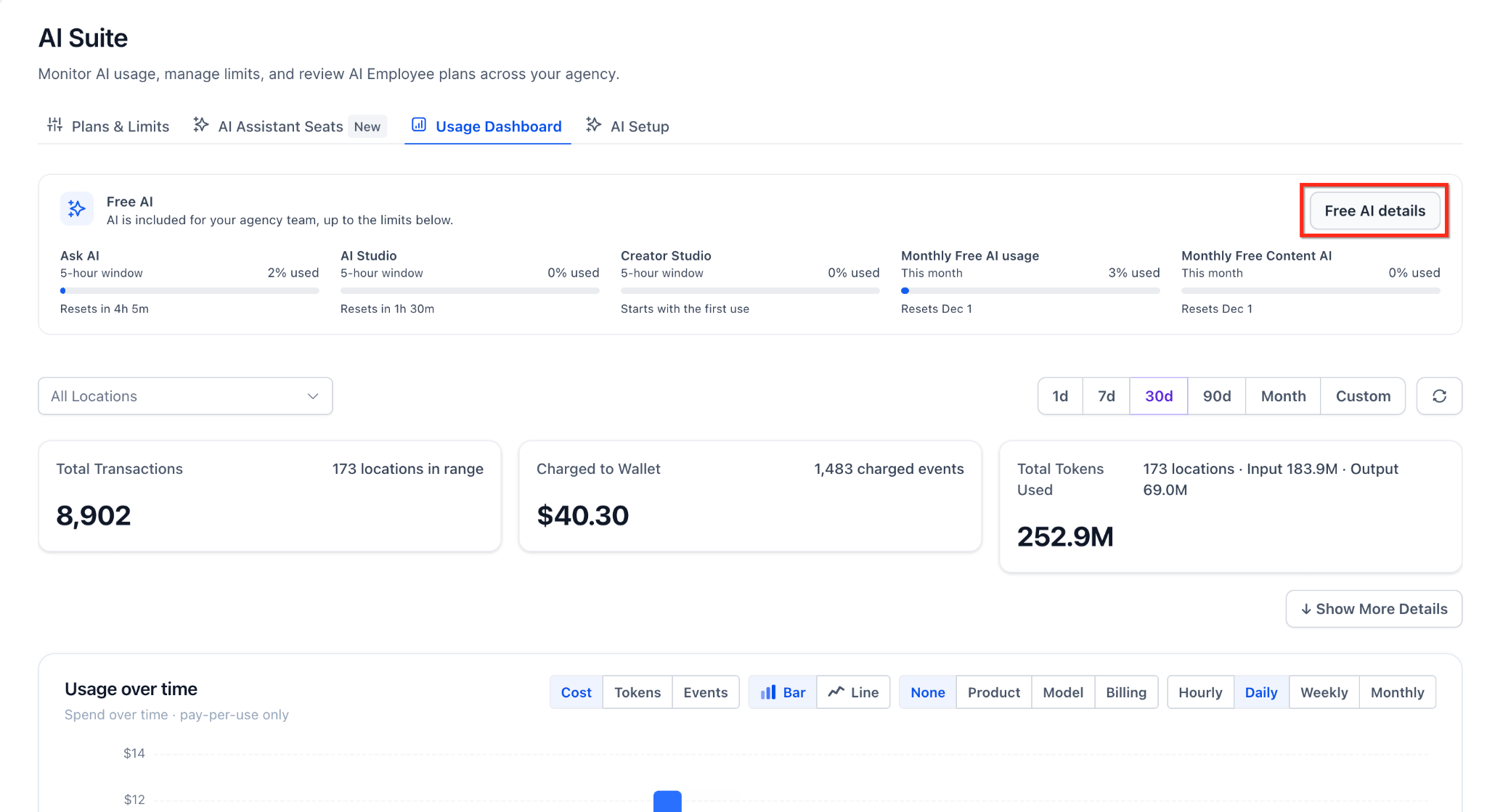
- On the Free AI card, click Free AI details.
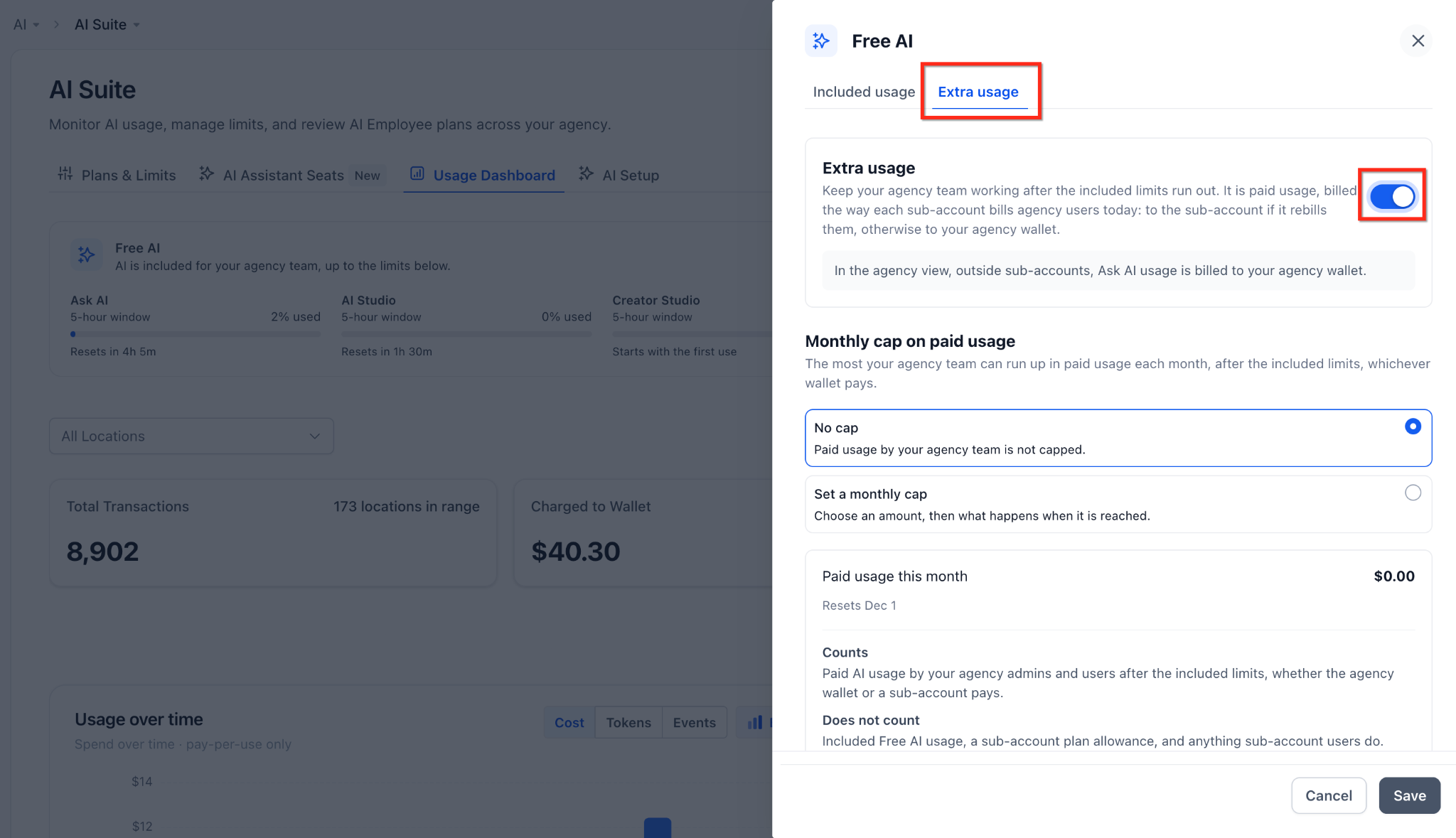
- In the side panel that appears, choose the Extra usage tab.
- Flip the Extra usage toggle to the on position.
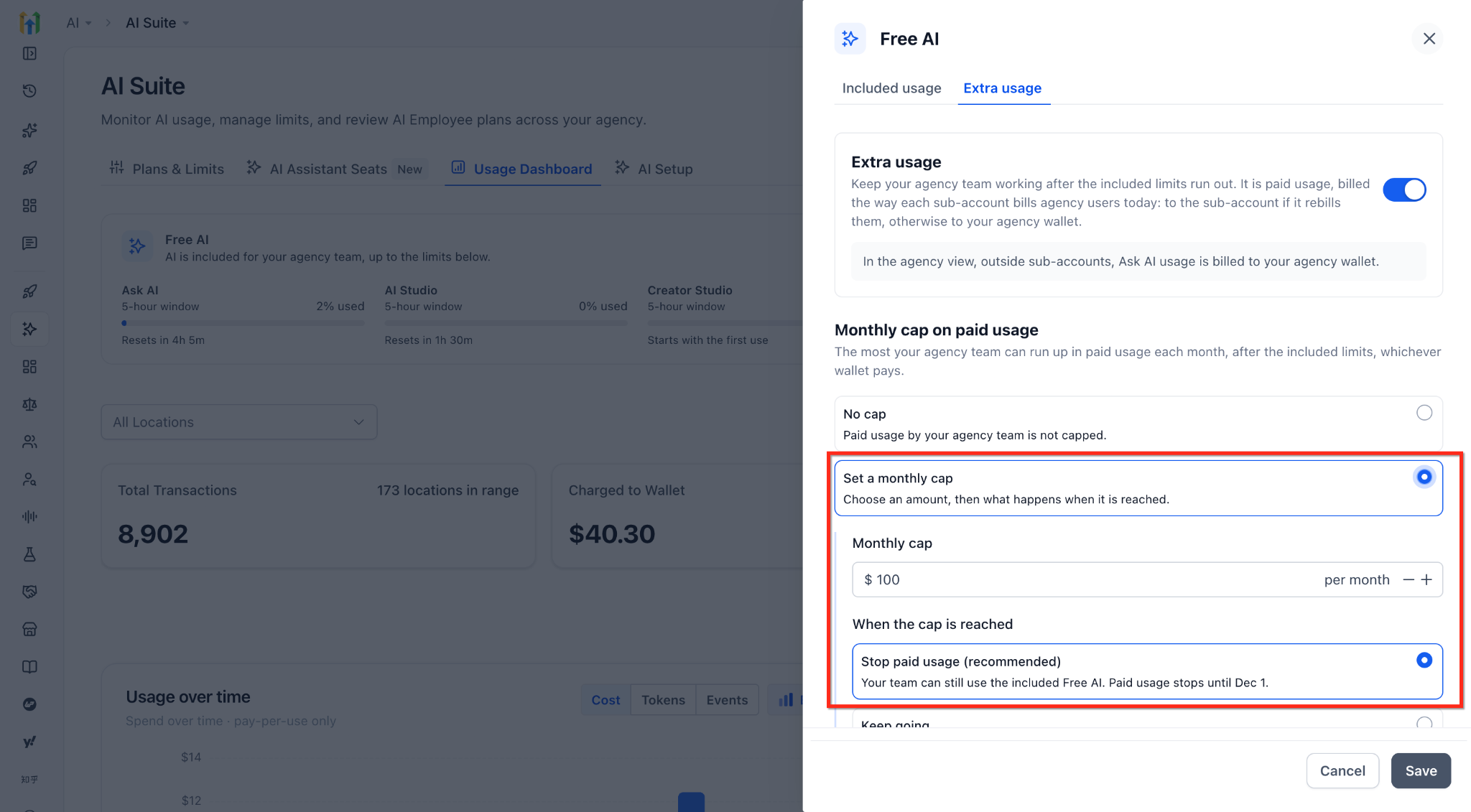
- Optionally define a monthly spending cap and decide whether AI stops or continues when the cap is hit.
- Press the Save button to apply the changes.
07What it looks like in HighLevel
08Settings that matter
- Extra usage toggle. Turns on pay per use billing once the free 5 hour or monthly limits are exhausted.
- Monthly spending cap. Sets a maximum amount the agency will spend on extra usage each month.
- Charge agency user usage to agency. When enabled, any pay per use AI usage by a subaccount user is charged to the agency’s wallet instead of the subaccount.
09Things to know before you rely on it
- Free AI follows a fair use policy; allowances increase with higher agency plans.
- Each of Ask AI, AI Studio and Creator Studio has its own 5 hour window that resets five hours after the first request.
- Ask AI, AI Studio, Creator Studio and Content AI share one monthly limit that resets on the 1st of each month at 00:00 UTC.
- When a limit is reached, AI stops unless Extra Usage is enabled.
- Funnel & Website AI, Email AI, Workflow AI Builder and Memberships AI pause at their limit even if Extra Usage is on, because they have no pay per use option.
10How it connects to the rest of HighLevel
- View current usage and remaining allowance AI usage dashboard
- Adjust AI usage caps and billing preferences AI product pricing
- Set up AI Employee access and rebilling for subaccounts AI Employee access
Michael's take

Your agency needs a reliable way to let every team member spin up copy, designs and funnels without watching the bill climb. The first thing I would get right is turning on the Extra Usage toggle and setting a modest monthly cap so the team can keep moving when the free limits hit, but you still stay in control of spend.
If you’re on any of the standard agency plans, Free AI is already waiting for you. I’d hop into AI Suite, glance at the usage dashboard, and make sure the alerts are set so you know before you hit 75% or 90% of the monthly allowance. That way you avoid surprise pauses and keep the momentum going.