
01Who this is for
- Agency owners who need to produce detailed local SEO audits for multiple clients, because they can customize keywords and share interactive reports.
- Local service businesses such as plumbers or gyms that want to see how they rank across specific service terms and geographic footprints.
02Interactive heatmap, customization & competitors, explained
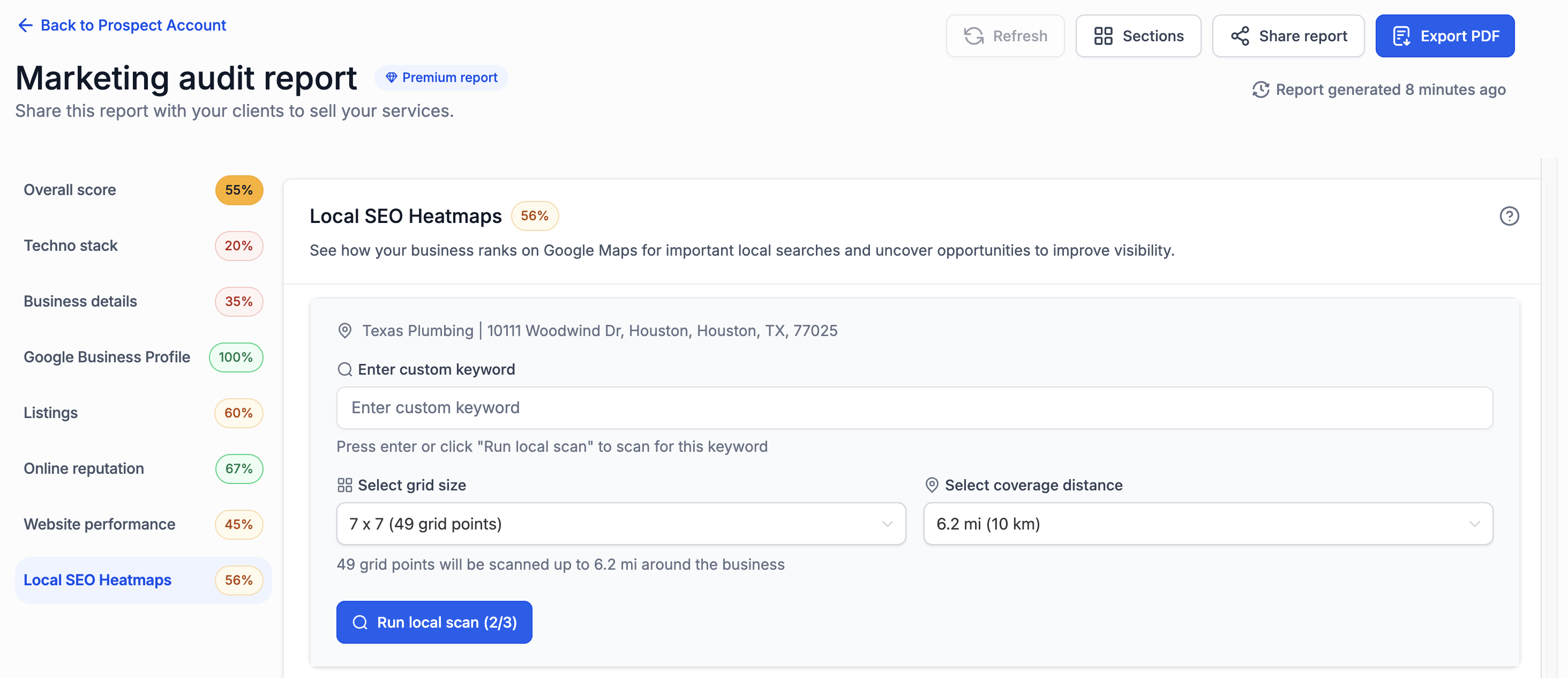
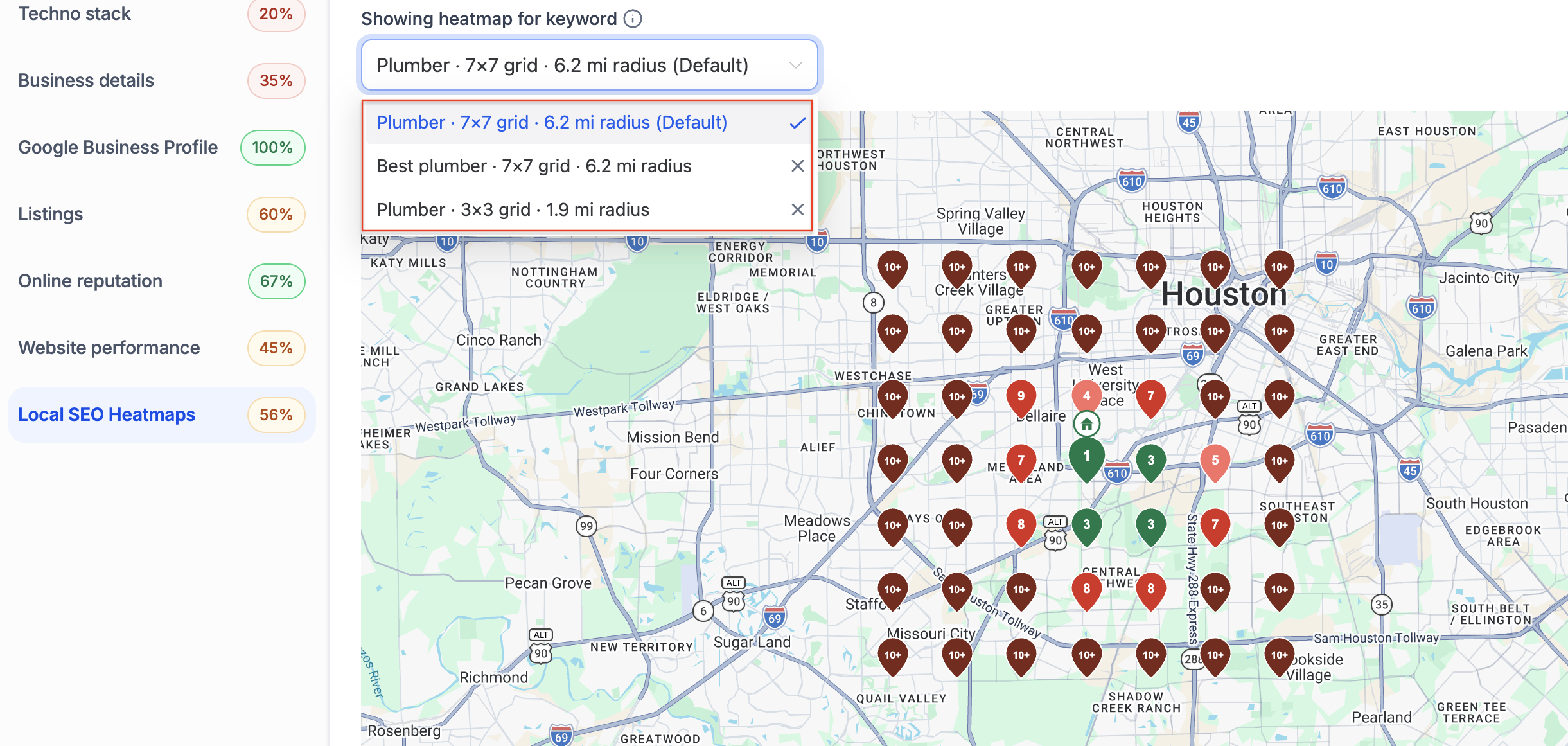
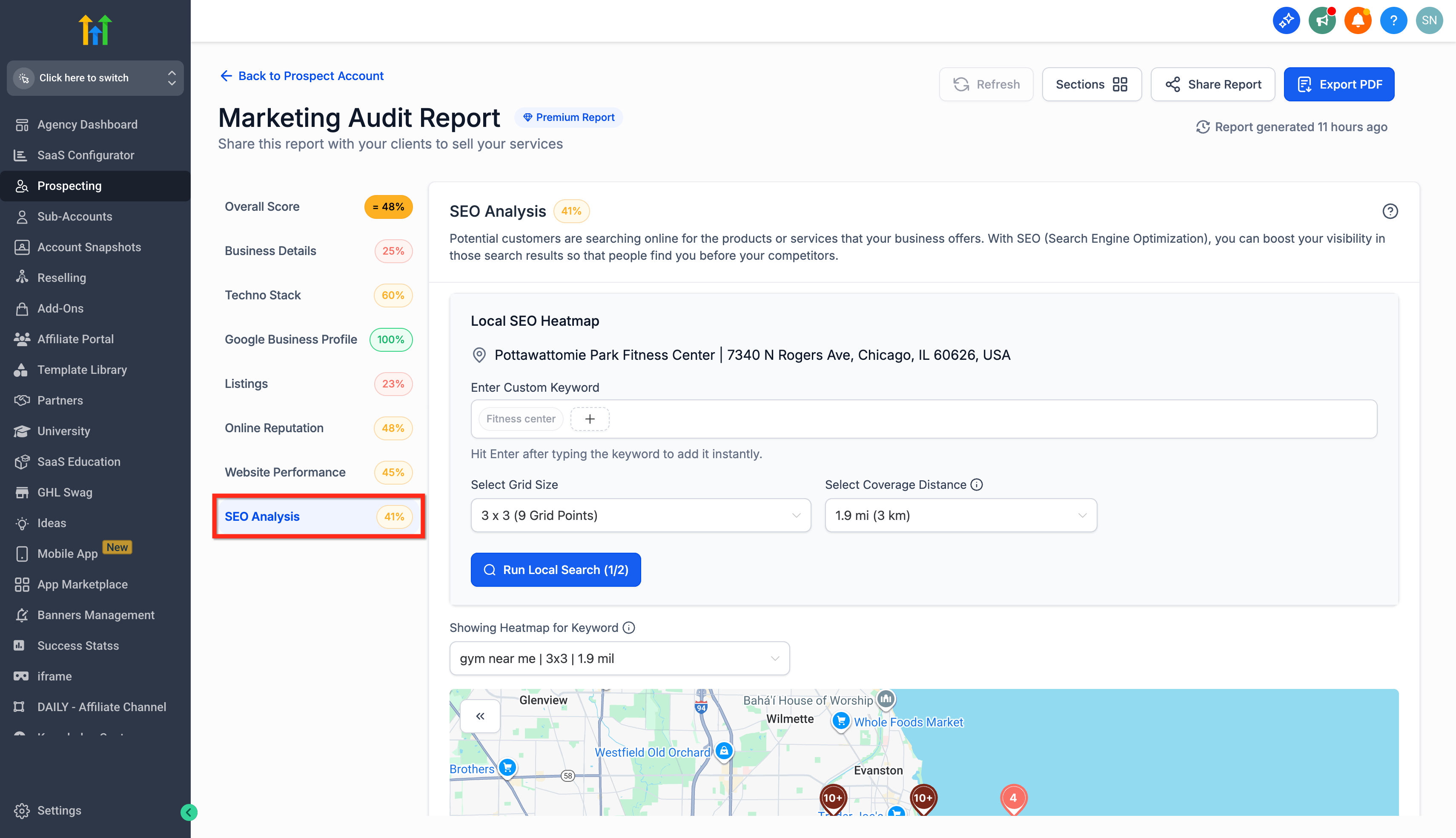
The interactive heatmap adds a visual layer to the Local SEO Audit. It plots a grid of points around a business location and shows the search rank for a chosen keyword at each point. Users can pick a custom keyword, set the grid density (3×3, 5×5, or 7×7) and define a coverage radius from half a mile to 30 miles.
The heatmap interface also includes a Keyword Ranking Score card that calculates the average rank across all pins. Under each pin, up to ten competitor names appear with clickable Google Business Profile links, giving deeper competitive insight. All settings are accessed from the SEO Analysis tab of a prospect report within the Prospecting tool.
03How businesses use interactive heatmap, customization & competitors
- Digital marketing agency. The agency opens a prospect report, adds a custom keyword for each client service, configures the grid and radius, runs the local search, then reviews the heatmap and competitor pins to build a client focused audit.
- Restaurant chain. The chain creates separate heatmaps for "pizza near me" and "family dining" keywords, adjusts the radius to match each outlet delivery zone, and shares the web report so owners can compare visibility across locations.
- Home repair contractor. The contractor selects a custom keyword like "emergency plumber near me," sets a small radius covering its service area, runs the heatmap, and examines the ten listed competitors to identify local rivals.
04The numbers and rules that matter
- Create up to three Local SEO heatmaps for the same business.
- Coverage radius can be set between 0.5 and 30 miles (1, 50 km).
- Grid options: 3×3, 5×5, 7×7.
- Each pin shows up to 10 competitors.
05Before you start
- A Premium Prospecting subscription must be active for the agency or location.
- For subaccounts, the Prospecting tab must be enabled before it appears in the menu.
06How to set up and use interactive heatmap, customization & competitors in HighLevel
Use interactive heatmap in agency accounts
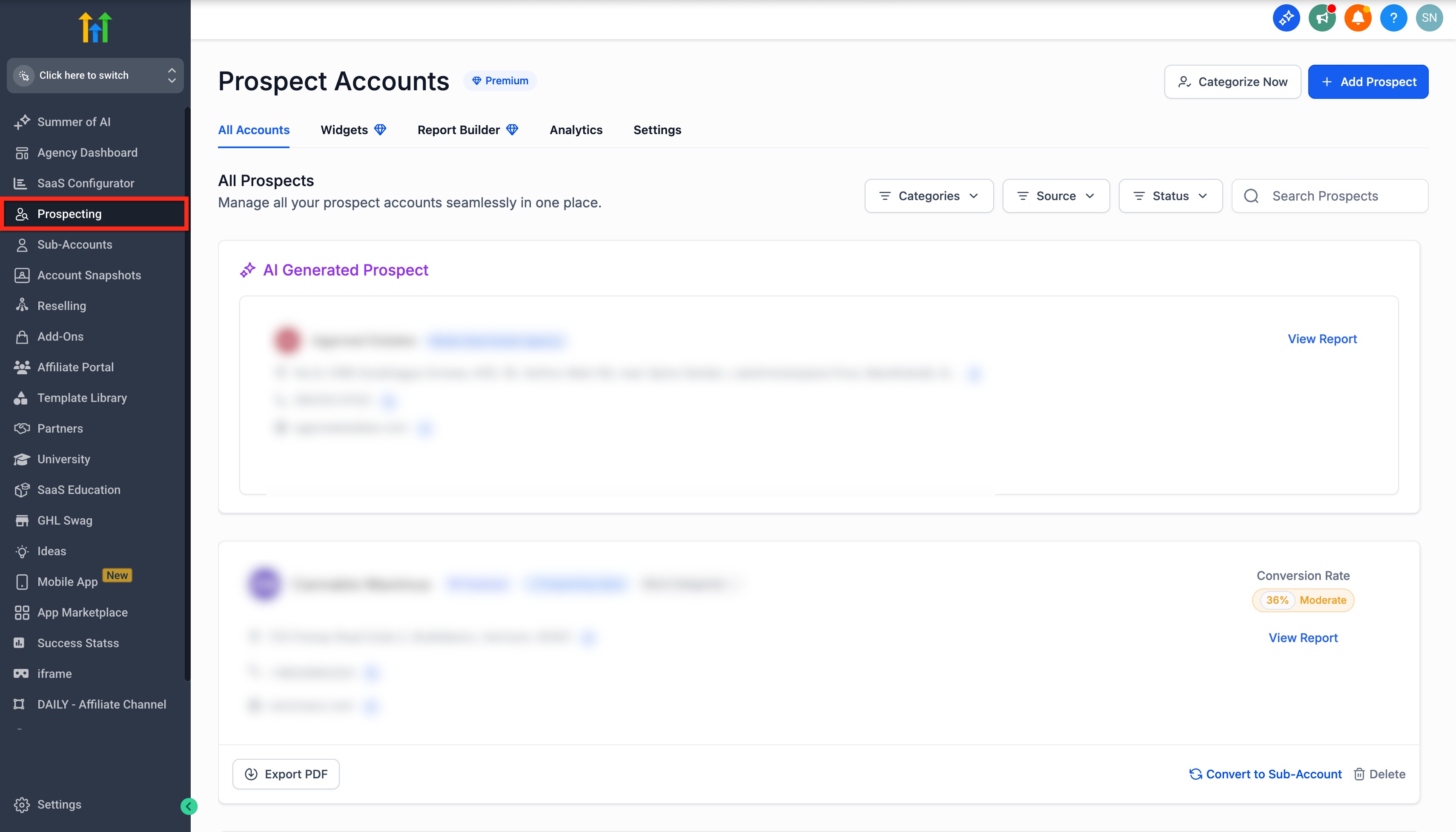
- Sign in to the agency account and click the Prospecting tab in the left menu.
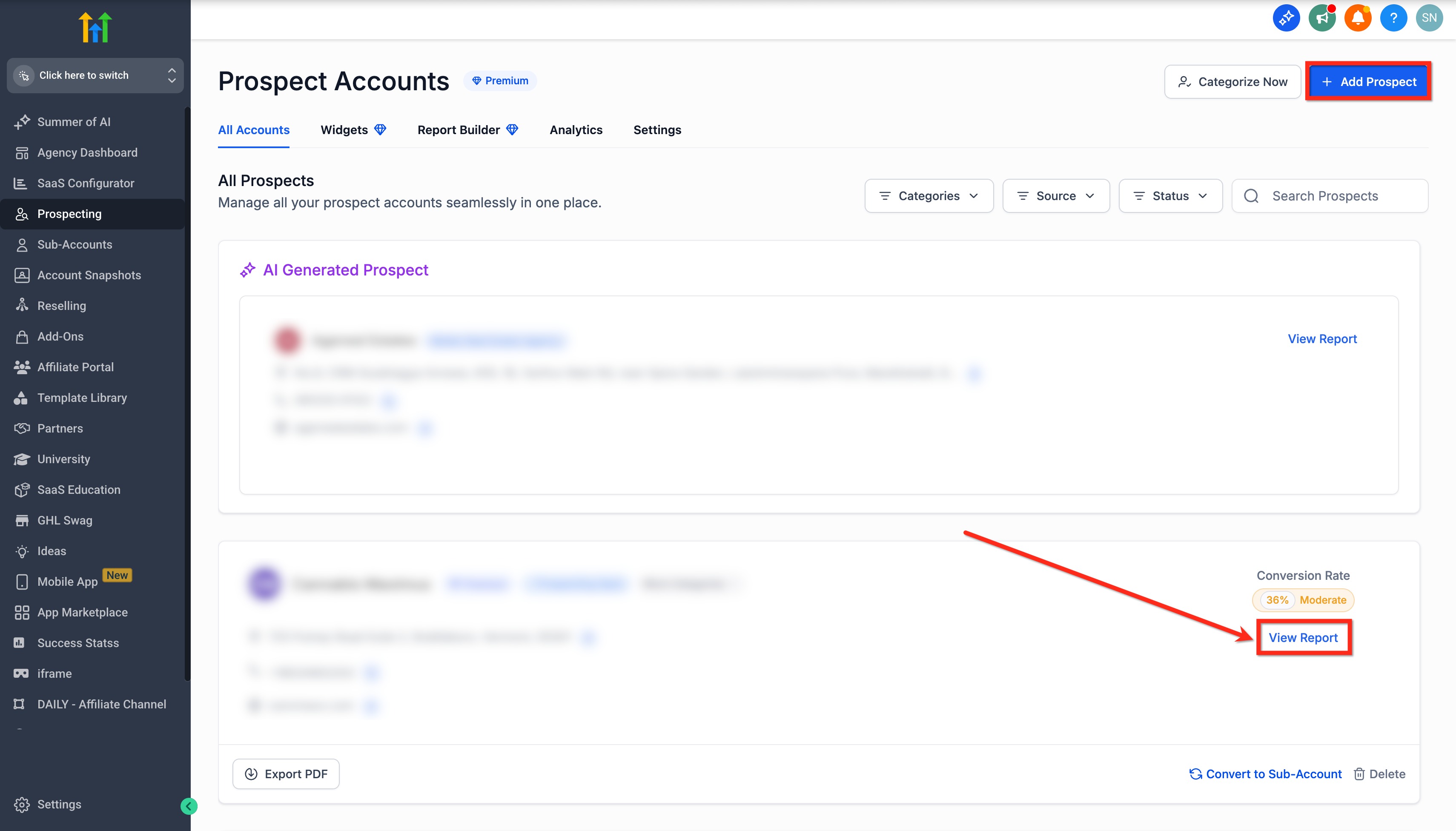
- Create a new prospect or select an existing one, then click View Report.
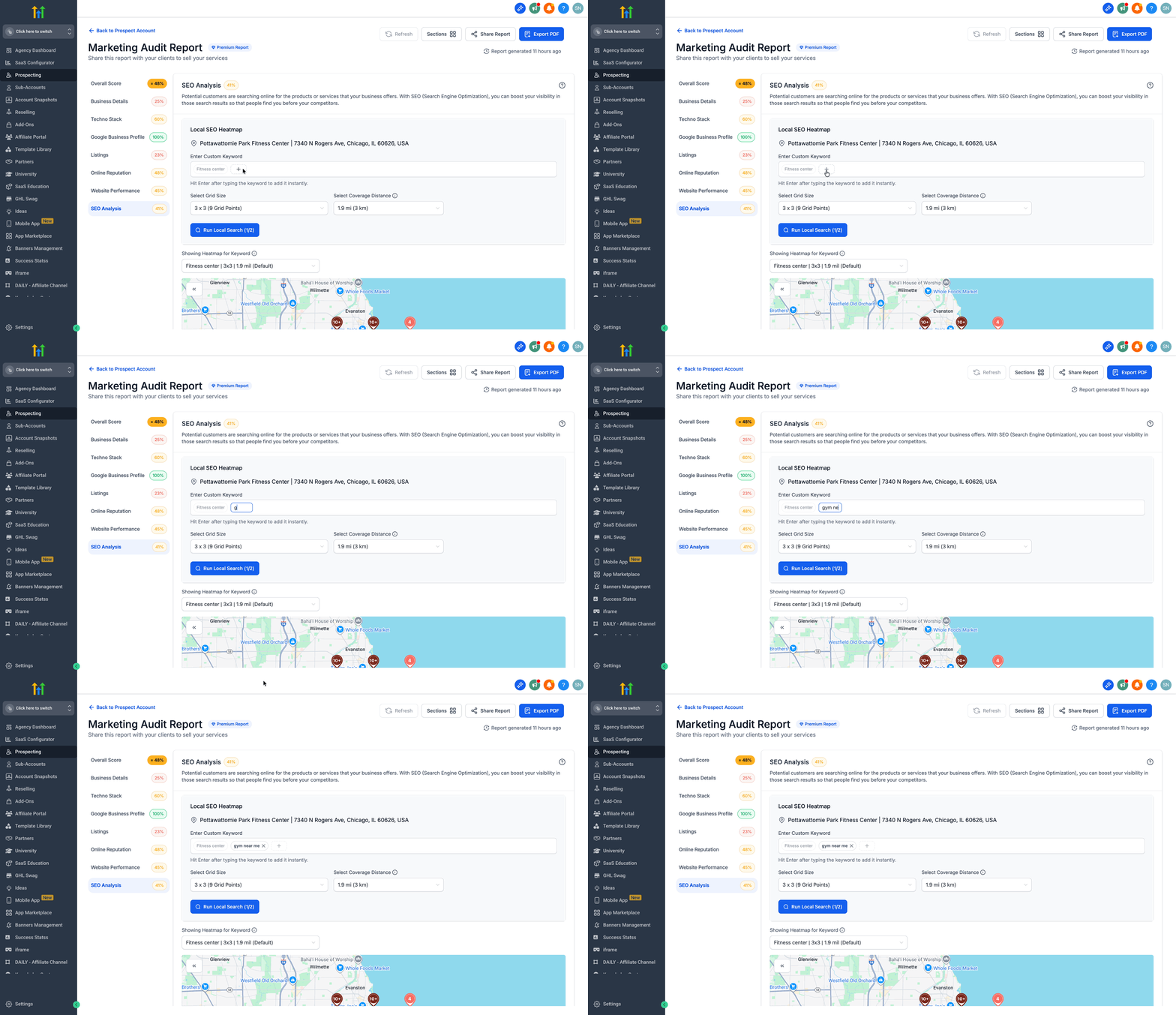
- Open the SEO Analysis tab, click the plus button beside the default keyword, type a custom keyword and press Enter.
- Choose a grid size (3×3, 5×5, or 7×7), set the coverage radius between 0.5 and 30 miles, and click Run Local Search.
- Scroll to view the heatmap, click the double arrow icon for the Keyword Ranking Score, and expand each pin to see up to ten competitors.
- Select which heatmap or heatmaps to include, then use the Share Report link or Export PDF to deliver the chosen view.
- Note: You can create up to three Local SEO heatmaps for the same business, each with its own keyword, grid size and radius.
Use interactive heatmap in subaccounts
- Log in to the subaccount, click Marketing in the left menu, then select the Prospecting tab at the top.
- Add a new prospect or choose an existing one and press View Report.
- Open the SEO Analysis tab, click the plus button next to the default keyword, type a custom keyword and confirm with Enter.
- Select the desired grid size, set the coverage radius, and click Run Local Search.
- Examine the displayed heatmap, open the Keyword Ranking Score card, and view up to ten competitors under each pin.
- When sharing the web report, ensure the desired heatmaps are selected so recipients can toggle between them.
- Note: You can create up to three Local SEO heatmaps for the same business, each with its own keyword, grid size and radius.
07What it looks like in HighLevel
08Settings that matter
- Custom Keyword. Defines the search term used to generate the heatmap points.
- Grid size. Controls the number of sampling points (3×3, 5×5, or 7×7) plotted on the map.
- Coverage radius. Sets the distance from the center of the map to the outermost pins, ranging from 0.5 to 30 miles.
- Keyword Ranking Score. Shows the average rank of the chosen keyword across all pins.
- Pin Level Competitor Insights. Lists up to ten competing businesses for each pin with clickable Google Business Profile links.
- Default Heatmap Configuration. Stores preferred grid size and radius to apply automatically to future heatmaps.
09Things to know before you rely on it
- A maximum of three Local SEO heatmaps can be created for the same business.
- Coverage radius can be set only between 0.5 and 30 miles (1 to 50 km).
- Grid options are limited to 3×3, 5×5, or 7×7.
- Each pin displays up to ten competitor listings; the previous limit was three.
10How it connects to the rest of HighLevel
- Guide to enable the Prospecting tab for subaccounts Enable Prospecting
- How to create a competitor analysis report Competitor report
- HighLevel pricing and plans Pricing
- Start a 30 day trial of HighLevel Free trial
Michael's take

The interactive heatmap feature is a useful addition for agencies that need granular local SEO data. Skip it if you do not have a Premium Prospecting subscription or if local search visibility is not a focus for your clients.