
01Who this is for
- Agency owners managing subaccounts, they gain visibility into AI agent performance and can route leads directly into their sales pipelines.
- Sales managers in agencies, they can review execution histories and use recommendations to improve prospect discovery.
- Marketing teams using the Prospecting tool, they benefit from automatic contact creation and pipeline placement for new leads.
02Prospect AI Activity Center & CRM Pipeline Integration, explained
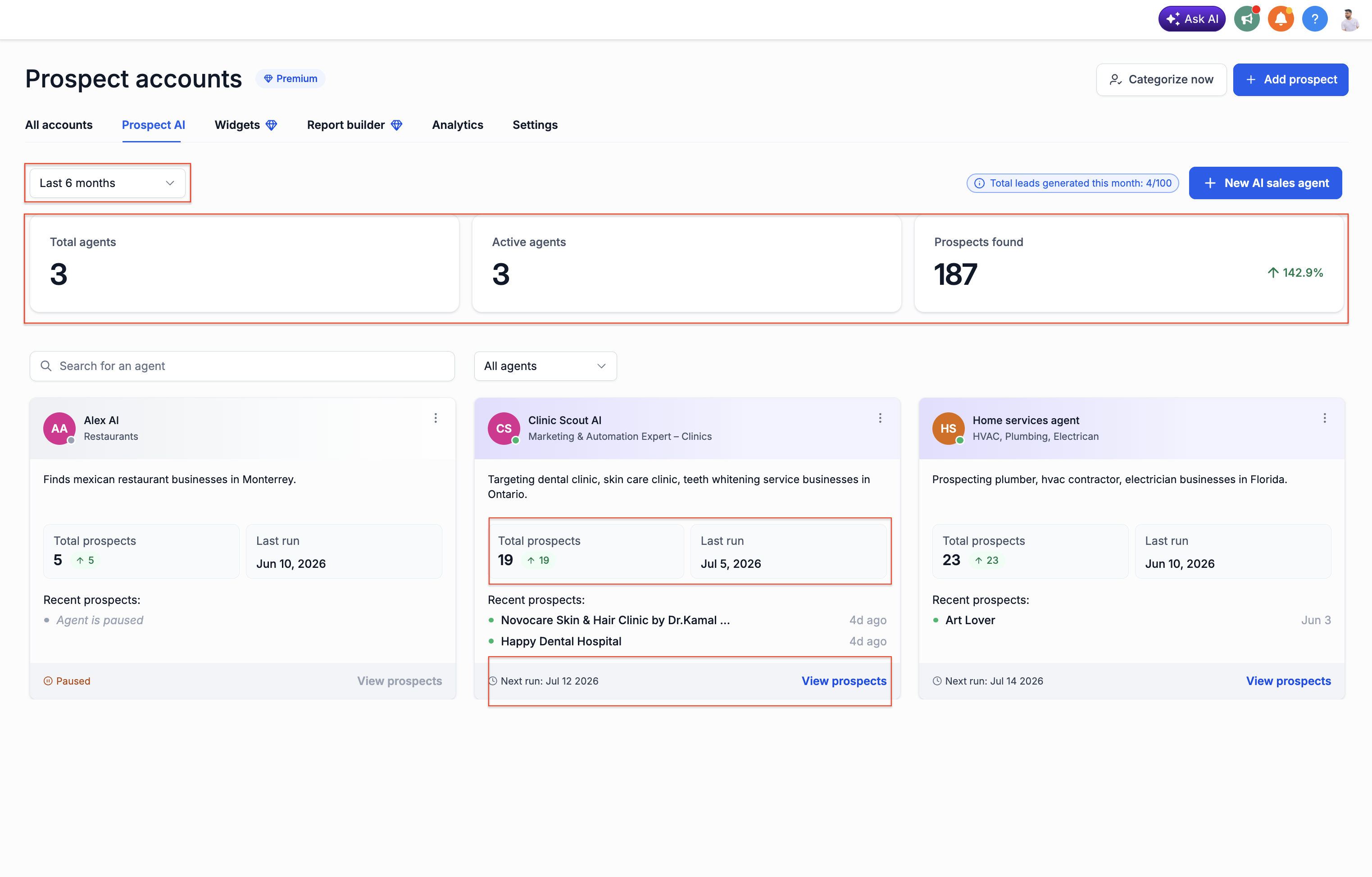
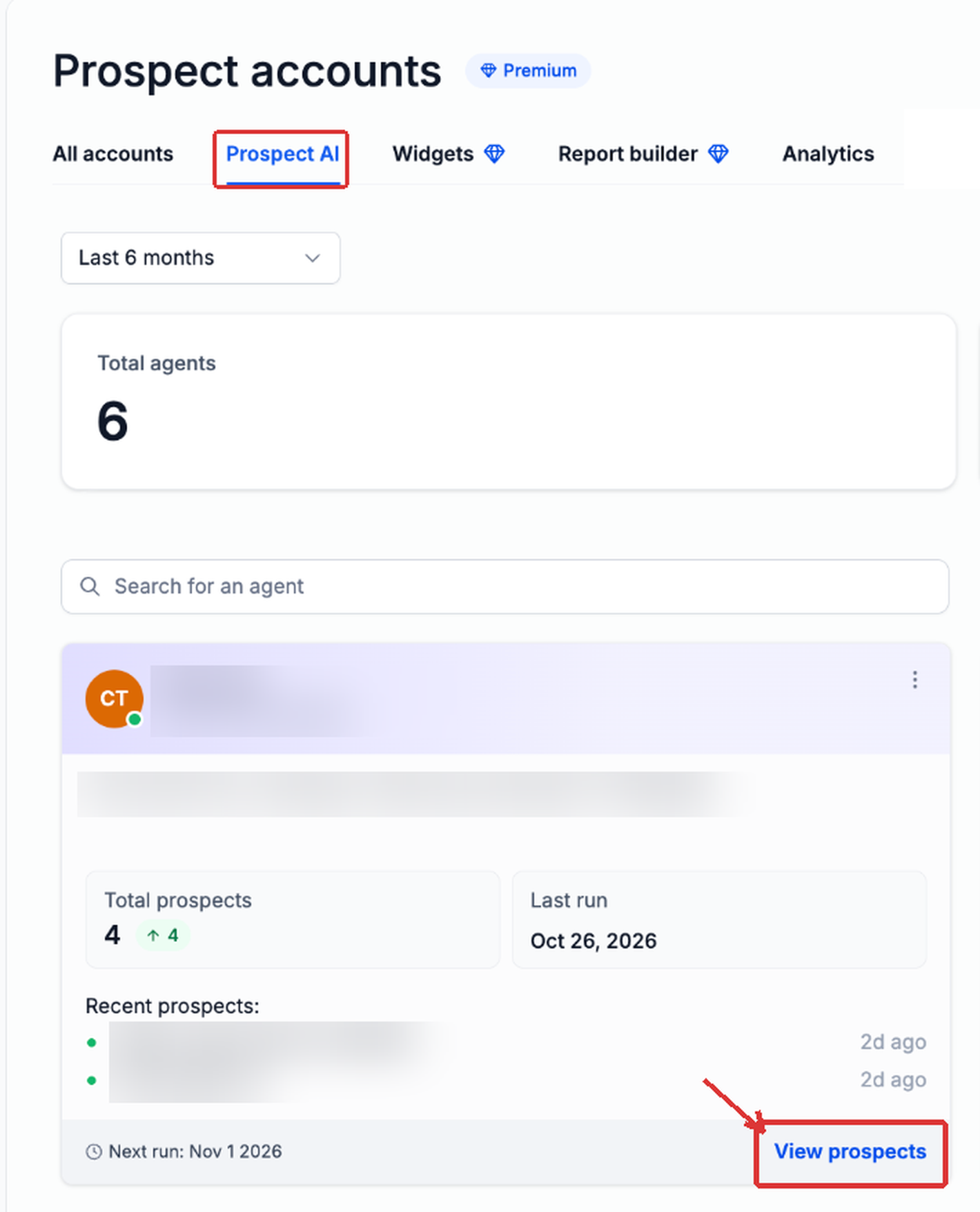
Prospect AI discovers business leads and logs each execution in the Activity Center. The dashboard presents agent cards with totals, last run, next run, and specialization, and lets users switch between Summary and Activity tabs to see configuration, criteria, schedules, and run history.
When an agent is set up inside a subaccount, the platform can automatically create contacts for new prospects and add them to a selected pipeline stage. This routing applies only to prospects discovered after the settings are saved; existing records remain unchanged.
All controls are found under Marketing > Prospecting > Prospect AI within the relevant subaccount.
03How businesses use prospect AI Activity Center & CRM Pipeline Integration
- Digital marketing agency. The agency opens the Prospect AI dashboard, selects an AI agent, and reviews its Summary tab to verify discovery criteria. It then enables pipeline routing so any new business leads are automatically added to the agency’s sales pipeline for follow up.
- Consulting firm. A consultant checks the Activity tab of an AI agent to understand why a recent run returned no prospects. Using the provided recommendations, they adjust the search radius and rating filters directly in the agent settings.
- Lead generation service. The service configures the Lead enrichment step of an existing AI agent, turns on Save new prospects to Contacts, selects a target pipeline and stage, and saves the agent so future discoveries appear as new contacts in the chosen pipeline.
04The numbers and rules that matter
- Monthly lead limits and Prospect AI availability depend on the account's Prospecting access.
05Before you start
- Prospecting and Prospect AI must be enabled in the account.
- The agent must be located in a subaccount; agency level agents cannot use pipeline routing.
- The subaccount must already contain a pipeline with the desired destination stage.
- Enable Save new prospects to Contacts when setting up pipeline placement.
06How to set up and use prospect AI Activity Center & CRM Pipeline Integration in HighLevel
Review agent activity and prospect results
- Open the relevant HighLevel subaccount.
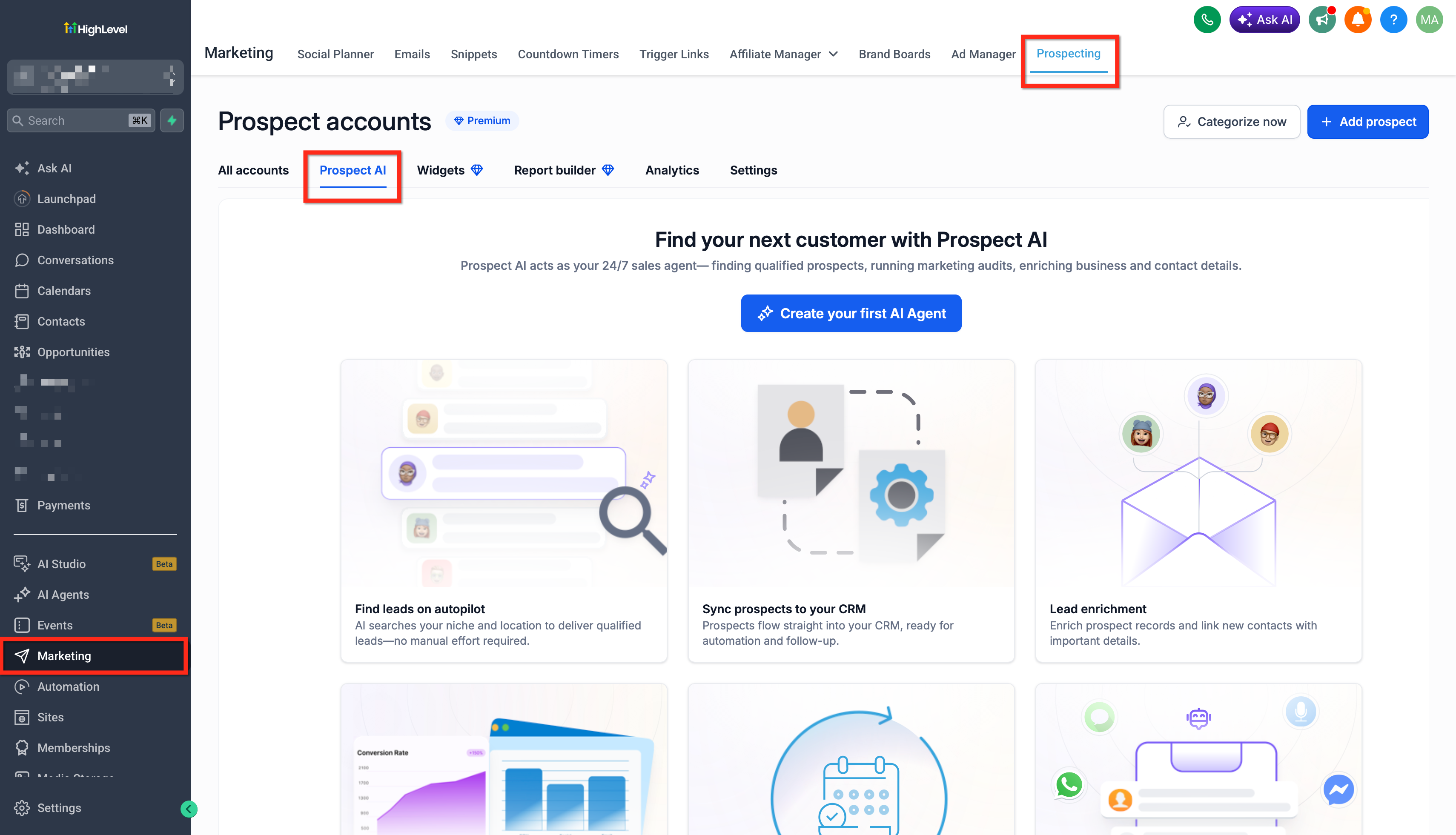
- Select Marketing from the left navigation.
- Choose Prospecting.
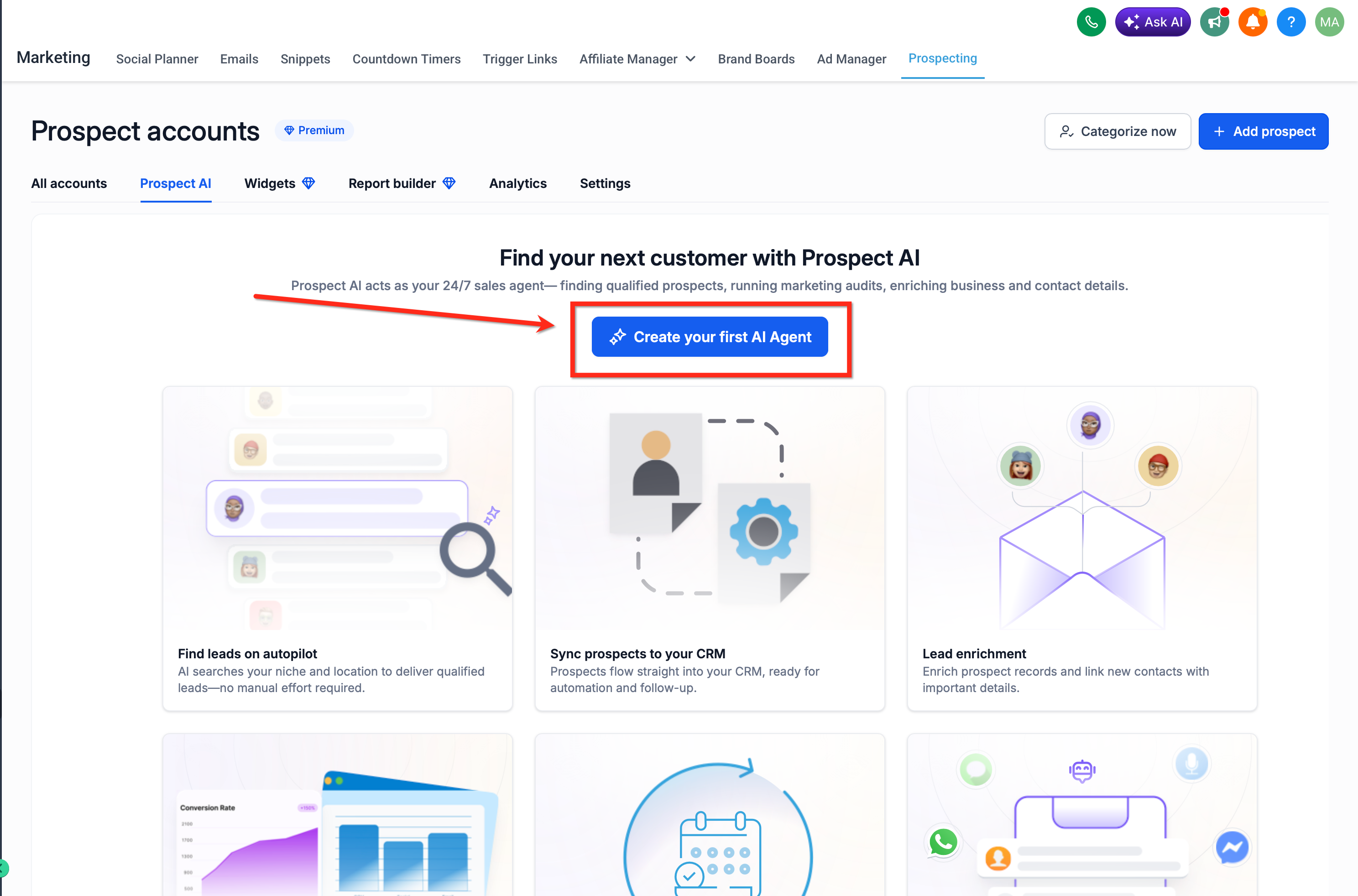
- Open the Prospect AI tab.
- Locate the AI agent you want to review on the dashboard.
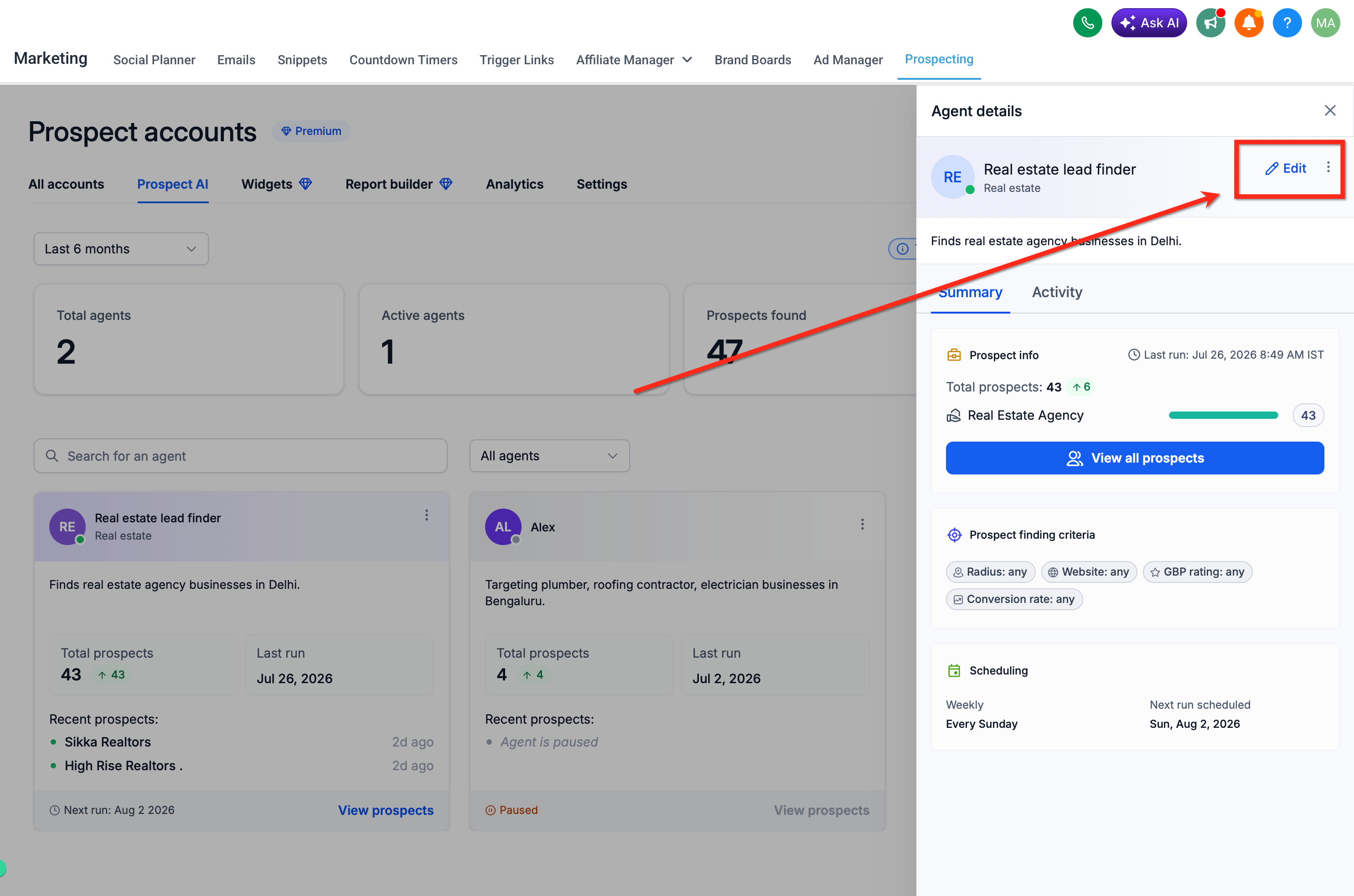
- Select the agent’s card to open the Agent details panel.
- Switch to Summary to view prospect statistics, criteria, and scheduling.
- Switch to Activity to view historical runs and upcoming schedules.
- Examine any unsuccessful runs and read the recommendations provided.
Configure CRM pipeline integration for an existing agent
- Open the relevant HighLevel subaccount.
- Select Marketing from the navigation.
- Open Prospecting.
- Select the Prospect AI tab.
- Click an existing AI agent.
- In the Agent details panel, click Edit.
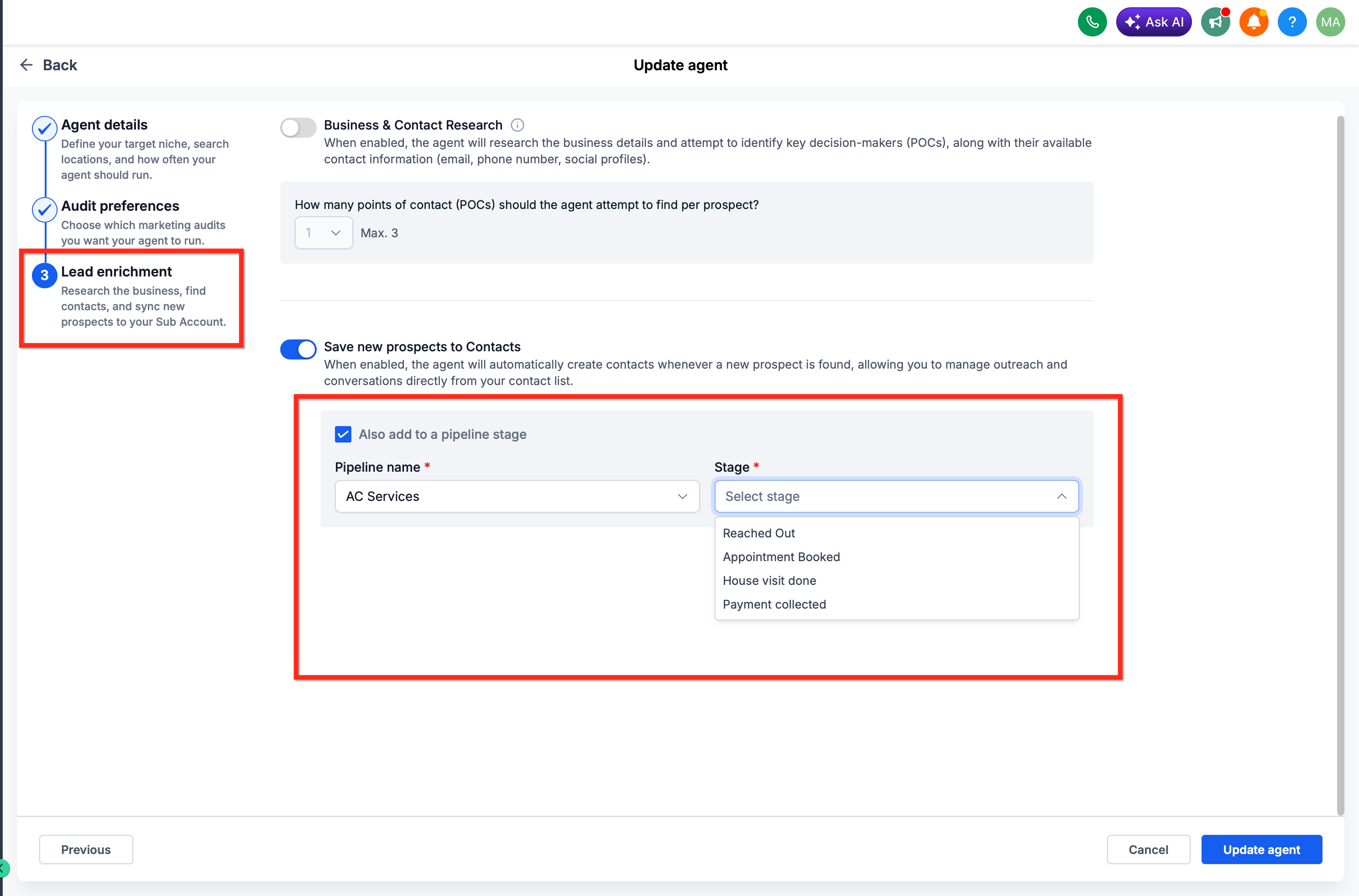
- Open the Lead enrichment step in the editing screen.
- Turn on Save new prospects to Contacts.
- Check Also add to a pipeline stage.
- Use the Pipeline name dropdown to choose the destination pipeline.
- Use the Stage dropdown to select the destination stage.
- Click Update agent to save the changes.
07What it looks like in HighLevel
08Settings that matter
- Save new prospects to Contacts. Controls whether each newly discovered prospect is created as a contact in the system.
- Also add to a pipeline stage. Enables automatic placement of the new contact into a selected pipeline and stage.
- Pipeline name. Specifies which pipeline will receive the new prospects.
- Stage. Determines the exact stage within the chosen pipeline where prospects are added.
09Things to know before you rely on it
- Native pipeline routing works only for agents configured inside a subaccount; agency level agents cannot use this feature.
- A pipeline and destination stage must already exist in the subaccount before routing can be set up.
- Only prospects discovered after saving the pipeline settings are routed; existing prospects are not moved automatically.
- Monthly lead limits and Prospect AI availability depend on the account’s Prospecting access.
10How it connects to the rest of HighLevel
- How subaccounts use Prospecting tools. Prospecting in subaccounts
- Guide to adding prospects to a pipeline from the Prospecting tool. Add prospects to pipeline
- Pricing information for plans that include Prospect AI. Pricing
Michael's take

When you have a steady stream of AI discovered leads, automatic routing removes the manual step of copying contacts and lets you see real time lead counts alongside your monthly allowance.
If your agency mainly runs agents at the top level or you rarely add new contacts automatically, the feature adds little value. The extra setup only matters when you already have subaccounts with pipelines ready to receive leads.