
01Who this is for
- Agency owners benefit because the feature can populate their subaccount contact list without manual entry.
- Local business Founders gain a clean single contact per business, keeping their contact list organized.
02Prospecting contacts, explained
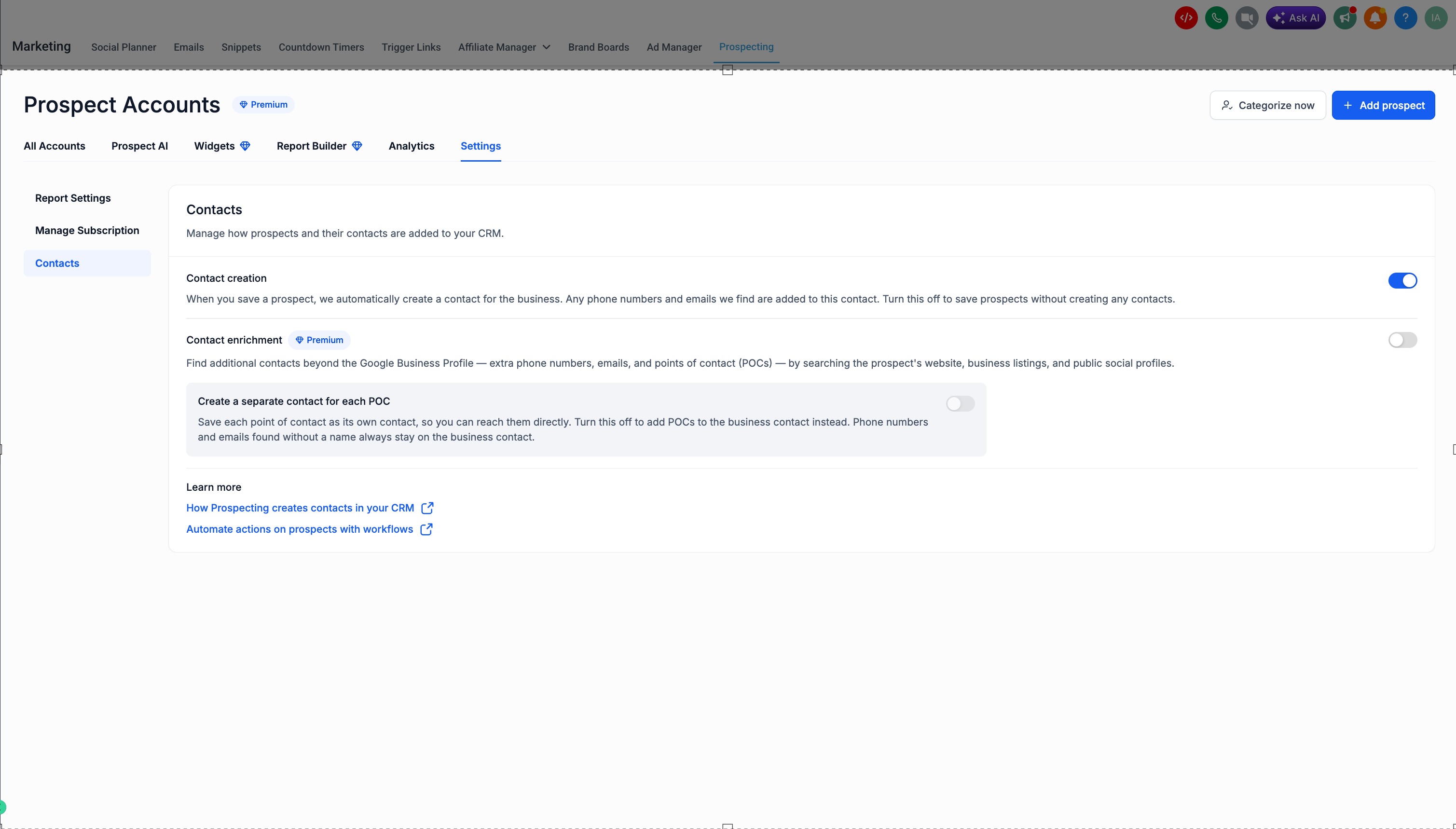
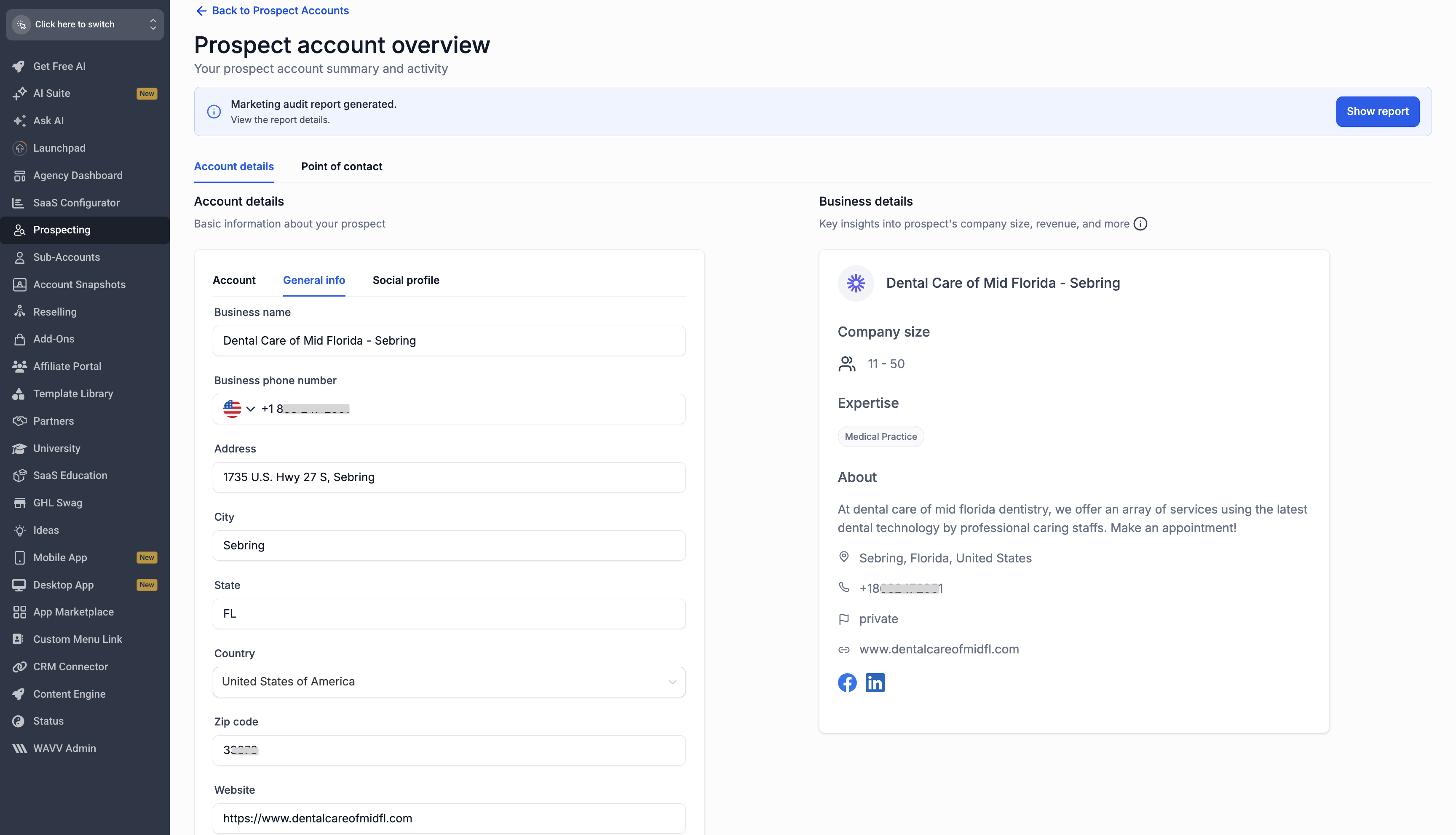
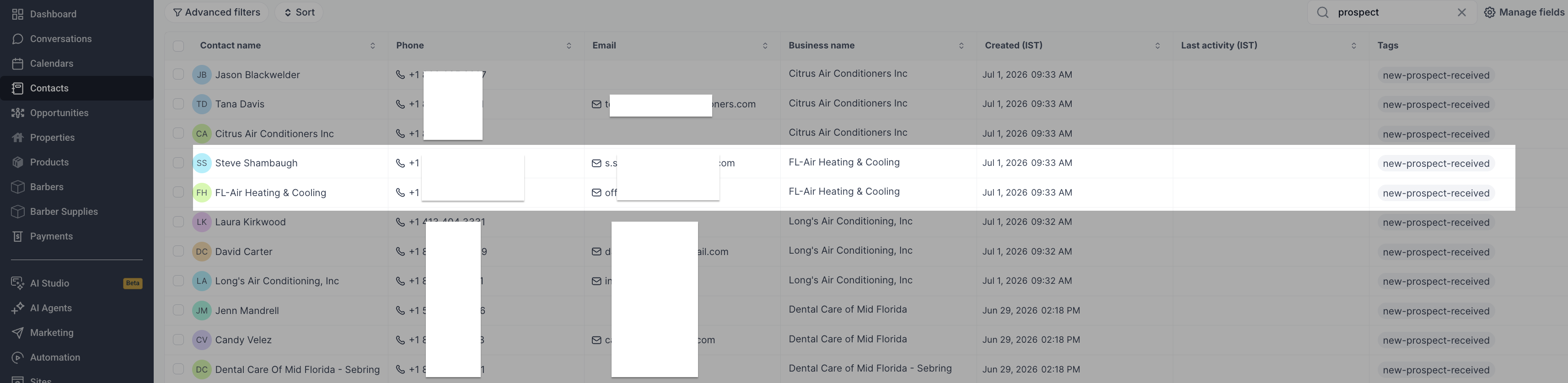
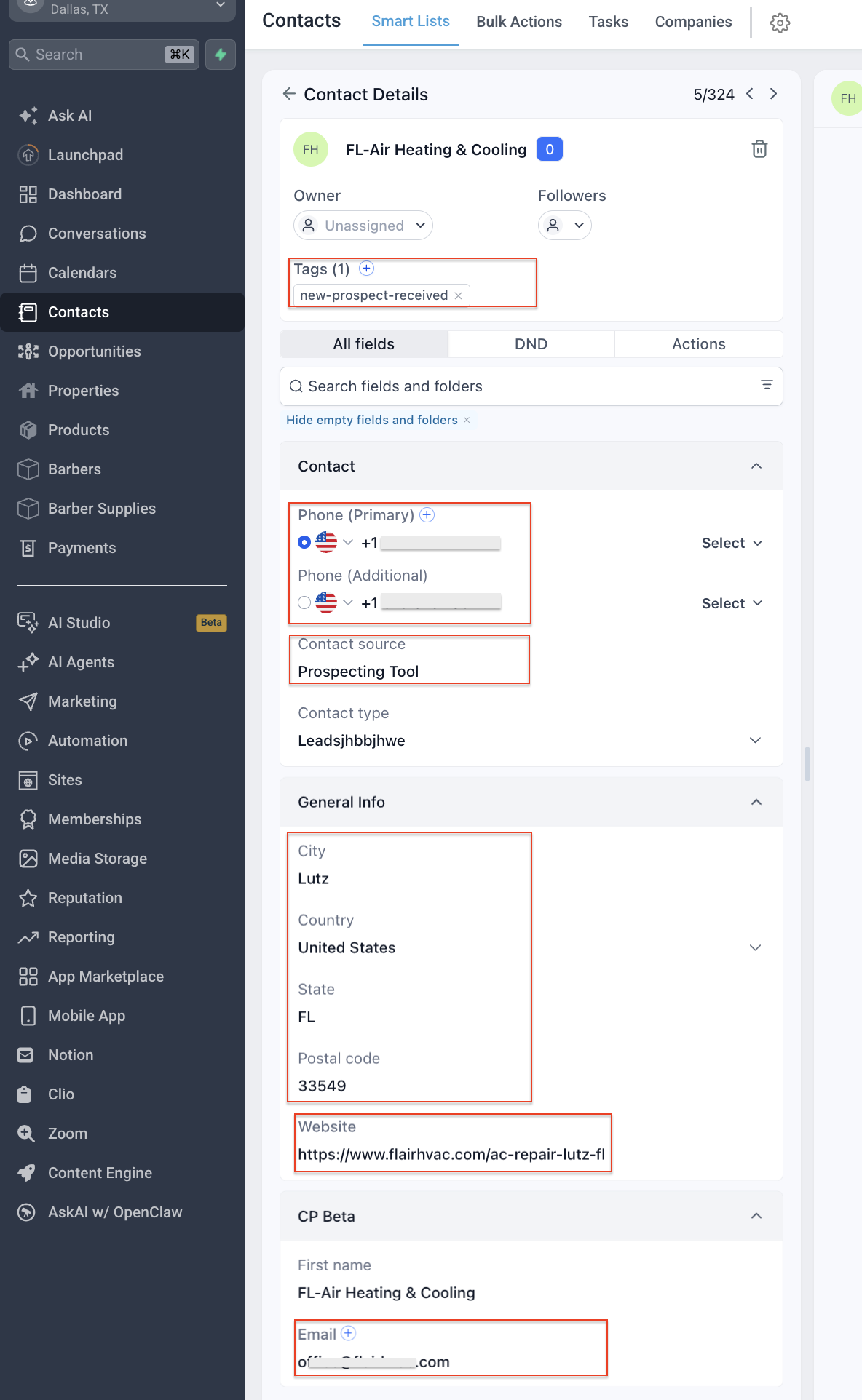
When a prospect is saved in a subaccount, the platform can right away generate one business contact. The record includes the Google Business Profile phone number, any form inputs, widget captures, and manually entered data. Extra phone numbers and emails discovered are attached to the same business contact.
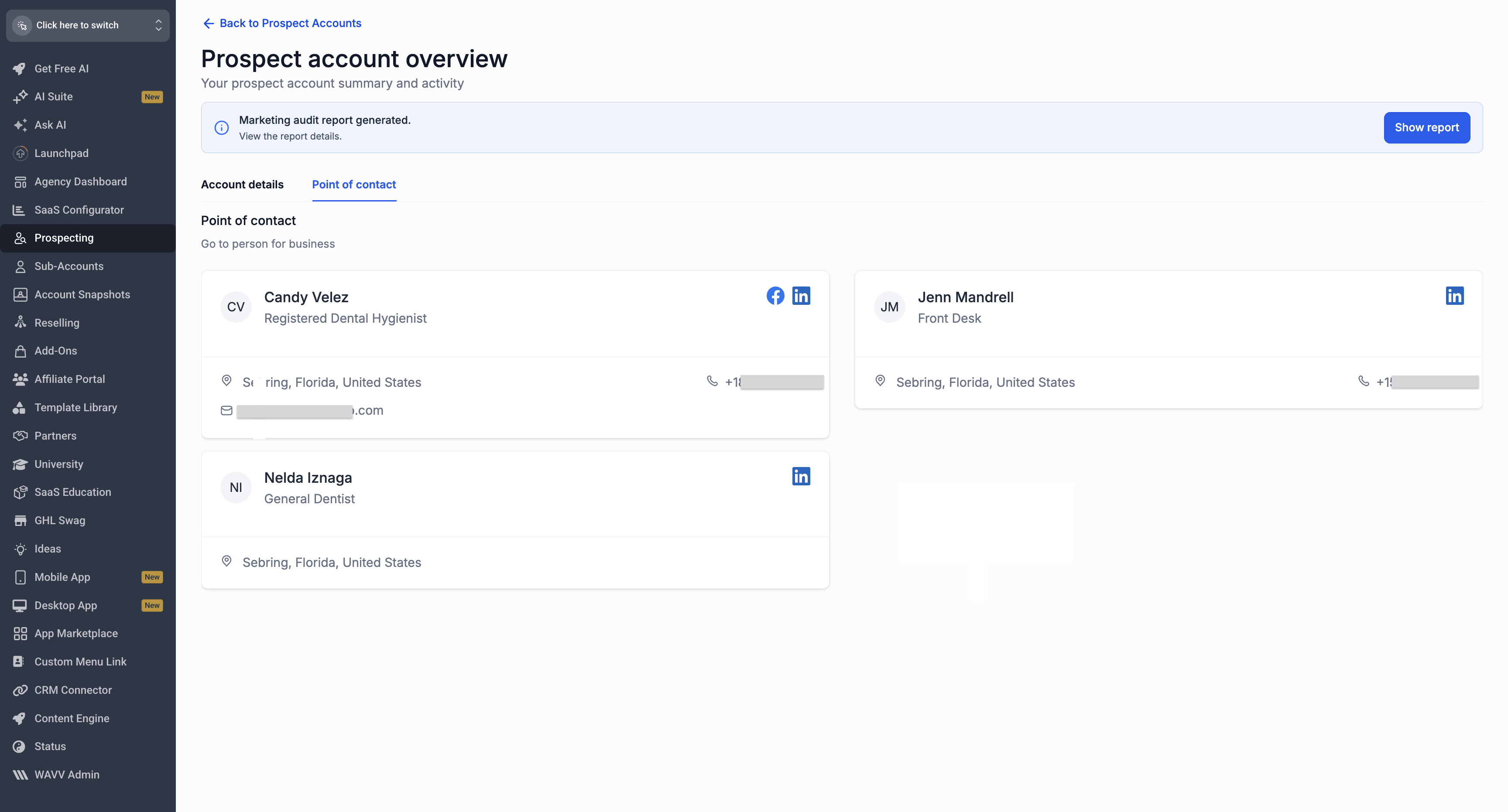
Contact enrichment is a Premium option. When turned on, the system searches the prospect’s website, listings, and public social profiles for additional phone numbers, emails, and named points of contact such as owners or managers. These extra contacts appear as separate records if the related toggle is enabled.
All of these controls are found under Marketing > Prospecting > Settings > Contacts. The default state creates a business contact, leaves enrichment off, and creates a separate contact for each point of contact.
03How businesses use prospecting contacts
- Marketing agency. The agency enables contact creation so each prospect saved by a subaccount automatically appears as a business contact, reducing manual data entry when managing multiple client leads.
- Local retailer. The retailer turns on contact enrichment to discover additional phone numbers and emails from the prospect’s online listings, ensuring they have all ways to reach the store.
- Real estate office. The office keeps the "Create a separate contact for each POC" toggle on, so owners and managers found by enrichment become individual contacts that agents can call directly.
04How to set up and use prospecting contacts in HighLevel
Manage contact creation setting
- Open Marketing > Prospecting > Settings > Contacts.
- Locate the Contact creation toggle and ensure it is on to generate a business contact when a prospect is saved.
- Turn the toggle off if you prefer to save prospects without creating any contacts.
Enable contact enrichment
- Open Marketing > Prospecting > Settings > Contacts.
- Find the Contact enrichment toggle, which is off by default, and switch it on to search for extra phone numbers, emails, and points of contact.
- Remember that enrichment requires a Premium plan.
Set how points of contact are stored
- Open Marketing > Prospecting > Settings > Contacts.
- Find the "Create a separate contact for each POC" toggle and keep it on to store each named point of contact as its own record.
- Turn the toggle off if you want POCs added to the existing business contact instead.
Agency level warning
- When using Prospecting at the agency level, contacts are not created; prospects are saved only in the Prospect dashboard (Agency > Prospecting).
- Similarly, points of contact found by enrichment are saved inside the prospect record rather than as separate contacts.
05What it looks like in HighLevel
06Settings that matter
- Contact creation. Controls whether saving a prospect automatically creates one business contact in the system.
- Contact enrichment. When enabled, the platform searches for additional phone numbers, emails, and named points of contact linked to the prospect.
- Create a separate contact for each POC. Determines if each named point of contact becomes its own contact record or is merged into the business contact.
07Things to know before you rely on it
- Contact creation works only in subaccounts; at the agency level a prospect is saved without creating a contact.
- Contact enrichment creates points of contact only in subaccounts; at the agency level POCs remain inside the prospect record.
- The enrichment feature is available only on Premium plans and is off by default.
08How it connects to the rest of HighLevel
- Using prospecting tools in subaccounts Prospecting in subaccounts
- How to enable and engage prospects in HighLevel Enable prospecting
- Migrate prospects from agency to subaccount Prospect migration
- HighLevel pricing and plans for Premium features Pricing
- Start a 30 day HighLevel trial Free trial
Michael's take

The enrichment feature can uncover owners or managers, providing additional points of contact.
If you only need a single contact per business and you’re not paying for the Premium add on, the feature may add little additional value.