
Home/CRM guide/Best CRM for travel agencies
CRM guide · Best CRM for travel agencies
The best travel agency CRM. Travel software for the trip, follow up for the client.
Travel agents and small agencies sell trips that take weeks to plan and months to happen. This guide compares four systems built for travel and GoHighLevel, and says plainly which job each one is built for.

The short answer
The best travel agency CRM is usually a system built for travel, such as TravelJoy, Travefy, Tern or ClientBase Online, because it joins itineraries and proposals to the client record. GoHighLevel does not build itineraries or connect to booking systems. It fits as the follow up layer: inquiry replies, quote reminders, trip countdown messages and repeat booking campaigns.
Michael is a sponsored HighLevel affiliate. Links to HighLevel use his partner link at no extra cost to you. HighLevel prices and product facts on this page come from HighLevel's own pricing page and help center, checked on the date above.
The jobs
What does a travel agency CRM have to do?
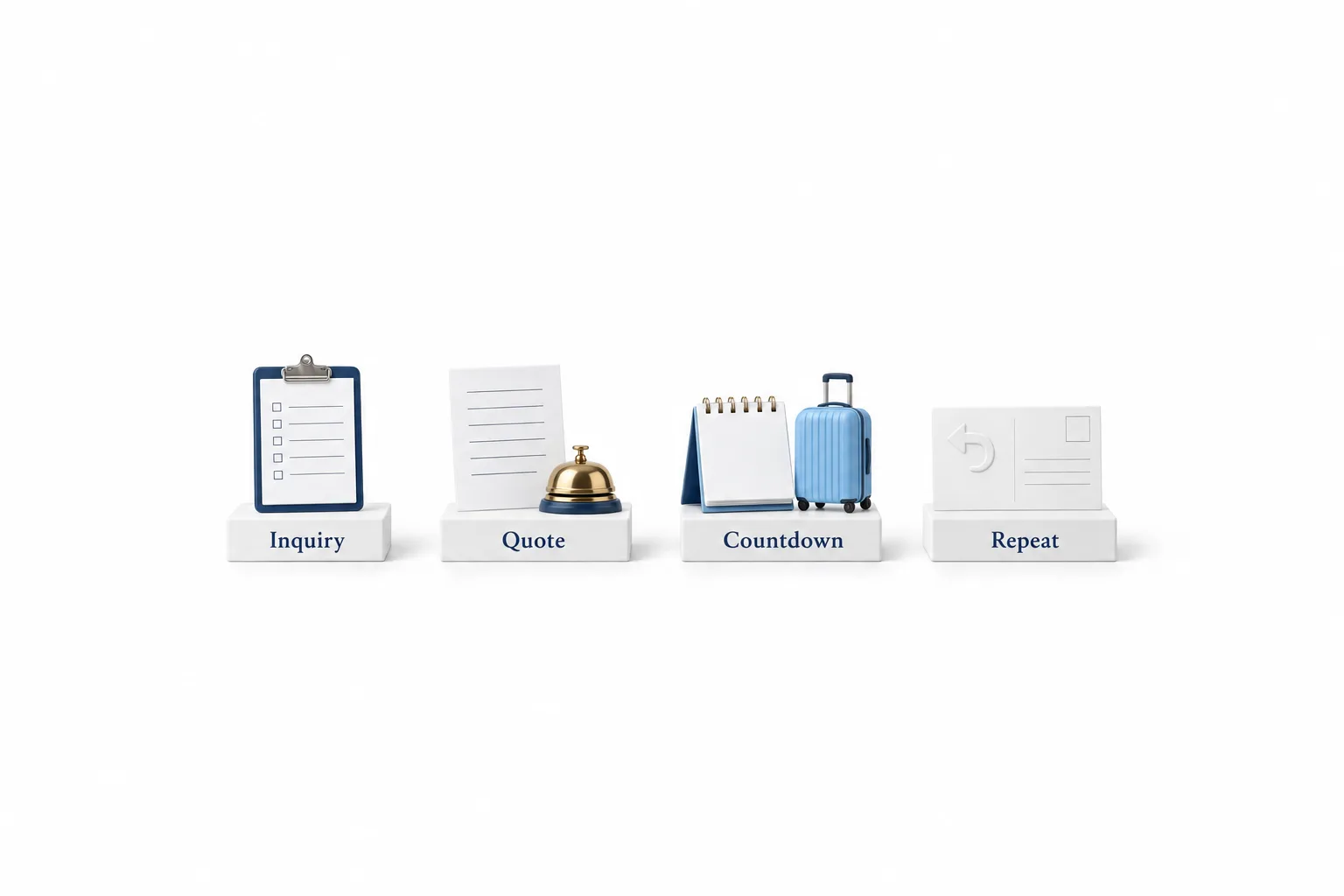
A travel agency CRM has to keep a client moving from the first question to the next trip. Four everyday jobs decide whether a tool earns its place.
| Job | What it looks like day to day |
|---|---|
| Inquiry follow up | Every web form, call and message lands on one client record and gets a reply the same day |
| Quote reminders | A client who has a quote and has gone quiet gets a polite reminder on a schedule |
| Trip countdown messages | Messages go out a set number of days before departure: documents to check, what to pack, who to call if plans change |
| Repeat booking campaigns | Past travelers hear from you after they return and again when it is time to plan the next trip |
That list leaves out trip planning. Building the itinerary, pricing the proposal, collecting passport details and tracking supplier commission belong in software built for travel. Many agencies need both sides covered. If the terms are new to you, the CRM guide explains the basics.
Compare
Which travel CRM is best? Five options compared.
The best travel CRM for most agents is a system built for travel, because it holds trips, proposals and traveler details together.
| Tool | Type | Built for | Check before you choose |
|---|---|---|---|
| TravelJoy | Travel agency software with a CRM | Travel advisors and agencies: a CRM, proposals, an itinerary builder, forms, invoices, payments, workflows and group trip management | Ask which plan includes the workflows and the booking platform |
| Travefy | Itinerary and proposal software with a CRM | Travel agents, agencies and tour operators: client profiles that hold trips, documents, loyalty numbers and preferences, custom forms, invoices with deposits and due dates, tasks and automations for follow ups, and a connected email account | Ask how it handles text messages to clients |
| Tern | Travel advisor platform with a CRM | Travel advisors and agencies: a CRM for traveler details, loyalty numbers and preferences, itineraries you can save and reuse, proposals where the client picks flights, hotels or activities, forms that create or update client records, commission tracking and task management | Ask how far task automation, reporting and team features go on your plan |
| ClientBase Online | Web based CRM for travel advisors | Remote advisors and agencies: client and vendor profiles, client history and preferences, reservations, itineraries, invoicing and tasks, quotes and trip proposals, and import of PNR segments | It is the web based extension of ClientBase Windows and shares its database, so ask whether you need both and which browsers are supported |
| GoHighLevel | Sales and marketing platform with a CRM inside | Follow up, two way texting, email, forms, booking calendars, pipelines, review requests and automated workflows | It does not build itineraries or connect to booking systems, so it works beside travel software |
Feature descriptions for the four travel systems come from each vendor's own website, checked on November 11, 2026. Prices are left out on purpose because they change. Read each vendor's pricing page for the current figure.
If you have no system for itineraries and proposals today, start with one of the first four. If you already have one and clients still go quiet between the quote and the deposit, the gap is follow up, and that is a different purchase. How to choose a CRM gives you six steps that work for any shortlist.
Honest view
Where does GoHighLevel fit for travel agents?
GoHighLevel fits a travel agent as the follow up layer beside travel software, not as a replacement for it. HighLevel, which people also search for as go high level or GHL, has no itinerary builder, no trip proposal tool and no built in connection to booking systems, supplier inventory or a GDS. If you want one system that plans the trip and tracks the client, this is not it.
What it does well is the conversation around the trip. One inbox holds texts, emails and calls for each client, and workflows send each message on the schedule you set.
| Job | In GoHighLevel |
|---|---|
| Inquiry follow up | Yes. A form or a missed call starts a workflow that replies and creates an opportunity |
| Quote reminders | Yes. A workflow starts when the opportunity reaches your Quote sent stage |
| Trip countdown messages | Yes. The Custom Date Reminder trigger runs before, on or after a date field you select |
| Repeat booking campaigns | Yes. Smart lists and workflows message past travelers in batches |
| Itineraries and proposals | No. Keep these in your travel software |
| Booking systems and GDS | No built in connection |
The two systems can still talk. Zapier connects HighLevel to apps that have no native integration, and the Inbound Webhook trigger lets an outside app start a workflow. Whether that works depends on what your travel software can send, so check first. If it sends nothing, you type the departure date onto the contact when the trip is booked.
On cost, GoHighLevel pricing is by plan, not by contact or seat.
| HighLevel plan | Monthly | Best for |
|---|---|---|
| Starter | $97 | One business, up to three subaccounts |
| Unlimited | $297 | Agencies with many clients |
| Founder Plan | $497 | Selling HighLevel under your own brand |
Usage such as calls, texts, email and AI is billed separately. This cost sits on top of your travel software, so weigh it as an added tool.
Not sure it is worth a second tool? Read who should not use HighLevel before you start a trial.
A setup
How do you set up travel agency follow up in GoHighLevel?
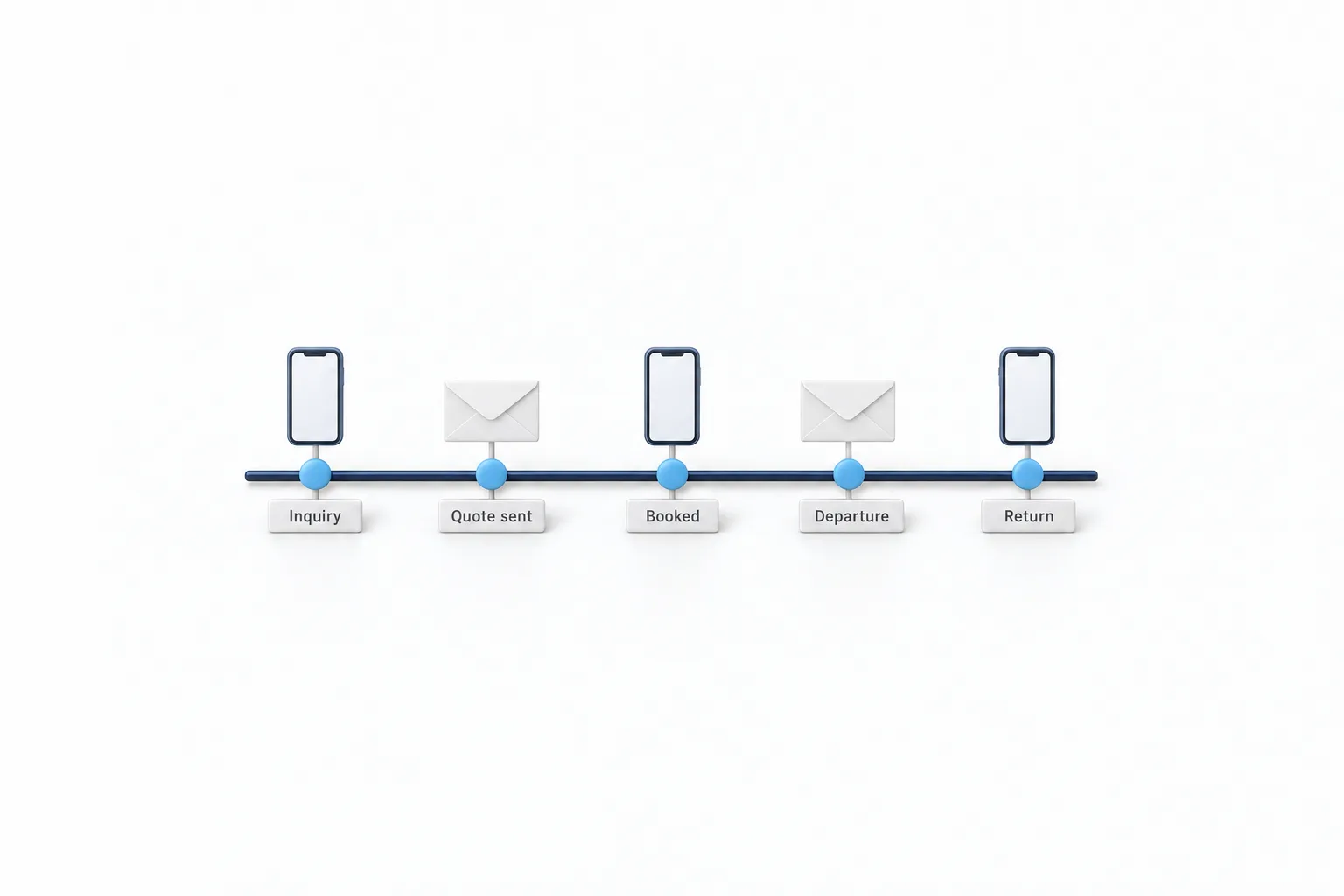
You set up travel agency follow up in GoHighLevel with one pipeline, three custom fields and four workflows. Build them in this order and test each one on yourself first.
- Import your client list. Bring past and current clients in with a CSV import, and check consent before you message anyone.
- Add three custom fields. Create Departure date and Return date as date fields, and Destination as a text field, so every message can use them.
- Build one pipeline. Use stages that match your day: New inquiry, Quote sent, Booked, Traveling and Returned.
- Answer every inquiry. Start a workflow with the Form Submitted trigger. It replies by text and email, creates the opportunity and tells you a new inquiry is waiting.
- Follow up on open quotes. Start a second workflow with the Pipeline Stage Changed trigger when a trip moves to Quote sent. Wait a few days, then send a short reminder if the quote is still open.
- Count down to the trip. Use the Custom Date Reminder trigger on the Departure date field to send messages a set number of days before the client leaves.
- Welcome them home. Use the same trigger on the Return date field to send a welcome home note, ask for a review and tag the client for your next campaign.
Two details save trouble later. The countdown has nothing to run on until the departure date is on the contact, so make filling it in part of marking a trip as booked. Texting clients in the United States also requires A2P 10DLC registration first.
If workflows are new to you, build your first workflow covers triggers, waits and testing. For past travelers who have not heard from you in a while, the database reactivation campaign guide shows how to message a list in small batches.
Choose
How do you choose a CRM for a small travel agency?
Choose a CRM for a small travel agency by naming the job that is failing today, then testing that one job in a trial.
- Start with the gap. Slow proposals point to travel software. Quiet clients and few repeat bookings point to follow up.
- Ask your host agency. If you work under a host or a consortium, find out which systems it supports or includes before you buy your own.
- Check how clients are messaged. Ask whether text, email and reminders are included, and whether replies land in one place.
- Price the plan you would really use. Compare the tier that includes automation, not the entry tier.
- Plan the exit. Ask how you would export clients, notes and trip history if you changed systems.
The CRM feature checklist turns these into a scorecard you can use on a demo call. If follow up is your gap, the 30 day trial through Michael's link gives you time to build the pipeline and the countdown workflow, then judge it on real inquiries.

Keep your travel software for the trip. Use HighLevel for the conversation around it. Put the departure date on the contact and the countdown messages go out on schedule.
Through my link
Start HighLevel through my link and the CRM Pros team comes with it.
Same HighLevel price. The difference is who is in your corner for the first ninety days.
- Setup help in your first 7 days
- Your onboarding call with Michael’s team
- Three live calls every week: tech, sales and Michael’s own call
- The private affiliate community
- Snapshots, templates and email swipes
- Four apps: Prompt, Demo, A2P and Sales On Demand
The Founder Plan is HighLevel’s top plan at $497 a month. It is the former Agency Pro plan with an exclusive feature set, rebilling with markup and the Founders Club. The full breakdown is here.
The Founder PlanWhat it includes and who it is for
Questions
Common questions.
What is the best CRM for travel agents?
The best CRM for travel agents is usually a system built for travel, such as TravelJoy, Travefy, Tern or ClientBase Online, because it holds itineraries, proposals and traveler details next to the client record. GoHighLevel fits beside one of those when the gap is follow up by text and email, reviews and repeat booking campaigns.
Can GoHighLevel build travel itineraries?
No. GoHighLevel has no itinerary builder and no trip proposal tool, so you keep building trips in travel software. GoHighLevel handles the messages around the trip: the first reply to an inquiry, reminders about an open quote, countdown messages before departure and a welcome home message after the return date.
Does GoHighLevel connect to booking systems or a GDS?
No, not on its own. GoHighLevel has no built in connection to booking systems, supplier inventory or a GDS. An outside app can still pass data in through Zapier, where HighLevel appears as LeadConnector, or through the Inbound Webhook workflow trigger. Check that your travel software supports one of those before you plan around it.
Can GoHighLevel send trip countdown messages?
Yes. Store the departure date in a date field on the contact, then build a workflow with the Custom Date Reminder trigger. The trigger can start a workflow before, on or after the date in the field you select, so one workflow can count down to departure and a second can follow the return date.
How much does GoHighLevel cost for a travel agency?
GoHighLevel starts at $97 a month for the Starter plan, which suits one agency. Every plan includes unlimited contacts and unlimited users. Phone numbers, texts, calls, email sending and premium AI are billed on usage on top. The standard free trial is 14 days, and 30 days through Michael's link.
Next step
See it in your own account. Thirty days, every feature.
Start a trial, build the first system and test it before the first invoice. Usage fees for phone, SMS, email and AI can apply during the trial.
HighLevel has three plans at a flat monthly price, each with unlimited users and contacts. See what each one includes and what it costs.
Compare the PlansStarter, Unlimited and Founder