
Home/CRM guide/Best CRM for therapists
CRM guide · Therapy practices
The best CRM for therapists. Answer, book, remind and follow up.
Asking for help is hard, and a slow reply can end the conversation before it starts. The right CRM closes the gap between the first message and the first session, and leaves the clinical record where it belongs.

The short answer
The best CRM for therapists answers new inquiries fast, books consultations, sends reminders and follows up with the waitlist, while a practice management system keeps notes and billing. Purpose built tools such as SimplePractice and Jane cover the clinical side. GoHighLevel covers inquiries and follow up from $97 a month, with a HIPAA upgrade required before client data goes in.
Michael is a sponsored HighLevel affiliate. Links to HighLevel use his partner link at no extra cost to you. HighLevel prices and product facts on this page come from HighLevel's own pricing page and help center, checked on the date above.
The jobs
What does a CRM for therapists have to do?
It has four jobs: answer inquiries, book consultations, send reminders and follow up with the waitlist. All four sit before someone becomes a client or between sessions. It is not the clinical record. Your practice management system keeps progress notes and insurance billing. The CRM keeps the conversation: who reached out, who booked a consultation and who is waiting for an opening.
| Job | In practice |
|---|---|
| Inquiry response | Every call, web form and message lands in one place and gets a reply the same day, even when you are in session |
| Consultation booking | The person books a first call from a link and gets a confirmation right away |
| Reminders | A reminder goes out before the appointment, and a missed one gets an easy way to rebook |
| Waitlist follow up | When your caseload is full, people who asked for a spot hear from you when one opens |
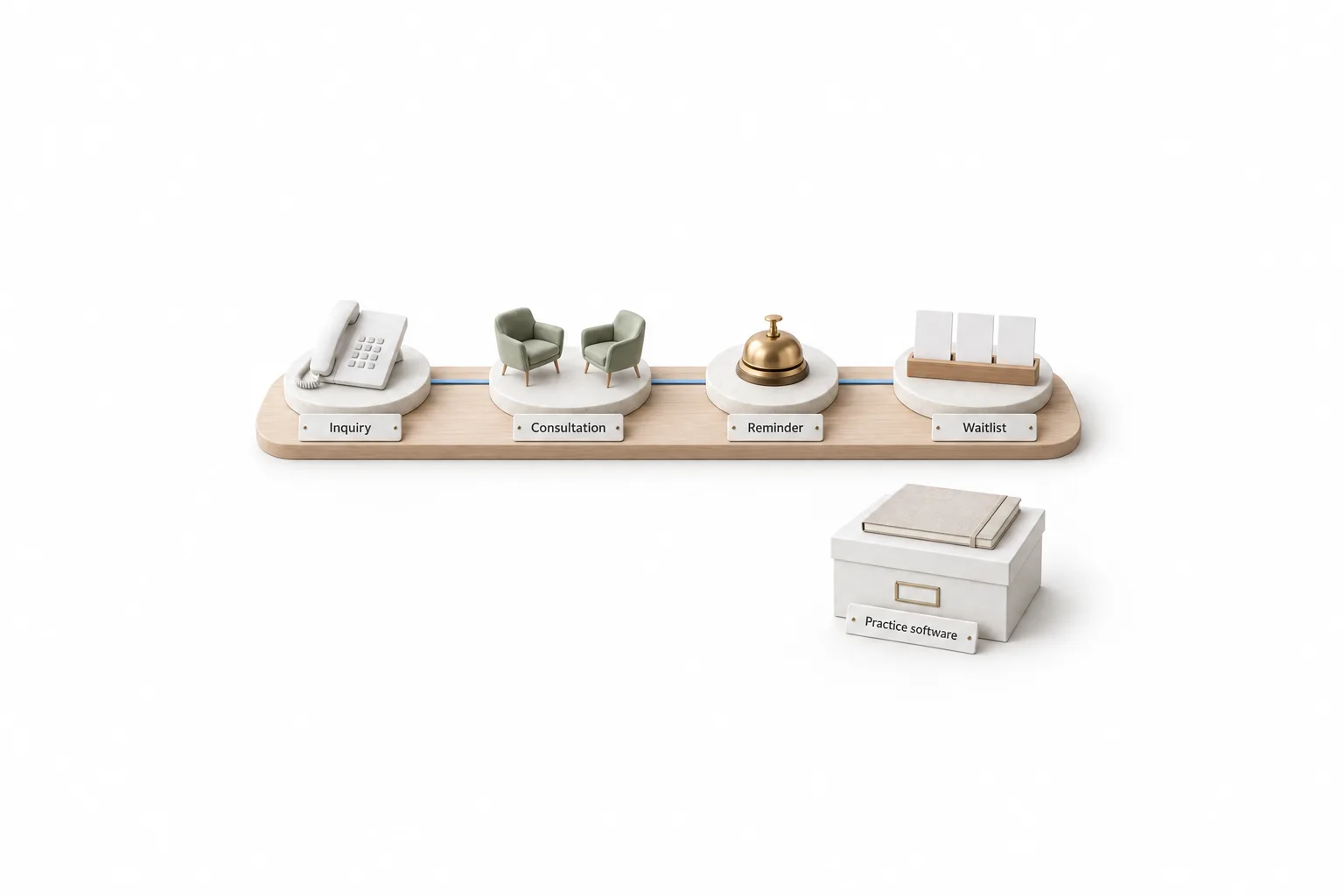
Judge every tool on this page against those four rows. If you are new to the category, the CRM guide explains the basics before you compare.
Compare
Which CRM fits a private therapy practice?
The right fit depends on where your gap is. Practice management systems, often sold as an EHR, are built for mental health work and keep notes and billing. General CRM platforms are built for any business and are stronger at inquiries and follow up. Here are six, described the way each vendor describes itself.
| Tool | Built for | What it offers | Check before you choose |
|---|---|---|---|
| SimplePractice | Solo and group therapy practices | An EHR and practice management platform with scheduling, billing, secure messaging, a client portal and telehealth | How it follows up with people who asked about therapy and are not clients yet |
| TherapyNotes | Behavioral health practices | Practice management software for client records, scheduling, session notes and billing | Which reminder and client portal options come with your plan |
| Jane | Solo practitioners and group practices in mental health | Online booking, a waitlist that notifies people when someone cancels, reminders, intake and consent forms, charting, insurance billing and video sessions | That its insurance billing covers the payers you work with |
| TheraNest | Solo and small group mental health practices | An EHR from Ensora Health with scheduling, progress notes, billing with claim submission, text, email and phone reminders, and a client portal | Telehealth is listed as a separate add on, so confirm what your plan includes |
| IntakeQ and PracticeQ | Counseling, psychology and psychiatry practices, among others | IntakeQ offers online intake forms with electronic signatures. PracticeQ is the practice management product, with appointment booking, reminders, a patient portal, charting and insurance billing | Whether you need the forms plan alone or the full practice plan |
| GoHighLevel | Businesses that need fast replies, booking and follow up in one place | CRM, one inbox for calls, texts and email, calendars with reminders, workflows, forms, websites and AI for chat and calls | That your practice software stays for notes and billing, and that the HIPAA package is on before client data goes in |
Descriptions come from each vendor's own website, checked November 11, 2026. Prices are left out on purpose. Check each vendor's pricing page for your practice size.
The first five are built around clinical work: sessions, notes and billing. Ask each one how it handles the person who filled in your contact form and has not booked yet. That gap is where a CRM earns its place.
The difference
Is a mental health CRM the same as practice management software?
No. Practice management software holds the clinical side: progress notes, treatment plans, claims and client billing. A mental health CRM holds the front door: inquiries, consultation bookings, reminders and follow up. Most practices need the first. A CRM is worth adding when the front door is where people slip away.
Client data in therapy is sensitive. Even the fact that someone contacted a therapist can be private. So keep two rules. Clinical details stay in the practice management system, never in CRM notes, text messages or AI instructions. And your contact form asks for as little as it can: a name, a way to reach the person and a good time to talk.
Whether HIPAA applies to your practice is a question for a compliance advisor. The HIPAA compliant CRM guide lists the four things to check with any vendor.
This is not legal advice. Talk to a compliance advisor for your practice.
Choose
How should a counseling practice choose a CRM?
Choose around the problem you have today, not the longest feature list.
- Find the leak first. Write down where people slip away: unanswered voicemails, slow replies to web forms, missed consultations or a waitlist nobody contacts.
- Name your system of record. Decide which system keeps notes, billing and the session calendar. The CRM works around it.
- Check what you already have. Your practice software may already send reminders and take appointment requests. Do not pay twice for the same job.
- Settle privacy in writing. Ask whether the vendor signs a business associate agreement, what it covers and what it costs, before any client information goes in.
- Test with made up contacts. In a trial, send an inquiry, book a consultation and trigger a reminder to your own phone.
- Check the exit. Ask how you would export contacts and message history if you changed tools.
How to choose a CRM covers the same process for any business. If your practice also offers medical care, the best CRM for medical practices compares tools that connect to a health record.
Where it fits
Where does GoHighLevel fit for a therapy practice?
HighLevel fits in front of your practice software. It handles inquiries, consultation booking, reminders and waitlist follow up in one account. It is a general platform, which people also search as go high level or GHL, and it was not built for therapy.
- Inquiry response. Calls, texts, email and web chat land in one inbox. A missed caller can get a text back within seconds.
- Consultation booking. People book a first call from a calendar link and get a confirmation right away.
- Reminders. A workflow sends a reminder before the appointment. The appointment reminder workflow guide shows the build.
- Waitlist follow up. A waitlist here is something you build. A short form feeds a workflow that adds a tag, a smart list shows everyone who is waiting, and you send a message when a spot opens.

| HighLevel plan | Monthly | Best for |
|---|---|---|
| Starter | $97 | One business, up to three subaccounts |
| Unlimited | $297 | Agencies with many clients |
| Founder Plan | $497 | Selling HighLevel under your own brand |
Usage such as calls, texts, email and AI is billed separately. The HIPAA package is an optional add on at $297 a month on top of the plan price.
A single practice usually starts on Starter. Contacts and users are unlimited on every plan. GoHighLevel pricing has the full plan detail.
HighLevel accounts are not HIPAA compliant by default. According to HighLevel's help center, the HIPAA package includes a signed business associate agreement, encryption, audit logging and enforced multi factor authentication. Once HIPAA is on for a subaccount it cannot be turned off. Is GoHighLevel HIPAA compliant has every step.
Honest view
When is your practice management system enough?
Often. If referrals keep your caseload full and your practice software already sends reminders and takes bookings, you may not need a separate CRM.
HighLevel is not a practice management system. It does not chart sessions or file insurance claims. It fits when the gap is the front door: inquiries that sit unanswered, consultations that never get booked and a waitlist that goes cold.
If you add a CRM, run it beside your practice software, not in place of it. The 30 day trial through Michael's link gives you time to build the inquiry form, the consultation calendar and one reminder with test contacts. Keep real client details out of the account until the HIPAA package is on.

Keep notes and billing in your practice software. Use the CRM for the first message, the first call and the waitlist, and settle HIPAA before the first client goes in.
Through my link
Start HighLevel through my link and the CRM Pros team comes with it.
Same HighLevel price. The difference is who is in your corner for the first ninety days.
- Setup help in your first 7 days
- Your onboarding call with Michael’s team
- Three live calls every week: tech, sales and Michael’s own call
- The private affiliate community
- Snapshots, templates and email swipes
- Four apps: Prompt, Demo, A2P and Sales On Demand
The Founder Plan is HighLevel’s top plan at $497 a month. It is the former Agency Pro plan with an exclusive feature set, rebilling with markup and the Founders Club. The full breakdown is here.
The Founder PlanWhat it includes and who it is for
Questions
Common questions.
What is the best CRM for therapists?
The best choice answers new inquiries fast, books consultations, sends reminders and follows up with your waitlist, without becoming a second clinical record. Practice management systems such as SimplePractice, TherapyNotes and Jane keep notes and billing. A general platform such as GoHighLevel handles inquiries and follow up, and client data in it needs the HIPAA upgrade.
Do therapists need a CRM or practice management software?
Most therapists need practice management software first, because it keeps progress notes and billing. A CRM is worth adding when people slip away before they become clients: unanswered calls, web forms answered late or a waitlist nobody contacts.
Is GoHighLevel HIPAA compliant for therapists?
GoHighLevel is not HIPAA compliant by default. It offers a HIPAA upgrade at $297 a month on top of the plan price, and the upgrade cannot be turned off once enabled. Compliance still depends on how your practice uses the platform, so get compliance advice before you load client data. This is not legal advice.
Can GoHighLevel replace SimplePractice or TherapyNotes?
No. HighLevel is not a practice management system. It does not chart sessions or file insurance claims. Keep your practice software for clinical notes and billing, and use HighLevel for the jobs around it: answering inquiries, booking consultations, sending reminders and following up with your waitlist.
How much does GoHighLevel cost for a therapy practice?
GoHighLevel starts at $97 a month for the Starter plan, with unlimited contacts and users. Usage such as calls, texts, email and AI is billed separately. A practice that handles protected health information adds the HIPAA package at $297 a month. The standard free trial is 14 days, and it is 30 days through Michael's link.
Next step
See it in your own account. Thirty days, every feature.
Start a trial, build the first system and test it before the first invoice. Usage fees for phone, SMS, email and AI can apply during the trial.
HighLevel has three plans at a flat monthly price, each with unlimited users and contacts. See what each one includes and what it costs.
Compare the PlansStarter, Unlimited and Founder