
Home/CRM guide/Best CRM for medical practices
CRM guide · Medical practices
The best CRM for medical practices. Answer, book, remind and bring patients back.
Most private practices lose patients at the front desk, not in the exam room: the call nobody picked up, the web form answered a day late, the patient who never got a reminder. The right CRM closes those gaps and leaves the clinical chart where it belongs.
The short answer
The best healthcare CRM for a private medical practice answers new patient inquiries fast, books visits, sends reminders, runs recall and asks for reviews, while your health record system keeps the clinical chart. Purpose built tools sync with that system. GoHighLevel covers the same jobs from $97 a month, and patient data needs its HIPAA upgrade first.
Michael is a sponsored HighLevel affiliate. Links to HighLevel use his partner link at no extra cost to you. HighLevel prices and product facts on this page come from HighLevel's own pricing page and help center, checked on the date above.
The jobs
What does a healthcare CRM have to do for a private practice?
It has to do five jobs: answer new patient inquiries, book visits, send reminders, run recall and ask for reviews. It is not the electronic health record. The record system keeps notes, prescriptions and billing. The CRM keeps the conversation: who asked, who booked, who needs a reminder and who has not been in for a while.
| Job | What good looks like |
|---|---|
| New patient inquiries | Every call, web form and message lands in one inbox and gets a reply while the person is still looking |
| Booking | People book from a link or by phone, get a confirmation right away and land on the real schedule |
| Reminders | A reminder goes out before the visit, and a missed visit gets an easy way to rebook |
| Recall | Patients who are overdue for a visit hear from the practice without anyone building a list by hand |
| Reviews | Patients are asked for a review after the visit, at the moment they are most likely to leave one |
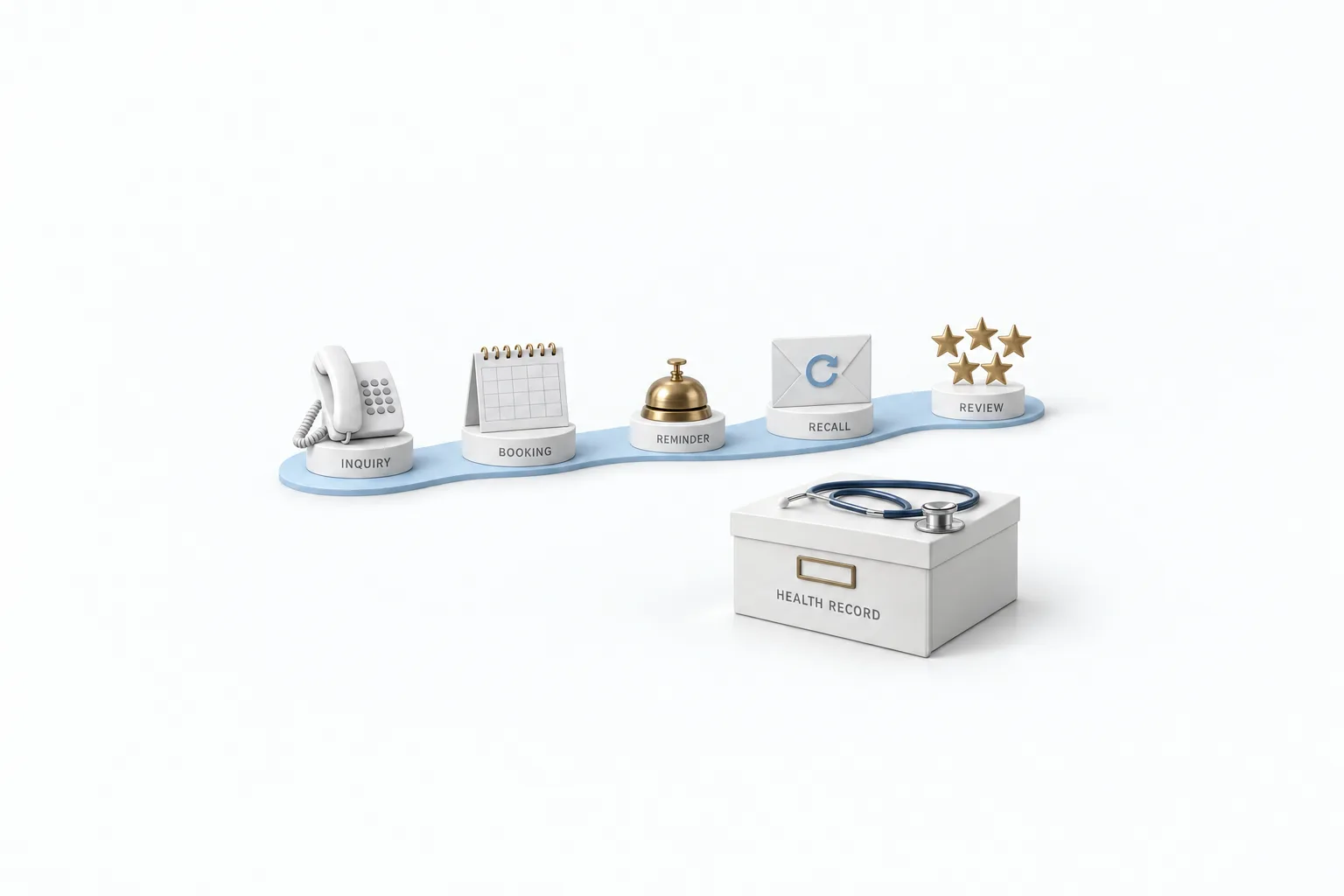
Judge every tool on this page against those five rows. Anything else on a feature list is a bonus. If you are new to the category, the CRM guide explains the basics before you compare.
Compare
Which healthcare CRM software fits a small practice?
A small practice usually fits one of two choices: a practice platform that connects to its health record, or a general platform when growth is the bigger gap. The category has three groups. Enterprise platforms are built for hospitals and health systems. Practice platforms are built for dental, medical and aesthetic offices and connect to the health record. General platforms are built for any business and need extra care with patient data. Here are six tools across those groups, described the way each vendor describes itself.
| Tool | Built for | What it offers | Check before you choose |
|---|---|---|---|
| Salesforce Health Cloud | Providers, payers and public health agencies | An engagement and data layer that extends an existing health record, with appointment management, care management and a contact center for healthcare | Whether a small office has the budget and staff to set up and run an enterprise platform |
| NexHealth | Dental and medical practices | Online booking, waitlist, reminders, recalls, digital forms, review requests and patient payments, synced with the practice management system or health record | That your exact record system is on its integration list |
| Weave | Small businesses, with a focus on healthcare practices | Phones, texting, missed call texts, online scheduling, reminders, review requests, digital forms and payments | That it integrates with your practice management software, and what phone hardware is involved |
| Tebra | Independent practices | A health record, billing and patient experience in one platform, with online scheduling, reminders, intake forms, reputation management and practice websites | Whether you are ready to move your health record and billing, not only your patient communication |
| Zenoti | Salons, spas, medical spas and fitness businesses | Online booking, forms and charting, memberships and packages, marketing, payments and point of sale | That your practice works like a med spa. It is built around treatments, memberships and retail |
| GoHighLevel | Businesses that need fast replies, booking and follow up in one place | CRM, one inbox for calls, texts and email, calendars with reminders, workflows, review requests, websites and AI for chat and calls | That your health record system stays in place, and that the HIPAA package is on before patient data goes in |
Descriptions come from each vendor's own website, checked November 11, 2026. Prices are left out of this table on purpose. Ask each vendor for a quote for your practice size.
The closer a tool sits to the health record, the less marketing it tends to do. The more marketing it does, the more work you take on to keep patient data safe. Pick by the problem that costs your practice more today.
Choose
How should doctors choose a medical CRM?
Doctors should choose a medical CRM by the jobs it has to do, not by the length of the feature list, and decide with the person who runs the front desk. These six steps work for any shortlist.
- List the jobs first. Write down where patients slip away today: unanswered calls, slow replies to web forms, no shows, overdue patients or too few reviews.
- Name your system of record. Decide which system keeps the clinical chart and the schedule. The CRM works around it and should never become a second chart.
- Ask how the two connect. Ask each vendor whether it supports your exact health record or practice management system, and whether bookings write back to the schedule.
- Settle the HIPAA question in writing. Ask whether the vendor signs a Business Associate Agreement, what it covers and what it costs. Do this before any patient data goes in.
- Test with made up data. Use a trial or demo account with test contacts. Book a visit, trigger a reminder and send a review request to your own phone.
- Check the exit. Ask how you would export contacts and message history if you changed tools later.
How to choose a CRM covers the same process for any business, and the CRM feature checklist gives you a list to score each vendor against.
Where it fits
Where does GoHighLevel fit for doctors and clinics?
HighLevel fits as the front office and marketing layer around your health record system. People also search for it as GoHighLevel, go high level or GHL. It is a general platform and it was not built for healthcare. It is on this list because it does the five front office jobs in one account and adds the marketing side that practice tools often leave out.
- Inquiries. Calls, texts, email and web chat land in one inbox. A missed caller can get a text back within seconds.
- Booking. Patients book from a calendar link and get a confirmation right away.
- Reminders. A workflow sends a reminder before the visit, and a no show gets a link to rebook. The appointment reminder workflow guide shows the build.
- Recall. A smart list finds people you have not seen in a while, and a short message goes out only to those who gave consent.
- Reviews. Once Google Business Profile is connected, a workflow asks for a review after the visit.
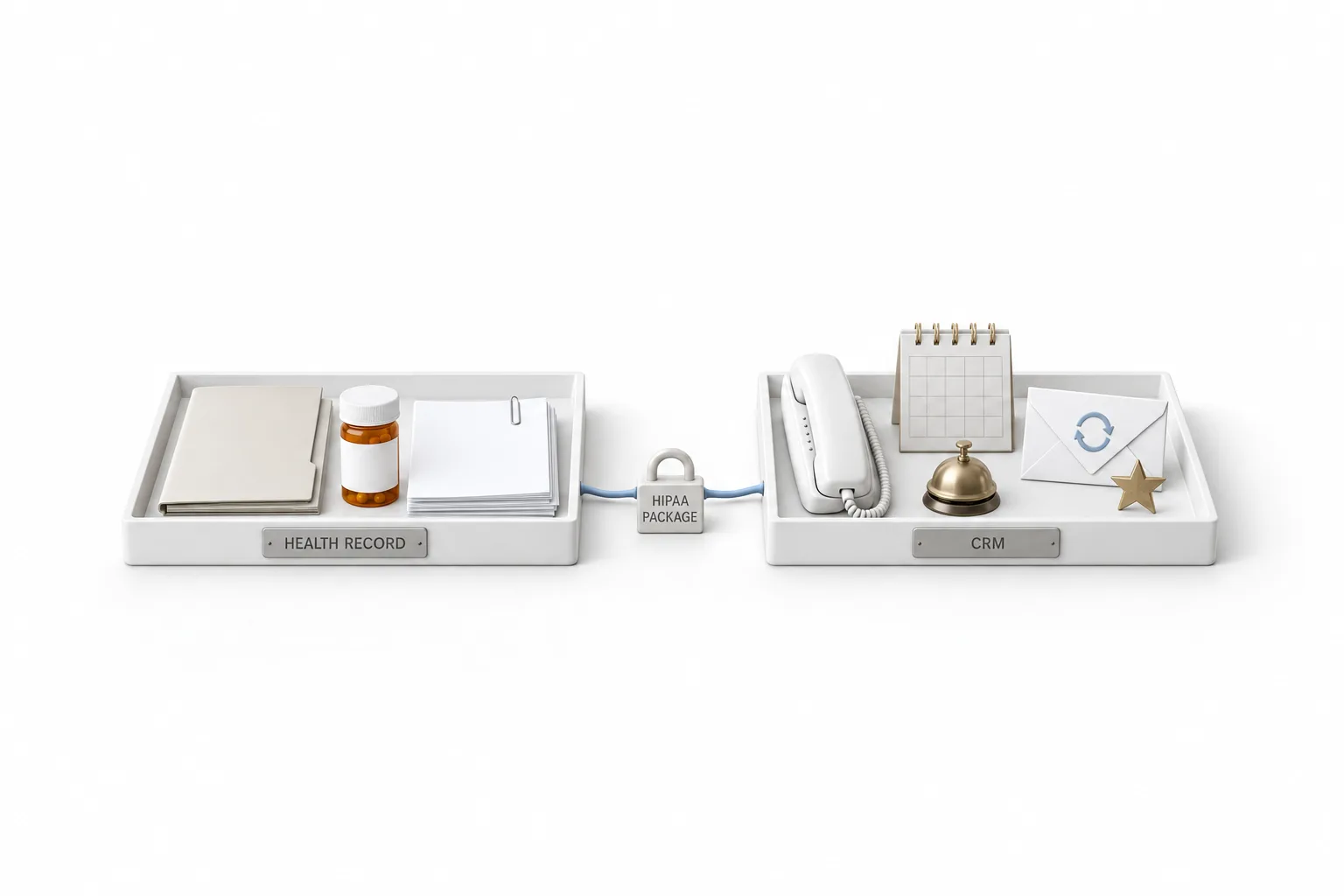
The same setup is already laid out for two kinds of practice on this site: HighLevel for dentists and HighLevel for med spas. Both follow the same order, which is answer first, then book, then remind, then bring people back.
| HighLevel plan | Monthly | Best for |
|---|---|---|
| Starter | $97 | One business, up to three subaccounts |
| Unlimited | $297 | Agencies with many clients |
| Founder Plan | $497 | Selling HighLevel under your own brand |
Usage such as calls, texts, email and AI is billed separately. The HIPAA package is an optional add on at $297 a month on top of the plan price.
A single practice usually starts on Starter. Contacts and users are unlimited on every plan, so a growing patient list does not raise the plan price. GoHighLevel pricing has the full plan detail, and the HighLevel review covers the strengths and the limits.
Patient data
What does a HIPAA ready setup take in HighLevel?
A HIPAA ready setup in HighLevel takes three things: the paid HIPAA package, a signed Business Associate Agreement and the HIPAA toggle turned on for the practice's subaccount. Accounts are not HIPAA compliant by default. The package is an optional add on at $297 a month for accounts that handle protected health information. According to HighLevel's help center, the package includes a signed Business Associate Agreement, encryption of data before it is written to disk using 256 bit AES, audit logging and enforced multi factor authentication.
The agency buys the package once, then switches HIPAA on for each subaccount that needs it.
- In the agency view, open Settings, then Compliance, and read the Before You Buy details.
- Buy the HIPAA package and sign the Business Associate Agreement inside HighLevel.
- Open the subaccount for the practice, go to Advanced Settings and turn the HIPAA toggle on.
Know two things first. Once HIPAA is on for a subaccount, it cannot be turned off, and HighLevel states the package cannot be cancelled, refunded, removed or downgraded. The package also does not make a practice compliant by itself. Who can log in, what your staff write in a text message, how you collect consent and which other tools touch the data are still yours to manage.
Decide before you load patient data, not after. Learn the platform with test data first, and keep real patient details out of the account until the package is on. Is HighLevel HIPAA compliant has the full answer with every step.
This is not legal advice. Talk to a compliance advisor for your practice.
Honest view
When is a purpose built healthcare system the better choice?
Choose a tool built for practices when the schedule inside your health record has to be the only schedule. If every booking must write straight into that system, a tool that syncs with it will save your front desk from double entry. The same goes for a practice that wants one vendor for the chart, billing and patient messages, or one that has no time to manage a HIPAA setup of its own.
HighLevel is not an electronic health record. It does not chart visits, write prescriptions or file insurance claims. It fits best when the gap is growth: inquiries that go unanswered, a quiet list of past patients, few recent reviews and a website that does not book. Wellness and cash pay practices often sit here, because marketing and fast replies matter as much as the clinical record.
Many practices end up with both. The health record stays the system of record, and the CRM does the outreach around it. If that is your plan, the 30 day trial through Michael's link gives you time to build booking, reminders and a review request with test contacts before you decide.
Comparing tools before you commit? Read the best CRM for therapists.

Keep the chart in your health record system. Use the CRM for everything that happens before and after the visit, and settle HIPAA before the first patient goes in.
Through my link
Start HighLevel through my link and the CRM Pros team comes with it.
Same HighLevel price. The difference is who is in your corner for the first ninety days.
- Setup help in your first 7 days
- Your onboarding call with Michael’s team
- Three live calls every week: tech, sales and Michael’s own call
- The private affiliate community
- Snapshots, templates and email swipes
- Four apps: Prompt, Demo, A2P and Sales On Demand
The Founder Plan is HighLevel’s top plan at $497 a month. It is the former Agency Pro plan with an exclusive feature set, rebilling with markup and the Founders Club. The full breakdown is here.
The Founder PlanWhat it includes and who it is for
Questions
Common questions.
What is a healthcare CRM?
A healthcare CRM is software that manages the relationship with patients outside the exam room. It captures new patient inquiries, books visits, sends reminders, runs recall for overdue patients and asks for reviews. It works next to the electronic health record, which keeps the clinical chart, and does not replace it.
Is a medical CRM the same as an EHR?
No. An electronic health record holds the clinical chart: notes, prescriptions, lab results and billing codes. A medical CRM holds the conversation: who asked about an appointment, who booked, who needs a reminder and who is overdue for a visit. Most private practices need both, and the two should share as little patient data as the job requires.
What is the best CRM for a small medical practice?
The best CRM for a small medical practice is the one that covers the five front office jobs and fits your health record system. Tools built for practices, such as NexHealth, Weave and Tebra, connect to or include that system. A general platform such as GoHighLevel starts at $97 a month and does more marketing, and patient data in it needs the HIPAA upgrade first.
Is GoHighLevel HIPAA compliant?
GoHighLevel is not HIPAA compliant by default. It offers a HIPAA upgrade at $297 a month for accounts that handle protected health information, and the upgrade cannot be turned off once enabled. Compliance still depends on how you use the platform, so get compliance advice before you load patient data. This is not legal advice.
How much does GoHighLevel cost for a medical practice?
GoHighLevel starts at $97 a month for the Starter plan, with unlimited contacts and users. Usage such as calls, texts, email and AI is billed separately. A practice that handles protected health information adds the HIPAA package at $297 a month. The standard free trial is 14 days, and it is 30 days through Michael's link.
Next step
See it in your own account. Thirty days, every feature.
Start a trial, build the first system and test it before the first invoice. Usage fees for phone, SMS, email and AI can apply during the trial.
HighLevel has three plans at a flat monthly price, each with unlimited users and contacts. See what each one includes and what it costs.
Compare the PlansStarter, Unlimited and Founder