
Home/White label CRM/How to rebrand
White label CRM · Setup
Rebrand GoHighLevel as your own, step by step.
A full rebrand touches more than the logo. Every place a client sees a link, an email or an app should carry your brand. Here is the checklist, in the order that works.
The short answer
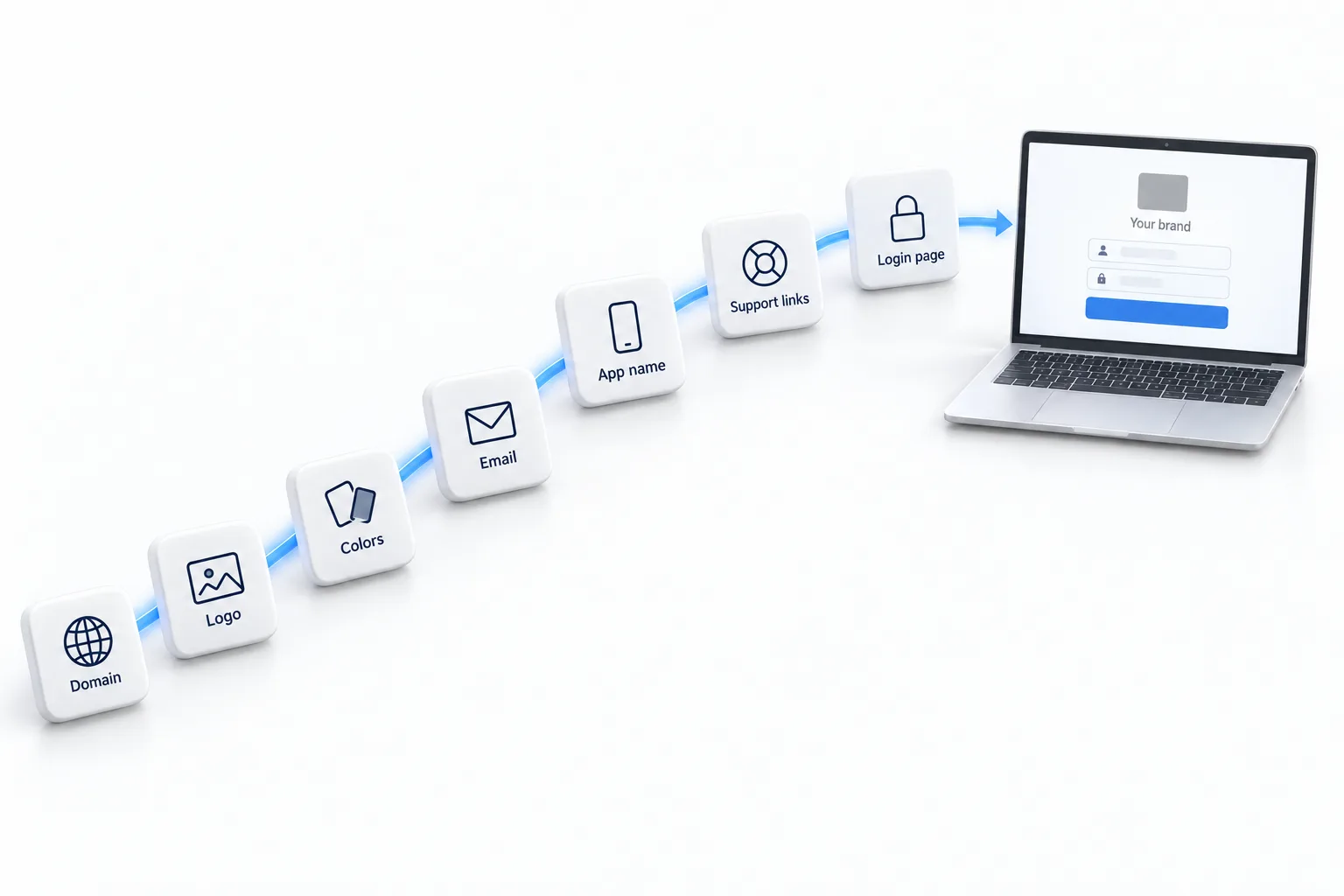
To rebrand GoHighLevel as your own CRM, set up the white label desktop domain with a CNAME, upload your logo and colors, add a branded links domain, configure email sending domains, use branded share links, optionally publish the white label mobile app, and write your own client onboarding.
Michael is a sponsored HighLevel affiliate. Links to HighLevel use his partner link at no extra cost to you. HighLevel prices and product facts on this page come from HighLevel's own pricing page and help center, checked on the date above.
Checklist
Seven steps.
- Desktop domain: CNAME your subdomain to whitelabel.ludicrous.cloud and add it in Agency Settings, Company, Whitelabel.
- Branding: upload your logo and set your colors.
- Branded links: set up the API domain so trigger links, calendars and forms use your domain.
- Email: add a dedicated sending domain for each client or for your agency.
- Share links: share funnels and templates through your white label domain.
- Mobile: publish the white label mobile app if you want your name in the app stores.
- Onboarding: send clients a branded welcome with their login address and first steps.
Preparation
What do you need before you start the rebrand?
The seven steps go quickly when everything is ready. Most delays come from hunting for a login or a logo file halfway through. Gather these first.
- The right plan. The branded desktop app needs Unlimited or the Founder Plan.
- A domain you control. You need access to its DNS settings to add records.
- A subdomain name. Decide what clients will type, such as app in front of your domain.
- Logo files. A clean version of your logo that works on a light background.
- Your brand colors. The exact color codes, not a guess from a screenshot.
- A sending domain plan. Decide which domain emails will come from. The email authentication guide explains the records, and how to warm up a sending domain covers new domains.
- A welcome message. Draft the email clients will receive with their login address.
On plans, the branded desktop app is on Unlimited and on the Founder Plan, formerly the Agency Pro plan, which the Founder Plan explainer covers. If you start with the GoHighLevel 30 day trial through Michael's link, the CRM Pros team helps with setup in your first 7 days.
Check it
How do you test the rebrand the way a client would?
Do not trust the settings screen. Create a test client and go through the experience yourself, start to finish.
- Open the login address in a private browser window. Check the logo, the colors and the browser tab.
- Log in as the test user. Look at every screen a client would see.
- Send yourself an email from the platform. Check the sender name and the address it comes from.
- Click a calendar link and a form link. Check that the address shows your domain.
- Open a shared funnel or template link. It should use your white label domain.
- Read the welcome message as if you had never heard of your agency. Is the first step obvious?
- Repeat on a phone. Most clients will open the first email there.
Fix anything that still shows the wrong brand before the first real invitation goes out.
Michael uses the same habit on any business. His front door test video shows how to call your own business and fill out your own form the way a new customer would.
Commonly missed
What do agencies miss when they rebrand GoHighLevel?
- The second domain. The login domain and the branded links domain are separate. Many agencies only set up the first.
- Email identity. A branded app that sends email from an unfamiliar address undoes the work.
- The onboarding itself. A logo does not tell a client what to do next. A short welcome sequence does. See the client onboarding workflow guide.
- Help content. Clients will have questions. Decide where they go for answers before they ask.
- Honesty. A rebrand puts your name first. It should not involve telling clients you built the platform.
The mobile app is optional and can wait until clients ask for it. White label CRM pricing lists what each piece costs, and how to white label your agency shows the screens.

Clients judge the brand by the first email they get from the platform. Set up the sending domain before you invite anyone.
Questions
Common questions.
How do I rebrand GoHighLevel?
Work through seven steps. Set up the white label desktop domain with a CNAME, upload your logo and colors, add a branded links domain, add email sending domains, share funnels and templates through your white label domain, publish the white label mobile app if you want one and send clients a branded welcome with their login address.
Do clients see HighLevel anywhere?
With every step done, clients mainly see your brand: the login address, the logo, the colors, the links they click and the emails they receive. Some system details can still reference the platform. A rebrand puts your name first. It should not involve telling clients you built the platform, so be honest if asked.
Which plan is required?
The Unlimited plan or the Founder Plan. The branded desktop app is included on both and is not part of Starter. The white label mobile app is a separate add on at $497 a month or $1,491 a quarter, and it is optional. The desktop rebrand is complete without it.
What do I need before I rebrand GoHighLevel?
The Unlimited plan or the Founder Plan, a domain where you can reach the DNS settings, a subdomain name for the login, clean logo files, your exact brand color codes, a plan for which domain emails will come from and a drafted welcome message. Most delays come from hunting for one of these halfway through.
How do I check the rebrand worked?
Create a test client and go through the experience yourself. Open the login address in a private browser window, log in as the test user, send yourself an email from the platform, click a calendar link and a form link and open a shared funnel link. Then repeat on a phone before inviting a real client.
Is the white label mobile app required?
No. The white label mobile app is an optional add on, and the desktop rebrand is complete without it. It can wait until clients ask for it. If you do publish one, it costs $497 a month or $1,491 a quarter and needs your own Apple and Google developer accounts.
Next step
See it in your own account. Thirty days, every feature.
Start a trial, build the first system and test it before the first invoice. Usage fees for phone, SMS, email and AI can apply during the trial.
HighLevel has three plans at a flat monthly price, each with unlimited users and contacts. See what each one includes and what it costs.
Compare the PlansStarter, Unlimited and Founder