
Home/Videos/Plaud at an AI event

Video walkthrough · Events and follow up

Capturing Event Conversations with Plaud and HighLevel

A recorder in your pocket at the event, and a task list waiting in the CRM back home.
The video plays here, loaded from YouTube when you press play.Watch on YouTube

In this video Michael Reimer, at the AI Bot Summit in Orlando, shows how he uses a Plaud AI note taker at events. It records sessions and hallway conversations, returns transcripts and summaries, and sends the details into GoHighLevel as contacts and follow up tasks. It is for agency owners who come home from events with unused notes.

Michael is honest about the problem he used to have. He would go to a conference, meet 50 people and sit through ten sessions, taking messy handwritten notes. Back home he could not read his own handwriting. He could not remember who someone was or the specific tactic a speaker had shared. The value of the event was lost. Client meetings had the same flaw, because you cannot write and listen at the same time.

What is a Plaud note taker, and why not use your phone?

Plaud is a physical AI note taking device. It records audio, transcribes it, identifies multiple speakers and creates summaries, and it has an AI assistant built in. Michael uses the Note Pro model at the event.

The reason for a dedicated device is practical. On a conference floor his phone is busy with notifications, email and photos. Recording on it would drain the battery, and the recording would stop every time a call came in. Online meeting recorders are great for video calls, he says, but they do not work in a noisy hall or at a networking lunch. You cannot open a laptop and start a meeting in the middle of a hallway conversation.

How does Michael use it during an event?

Three ways. The first is the keynote. He sets the device on the table, presses record and listens. Afterward he has a full transcript, a summary of the key points and a list of the tools the speaker mentioned.

The second is the hallway. He meets a potential client and they start talking about strategy and workflows. He taps the button and has a ten minute conversation about timelines and next steps. When it ends, it is saved, transcribed and summarized, so he does not forget what they agreed to do.

The third is content. Every time he has an idea or hears a great quote, he speaks it into the device. By the time he is back in his room he has a list of video ideas ready to be scripted.
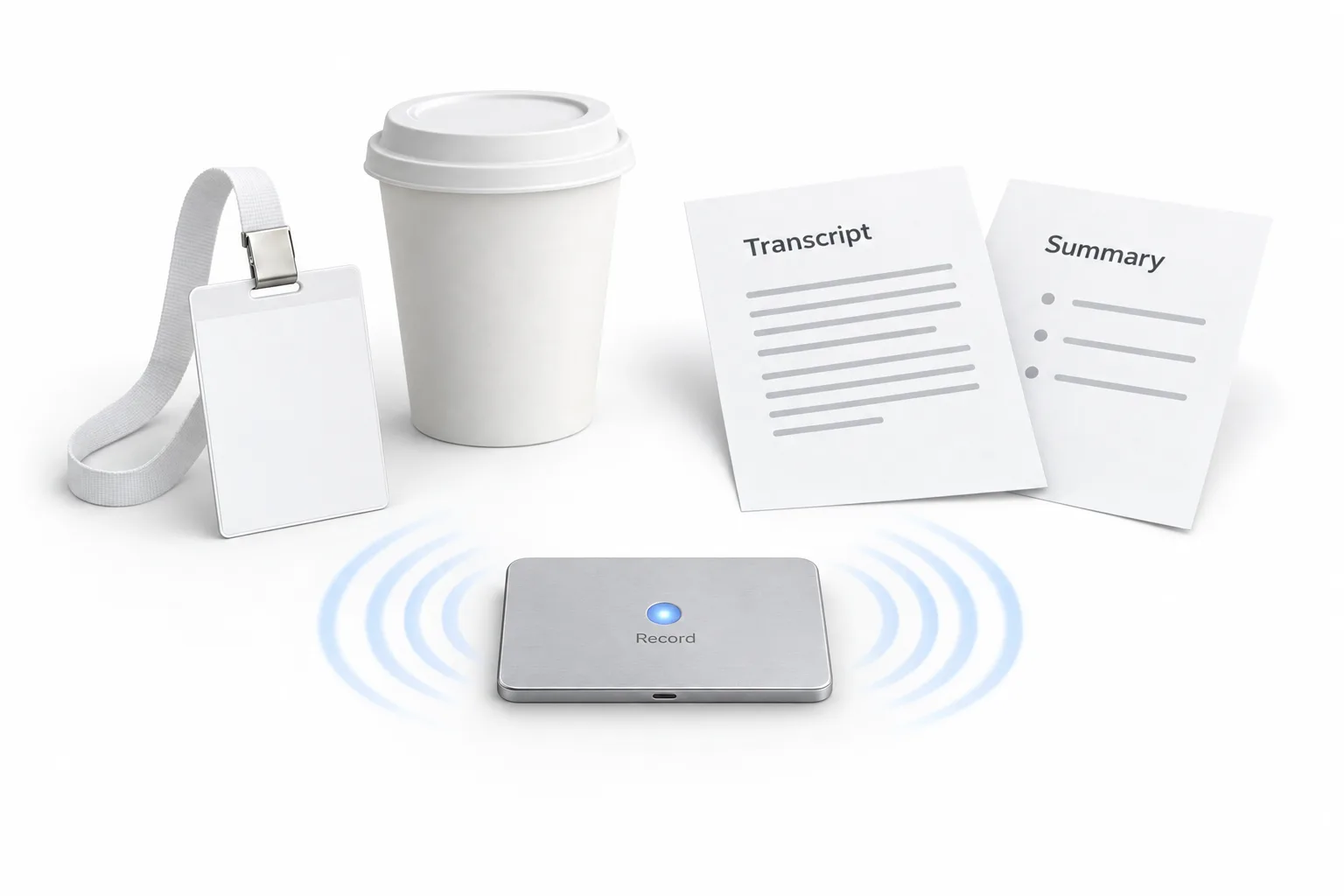
A slim recorder labeled Record on a table beside a blank event badge and a coffee cup, with two sheets headed Transcript and Summary

What does a custom template pull out of a conversation?

This is the part he calls the most powerful. Plaud has custom templates, and Michael keeps one for conference networking. When he records a conversation, the AI extracts the name, the company, the key pain points, the potential opportunity, the follow up items and personal details.

So he does not come home with a pile of business cards. He comes home with a structured list of leads, each with a specific action. His example: email Sarah about the white label partnership, and ask how her trip to Orlando was. He says the template library also covers sales calls, discovery meetings and training sessions, and you can build your own.

How do event conversations get into HighLevel?

Capturing the information is only the first step. Michael lays out the flow that runs in the background. He records a conversation with a lead. Plaud transcribes it and applies the networking template. The details are sent to his HighLevel CRM. HighLevel creates a contact, adds a tag for the event and creates a task for him to follow up on Monday.

When he is back in the office he opens GoHighLevel and the to do list from the conference is there, organized and ready. He is not spending three days sorting business cards. For the messages that go out after an event, see how to run a live event follow up.
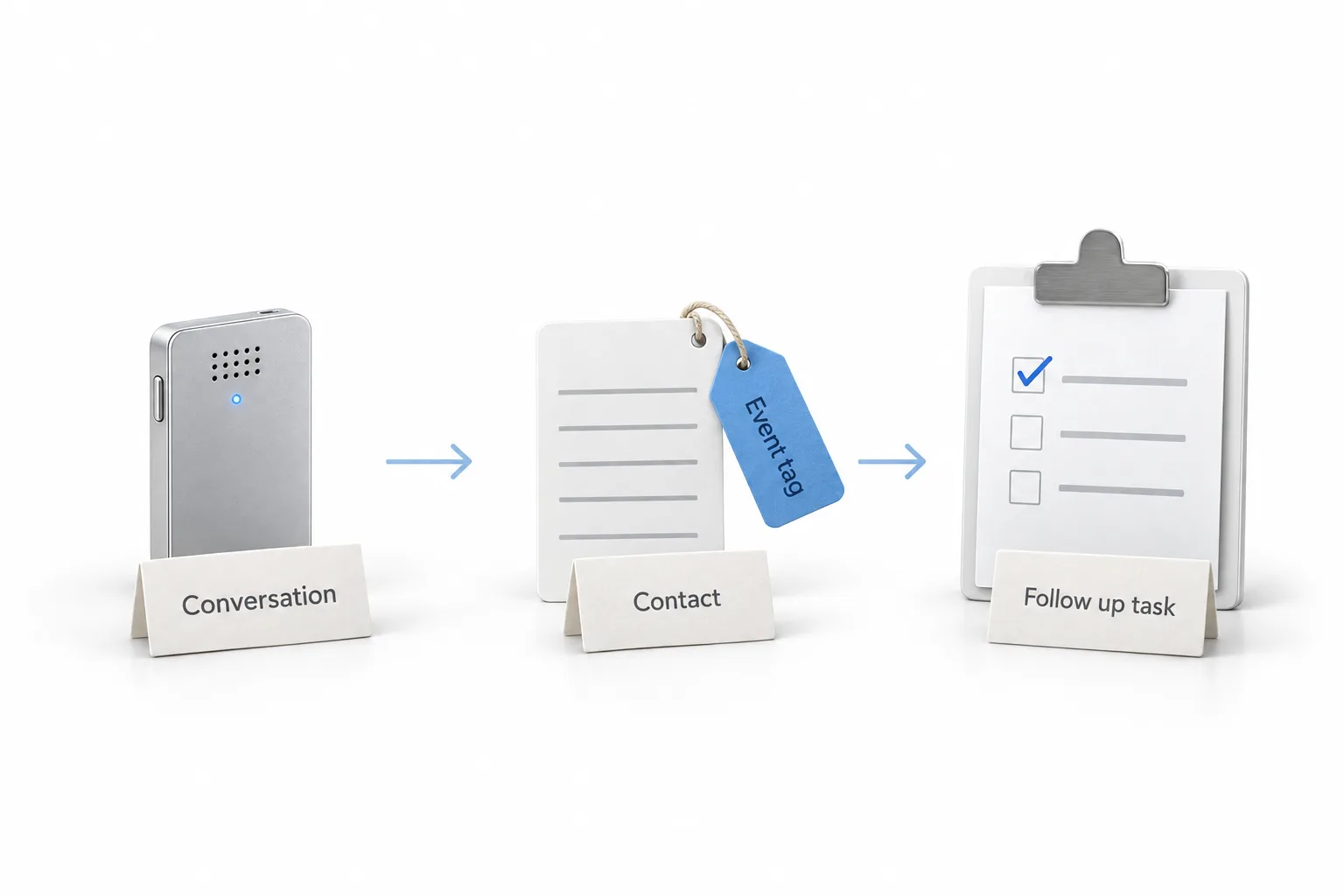
A recorder labeled Conversation, a card labeled Contact with a blue Event tag and a clipboard checklist labeled Follow up task, joined by arrows

How do you set this up for your next event?

The habits and the setup, in the order he uses them.

  1. Record the sessions. Set the recorder on the table and press record, so you can listen instead of taking notes.
  2. Record the hallway. Tap record during conversations with potential clients, so the timelines and next steps you discuss are saved.
  3. Speak your ideas. Say content ideas into the device as they come up, so you have a list ready to script later.
  4. Build a template. Set up a custom template, such as one for conference networking, that pulls out names, companies, pain points and follow up items.
  5. Send it to the CRM. Pass the processed notes into HighLevel, where a contact is created, an event tag is added and a follow up task is assigned.
  6. Work the tasks. Go through those follow up tasks in HighLevel when you get back to the office.

What changes when the notes take care of themselves?

The first change is presence. Michael says he can look people in the eye, listen and connect, because he knows the conversation is being captured.

The second is memory with clients. Agencies are in the business of information, and clients pay them to remember the small details. With a record of every call, you can go back and say you remember the specific problem with their lead flow they mentioned three weeks ago, and here is how you would solve it. He says that builds trust.

The third is follow through. Every lead from an event arrives with a next step attached. Pairing this with a HighLevel profile card covers the people who would sooner scan a code. Michael notes that the Plaud link in his video description is an affiliate link.

For more on working an event, browse the speaking and events posts. To set up the contact, tag and task side in your own account, start a GoHighLevel 30 day trial through Michael's link. If you run follow up for clients too, read who should get the Founder Plan.

This article was written from the video transcript. Michael Reimer is a HighLevel Commander and a sponsored affiliate, which means he earns when people sign up through his link.

Questions

Plaud and HighLevel questions.

What is Plaud?

Plaud is a physical AI note taking device. It records audio, transcribes it, identifies multiple speakers and creates summaries, and it has an AI assistant built in. Michael uses the Note Pro model at events, for keynote sessions, hallway conversations and his own content ideas. He notes that his Plaud link is an affiliate link.

Why use a separate device instead of a phone?

On a conference floor Michael's phone is busy with notifications, email and photos. Recording on it would drain the battery, and the recording would stop every time a call came in. Online meeting recorders work for video calls, he says, but not in a noisy hall or at a networking lunch.

How do the notes reach HighLevel?

In his setup, Plaud transcribes each recorded conversation and applies the networking template. The details are sent to his HighLevel CRM, which creates a contact, adds a tag for the event and creates a task for him to follow up on Monday. Back in the office, the to do list from the conference is waiting.

What does Michael record at an event?

Three things. He records keynote sessions, which gives him a full transcript, a summary and a list of the tools the speaker mentioned. He records hallway conversations with potential clients, so the agreed next steps are saved. And he speaks his own content ideas into the device as they come up.

What does the conference networking template extract?

The name, the company, the key pain points, the potential opportunity, the follow up items and personal details. Michael keeps this custom template for conference networking, so each lead comes home with a specific next action. He says the template library also covers sales calls, discovery meetings and training sessions.

Is the Plaud link an affiliate link?

Yes. Michael says in the video that the Plaud link in his video description is an affiliate link. He is also a sponsored HighLevel affiliate, which means he earns when people sign up through his link. Both are disclosed so you can weigh his recommendations with that in mind.

More questions

More questions about Plaud and event notes.

Can a Plaud note taker record phone calls?

Plaud says yes for the Note Pro, the model Michael uses in the video. Its site describes a phone call mode and says the Note Pro switches between phone call and in person recording on its own. For calls the device attaches to the back of the phone. Plaud also tells users to let others know and get their okay before recording. In the video Michael uses the device for in person sessions and hallway conversations, not for phone calls.

How accurate is Plaud transcription?

Michael does not give an accuracy figure, and the Plaud page we checked states language support, not an accuracy figure. Plaud says the Note Pro transcribes in 112 languages and identifies speakers. In the video Michael relies on its transcripts and summaries for keynotes and hallway conversations on a busy conference floor. The fair test is your own: record a short conversation in the kind of room you work in and read the transcript before you depend on it.

How does Plaud send notes to other apps?

Through connections such as Zapier. Plaud's support site describes a Zapier integration where Plaud is the trigger: when a transcript or a summary is generated, it sends that to the app you chose as the action. Plaud notes that newer versions of its app use a Connectors page instead. HighLevel can be on the receiving end, as covered in does HighLevel integrate with Zapier.

Can GoHighLevel record calls and transcribe them?

Yes. Call recording is built into HighLevel, and recordings and transcripts show in the conversation on the contact record. That covers phone calls made and received through the account. It does not capture a hallway conversation at an event, which is the gap Michael fills with the Plaud device. The answer page on whether HighLevel can record calls has the detail.

Do you need permission to record a conversation at an event?

It depends on where you are, so ask first. This site's call recording answer notes that US federal law allows recording with one party's consent, while several states require everyone to agree, and other countries have their own rules. The simple habit is to tell the person you are recording before you tap the button. This is not legal advice. Check with a lawyer for your situation.

Next step

See it in your own account. Thirty days, every feature.

Start a 30 day trial through Michael's link, build the first system and test it before the first invoice. Usage fees for phone, SMS, email and AI can apply during the trial.

HighLevel has three plans at a flat monthly price, each with unlimited users and contacts. See what each one includes and what it costs.

Compare the PlansStarter, Unlimited and Founder
⌃

Site preview

Explore the next page

This destination is reserved in the page inventory and is not built yet.