
Home/HighLevel/Integrations/Google Ads
Integrations · Google Ads
HighLevel Google Ads integration. Ads, reporting and conversions.
The GoHighLevel Google Ads integration covers campaign creation in Ad Manager, reporting on dashboards and offline conversion tracking, so the ads learn from booked and closed results.
The short answer
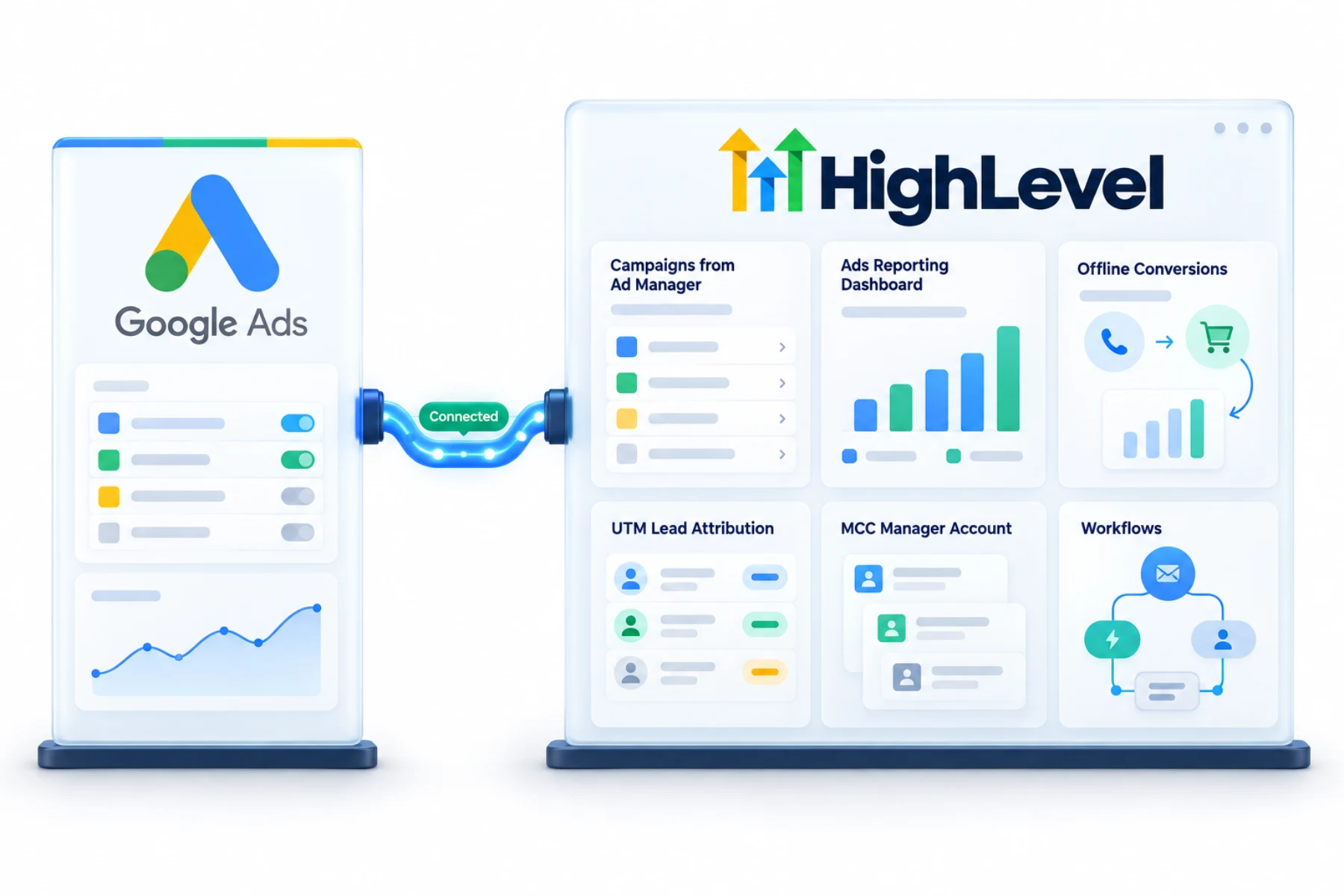
The GoHighLevel Google Ads integration has three parts: connect Google Ads to HighLevel Ad Manager to create campaigns, connect Google Ad reporting for dashboards (using an admin or manager level account and the right MCC and client IDs), and set up offline conversion actions so leads, calls and sales that happen later are sent back to Google.
Michael is a sponsored HighLevel affiliate. Links to HighLevel use his partner link at no extra cost to you. HighLevel prices and product facts on this page come from HighLevel's own pricing page and help center, checked on the date above.
Connect
How do you connect Google Ads to HighLevel?
There are three separate connections here, and people often set up one and expect all three. Ad Manager is for building campaigns. Reporting is for dashboards. Offline conversions send results back to Google. For reporting you need an admin or manager level Google account and the right MCC and client account IDs. The setup is the same whether you call the platform HighLevel or GoHighLevel.
- Connect Google Ads in Ad Manager and select the ad account.
- For reporting, connect in Integrations with an admin or manager level Google account.
- Select the MCC and client account IDs.
- Add the UTM tracking template in Google Ads.
- Set up offline conversion actions on the Google side.
Uses
What can you do with Google Ads and HighLevel?
Building campaigns in Ad Manager keeps ad work beside the leads it produces. Reporting puts Google Ads numbers on a dashboard next to calls, bookings and pipeline value, so the client sees one report.
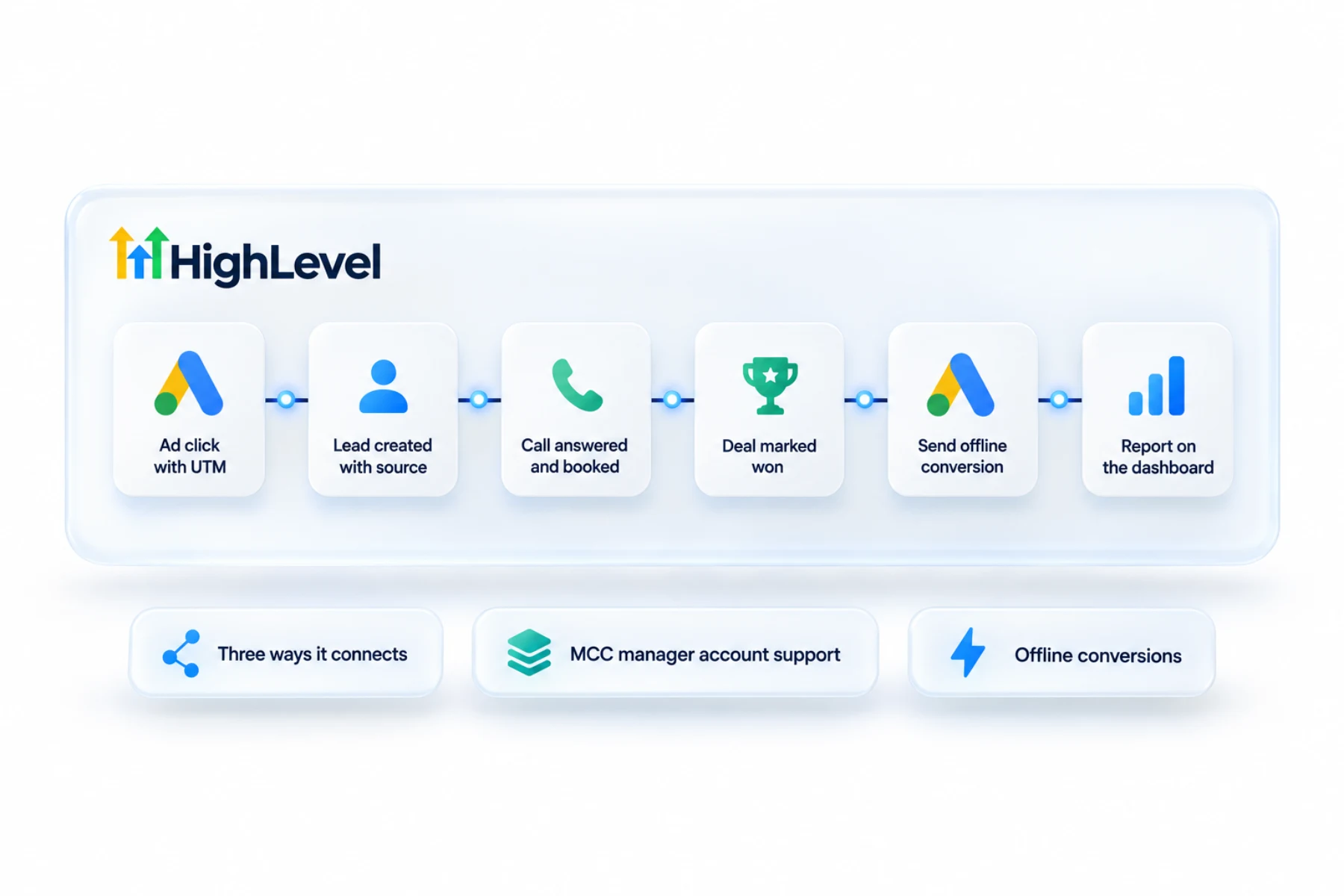
Offline conversions are the part most accounts skip, and it is the part that matters most. A click becomes a lead on day one. The call, the booking and the sale happen later, inside the CRM. Offline conversion actions send those later results back, so Google can learn from the clicks that turn into customers.
- Create campaigns from Ad Manager
- Google Ads reporting on dashboards
- Offline conversions for calls and sales
- Lead attribution with UTMs
Data
What does HighLevel send to Google and what comes back?
Reporting data comes into HighLevel for dashboards. Conversion results go out to Google. Lead attribution depends on tracking, so add the UTM tracking template in Google Ads. Without it, leads arrive with no record of which campaign sent them.
The conversion actions themselves have to be set up on the Google side as well. HighLevel can only send what Google has been told to expect.
Limits
What are the limits to know about?
Access is the common blocker. If the Google login is not admin or manager level, or the MCC and client IDs do not match, reporting will not connect.
Google can also disapprove an ad that points at a funnel URL because of a redirect. The fix is to add a canonical tag to the funnel page. I could not verify every campaign type Ad Manager supports for Google, so check the options in your account before you plan a build around one.
In practice
How does a local service business use it?
A plumber runs search ads to a booking funnel. The UTM template records the campaign on each lead. A call comes in and is tracked, as in set up call tracking. When the job is booked and later paid, those results go back to Google as offline conversions. The owner opens a dashboard and sees spend, calls and booked jobs together.
The funnel is in build a booking funnel. For paid social, see HighLevel and Meta Ads. The trade view is in HighLevel for plumbers.
For paid social, see can HighLevel run Facebook ads and connect Facebook lead ads. To test the Google Ads connection in your own account, use the 30 day trial through Michael's link. GoHighLevel pricing lists what each plan costs, and the Founder Plan hub explains the top tier.

Send booked and closed results back to Google. Clicks are not the goal.
Questions
Common questions.
Does HighLevel connect to Google Ads?
Yes. HighLevel, also called GoHighLevel, connects to Google Ads in three separate ways. Ad Manager is for building campaigns. Ad reporting brings Google Ads numbers onto dashboards. Offline conversion actions send later results, such as calls, bookings and sales, back to Google so it can learn from them.
What access do I need?
Admin or manager level access to the Google Ads account. For reporting you also need the right MCC and client account IDs. If the Google login is not admin or manager level, or the MCC and client IDs do not match, reporting will not connect. Access is the common blocker.
Why are ads disapproved for redirects?
Google can disapprove an ad that points at a funnel URL because of a redirect. The fix is to add a canonical tag to the funnel page. This applies to ads that send clicks to a HighLevel funnel page, such as a booking funnel.
Can I report ad spend to clients?
Yes, with ad reporting widgets on a dashboard. Once Google Ad reporting is connected, Google Ads numbers sit next to calls, bookings and pipeline value, so the client sees one report. Reporting needs an admin or manager level Google account and the right MCC and client account IDs.
What are offline conversions?
Results that happen after the click, such as calls, bookings and sales, sent back to Google from the CRM. A click becomes a lead on day one, but the call, the booking and the sale happen later. Offline conversion actions send those results back, and they must also be set up on the Google side.
Why do my leads have no campaign source?
Add the UTM tracking template in Google Ads so each lead records the campaign that sent it. Lead attribution depends on tracking. Without the template, leads arrive with no record of which campaign sent them, so a report cannot tie a booked job back to its ad.
Is Google Ads reporting the same connection as Ad Manager?
No. Ad Manager is for building campaigns, and reporting is connected separately for dashboards. People often set up one and expect both. Reporting is connected in Integrations with an admin or manager level Google account, and offline conversions are a third setup that sends results back to Google.
Next step
See it in your own account. Thirty days, every feature.
Start a trial, build the first system and test it before the first invoice. Usage fees for phone, SMS, email and AI can apply during the trial.
HighLevel has three plans at a flat monthly price, each with unlimited users and contacts. See what each one includes and what it costs.
Compare the PlansStarter, Unlimited and Founder