
Home/HighLevel/How to/Conversion tracking
How to · Ads
How to set up conversion tracking in GoHighLevel. Tell your ads what actually worked.
Ad platforms optimize toward the results you report. When GoHighLevel sends real conversions, such as booked calls and sales, back to Meta, the ads learn to find more people like your buyers instead of people who only click.
Tell your ads what actually worked.
The short answer
To set up conversion tracking in GoHighLevel, add your ad platform's tracking code to your funnels and websites, then for Meta create a conversion pixel in Ad Manager and use it with Meta Conversion API workflows to send lead and purchase events from the CRM.
Michael is a sponsored HighLevel affiliate. Links to HighLevel use his partner link at no extra cost to you. HighLevel prices and product facts on this page come from HighLevel's own pricing page and help center, checked on the date above.
Meta
Meta conversions from the CRM.
- Connect your Meta ad account to HighLevel Ad Manager.
- Create a conversion pixel in Ad Manager.
- Choose funnel events for page actions, or lead events for CRM actions.
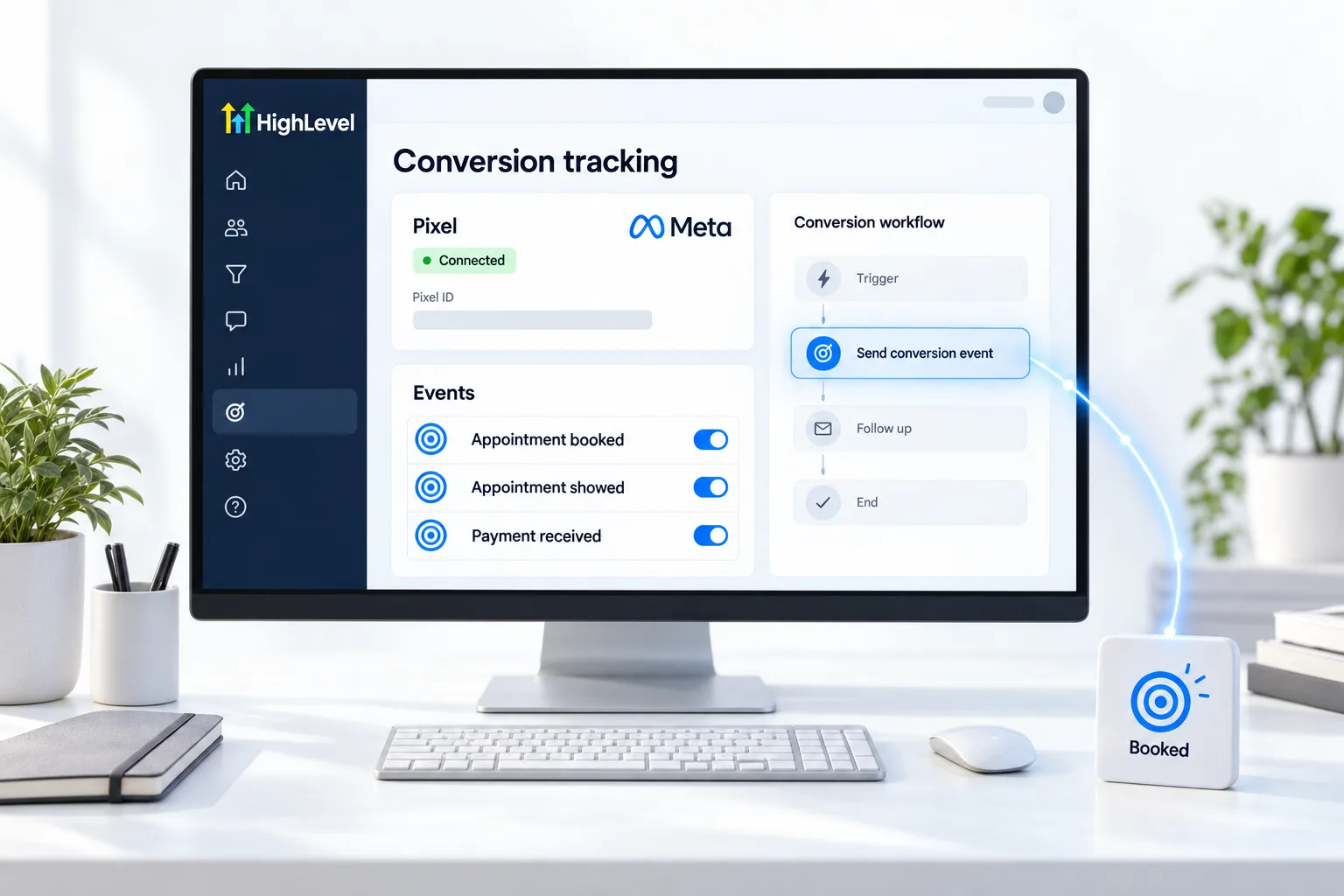
- Build a workflow that fires the Meta Conversion API action when a lead books or buys.
- Check Meta Events Manager for the incoming events.
Funnels
Page level tracking code.
Add each ad platform's tag to the tracking code area of your funnel or website settings so page views and form submissions are measured. Then use CRM events for the outcomes that happen later, like a showed appointment or a paid invoice.
- Track the event that means money: booked, showed or paid
- Use the same event names in every client account
- Test with a real submission before spending
Before you start
What do you need before you set up conversion tracking?
Tracking is only as good as the event you choose. Before you set it up in HighLevel (GoHighLevel), decide these.
- Access to the Meta ad account and its Events Manager
- The one event that means money for this business: booked, showed or paid
- A funnel or website to carry the page tracking code. See build a funnel
- A workflow where that event happens, such as a booking or a paid invoice
- The same event names you use in other client accounts
Test it
How do you test conversion tracking?
Make one real conversion and follow it to Meta.
- Submit your own funnel form from a test link.
- Book or buy as a customer would.
- Confirm the workflow ran the conversion action.
- Open Meta Events Manager and confirm the event arrived.
- Check that the event name matches the one your campaign optimizes for.
Common mistakes
What mistakes should you avoid when you set up conversion tracking?
- Optimizing for form fills. Send the event that means money. Cheap leads that never answer cost more in the end.
- Tracking code on some pages only. Add it in the funnel or website settings so every step carries it.
- Different event names in each account. Use the same names everywhere so reports compare cleanly.
- Spending before testing. Test with a real submission first. If nothing arrives, see fix a tracking pixel not firing.
- Workflow filters that block the event. Check the filters if only some conversions arrive.

Optimize for booked calls, not form fills. Cheap leads that never answer cost more in the end.
Questions
Common questions.
How do I track conversions in HighLevel?
Add each ad platform's tracking code to your funnels and websites so page views and form submissions are measured. For Meta, connect the ad account to Ad Manager, create a conversion pixel and build a workflow that fires the Meta Conversion API action when a lead books or buys. Then check Meta Events Manager for the events.
What is a lead event?
A lead event is a conversion sent from a workflow when something happens in the CRM, such as a booking or a sale. It covers outcomes that happen after the page visit, like a showed appointment or a paid invoice. Funnel events, by contrast, fire on page actions such as a form submission.
Can I send sales back to Meta?
Yes. Build a workflow that fires the Meta Conversion API action when the sale happens, such as a paid invoice. Meta then learns from real buyers instead of people who only click. Make one real purchase yourself, confirm the workflow ran the conversion action and check that the event arrived in Meta Events Manager.
Why is my conversion trigger not working?
Check the pixel setup first, then the workflow filters, because a filter can block the event so only some conversions arrive. Open Meta Events Manager and look for the incoming event. Confirm the event name matches the one your campaign optimizes for, and test with a real submission before you spend.
What is the difference between a funnel event and a lead event?
A funnel event fires on a page action, such as a form submission. A lead event fires from a workflow when something happens in the CRM, such as a booking or a sale. Use page tracking code for visits and forms, and CRM events for outcomes that happen later.
Which conversion should I send to Meta?
The one closest to revenue. For many local businesses that is a booked call, not a form fill. Cheap leads that never answer cost more in the end, so send the event that means money: booked, showed or paid. Use the same event names in every client account so reports compare cleanly.
Does this work with Google Ads too?
Add each ad platform's tag to the tracking code area of your funnel or website. For the wider setup see HighLevel with Meta Ads and HighLevel with Google Ads. You can set up and test tracking during a 30 day GoHighLevel trial through Michael's link.
Next step
See it in your own account. Thirty days, every feature.
Start a trial, build the first system and test it before the first invoice. Usage fees for phone, SMS, email and AI can apply during the trial.
HighLevel has three plans at a flat monthly price, each with unlimited users and contacts. See what each one includes and what it costs.
Compare the PlansStarter, Unlimited and Founder