
Home/HighLevel/How to/Client reporting dashboard
How to · Reporting
Build a GoHighLevel client reporting dashboard. Show clients what they paid for.
Clients stay when they can see results. A GoHighLevel client reporting dashboard in their own subaccount shows leads, bookings, pipeline and ad performance in one place, so the monthly review is a conversation about decisions, not data gathering.
Show clients what they paid for.
The short answer
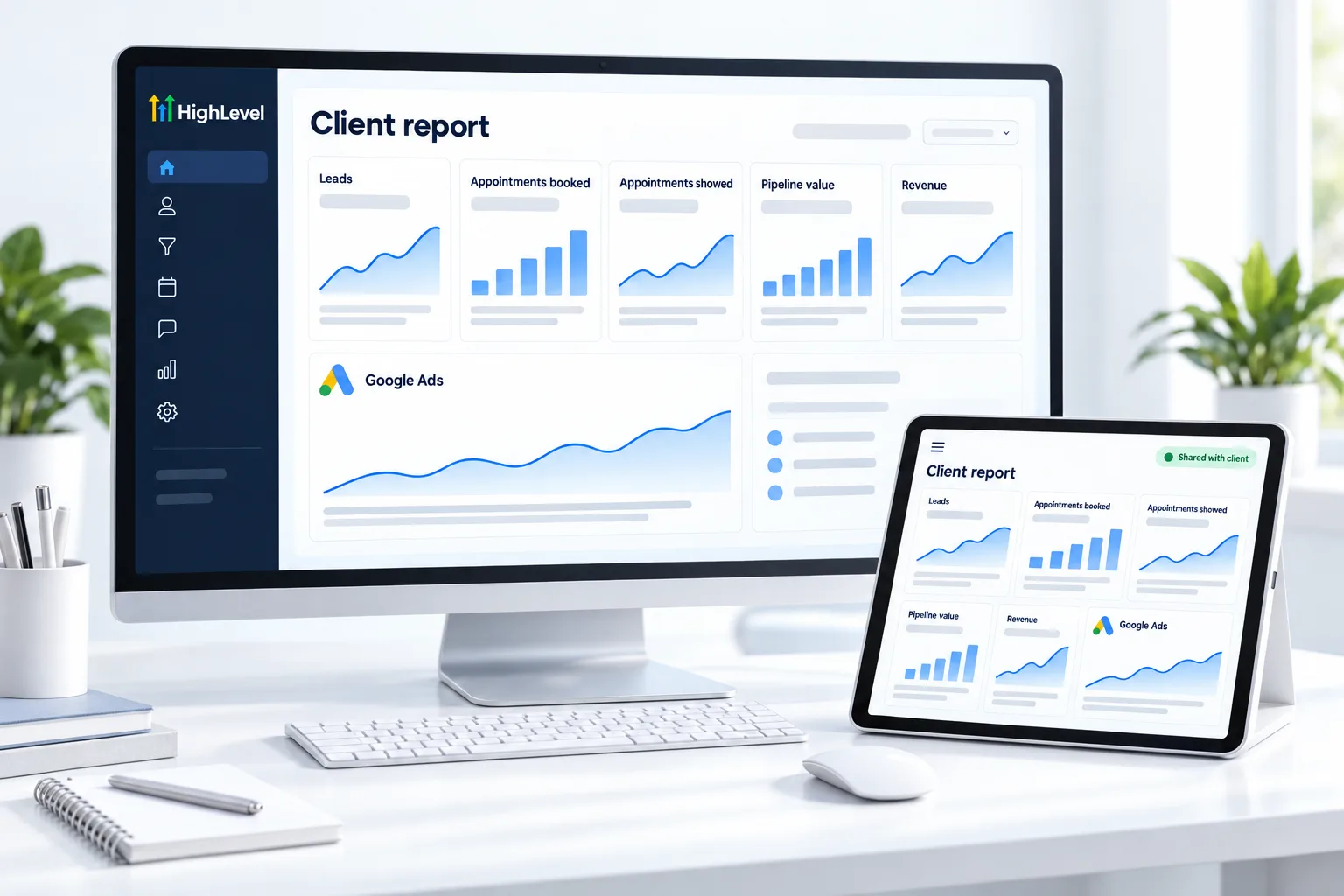
To build a client reporting dashboard in GoHighLevel, create a custom dashboard in the client's subaccount, connect Google Ads and Facebook ad reporting in Integrations (adding client spend if needed), add widgets for leads, appointments, pipeline value and revenue, add short text boxes that explain each number, and set permissions so the client can view it.
Michael is a sponsored HighLevel affiliate. Links to HighLevel use his partner link at no extra cost to you. HighLevel prices and product facts on this page come from HighLevel's own pricing page and help center, checked on the date above.
Build
How do you build a client reporting dashboard in HighLevel?
- In the client's subaccount, create a new dashboard named Monthly Results.
- Connect Google Ads reporting with an account that has admin or manager access, selecting the manager and client account IDs.
- Add the UTM tracking template to the Google Ads account so leads are attributed.
- Connect Facebook ad reporting and add client spend if you manage the budget.
- Add widgets for leads, appointments booked and showed, pipeline value and revenue.
- Add text boxes that explain each number in plain words.
- Set access so the client's users can view it.
What to show
The client's five numbers.
| Number | Why it matters |
|---|---|
| Leads | Is the marketing working? |
| Cost per lead | Is it efficient? |
| Appointments showed | Is follow up working? |
| Deals won | Is sales working? |
| Revenue | Is it worth it? |
Before you start
What do you need before you build a client reporting dashboard?
A report is only as good as the data feeding it. In a HighLevel (GoHighLevel) subaccount, these need to be in place before the widgets mean anything.
- Access to the client subaccount with permission to edit dashboards
- A Google login with admin or manager access to the ad account, and the client and manager account IDs
- Admin access to the Facebook Page and ad account
- A pipeline the client actually uses, so pipeline value and won deals are real
- Appointment statuses being updated, so booked and showed can be told apart
The longer build, with every widget, is the reporting dashboard guide. You can build a first dashboard during a 30 day trial through Michael's link, and the page on whether HighLevel is worth it shows how to weigh the plan price against what you report.
Test it
How do you test a client reporting dashboard?
Before you share the dashboard, check that its numbers match what you can count by hand.
- Pick one week and count the new leads in Contacts. Compare the count with the leads widget.
- Compare ad spend in the dashboard with the ad platform for the same dates.
- Submit a test lead from an ad link and confirm it is attributed to the right source.
- Log in as a client user and confirm they can view the dashboard and nothing they should not see.
- Read every text box out loud. If a number needs explaining twice, rewrite the note.
Common mistakes
What mistakes should you avoid when you build a client reporting dashboard?
- Showing clicks first. Lead with the number the client cares about, usually booked or won. See client reporting for agencies.
- No tracking template on the ads. Without the UTM tracking template, leads arrive with no source and the ad widgets look empty.
- Too many widgets. Five numbers a client understands beat twenty they ignore.
- Connecting ads with the wrong login. Use an account with admin or manager access, or the ad accounts will not appear.
- Giving the client edit access. Set user permissions so clients can view the dashboard without changing it.

Lead with the number the client cares about most, usually booked or won, not clicks.
Questions
Common questions.
How do I report to clients in HighLevel?
Build a custom dashboard in the client's subaccount. Connect Google Ads and Facebook ad reporting, then add widgets for leads, appointments booked and showed, pipeline value and revenue. Add short text boxes that explain each number in plain words, and set access so the client's users can view it.
Can I show Google and Facebook ad results?
Yes. Connect Google Ads reporting with an account that has admin or manager access and select the manager and client account IDs. Add the UTM tracking template to the Google Ads account so leads are attributed. Then connect Facebook ad reporting and add client spend if you manage the budget.
Can clients log in to see the dashboard?
Yes, with the right user permissions. Set access on the dashboard so the client's users can view it. Before you share it, log in as a client user and confirm they can see the dashboard and nothing they should not see.
Can I copy a dashboard to another client?
Yes. Dashboards can be duplicated to other subaccounts, so you build the Monthly Results layout once and reuse it for each client. After you copy it, connect that client's own ad accounts and check the numbers against a hand count before you share it.
Why does my dashboard show no ad data?
Check three things. The ad account must be connected with a login that has admin or manager access. The right manager and client account IDs must be selected. And the UTM tracking template must be on the ads, or leads are not attributed. Then submit a test lead from an ad link to confirm.
How often should I review the dashboard with a client?
Monthly works for most clients. Use the review to agree decisions, not to read numbers aloud. Lead with the number the client cares about most, usually booked or won, not clicks, and let the text boxes on the dashboard explain the rest before the call starts.
Which numbers belong on a client dashboard?
Leads, cost per lead, appointments showed, deals won and revenue. Those five answer whether marketing, follow up and sales are working, and whether the spend is worth it. Leads shows the marketing, cost per lead the efficiency, appointments showed the follow up and deals won the sales.
Next step
See it in your own account. Thirty days, every feature.
Start a trial, build the first system and test it before the first invoice. Usage fees for phone, SMS, email and AI can apply during the trial.
HighLevel has three plans at a flat monthly price, each with unlimited users and contacts. See what each one includes and what it costs.
Compare the PlansStarter, Unlimited and Founder