
01Who this is for
- Agency owners who manage client WordPress sites can see performance gaps without leaving HighLevel.
- Founders who need SEO friendly pages can prioritize fixes that improve search signals.
- Developers looking for clear, actionable recommendations can use the report to guide code changes.
02Website performance reports, explained
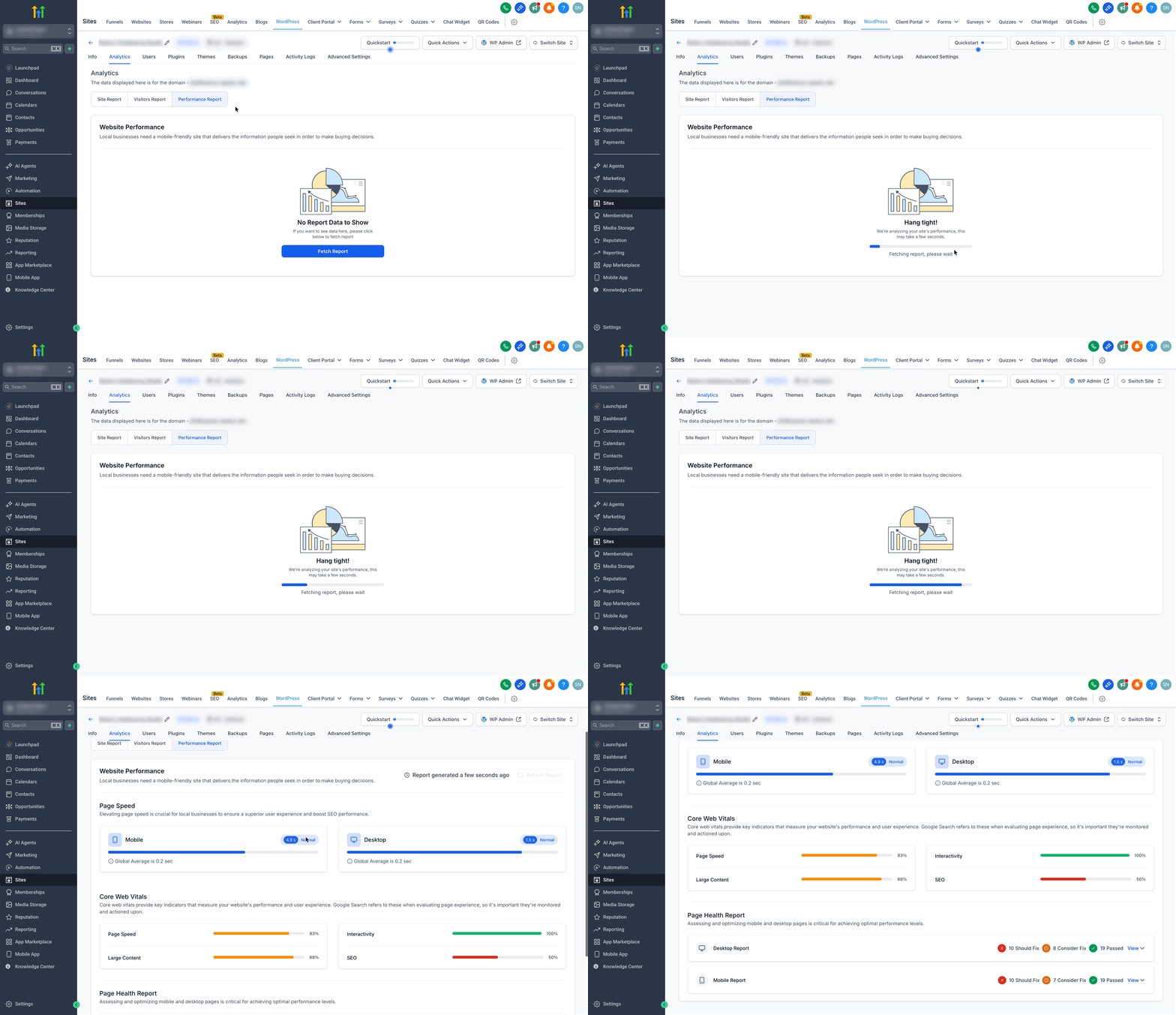
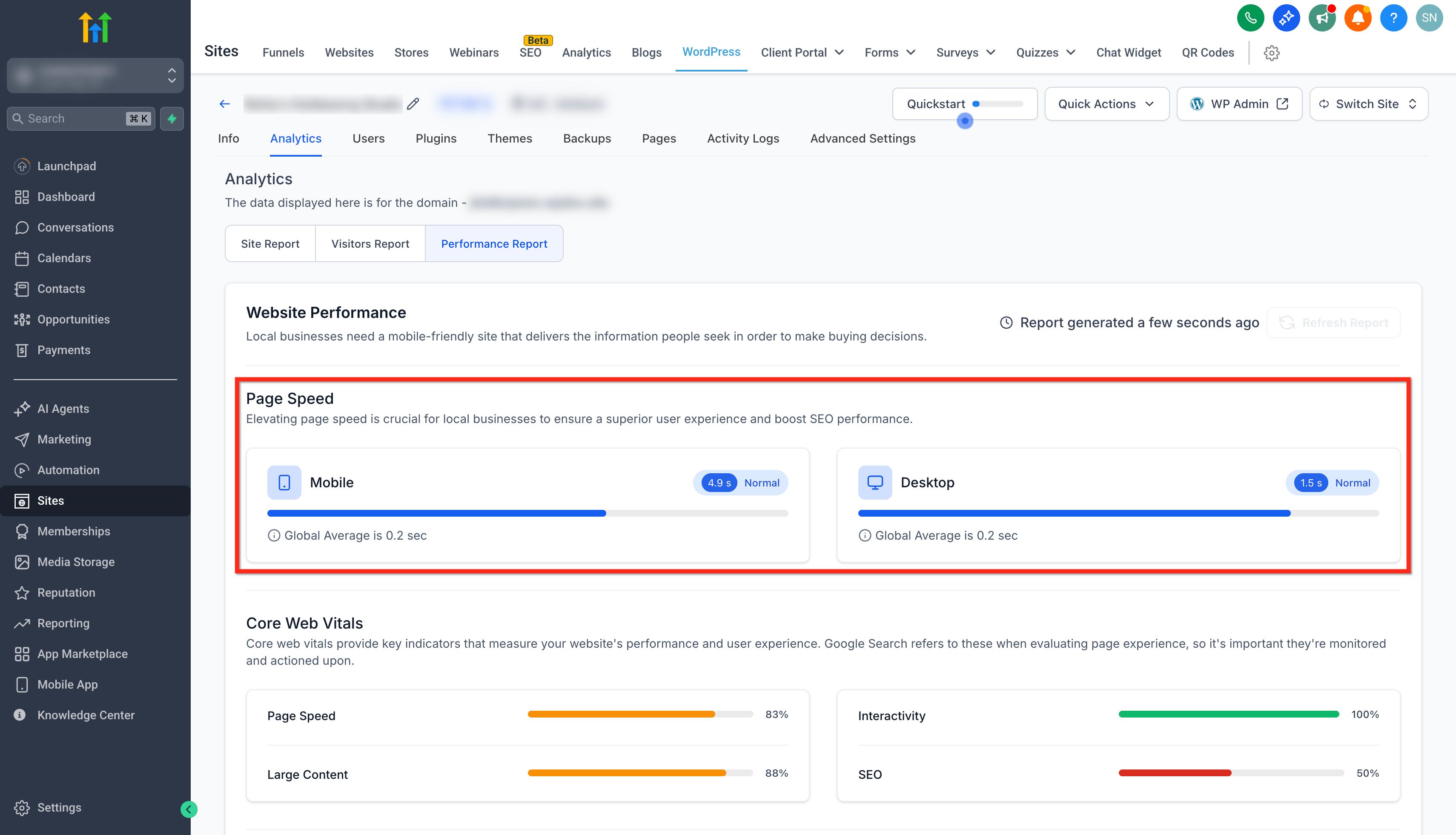
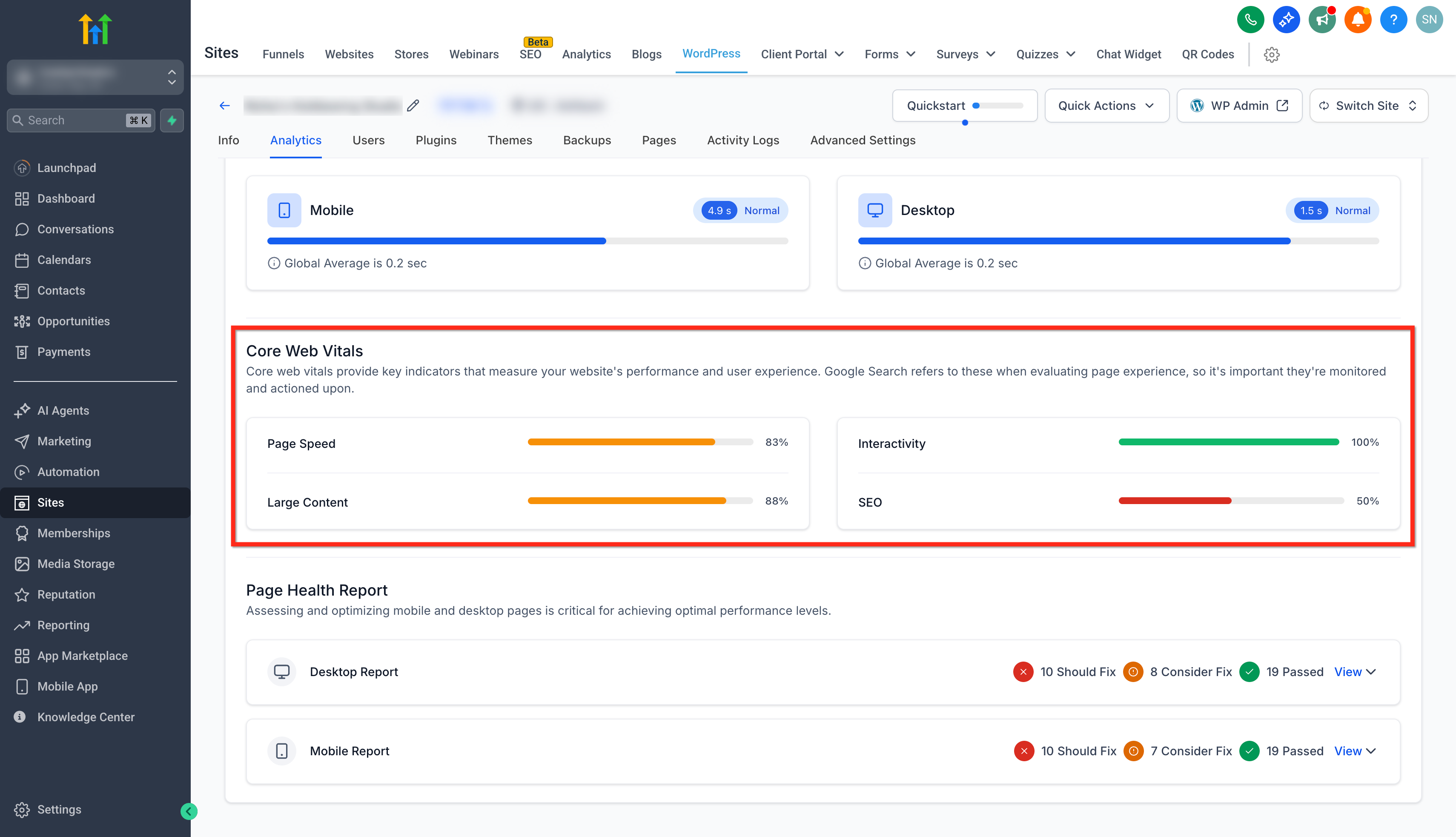
The report runs lab tests from PageSpeed and Lighthouse on every published page. It returns separate mobile and desktop summaries, lists Core Web Vitals values and categorizes each finding as Passed, Consider or Fix. All results appear inside the WordPress Hosting dashboard, keeping the workflow inside HighLevel.
You start the analysis from the Analytics tab of a managed site. After the system finishes, the report shows sections for Page Speed, Core Web Vitals and a Page Health Report. Clicking an item expands a plain language explanation and a suggested remedy, helping both technical and non technical users take the next step.
03How businesses use website performance report
- Digital marketing agency. The agency opens the client’s site in HighLevel, runs the performance report and reviews the mobile scores. It then clicks View on any red items to read the recommended fixes, which it documents for the client’s development team.
- Ecommerce store. The store owner generates the report to see how product pages load on phones. By switching to the mobile view, they identify large images flagged for reduction and follow the provided hints to compress them.
- SaaS startup. The startup’s Founder runs the report to check Core Web Vitals on the landing page. They note any poor LCP scores and use the report’s suggested actions to adjust script loading order directly in WordPress.
04Before you start
- You must be logged into a subaccount.
- The site must be hosted on HighLevel WordPress Hosting.
05How to set up and use website performance report in HighLevel
Generate website performance report
- Log in to your subaccount.
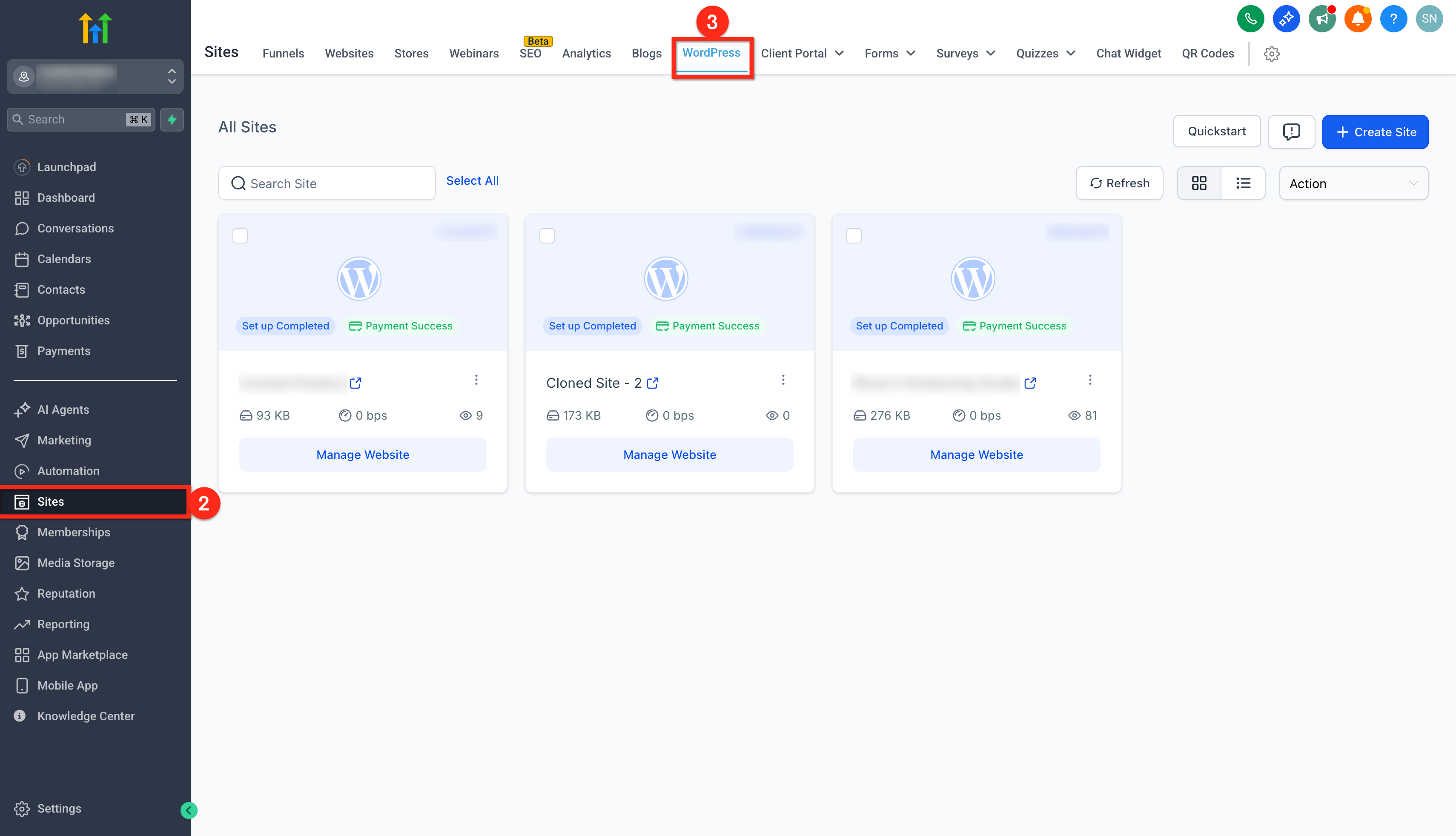
- Select Sites from the left sidebar.
- Choose WordPress.
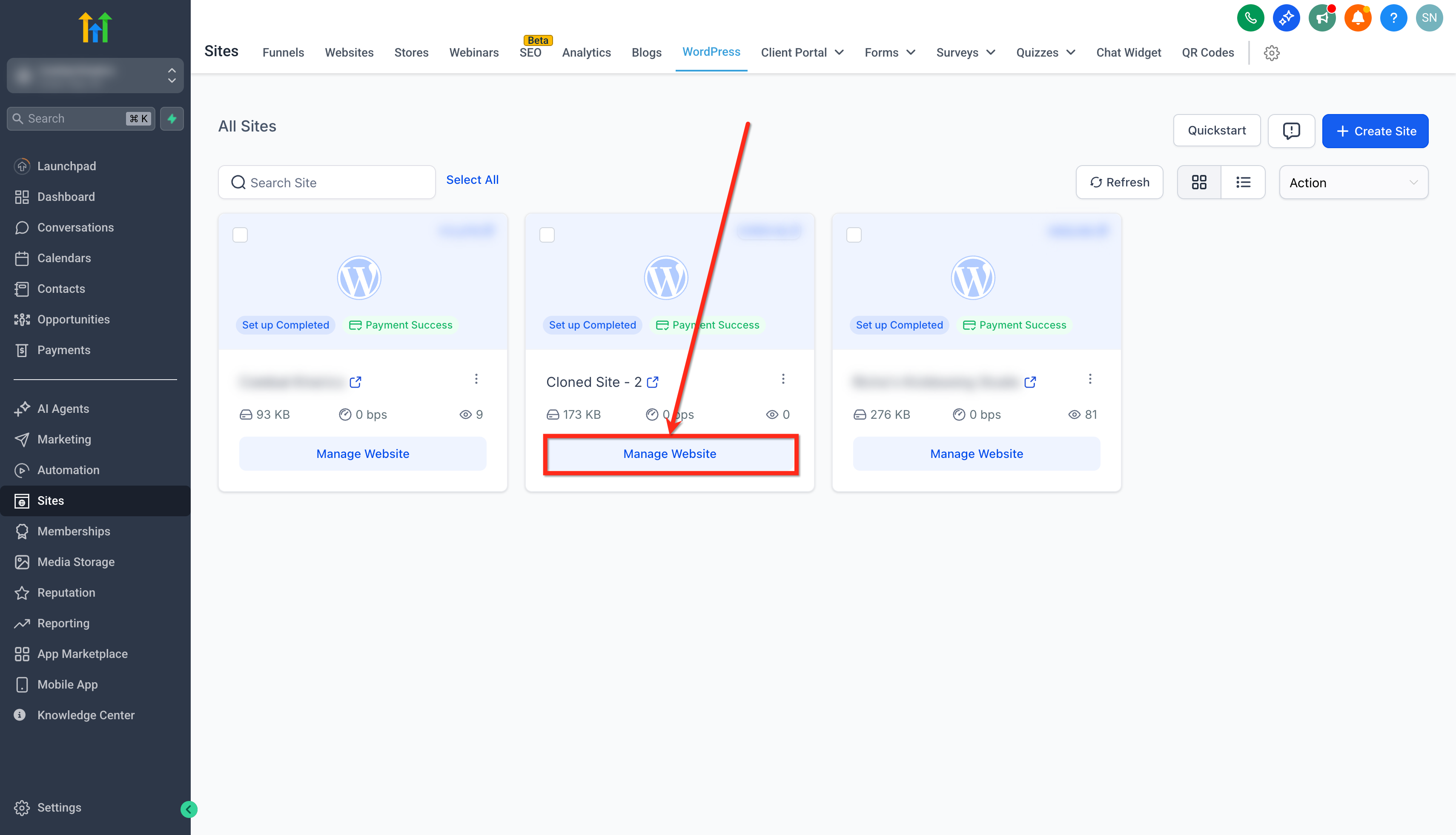
- Click Manage Website for the desired site.
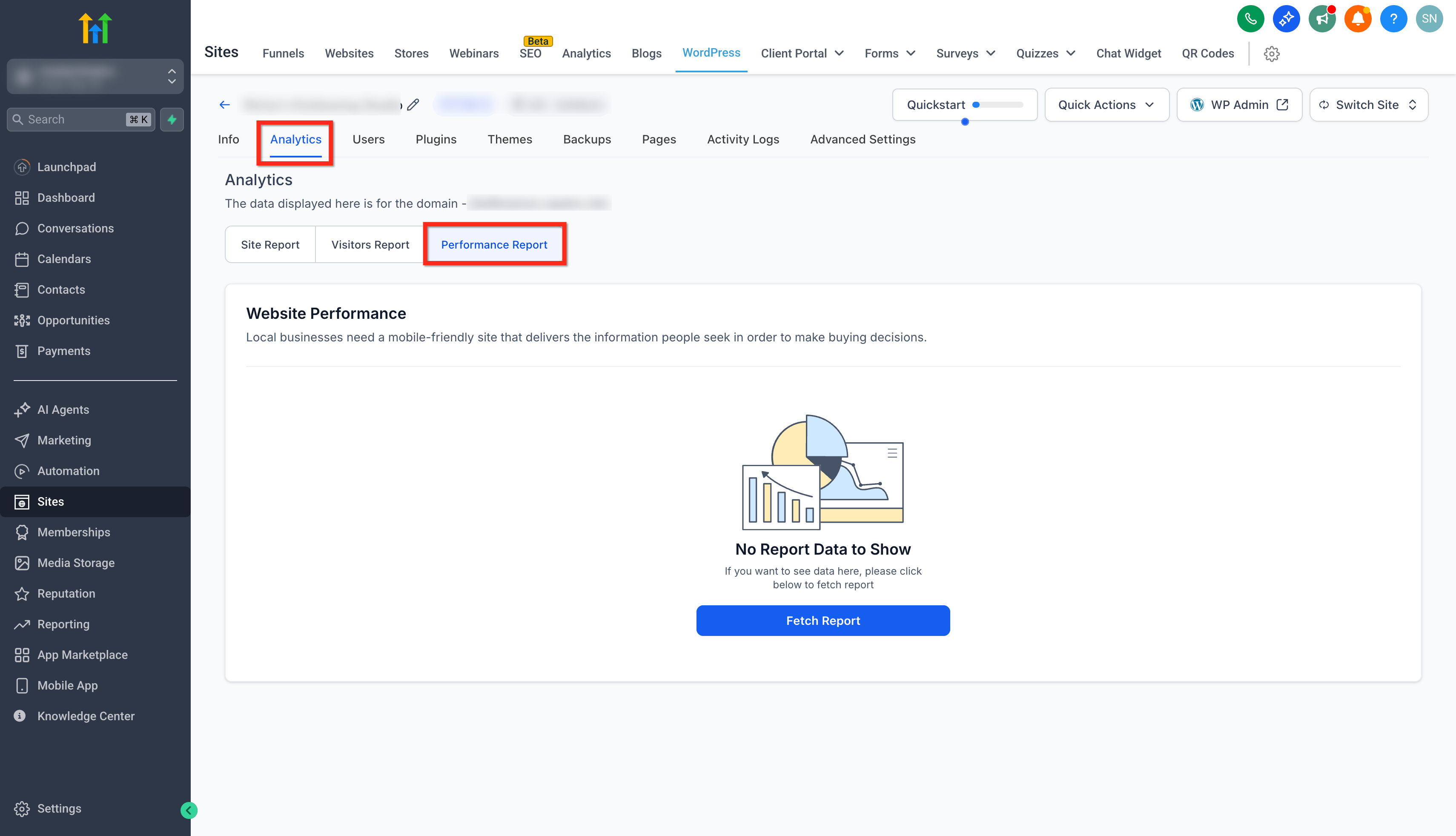
- Open the Analytics tab.
- Click Performance Reports.
- Press Fetch Report to start analysis.
- Wait while the report analyzes your site.
- Click View on a flagged item to see detailed fixes.
06What it looks like in HighLevel
07Things to know before you rely on it
- The report only works for sites hosted on HighLevel WordPress Hosting; external WordPress sites are not included.
- Core Web Vitals may lag behind lab scores until enough real visitors generate field data.
08If something goes wrong
- Report does not include a non HighLevel WordPress site.. Ensure the site is hosted on HighLevel WordPress Hosting before generating the report.
- Lab scores improve but Core Web Vitals remain low.. Wait for real visitor data to accumulate, as field metrics can lag behind lab results.
09How it connects to the rest of HighLevel
- Set up WordPress hosting for clients in HighLevel. WordPress hosting guide
- Learn how to manage plugins and themes in HighLevel WordPress sites. Plugin and theme management
- View pricing and plans for HighLevel WordPress hosting. HighLevel pricing
Michael's take

This report is worth every minute for a small business that wants faster pages, lower bounce, and better search rankings without juggling separate tools.
Don’t neglect to run the report on both mobile and desktop; overlooking one device can hide critical issues.