
01Who this is for
- Agency owners who manage multiple client WordPress sites can ensure each site runs on a secure, compatible PHP version.
- Ecommerce businesses can reduce load times by moving to newer PHP releases.
- SaaS Founders hosting their product site can avoid plugin breakage after updates.
02Php version update, explained
The PHP Version Update feature gives you direct control over the PHP runtime that powers a WordPress site hosted on HighLevel. Selecting a newer or older supported version can improve security patches, plugin and theme compatibility, and overall site performance.
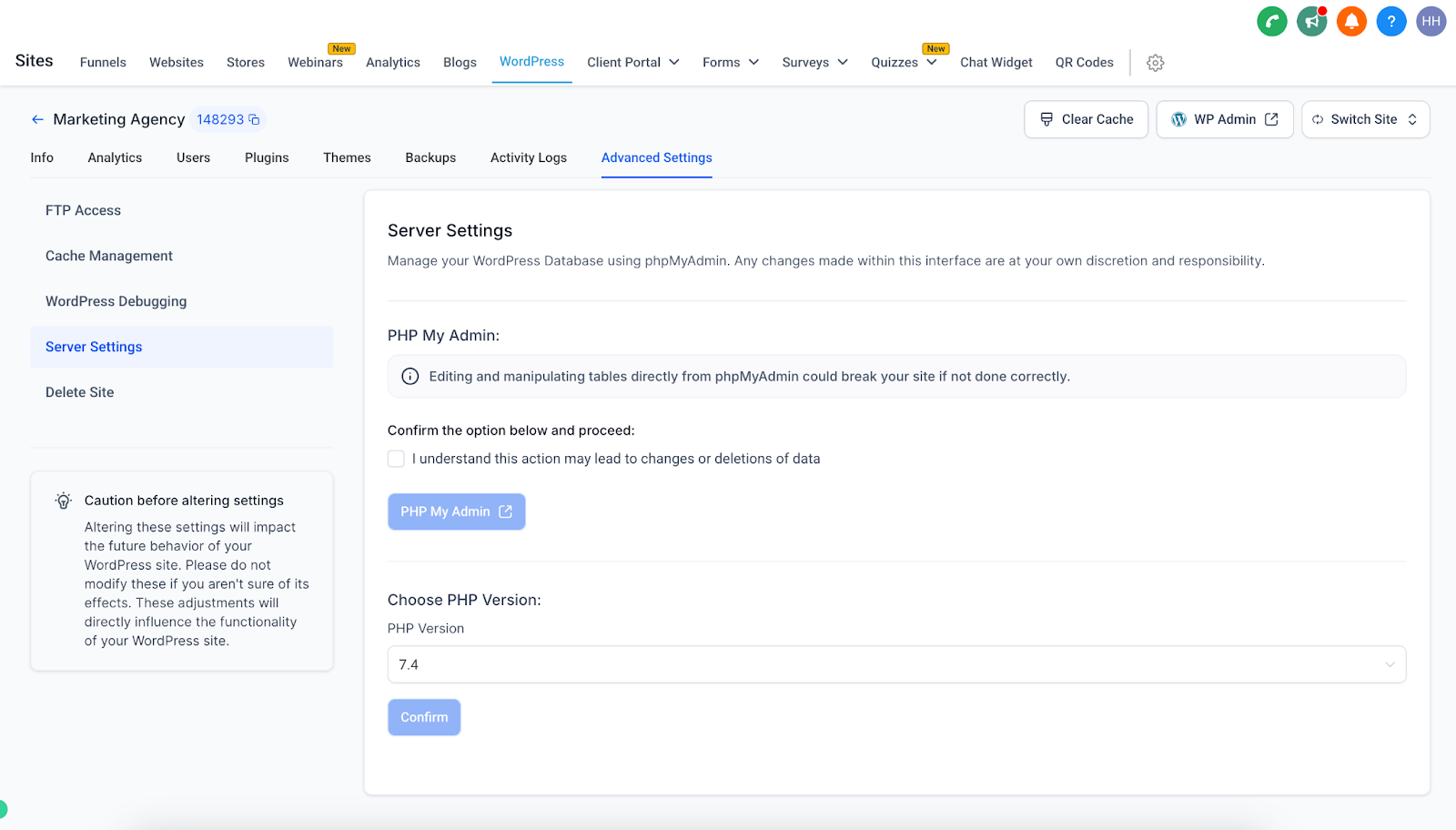
The setting lives in Advanced Settings under Server Settings. When you choose a version and confirm, HighLevel automatically applies the change to the site’s environment. The update happens without altering page content or design.
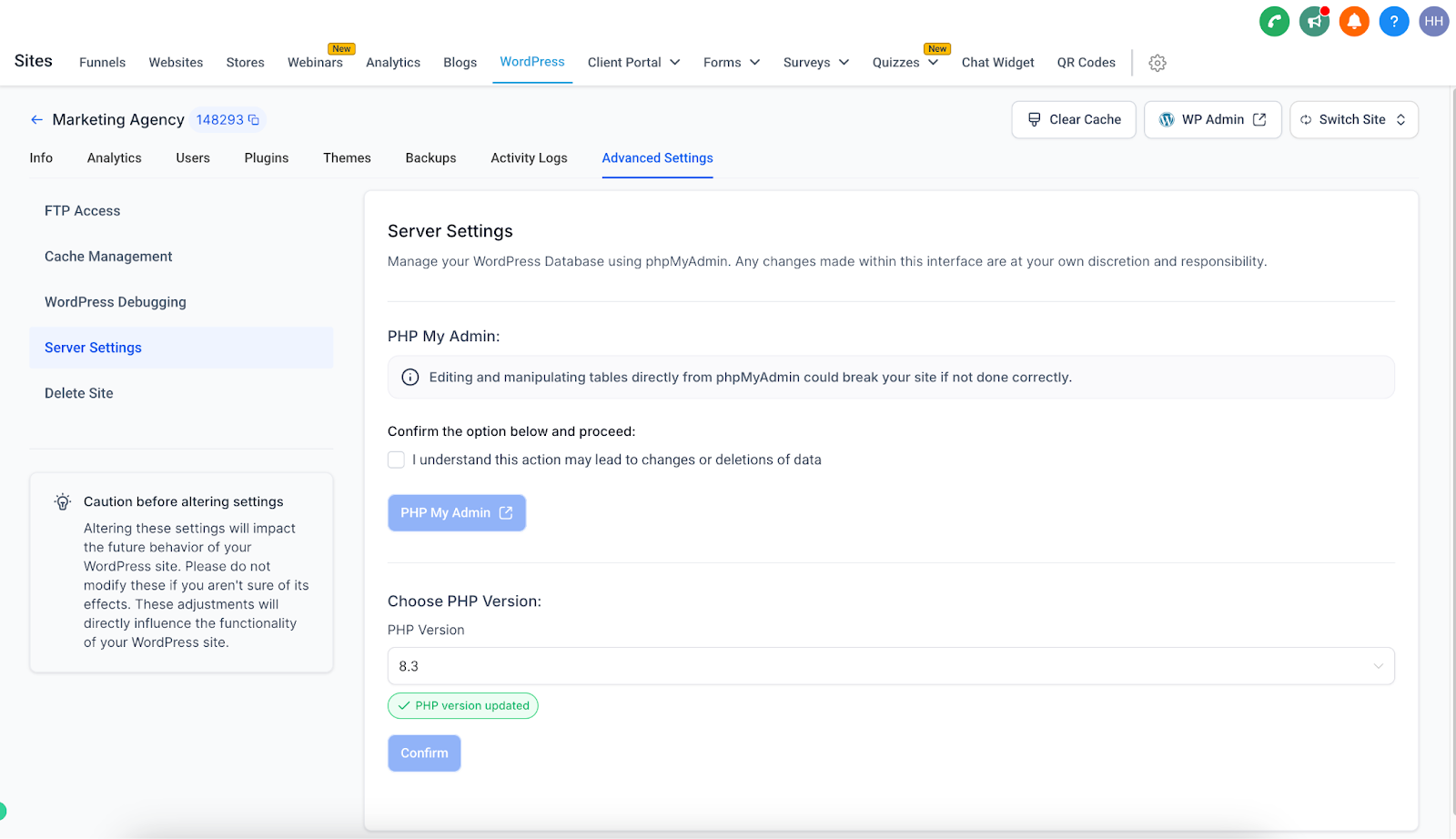
The process is designed to run with minimal to no downtime, so visitors continue to see the site while the backend switches to the new PHP version.
03How businesses use php version update
- Digital marketing agency. An agency can open a client’s WordPress site in HighLevel, go to Advanced Settings, select a newer PHP version required by a client’s plugin, and confirm. The site updates right away, keeping the client’s tools functional.
- Online coaching platform. A coaching business uses a WordPress blog for content. By switching to a higher PHP version through the same settings, the platform can make page loads faster while the blog’s layout and posts stay unchanged.
- Subscription box retailer. If a new theme shows compatibility issues after a PHP upgrade, the retailer can return to a prior supported PHP version from the same menu, confirming the downgrade to restore full theme functionality.
04How to set up and use php version update in HighLevel
Update PHP version for a WordPress site
- Navigate to WordPress > Advanced Settings > Server Settings > Choose PHP Version.
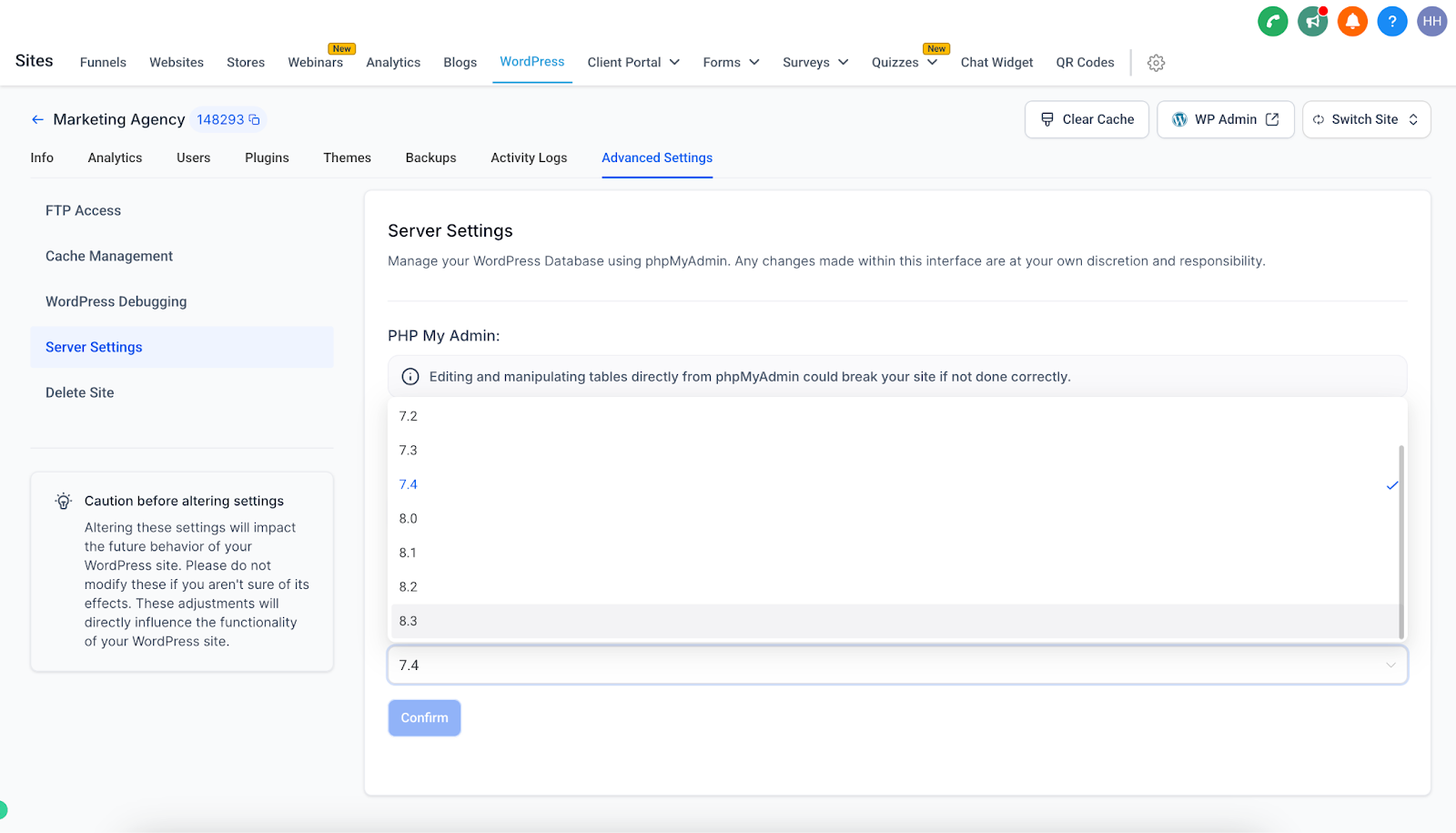
- Pick the desired PHP version from the displayed list of supported releases.
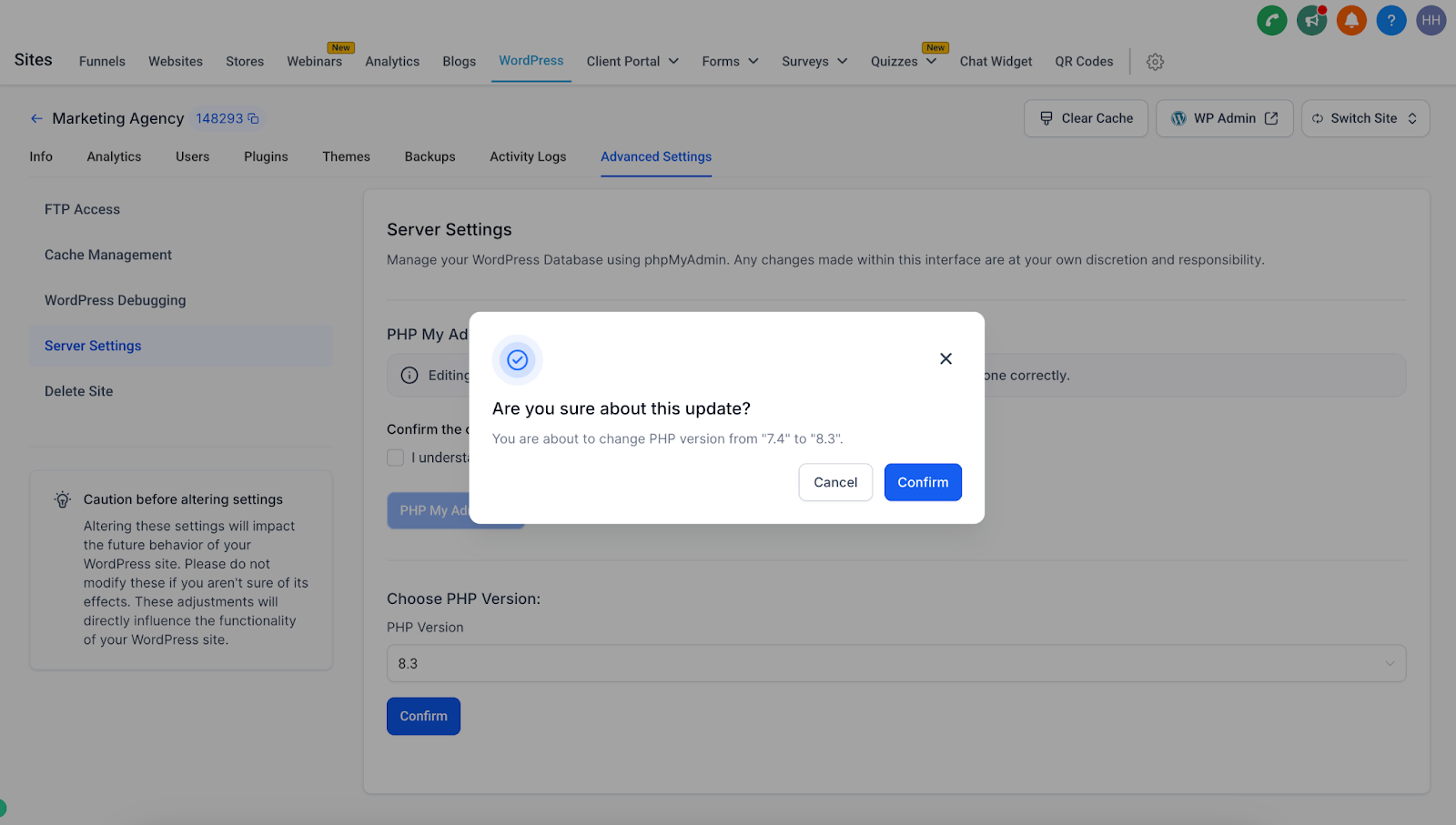
- Press Confirm to apply the new PHP version to the site.
05What it looks like in HighLevel
06Settings that matter
- Choose PHP Version. Specifies which supported PHP runtime the WordPress site will use.
07Things to know before you rely on it
- Only PHP releases shown in the list can be selected.
- Changing the version does not affect site content or design.
- Updates are applied with minimal to no downtime.
08How it connects to the rest of HighLevel
- Set up WordPress hosting before changing PHP version WordPress hosting activation
- Manage plugins and themes to verify compatibility after a PHP update Plugin and theme management
- Clone a site to test a new PHP version without affecting the live site Clone WordPress site
Michael's take

The PHP version update helps keep a WordPress site secure and fast.
If you’re not dealing with plugins that demand a specific PHP version, you can skip fiddling with this feature.