
01Who this is for
- Agency owners who need to deliver client sites quickly, because templates reduce build time.
- Small business Founders who want a ready made WordPress site without coding, enabling fast online presence.
- Marketing teams that run multiple campaigns and require separate WordPress sites, using templates for consistency.
02Wordpress site templates, explained
WordPress Site Templates are complete WordPress installations stored in a library. When you choose one, HighLevel copies the files, database, and settings to create a new site. The process runs on HighLevel’s WordPress hosting plan, which must be active before you begin. The template selection appears in the Sites > WordPress section of a subaccount.
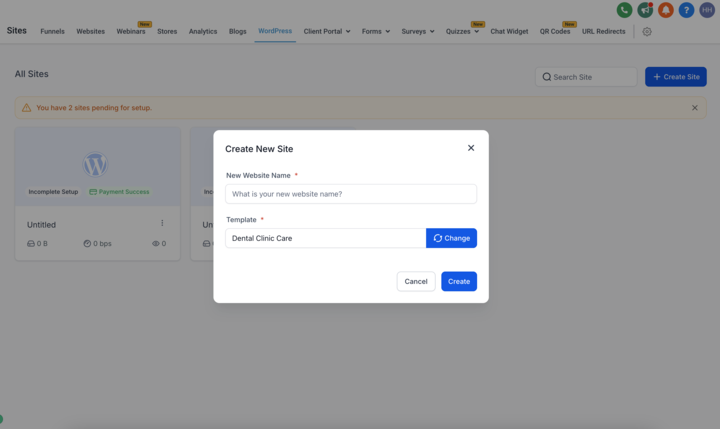
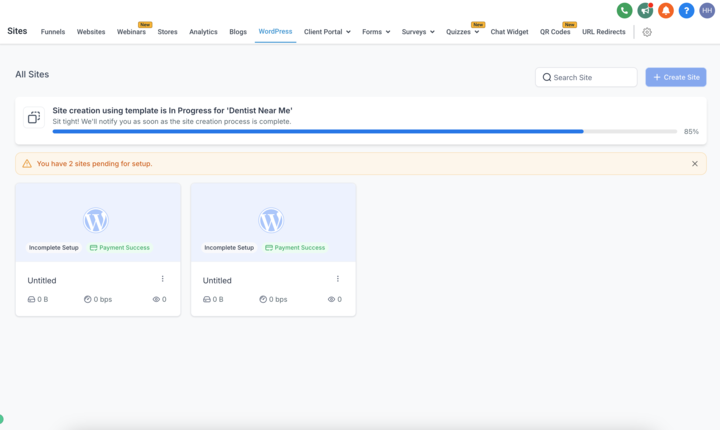
After you pick a template, you give the new site a unique name. HighLevel then shows a progress bar while it builds the site from the template. When the bar completes, the site is live and ready for further customization through the WordPress dashboard.
03How businesses use wordpress site templates
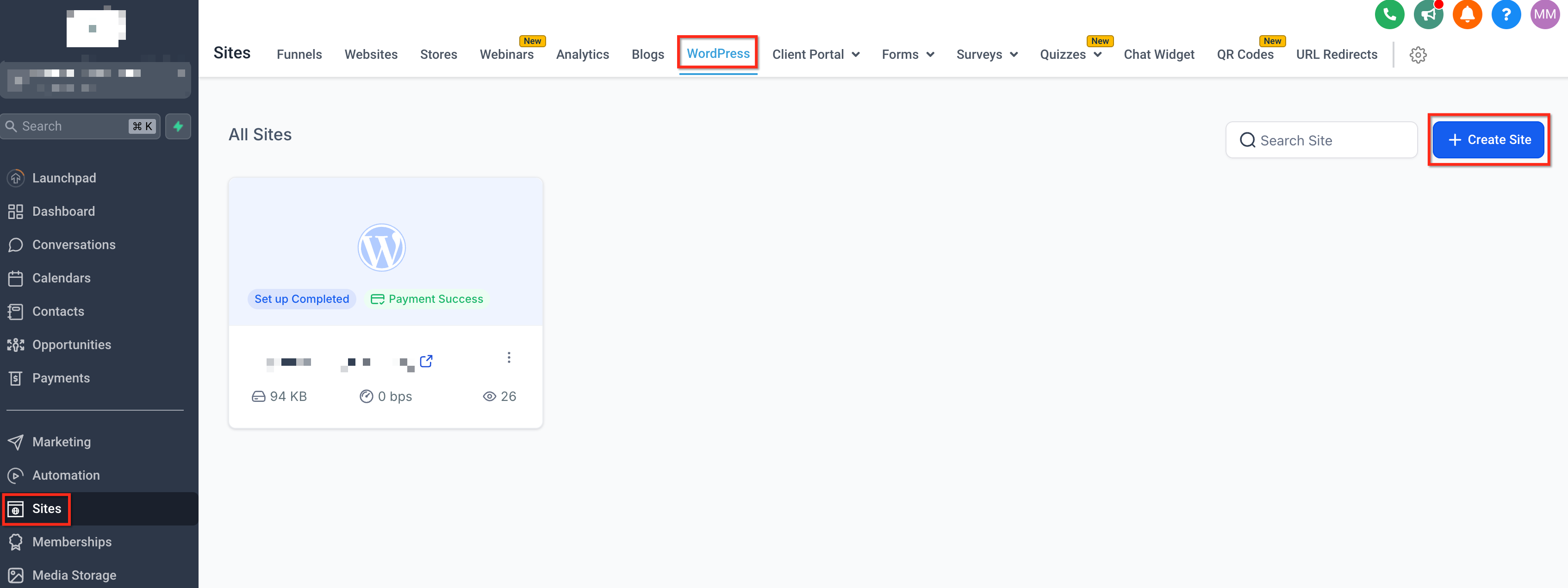
- Digital marketing agency. The agency opens a subaccount, goes to Sites > WordPress, and clicks “+ Create Site.” It selects Choose Template, picks a client specific design, names the site, and waits for the progress bar. Once live, the agency customizes copy and images directly in WordPress.
- Solo entrepreneur. The entrepreneur navigates to the WordPress area, selects a template that matches their industry, enters a site name, and watches the setup finish. After the site is live, they log in via the WP Admin button to add their own branding.
- Co working space manager. The manager accesses the subaccount, creates a new site from a template that offers event booking features, assigns a name for the space, and allows the progress bar to complete. The live site then serves as the online portal for members.
04Before you start
- A subscribed HighLevel WordPress hosting plan must be active.
- You must be inside a subaccount that has access to Sites > WordPress.
05How to set up and use wordpress site templates in HighLevel
Create a new WordPress site using a template
- Open the subaccount, go to Sites > WordPress, and click the “+ Create Site” button.
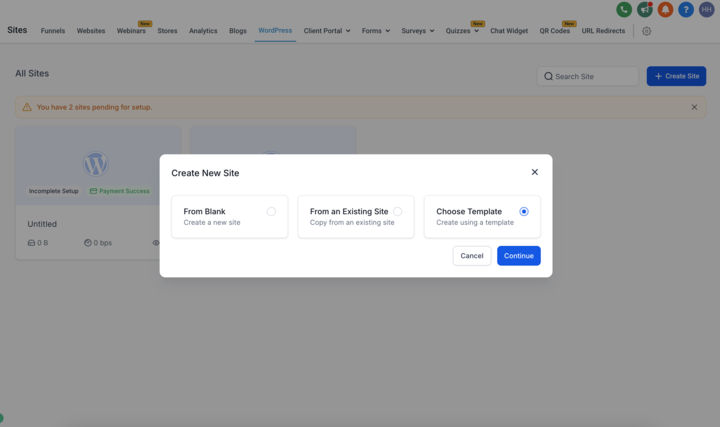
- Choose the “Choose Template” option from the creation dialog.
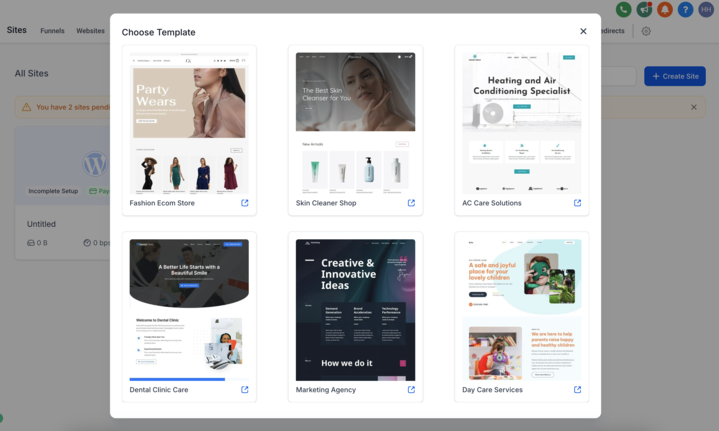
- Browse the template library and click the one you want to use.
- Double check the selected template and type a name for the new site.
- Watch the progress bar until it indicates the site is live.
06What it looks like in HighLevel
07How it connects to the rest of HighLevel
- How to activate WordPress hosting in HighLevel WordPress hosting activation
- Guide to creating and managing WordPress sites WordPress site guide
- HighLevel pricing and plans overview Pricing page
Michael's take

Jumping into Wordpress templates without a clear need can waste time. Especially if a simple HighLevel funnel would do. Make sure a full Wordpress site truly serves your business before you commit.
When you do need that extra flexibility, the template library is a lifesaver. Pick the design that fits, let HighLevel spin up the site, and you’re ready to add your own branding and content.