Home/HighLevel/Features/Sites/Managing multiple WordPress sites in a HighLevel subaccount

Funnels, Websites and Forms

Managing multiple WordPress sites in a HighLevel subaccount

In short

Multiple WordPress sites in HighLevel let you add and manage several sites within a single subaccount. The feature provides site switching, per site billing and upsell visibility for agencies.

AreaSites · Wordpress
Used forConsolidated site management, Precise billing per site, Streamlined navigation
Setup steps3 steps in 1 task
Last updatedNovember 3, 2026

01Multiple WordPress sites, explained

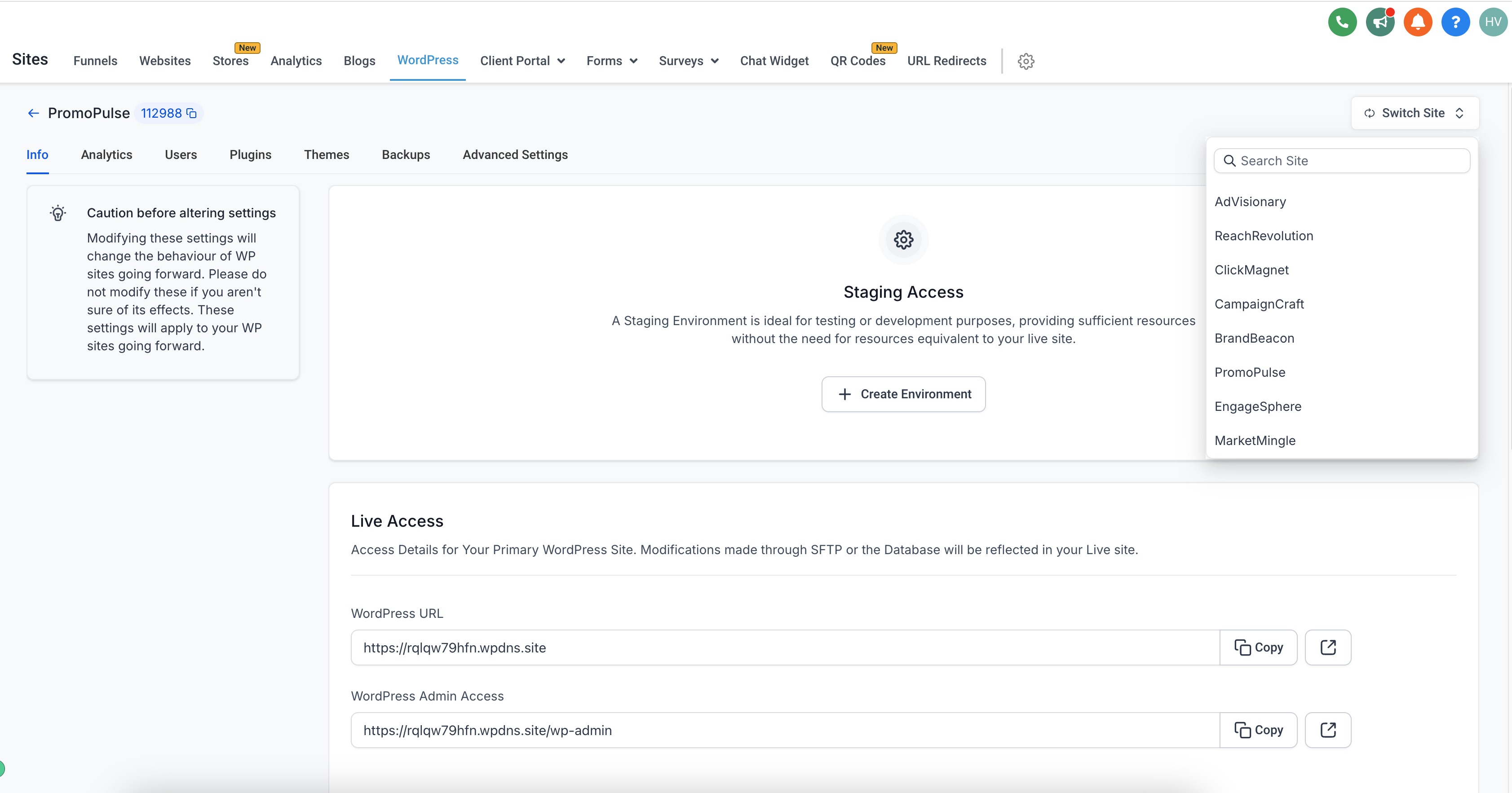
You can add and manage multiple WordPress sites within a single subaccount, eliminating the need for separate subaccounts. You can navigate between sites directly from the subaccount dashboard.

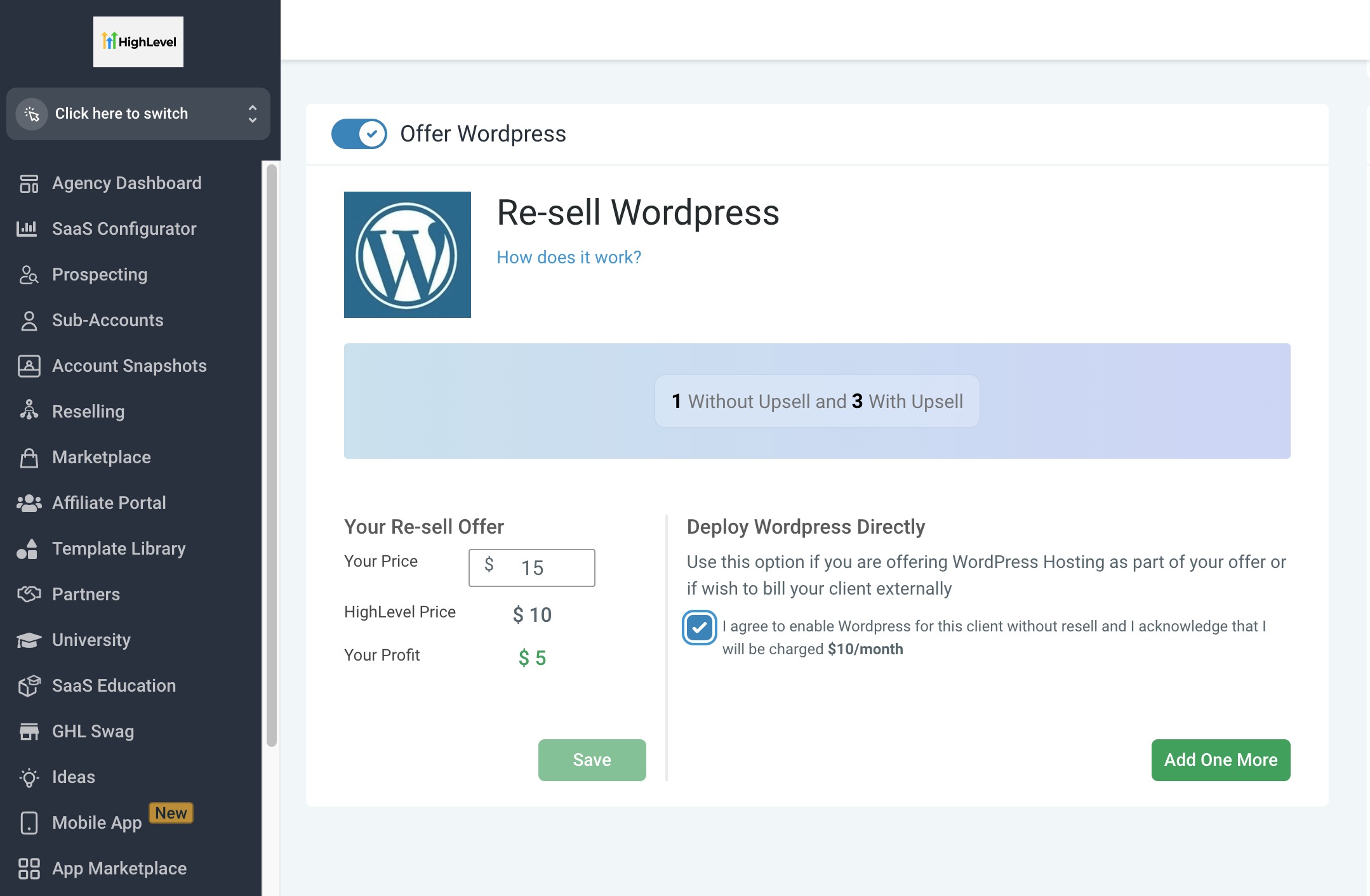
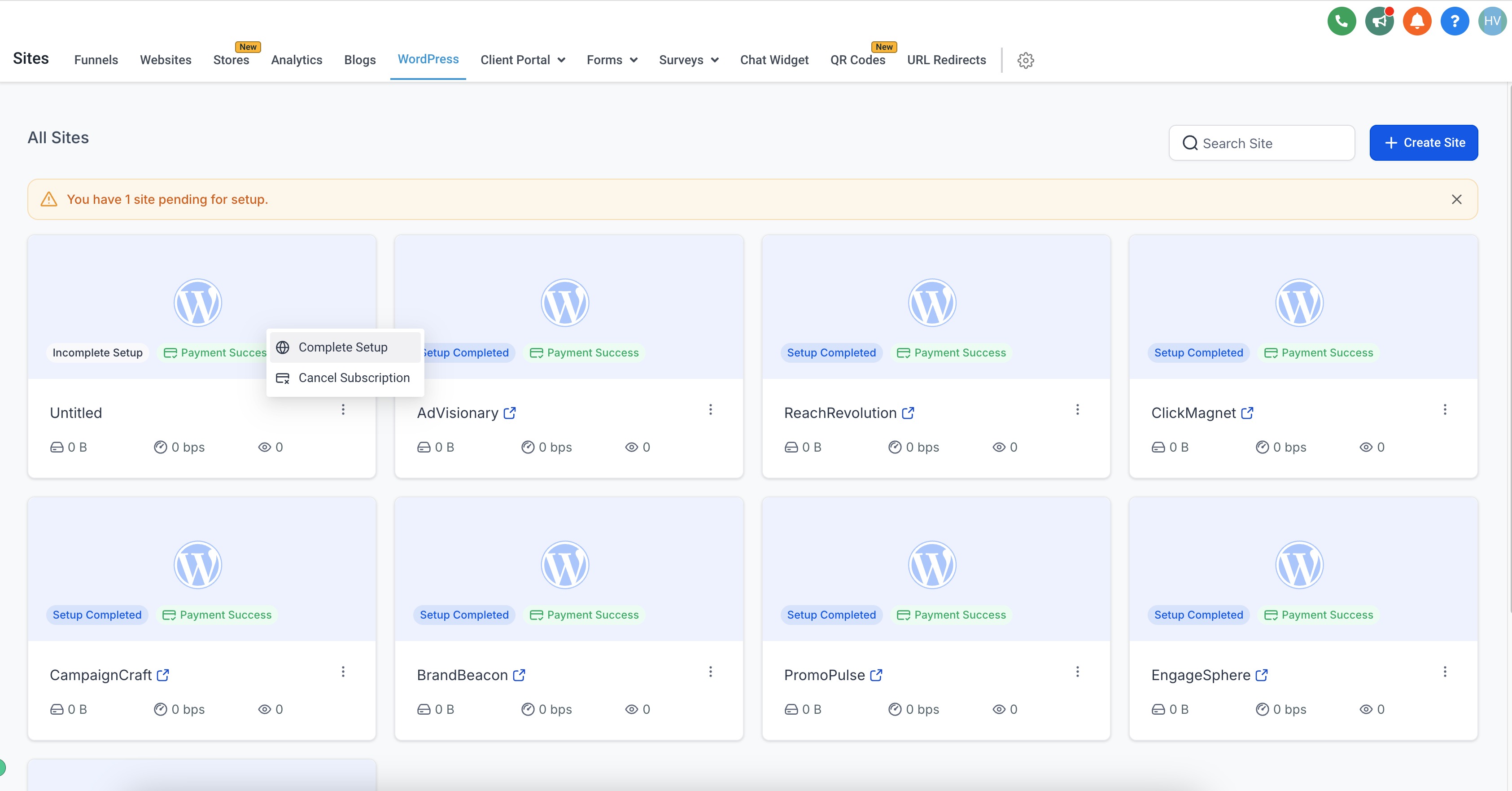
The billing and subscription systems have been upgraded to track and manage charges for each website under a subaccount individually, providing per site billing information and showing upsell opportunities within a location.

The subaccount dashboard has been redesigned for a more organized and user friendly experience, making navigation and feature access more straightforward.

02How businesses use Multiple WordPress sites

  • Consolidated site management. An agency can create several client sites under one subaccount and use the dashboard to add, edit or switch sites.
  • Precise billing per site. When a new WordPress site is added, the payment is processed and the system records the charge for that specific site.
  • Streamlined navigation. From the site info screen, the user can toggle to another site, and the refreshed UI groups sites and essential tools.

03How to set up and use Multiple WordPress sites in HighLevel

Create and manage sites

  1. Enter all required information for a new site.
  2. Complete payment.
  3. From the site info screen, toggle to switch between your different sites.

04What it looks like in HighLevel
Michael's take

Michael Reimer
Michael ReimerFounder of CRM Pros, HighLevel Commander and Certified Admin

Wondering if you really need a separate subaccount for every WordPress client? You don’t. The multiple site feature lets you keep all your client sites under one roof, so you can flip between them and see each site’s billing.

If I were setting up a new client, I’d add their WordPress install to the existing subaccount, finish the payment step, and then use the toggle to verify the site appears correctly.

Get More InformationOpens on HighLevelPublished November 2, 2026 · Updated November 3, 2026

Common questions

Common questions about Multiple WordPress sites.

How do I switch between WordPress sites in a subaccount?

You can seamlessly navigate between your different WordPress sites directly from your subaccount dashboard, using the toggle on the site info screen.

Does billing track each WordPress site separately?

The billing and subscription systems have been upgraded to track and manage charges for each website under a subaccount individually.

Can I add a new WordPress site without creating a new subaccount?

You can now add and manage multiple WordPress sites within a single subaccount.

Next step

Pick the features that matter. Then get the plan that unlocks them.

Explore the features you want, start with the five at the top, and upgrade through my link when you are ready. The bonuses and the team come with it.

The features directory explains every HighLevel feature in plain English. Browse it to see what the platform can do.

Back to the FeaturesSee the full details
⌃

Site preview

Explore the next page

This destination is reserved in the page inventory and is not built yet.