
01Who this is for
- Agency owners who run several client sites can give each developer a unique SFTP login, keeping the main account safe.
- Freelance web designers need a quick way to edit theme files on a client WordPress site without sharing admin passwords.
02SFTP connections, explained
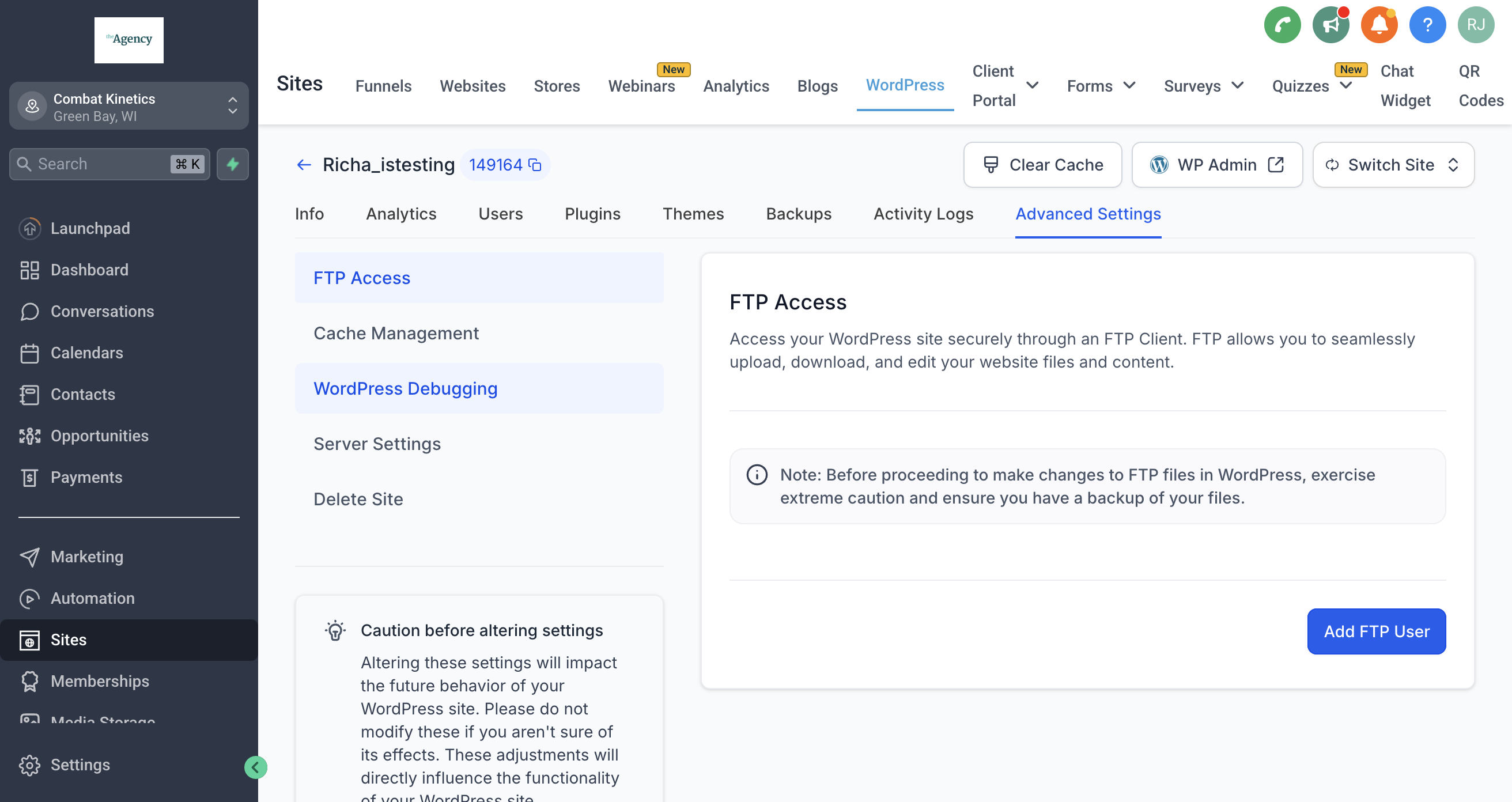
SFTP (Secure File Transfer Protocol) provides encrypted access to the file system of a WordPress site. Within HighLevel you can generate a distinct set of credentials for every user who requires file level access. The platform supplies a host URL, port number, username and password that a standard SFTP client can use. All SFTP settings are found under Sites > WordPress > Advanced Settings > FTP Access. The feature only supports SFTP connections, ensuring data remains encrypted while in transit. Credentials can be reset at any time, and each user receives a unique password.
03How businesses use SFTP connections
- Digital marketing agency. The agency creates a new FTP user for each client developer, then logs into the site with FileZilla. This lets the developer upload custom landing page templates directly to the WordPress theme folder.
- Solo WordPress consultant. The consultant adds an SFTP user, copies the host, port, username and password into WinSCP, and uses the client to replace outdated plugin files with newer versions.
- Ecommerce storefront owner. The owner generates an SFTP credential, opens Cyberduck, and downloads a backup of the wp content directory before applying a major theme redesign.
04How to set up and use SFTP connections in HighLevel
Add an FTP user for SFTP access
- Navigate to Sites > WordPress > Advanced Settings > FTP Access.
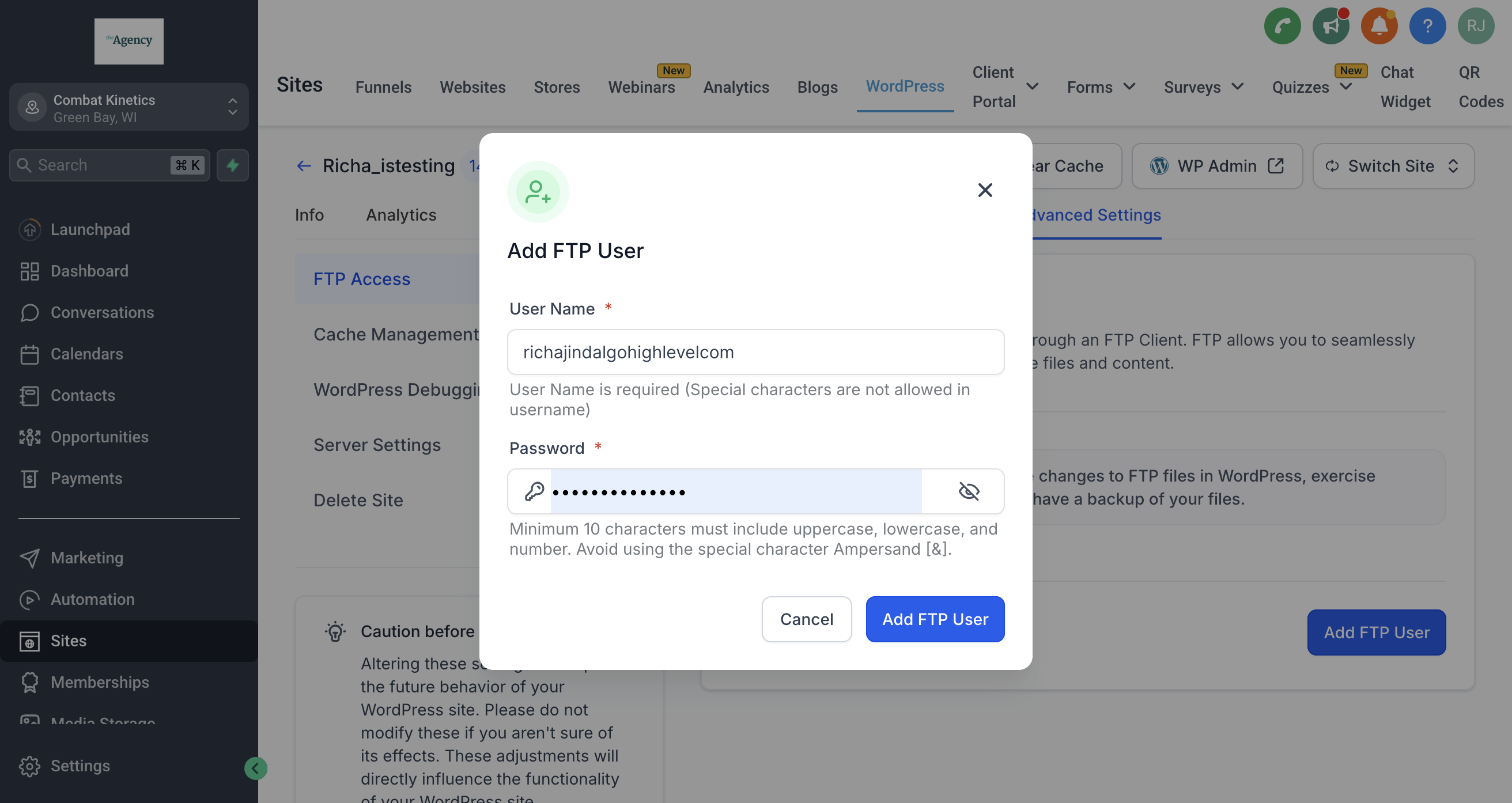
- Click Add FTP User and enter a username and password.
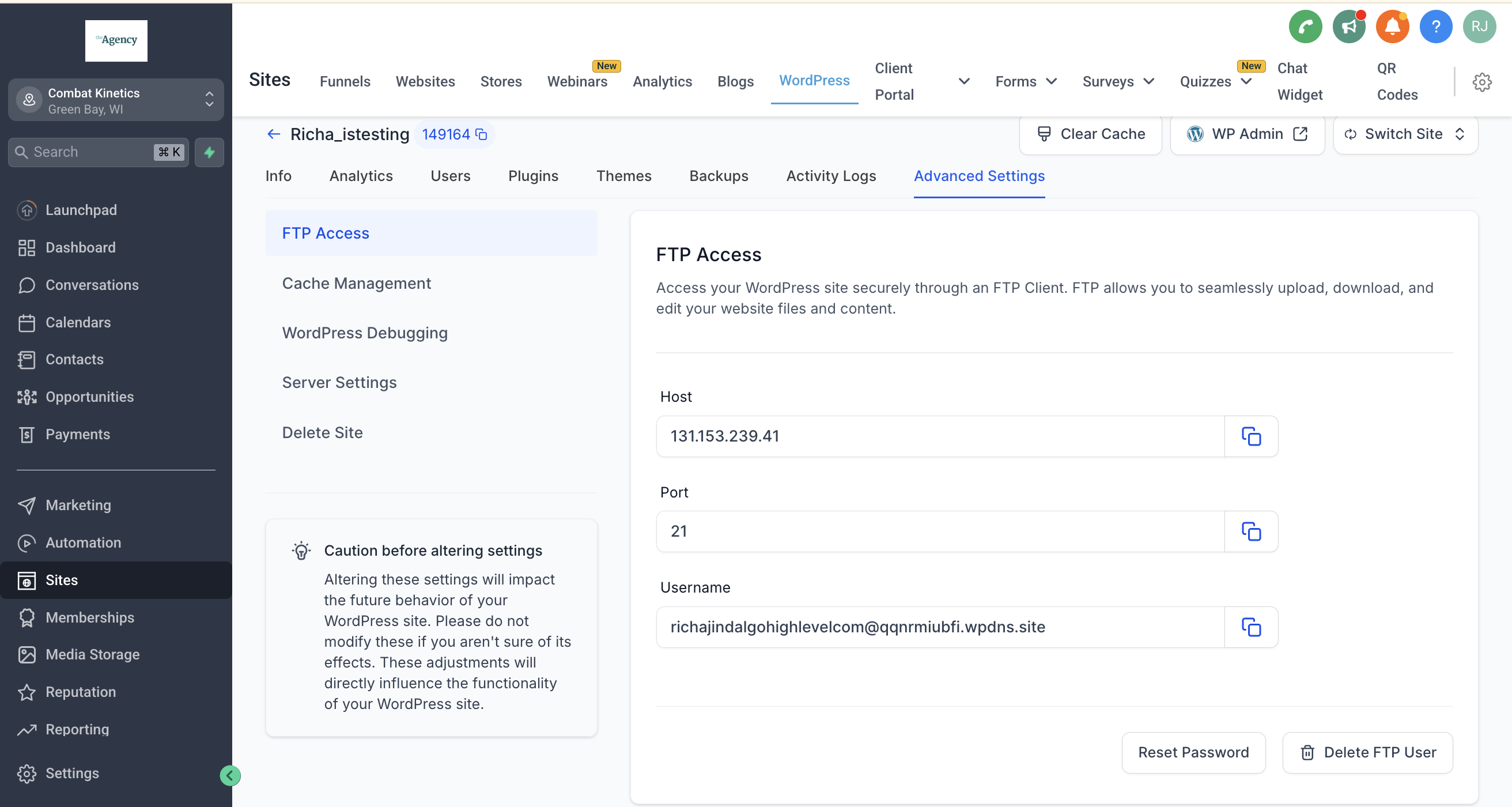
- Copy the displayed Host URL, Port number, Username and Password.
- Keep the credentials safe; you can reset them later if needed.
05What it looks like in HighLevel
06Settings that matter
- Host URL. The address that the SFTP client connects to in order to reach the WordPress site.
- Port number. The network port used for the SFTP connection; required by the client program.
- Username. A unique identifier for the SFTP user; can be reset at any time.
- Password. A secret key linked to the Username; unique per user and resettable.
07Things to know before you rely on it
- Only SFTP connections are supported; plain FTP is not available.
- Credentials are unique for each user and can be reset from the same screen.
08How it connects to the rest of HighLevel
- Learn how to create and manage WordPress sites in HighLevel WordPress site guide
- Explore options for reselling WordPress hosting to clients WordPress reselling
- Review HighLevel pricing and plans for accessing SFTP features Pricing
Michael's take

Using an SFTP client can be handy for editing WordPress files directly. Once you’ve added the FTP user, you can connect with your preferred client to verify the connection and start working with the site’s files.