
01Who this is for
- Agency administrators can reach expert help right away, keeping site projects on track.
- Digital marketing agencies benefit from live roadmap updates to align client services with platform changes.
02WordPress customer support upgrade, explained
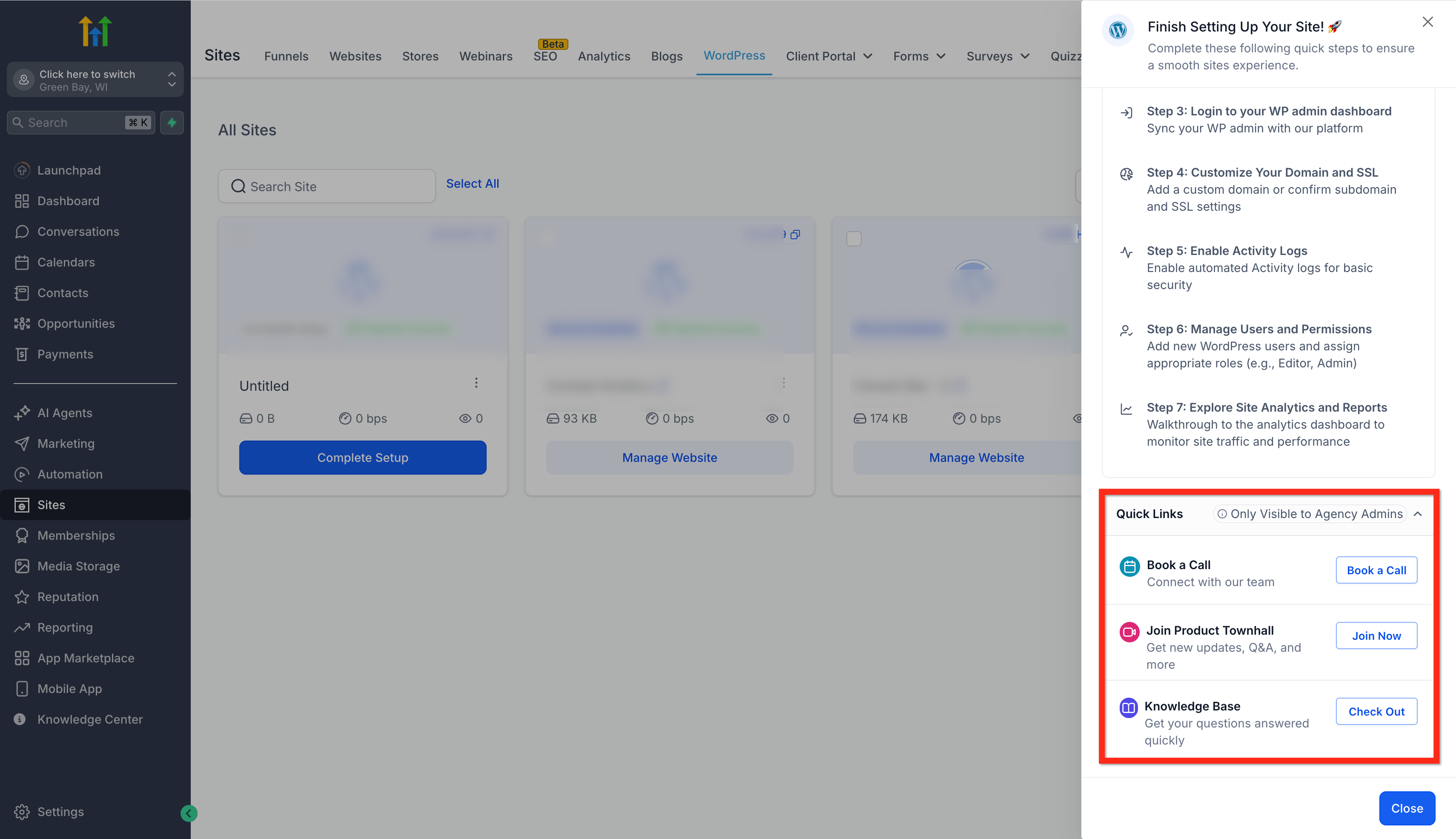
The quick links are embedded in the WordPress Setup Guide and appear only for users with the Agency Admin role. Each link opens a different support channel: a scheduling page for a live call, a portal to join the product townhall, or an in app view of the entire WordPress Knowledge Base. The links save time by keeping all resources inside the HighLevel interface.
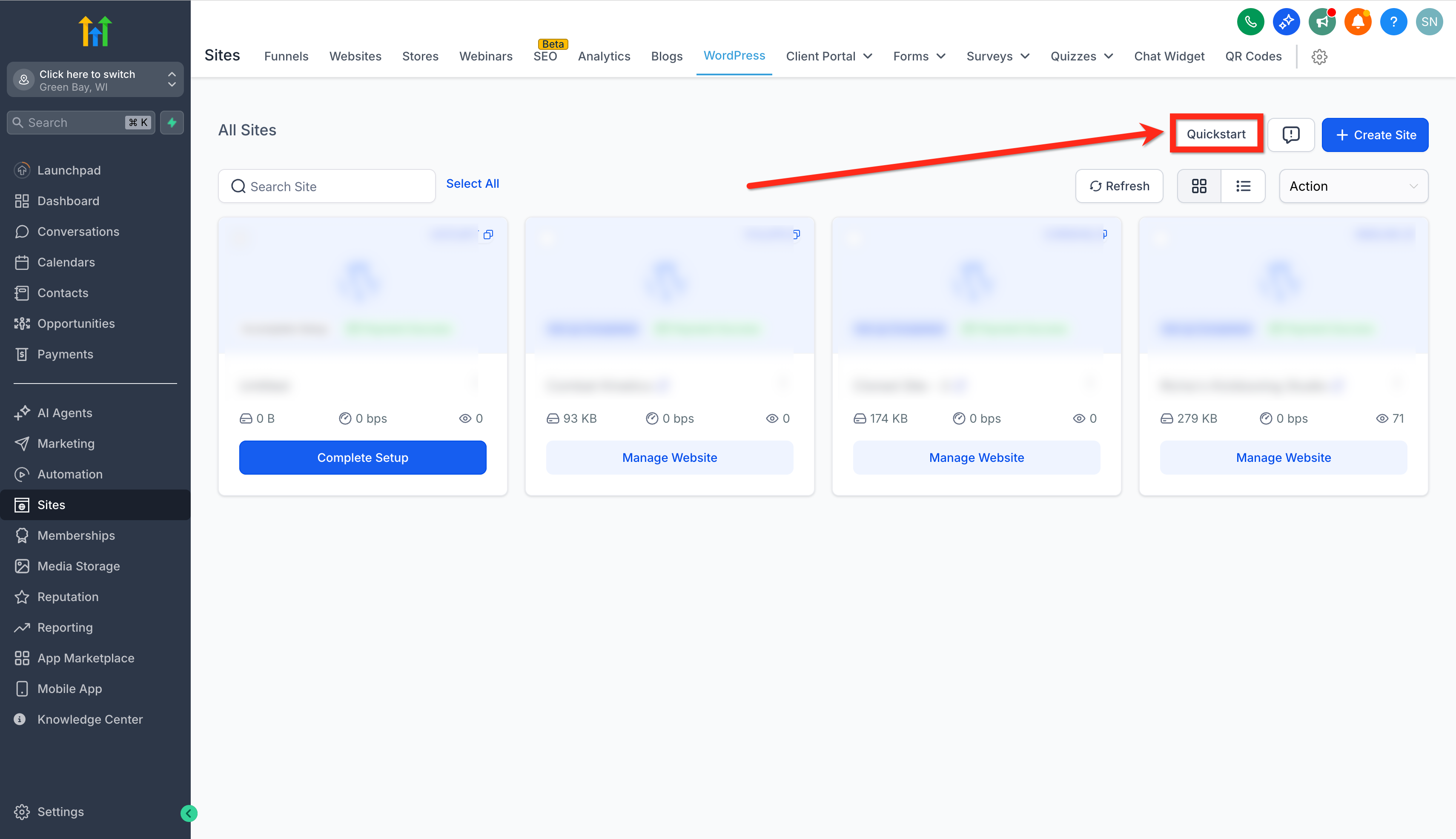
You find the shortcuts after opening the WordPress section of a subaccount, clicking the Quickstart button, and scrolling to the Quick Links area. Selecting a link launches the associated resource in a new window or modal, allowing you to stay within your workflow while you get assistance or information.
03How businesses use WordPress customer support upgrade
- Marketing agency. The agency admin clicks the Book a Call link to schedule a session with WordPress Customer Success, then follows the call agenda to resolve client site issues. The admin also joins the Product Townhall to hear upcoming feature releases that affect agency service offerings.
- Web development firm. A developer opens the WordPress Knowledge Base in app to search for a guide on plugin compatibility. The built in search returns relevant articles, so the developer can follow step by step instructions without opening a separate browser tab.
- SaaS consultancy. The consultancy’s Agency Admin selects the Join Product Townhall link to attend a live session, submit feedback on roadmap items, and capture notes directly in HighLevel for later client reports.
04Before you start
- You must be logged in as an Agency Admin.
- Your account must have access to the WordPress feature in HighLevel.
05How to set up and use WordPress customer support upgrade in HighLevel
Access the WordPress quick links
- Log in to your subaccount.
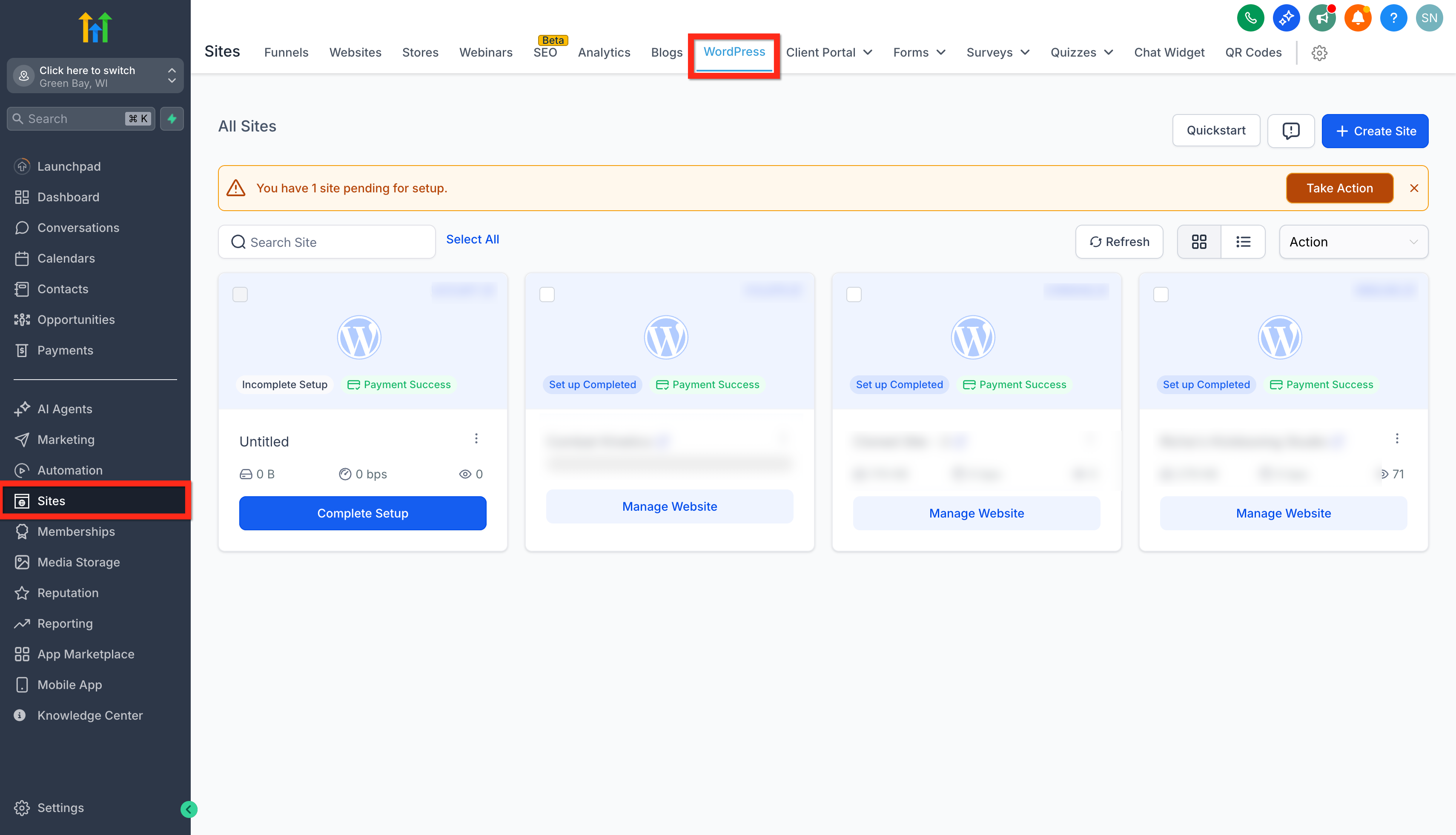
- Navigate to Sites > WordPress.
- Click the Quickstart button.
- Scroll down until the Quick Links section appears.
- Select Book a Call, Join Product Townhall, or WordPress Knowledge Base.
06What it looks like in HighLevel
07Things to know before you rely on it
- Quick Links are visible only to users with the Agency Admin role.
- Booking slots for the support call may not always be available; new slots are added across most time zones.
08If something goes wrong
- No available booking slots appear when selecting Book a Call.. Check back later as new time slots are added across most time zones; use the in app Knowledge Base for immediate guidance.
09How it connects to the rest of HighLevel
- Create and manage WordPress sites in HighLevel WordPress site setup guide
- Activate a WordPress hosting plan for your agency WordPress hosting activation
- Manage plugins and themes on WordPress sites from HighLevel Plugin and theme management
Michael's take

The WordPress customer support upgrade puts help right where you work, keeping it one click away for Agency Admins.
Make sure the Quick Links are visible to Agency Admins. Once they appear, the team can book a support call, join the next townhall, or pull up the KB without opening another browser.