
01Who this is for
- Ecommerce owners can increase checkout conversion by offering targeted discounts.
- Service based businesses can apply coupons to subscription plans to attract new clients.
- Event organizers can reuse coupons created in Payments for event registrations.
02Coupons, explained
Coupons are discount tools that you create in the Payments > Coupons section of HighLevel. They can reduce the total price of an order by a set percentage or a fixed amount, and you decide whether the discount applies to the whole cart or only to selected products.
When a coupon exists, a field appears on the checkout page for customers to enter the code; the discount is shown in the order summary and distributed proportionally across eligible items. Coupons work for one time purchases, recurring subscriptions, and many checkout types such as funnels, payment links, stores, calendars and services.
All coupon settings are managed under Payments > Coupons, where you define the code, type, limits, validity dates and, for subscriptions, how long the discount remains active.
03How businesses use coupons
- Online retail store. Create a fixed amount coupon for a specific product line, set a usage limit, and attach it to the store checkout. Shoppers enter the code at checkout to receive the discount on that product.
- Subscription based coaching service. Set up a percentage based coupon that applies for three billing cycles. In the coupon editor, choose “Multiple Months” and enter three as the duration. New clients who use the code get the reduced rate for the first three months.
- Event management company. Generate a coupon code with a start and end date that matches a promotional period. Restrict the coupon to the event ticket product. Attendees enter the code on the event registration page to receive the discount.
04The numbers and rules that matter
- Coupons can reduce cart value to $0 (per HighLevel's help center, checked November 2026).
- 100% discounts are supported by most providers except PayPal.
05How to set up and use coupons in HighLevel
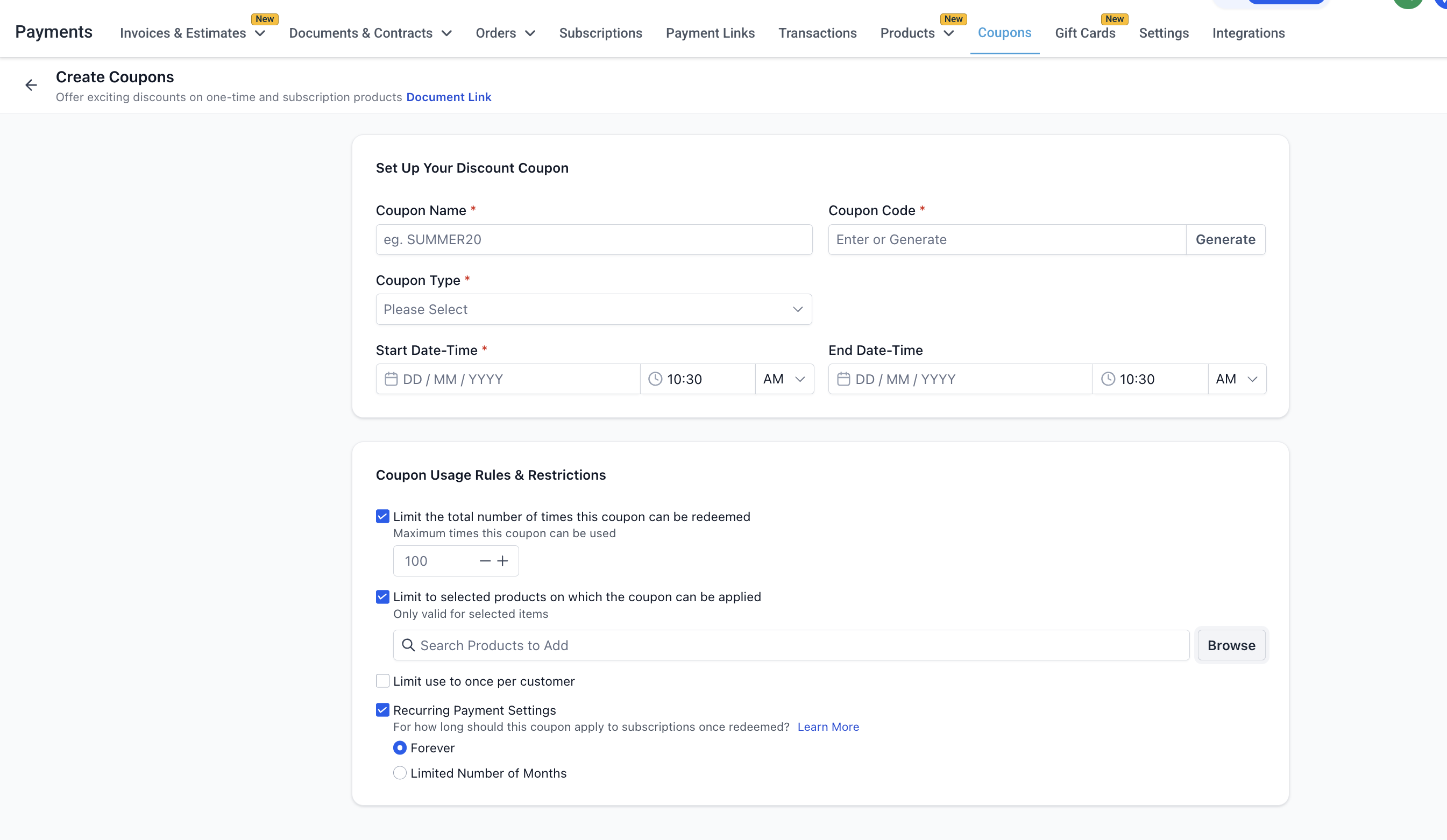
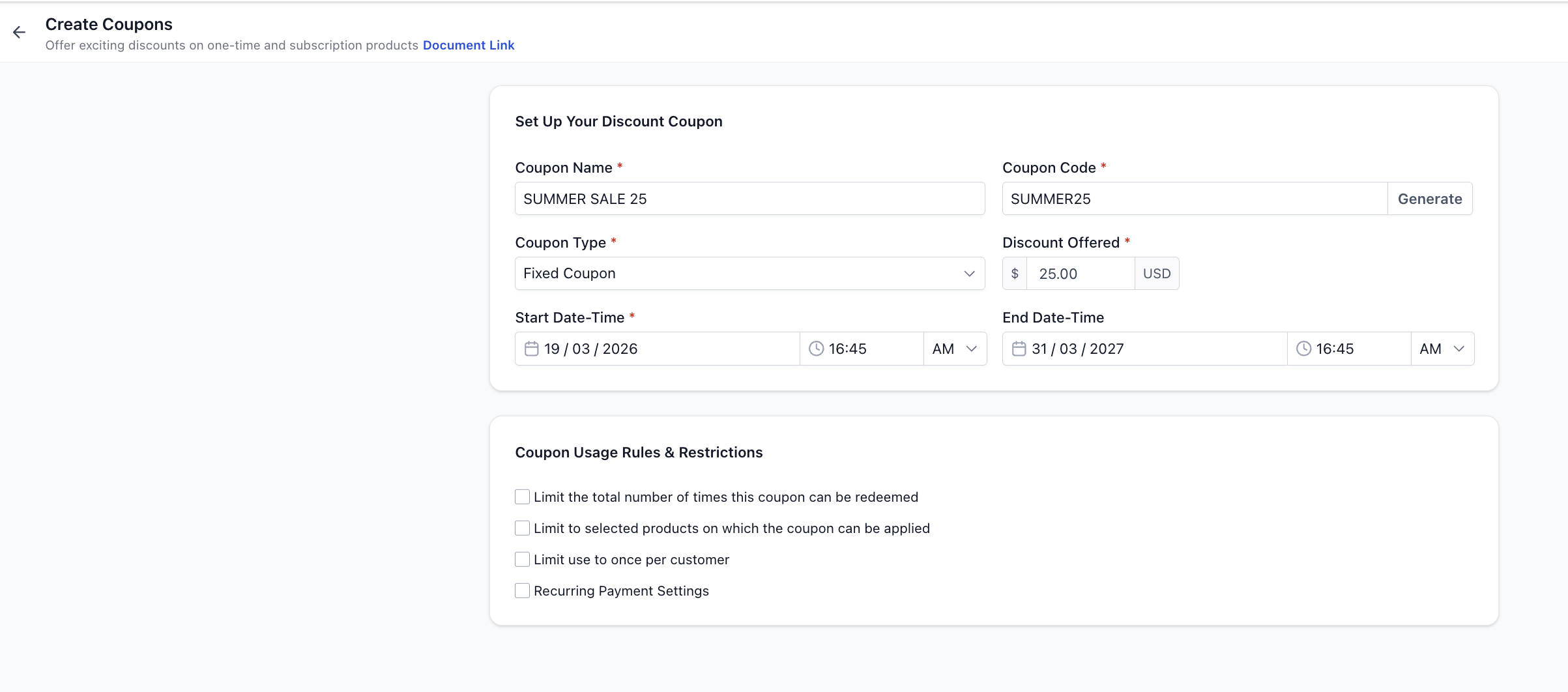
Create a coupon
- Open the Payments menu, select Coupons, and click **Create Coupon**.
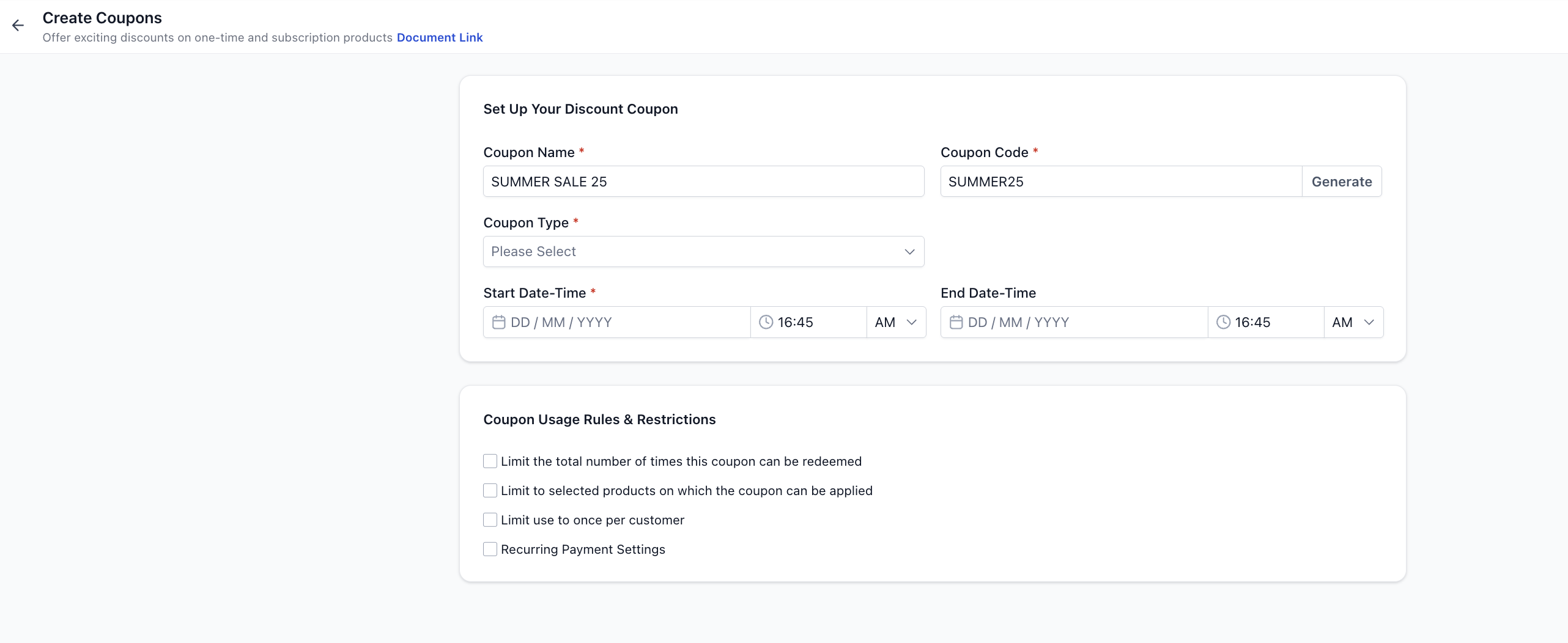
- Enter a **Coupon Name** for internal reference.
- Enter a **Coupon Code** that is alphanumeric, contains no spaces or special characters, and will be automatically converted to uppercase. You may also click **Generate** to auto create a code.
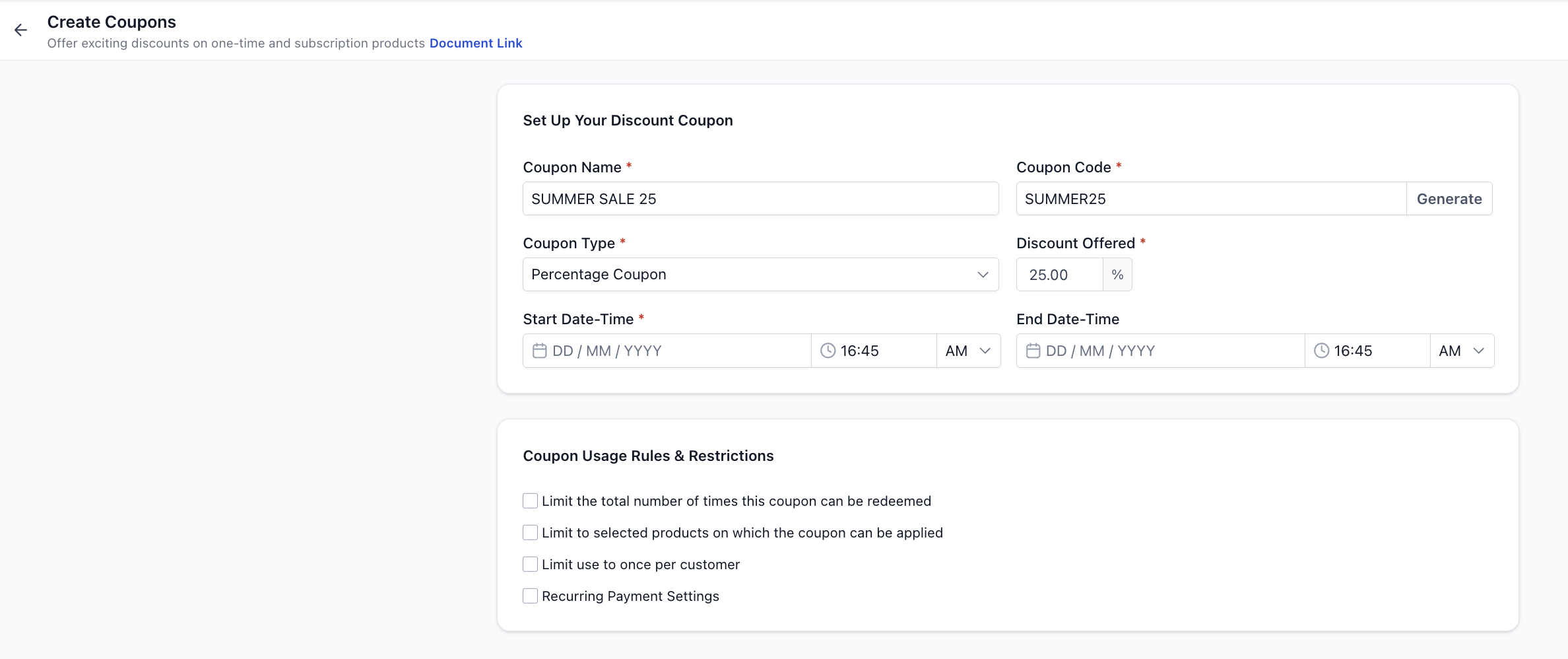
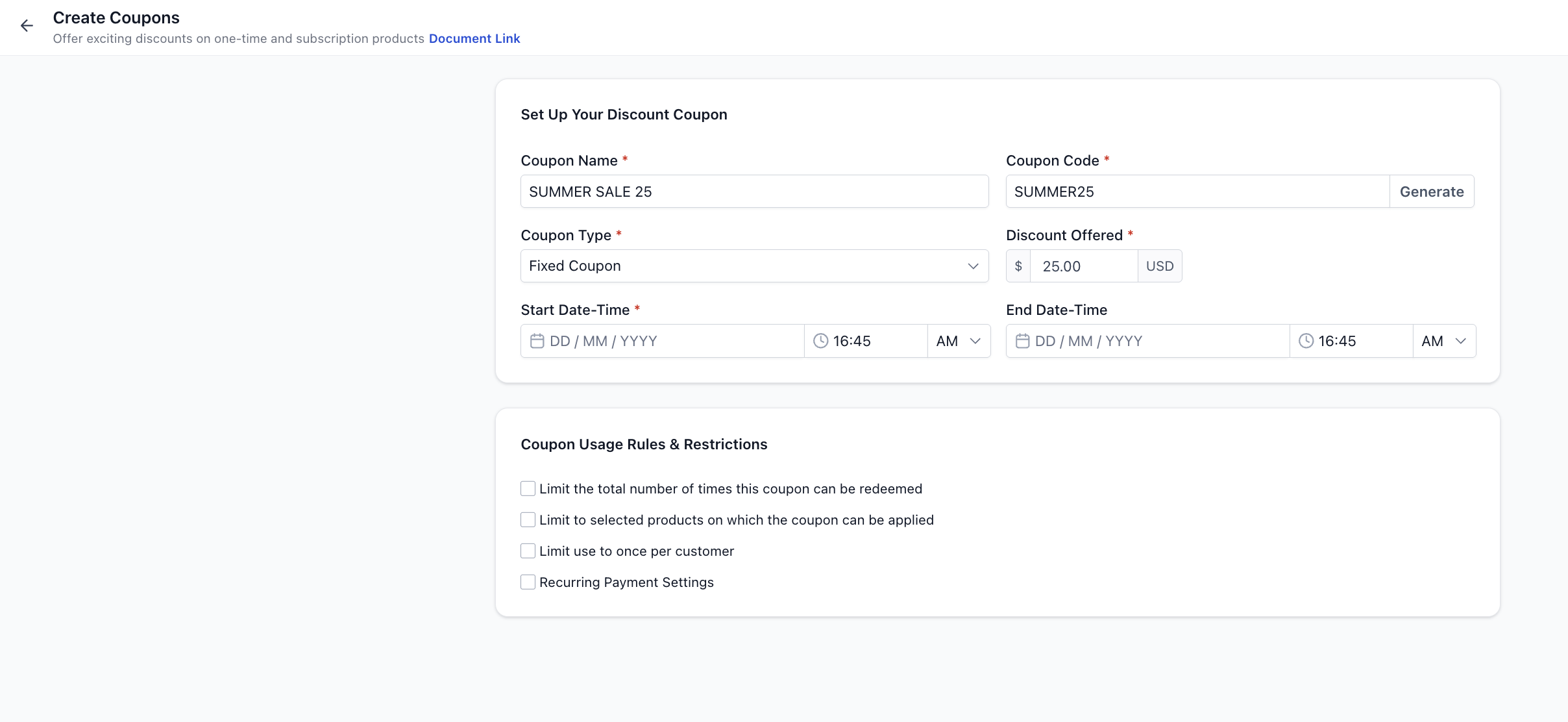
- Choose the **Coupon Type**: either Percentage Based or Fixed Amount.
- Note that the **Coupon Currency** is automatically set to the subaccount currency and cannot be edited.
- Optionally set a **Start Date & Time** and an **End Date & Time**. If no end date is set, the coupon remains active indefinitely.
- Add usage restrictions as needed: limit total redemptions, restrict to selected products (or specific prices/variants), and/or limit to one use per customer.
- If the coupon applies to a subscription, decide whether the discount applies **Forever** or for a **Multiple Months** duration. The choice applies regardless of billing frequency.
- Click **Create** to save the coupon. It becomes active immediately or according to the schedule you defined.
06What it looks like in HighLevel

07Settings that matter
- Coupon Name. Provides an internal label for the coupon within HighLevel.
- Coupon Code. Defines the string customers type at checkout; must be alphanumeric, contain no spaces or special characters, and is case insensitive.
- Coupon Type. Selects between a percentage discount or a fixed amount discount.
- Coupon Currency. Sets the currency for the discount; it matches the subaccount currency and cannot be edited.
- Start Date & Time. Specifies when the coupon becomes active.
- End Date & Time. Specifies when the coupon expires; leaving it blank keeps the coupon active forever.
- Limit Total Redemptions. Caps the total number of times the coupon can be used across all customers.
- Limit to Selected Products. Restricts the coupon to particular products, prices or variants.
- Limit to One Use per Customer. Prevents a single customer from applying the same coupon more than once.
- Apply to Future Payments. For subscription coupons, determines whether the discount applies forever or for a defined number of billing cycles.
08Things to know before you rely on it
- Coupons do not work on Estimates or Invoices.
- PayPal does not support subscription coupons with a fixed month duration or 100 % discount coupons that reduce the order to $0 (per HighLevel's help center, checked November 2026).
- One click upsell offers in funnels cannot receive coupon discounts.
- Even if a coupon reduces the cart to $0, card details may still be required for verification unless the checkout builder disables that requirement (per HighLevel's help center, checked November 2026).
- Coupon codes must be unique, alphanumeric, contain no spaces or special characters, and are converted to uppercase automatically.
09How it connects to the rest of HighLevel
- Explore all Payments features All Payments features
- Check pricing and plan options HighLevel pricing
Michael's take

Coupons are a straightforward way to boost sales with discount codes.
If you never run promotions or need to control pricing, you can skip this feature.