
01Who this is for
- Agency owners who manage multiple client subaccounts need early alerts to keep their shared sending reputation safe.
- Email marketers who run large campaigns rely on the warnings to adjust volume before deliverability drops.
02ESP block monitoring and progressive email enforcement, explained
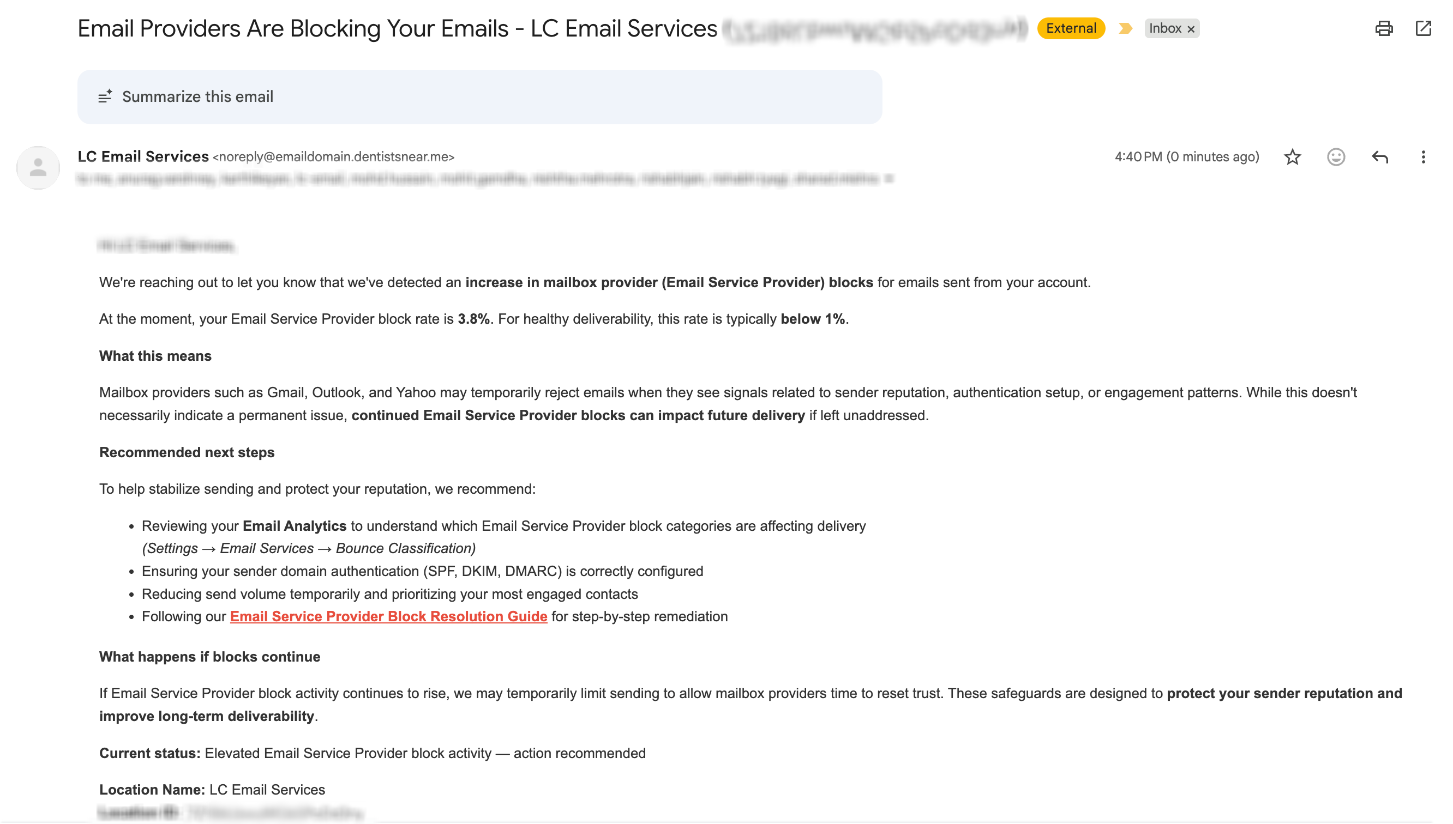
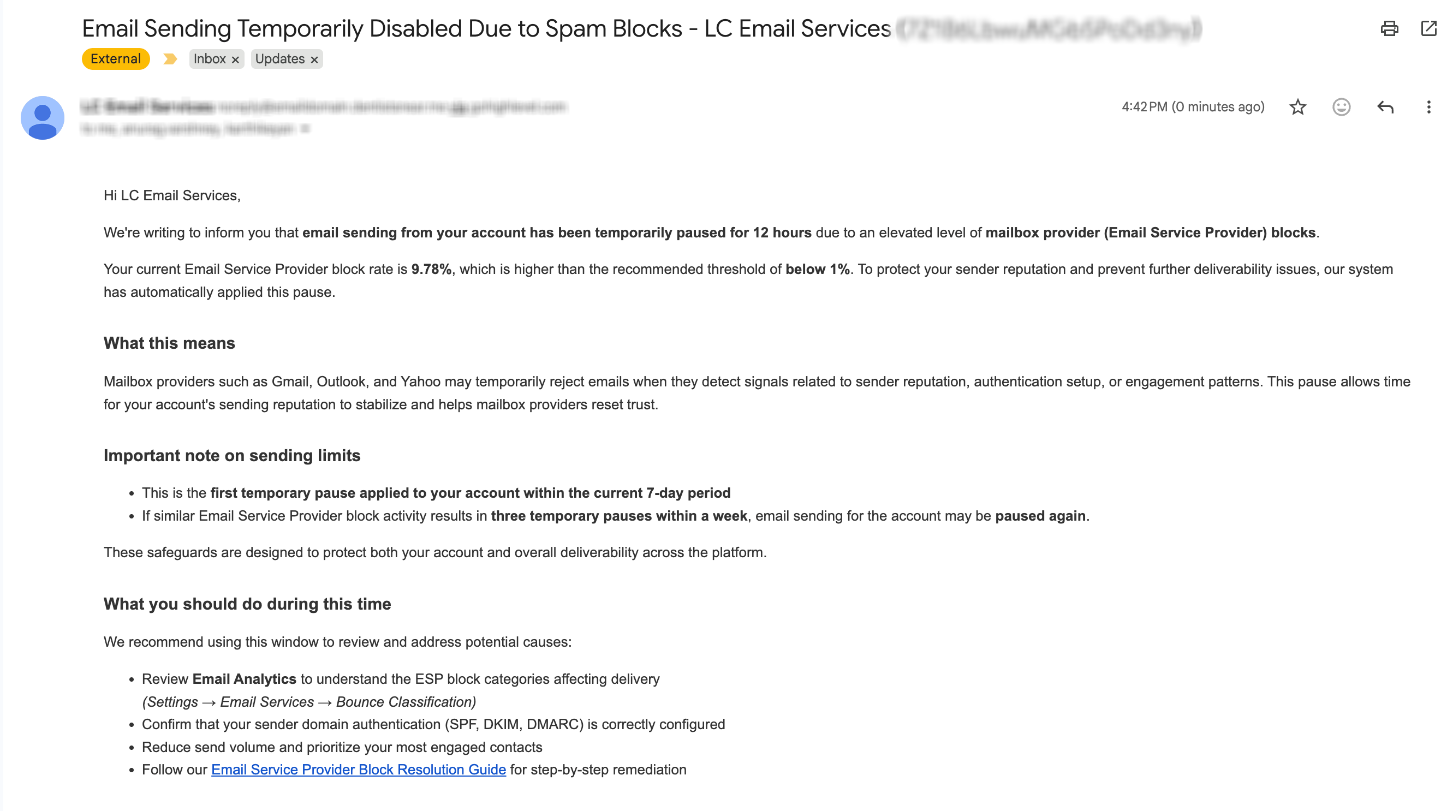
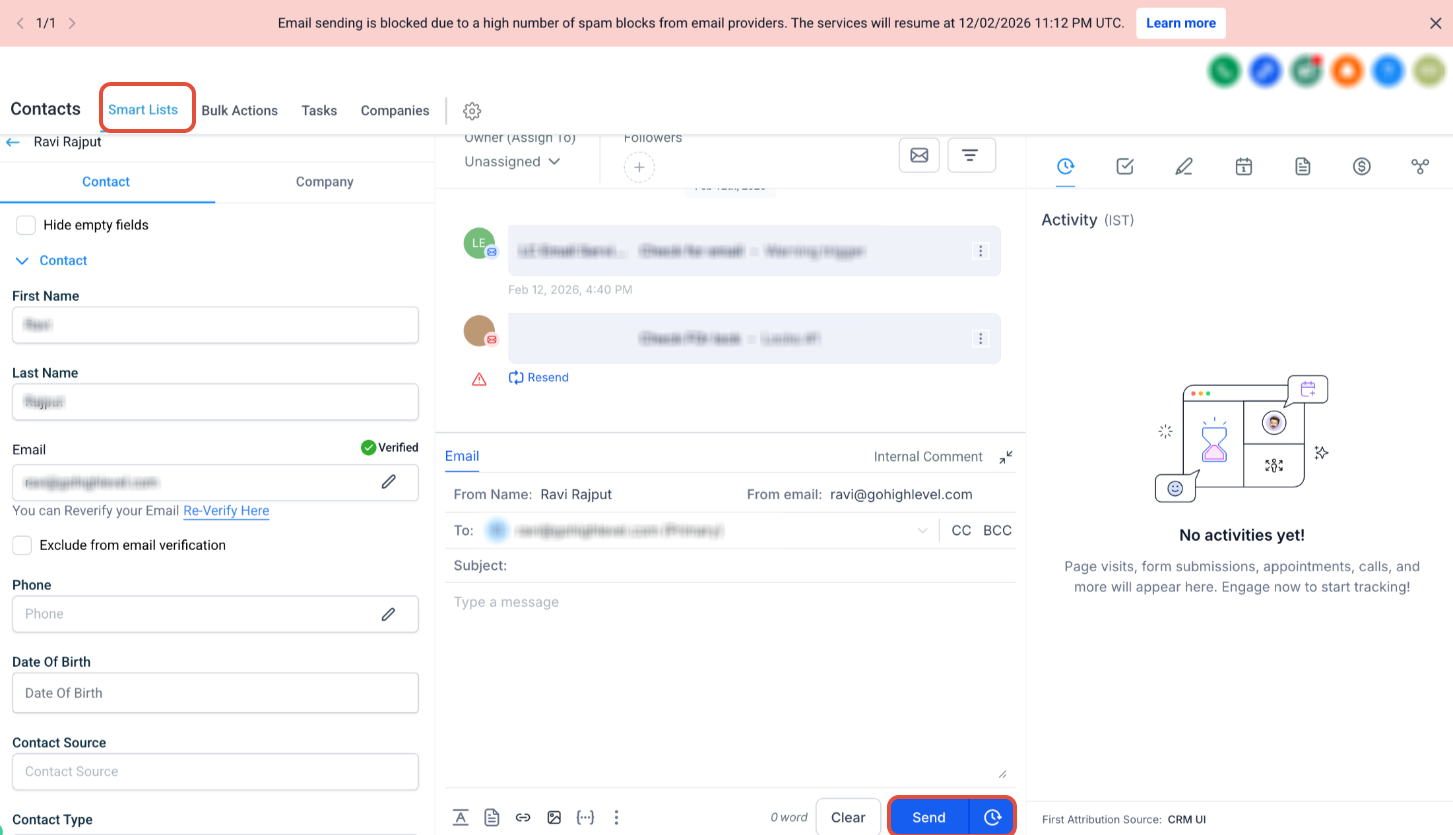
The feature continuously reviews block activity from providers such as Gmail, Outlook and Yahoo at the subaccount level. When blocks exceed a healthy threshold, the platform sends a warning email that includes the current block rate, the recommended threshold and next step guidance. If blocks continue, the system automatically pauses email sending for a defined period, first for 12 hours, then for 24 hours if the issue repeats. An in app banner appears describing the pause and expected resume time. Repeated suspensions can lead to a future permanent suspension of sending for that subaccount. All of this runs without any manual configuration.
03How businesses use ESP block monitoring and progressive email enforcement
- Digital marketing agency. The agency monitors the warning email and the in app banner for each client subaccount, pauses non essential campaigns, checks authentication records and cleans contact lists during the suspension window before resuming sends.
- Ecommerce store. When a warning appears, the store reduces its promotional send volume, verifies SPF/DKIM/DMARC settings, and removes inactive customers to bring block rates back within limits before the 12 hour pause lifts.
- Non profit organization. The organization reviews the warning details, focuses on sending to engaged donors, and uses the 24 hour pause period to audit email content and update lists, ensuring future sends are accepted.
04The numbers and rules that matter
- The first temporary suspension may be for 12 hours.
- A repeated suspension may be for 24 hours.
05How to set up and use ESP block monitoring and progressive email enforcement in HighLevel
ESP block enforcement process
- The platform monitors ESP block activity and sends a warning email when thresholds are exceeded.
- A suspension notification email is also sent at this stage.
- If blocks keep rising, email sending is paused for 12 hours.
- An in app banner appears showing the pause reason and expected resume time.
- If blocks reoccur after the first pause, sending is paused for 24 hours.
- Repeated suspensions may trigger a permanent suspension of email sending for the subaccount.
06What it looks like in HighLevel
07Things to know before you rely on it
- Enforcement moves from warning email to a 12 hour pause, then a 24 hour pause, and potentially a permanent suspension.
- The feature is automatically enabled for every subaccount; no manual setup is required.
- Permanent suspension is described as a future enforcement phase.
08How it connects to the rest of HighLevel
- Managing bounces, complaints and opens helps keep block rates low Email health guide
- Setting up a dedicated sending domain improves authentication Dedicated domain guide
- Learn about built in sending limits and upgrades LC Email overview
Michael's take

Skipping the warning stage can quickly damage your sender reputation. The platform’s progressive enforcement gives you a buffer to fix issues before they turn into longer pauses or permanent blocks.
When the system flags a rise in ESP blocks, I would focus on cleaning the list, confirming SPF/DKIM/DMARC, and scaling send volume back down. Those actions let you ride out the pause and keep your inbox placement strong.