
01Who this is for
- Founders who track online reputation and need a systematic way to answer legacy reviews without manual effort.
- Small business owners with multiple review sources who want to limit daily AI generated replies to stay within budget.
- Marketing managers overseeing brand voice who require consistent agent tones for historical feedback.
02Reviews AI drip mode, explained
Reviews AI Drip Mode creates a campaign that processes historical reviews lacking a response. The campaign selects reviews based on a configured date range and the unreplied status, then uses chosen Reviews AI Agents to generate replies.
The campaign follows rules for frequency, maximum replies per day and a publishing time window that aligns with local business hours. When the daily limit is reached, remaining eligible reviews stay pending until the next window.
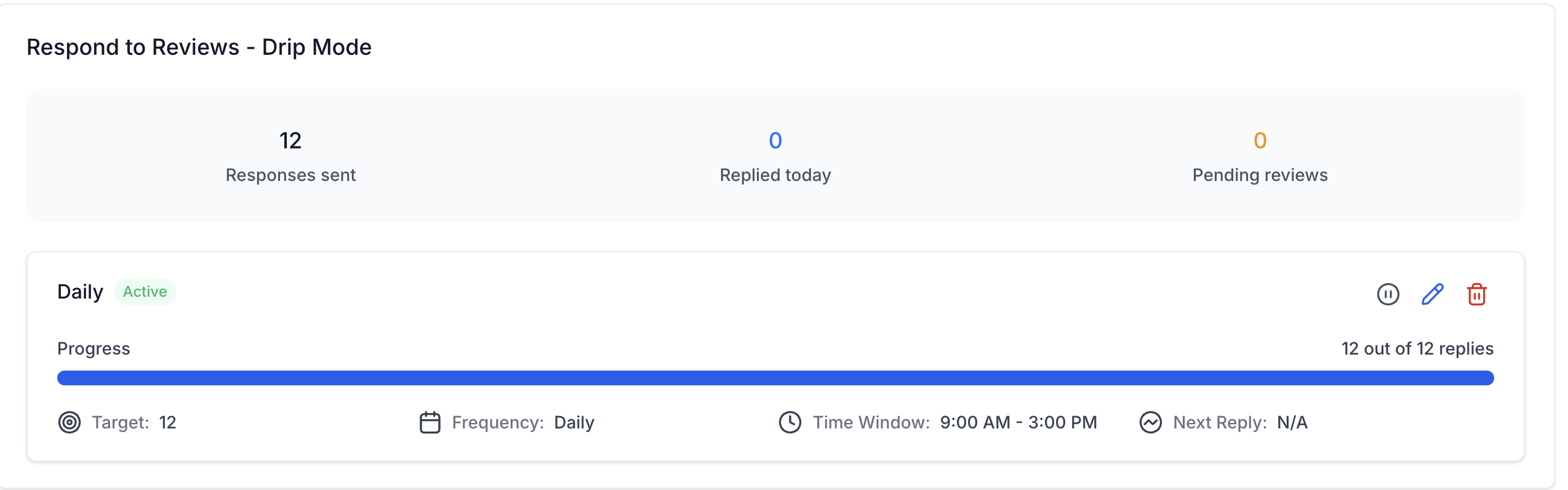
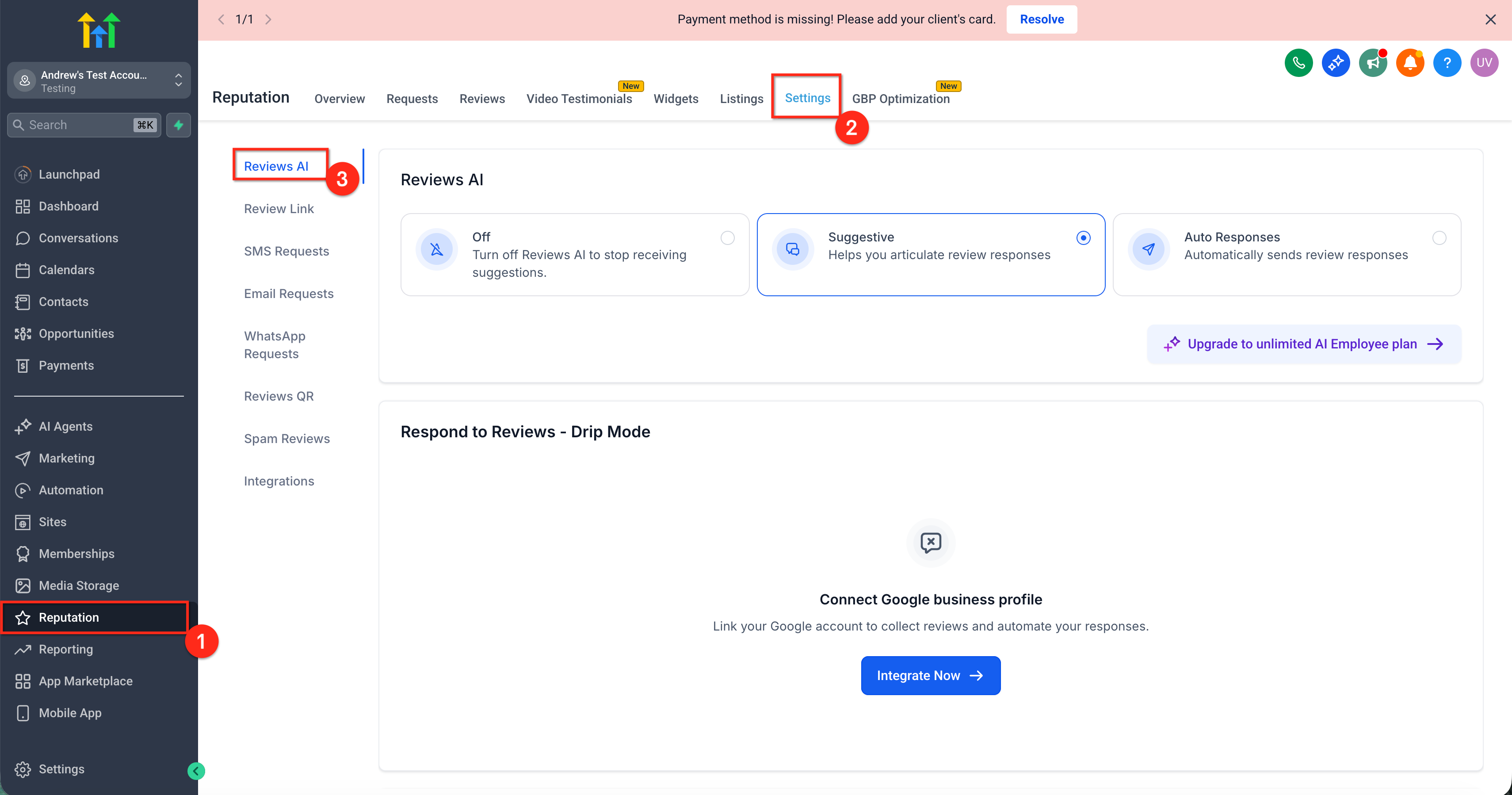
The feature lives under Reputation > Settings > Reviews AI, in the Respond to Reviews, Drip Mode section. From the dashboard you can view sent replies, pending reviews, progress and control the campaign with pause, edit or delete actions.
03How businesses use Reviews AI Drip Mode
- Dental practice. The practice creates a Drip Mode campaign targeting old patient reviews on Google. It sets a low daily reply limit and selects an empathetic AI agent to maintain a caring tone. The dashboard shows pending reviews, allowing the team to monitor progress.
- Restaurant franchise. The franchise configures a campaign that covers reviews from the past six months on both Google and Facebook. It defines a time window during lunch hours and assigns a brand consistent AI agent. Adjustments are made via the Edit control as new feedback patterns emerge.
- Home services company. The company pauses its Drip Mode campaign before a major tone update for the AI agent. After updating the agent’s tone, it resumes the campaign to continue replying to older reviews while new review automation runs separately.
04The numbers and rules that matter
- Replies per day limits the number of replies sent in one day.
05Before you start
- A review source must be connected to the subaccount.
- At least one Reviews AI Agent must be configured.
- Reviews AI must be enabled and not set to Off for the subaccount.
- The account should contain older unreplied reviews.
- Permissions: If agent management options are missing, ask an administrator to enable the Manage Reviews AI Agents permission for your role.
06How to set up and use Reviews AI Drip Mode in HighLevel
Set up a Drip Mode campaign
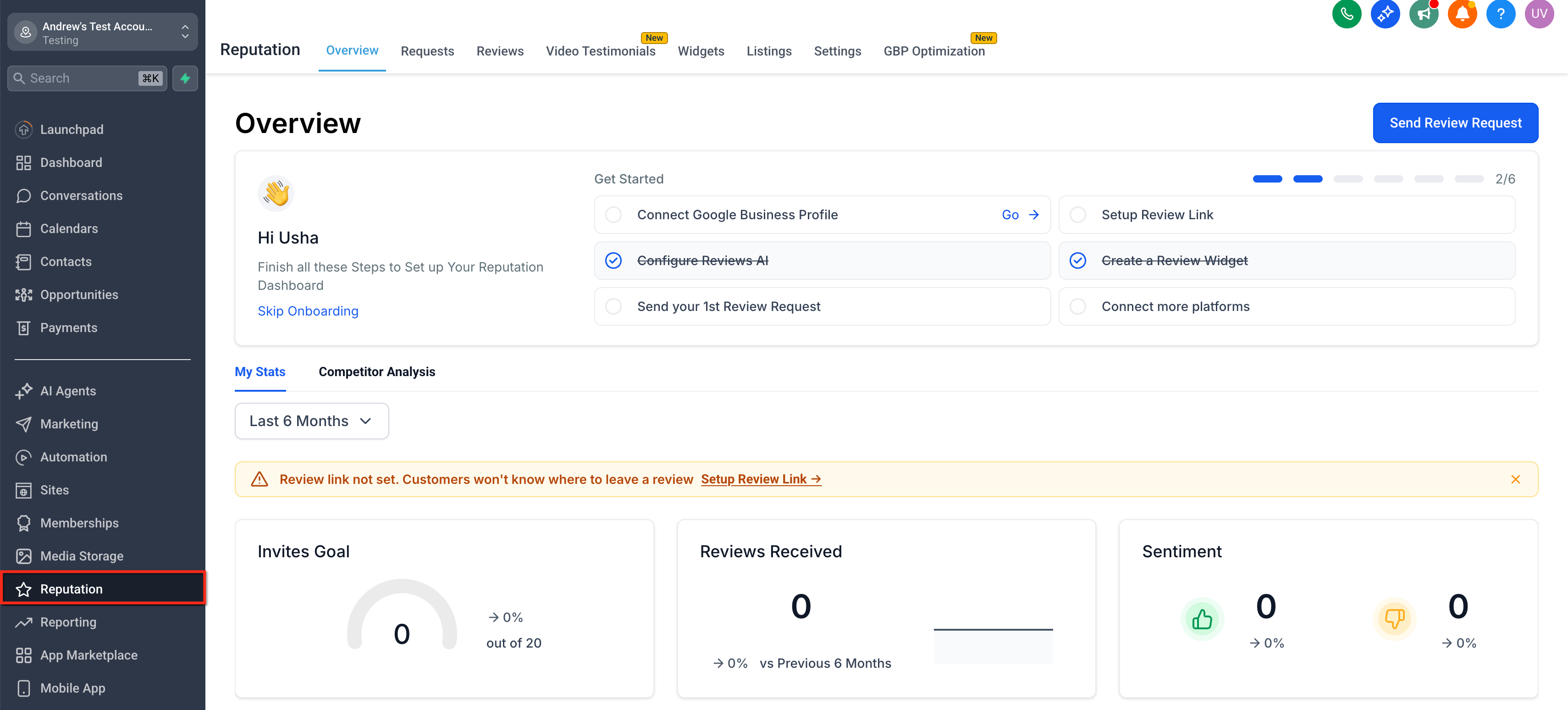
- Go to Reputation in the subaccount.
- Select Settings > Reviews AI.
- Verify that Reviews AI is enabled.
- If a prompt appears, click Integrate Now and link the required review source.
- Locate the Respond to Reviews, Drip Mode section.
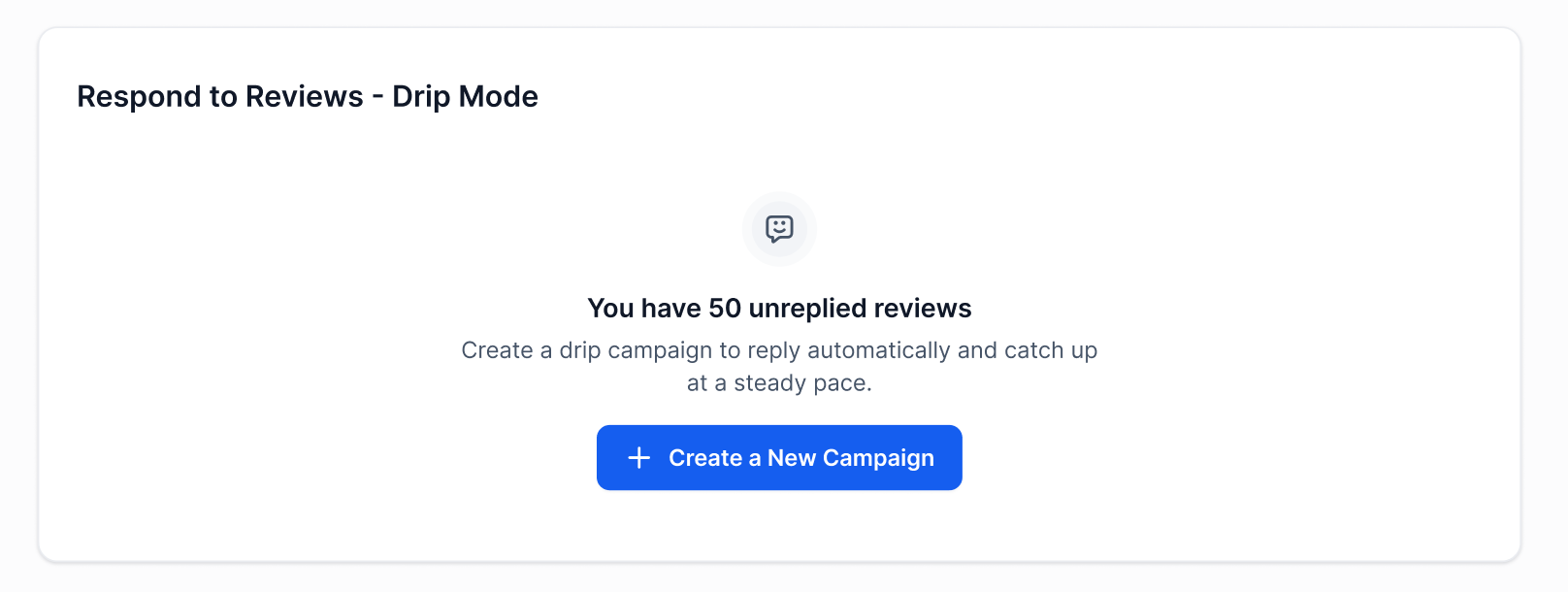
- Click Create a New Campaign.
- Enter a descriptive campaign name, for example Older Google Reviews Daily.
- Set the desired review date range.
- Open the Frequency & Timing configuration area.
- Select the campaign frequency.
- Set the number of replies per day.
- Optionally choose a publishing time window.
- Under Select AI Agent(s), pick one or more Reviews AI Agents.
- Review each chosen agent’s platform, review type and tone.
- Check the campaign settings and the count of eligible reviews.
- Click Create Campaign or Start to activate the campaign.
Edit an existing campaign
- Open the Respond to Reviews, Drip Mode dashboard from Reputation > Settings > Reviews AI.
- Locate the campaign you want to change.
- Click the Edit control for that campaign.
- Make the desired changes and click Update Campaign to save them.
Pause or delete a campaign
- From the Drip Mode dashboard, click the Pause control to stop future replies while keeping all settings.
- To remove a campaign, click the Delete control. This cancels pending replies but leaves any already published replies intact.
07What it looks like in HighLevel
08Settings that matter
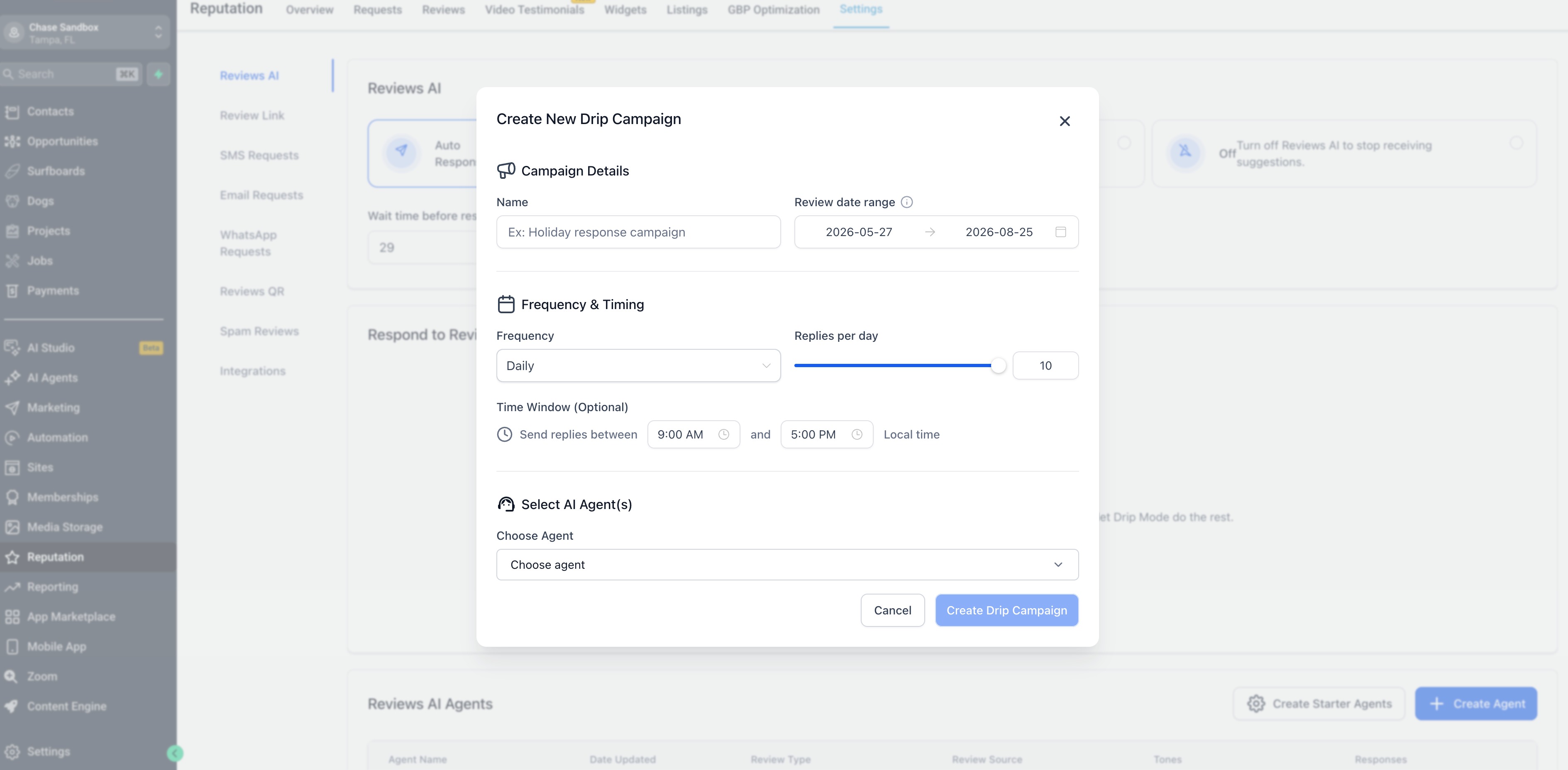
- Date Range. Defines the start and end dates for reviews that can be included in the campaign.
- Frequency. Determines how often the campaign runs its processing cycle.
- Replies per day. Sets the maximum number of AI generated replies that can be published in a single day.
- Time window. Restricts when replies are published to specific hours in the local time zone.
- Select AI Agent(s). Chooses which configured Reviews AI Agents will generate the responses for the campaign.
09Things to know before you rely on it
- Drip Mode only processes older reviews that are still unreplied.
- Edits affect only future replies; already sent replies remain unchanged.
- Pausing stops future replies but keeps all campaign settings intact.
- Deleting a campaign removes pending replies but does not delete replies that were already published.
- If a review is deleted from Google or Facebook during an active campaign, HighLevel does not retry it or create additional billable AI responses.
- Available review sources depend on the integrations connected to the subaccount.
10How it connects to the rest of HighLevel
- Explore all AI Employee features All AI Employee features
- Manage AI usage limits and extra usage settings AI limits
- Start a 30 day HighLevel trial 30 day trial
Michael's take

Drip Mode helps process older reviews while maintaining brand voice, letting you focus on current customers.