
01Who this is for
- Marketers can quickly generate on brand email drafts without starting from a blank page.
- Businesses can run subject line experiments to improve open rates for product or service promotions.
02Email campaign agent, explained
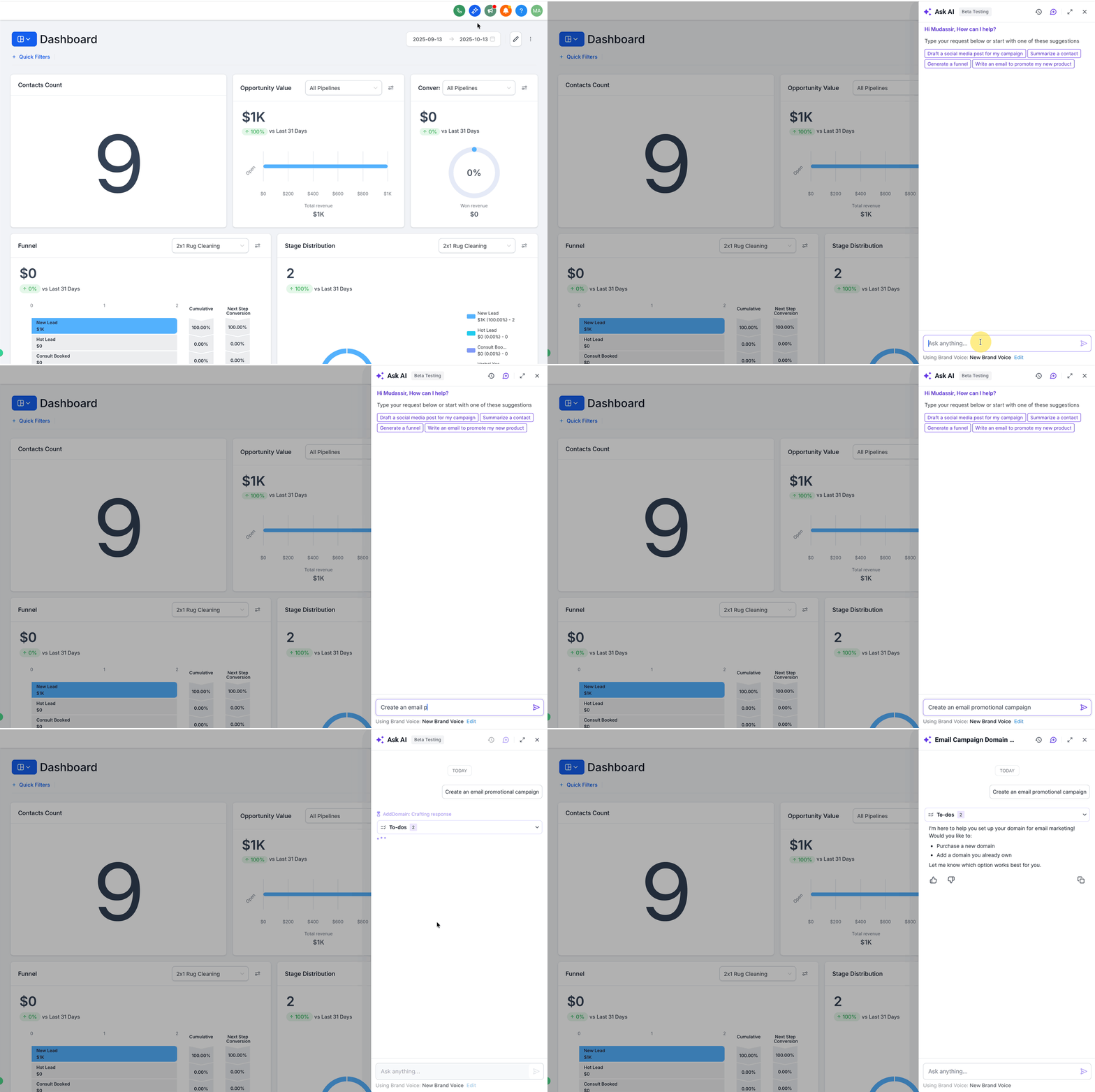
Email Campaign Agent is accessed by prompting Ask AI with a request such as “Create an email campaign.” The AI then opens a guided builder inside the Campaign Builder. It gathers a brief, generates the email body, suggests subject line variations and helps set up a dedicated sending domain.
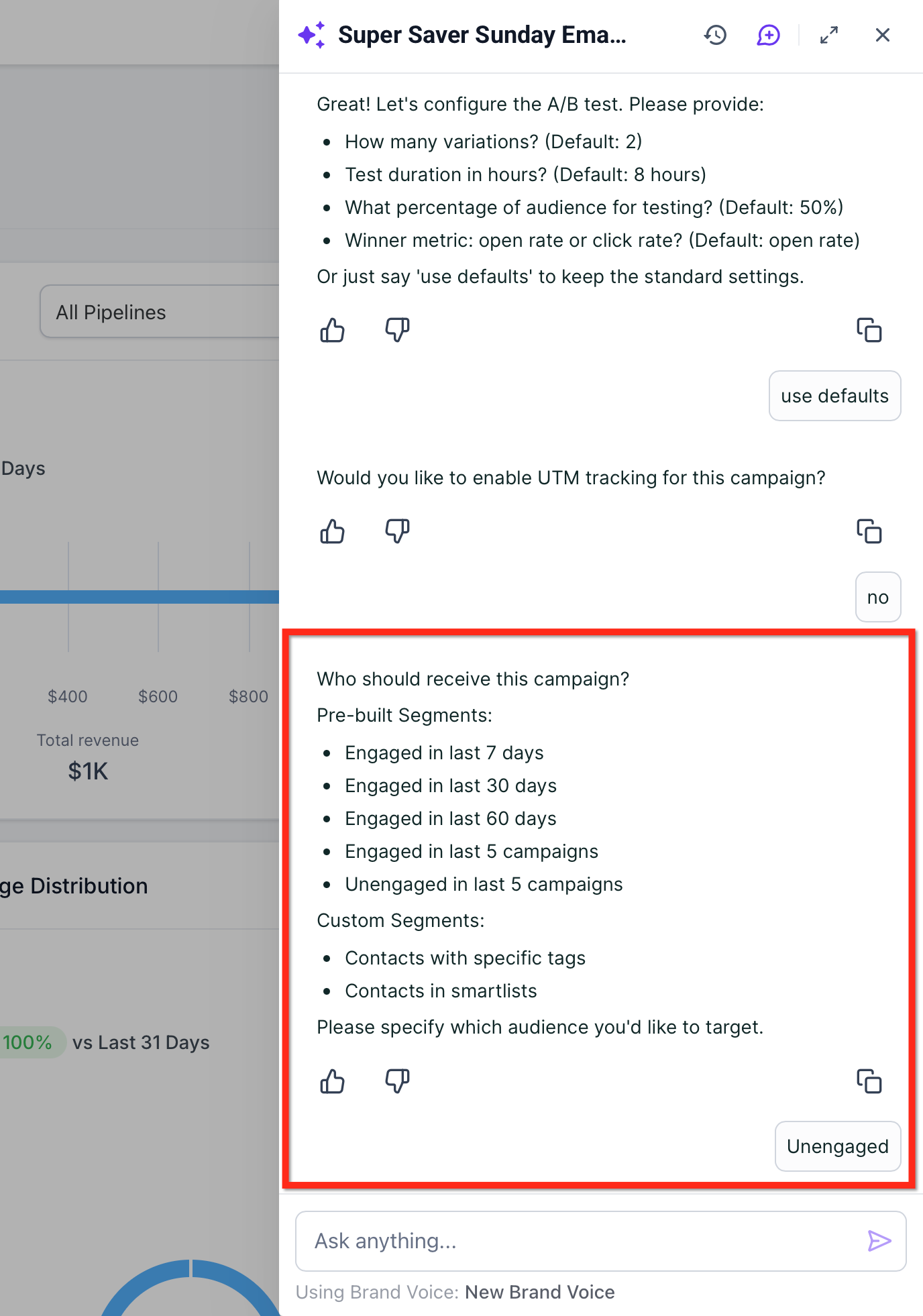
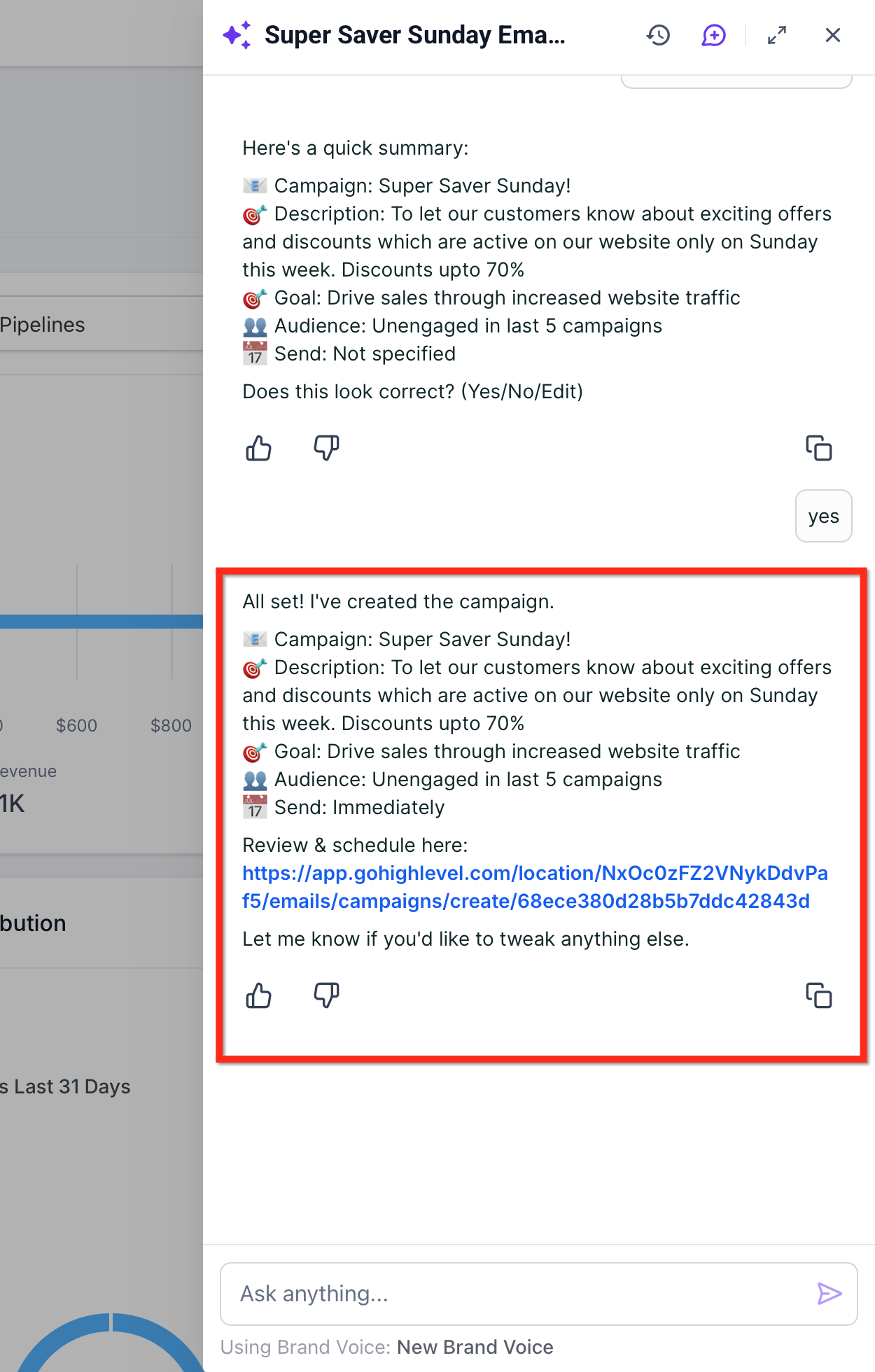
The flow lets you enable subject line A/B testing, choose up to six variations, set a sample size and pick a winning metric. Audience selection can use Segments, Pre Built Segments, Smart Lists or tags. When you confirm, the agent creates the campaign and opens it for final review and scheduling.
All results appear in the All in One Email Dashboard under Marketing > Emails > Statistics, where you can track opens, clicks and delivery metrics.
03How businesses use the email campaign agent
- Product promotion. Ask AI drafts a promotional email, you enable subject line testing, select a Smart List of recent buyers and schedule the send.
- Onboarding series. Ask AI creates an onboarding email, you link your Brand Voice for consistent tone, target a Segment of new trial users and launch the campaign.
- Monthly newsletter. Ask AI generates the newsletter content, you verify a dedicated sending domain, choose a Pre Built Segment of engaged contacts and send the email after reviewing the summary.
04The numbers and rules that matter
- Test up to 6 subject line variations.
- Minimum 10 contacts per variation.
- Minimum 40 contacts total for A/B test.
- Supported delivery methods: Send Now, Schedule, Batch Schedule, RSS Schedule.
05How to set up and use the email campaign agent in HighLevel
Set up Email Campaign Agent
- Open Ask AI and enter a prompt such as “Create an email campaign” to start the guided flow.
- Review the dedicated sending domain check and either follow the guided setup now or skip it for later.
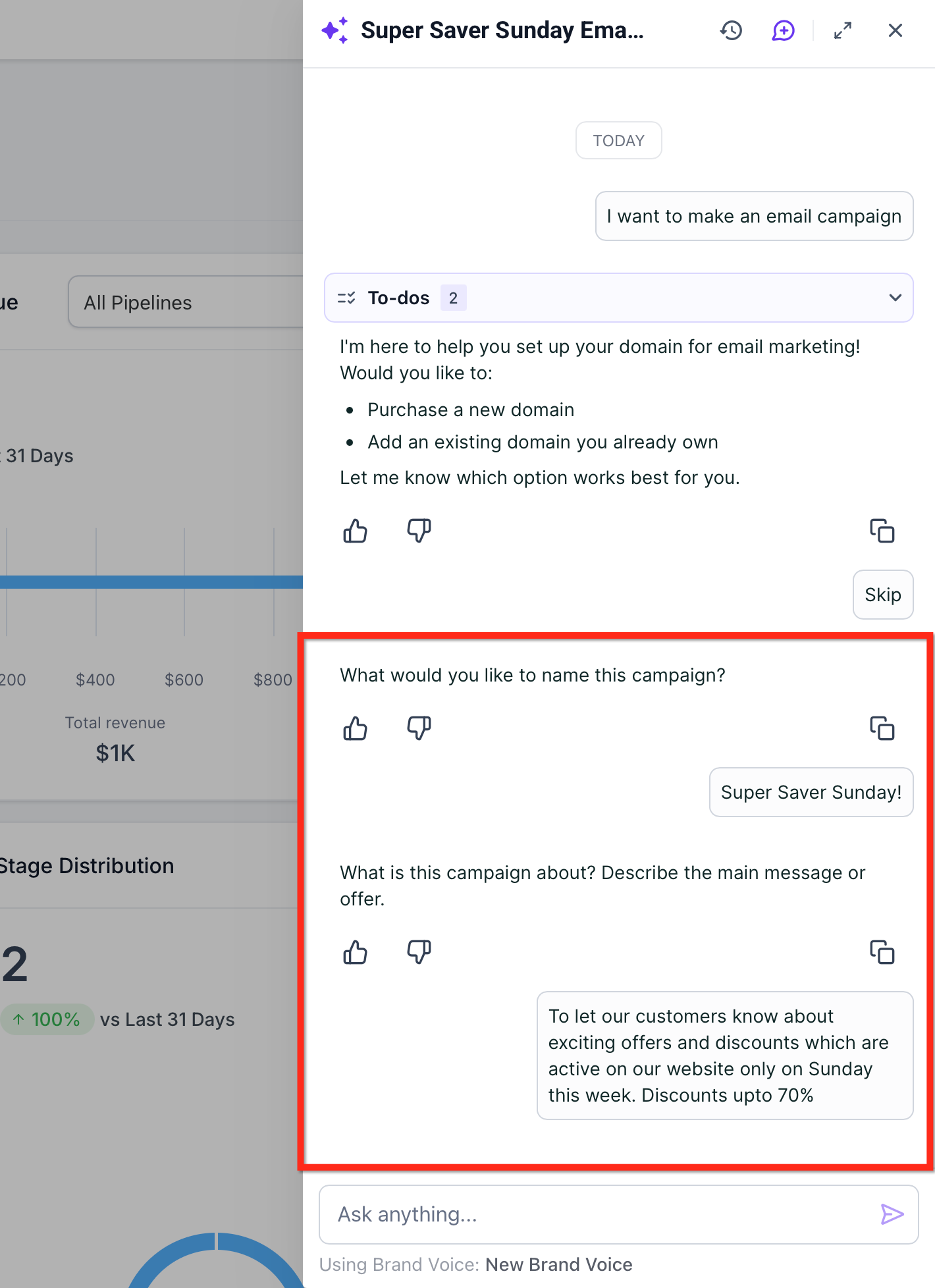
- Provide the campaign name, offer or topic, audience intent and desired tone when Ask AI asks.
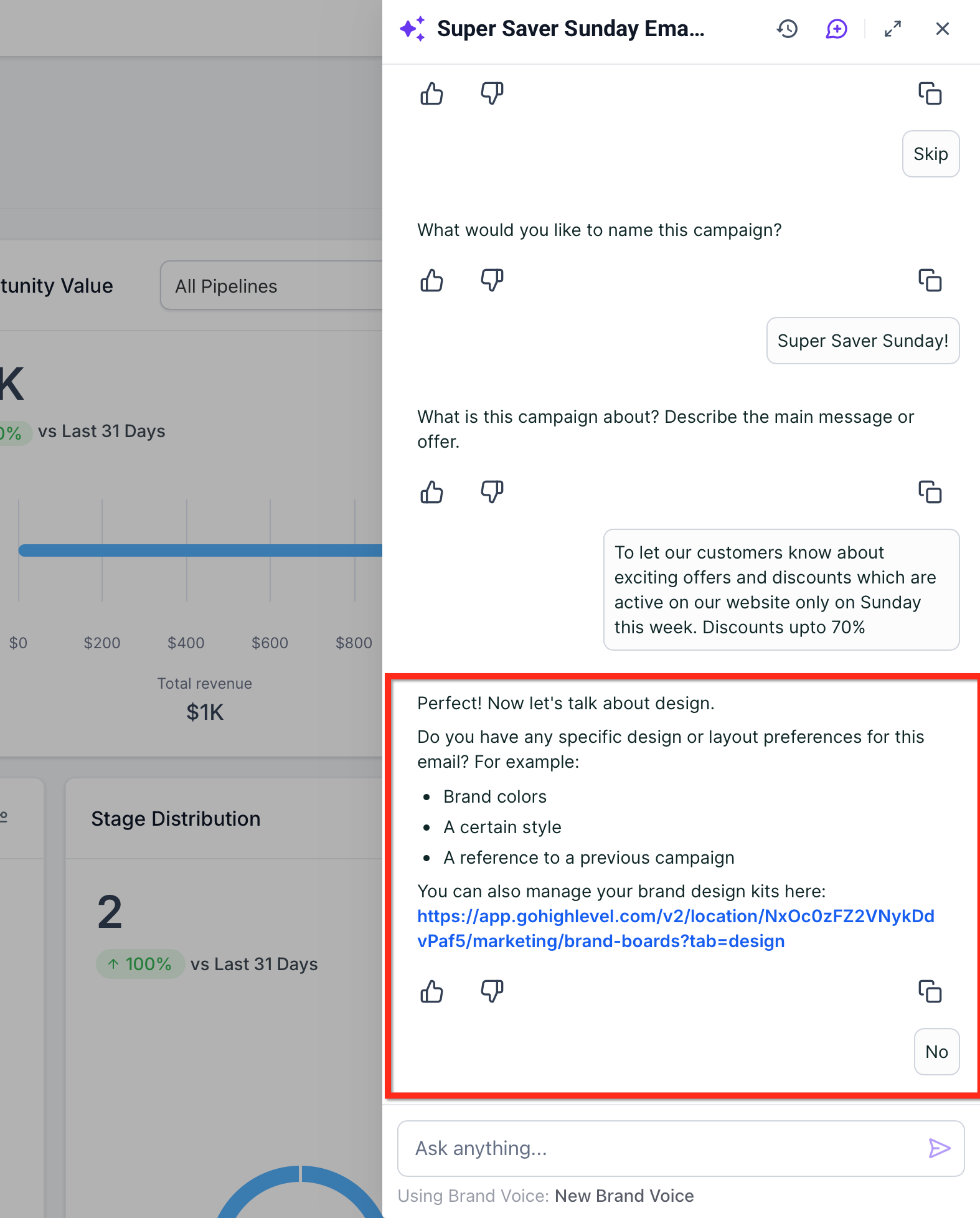
- Optionally link your Brand Board or Brand Voice so the generated copy matches your styling.
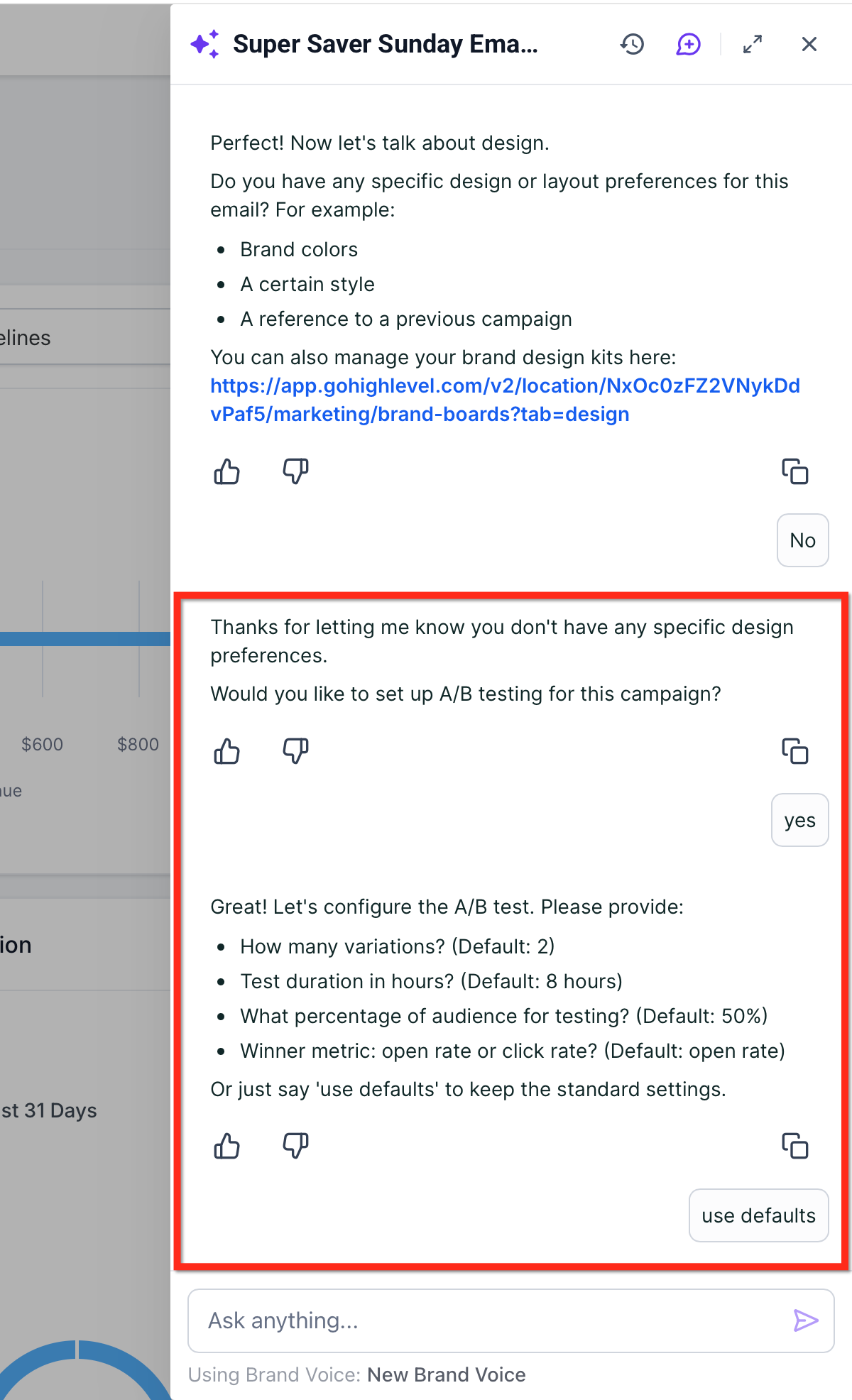
- Turn on Subject Line Test, select up to six variations, define sample size (minimum 10 contacts per variation, 40 contacts total), duration and winning metric or accept the default settings.
- Pick the audience by selecting a Pre Built Segment, a Tag, a Smart List or a dynamic Segment.
- Examine the summary card presented by Ask AI and confirm with Yes or edit if needed.
- Click Launch Campaign and later monitor engagement in the email dashboards.
06What it looks like in HighLevel
07Settings that matter
- Subject Line Test. Controls whether an A/B test of subject lines is performed for the campaign.
- Default settings. Applies preset values for the number of variations, sample size, duration and winning metric in a subject line test.
- Default Headers. Provides fallback DMARC alignment headers when configuring a dedicated sending domain.
08Things to know before you rely on it
- You can test up to six subject line variations.
- Each variation requires at least ten contacts and the test needs a minimum of forty contacts overall.
- A/B testing works only with Send Now and Schedule delivery methods; it is not available for Batch or RSS schedules.
- The feature is currently in Beta.
09How it connects to the rest of HighLevel
- All AI Employee features AI Employee features
- Manage AI limits and extra usage AI usage limits
- HighLevel pricing and plans Pricing
Michael's take

Email Campaign Agent feels like a small convenience that can cut the grunt work of drafting emails and testing subject lines. For a business that sends regular newsletters or product updates, it removes the back and forth with copywriters and makes experiments faster.
A boutique ecommerce shop that wants to announce a new collection would fit well. The owner could prompt Ask AI, get on brand copy, set up a few subject line variants, pick the recent purchasers segment, and launch in minutes.