
01Who this is for
- Agency owners can provide localized audit reports to prospects, reducing the need for clarification.
- International sales teams can deliver reports in a prospect's native language, improving communication.
- Customer support managers can lower support tickets by sending reports that prospects can read themselves.
02Multilingual prospect report sharing, explained
Multilingual Prospect Report Sharing localizes the web version of a Marketing Audit Report. When a report is shared, the sender selects a language that the prospect will see first. The feature works at both the agency and subaccount level and applies only to web reports, not to PDF exports.
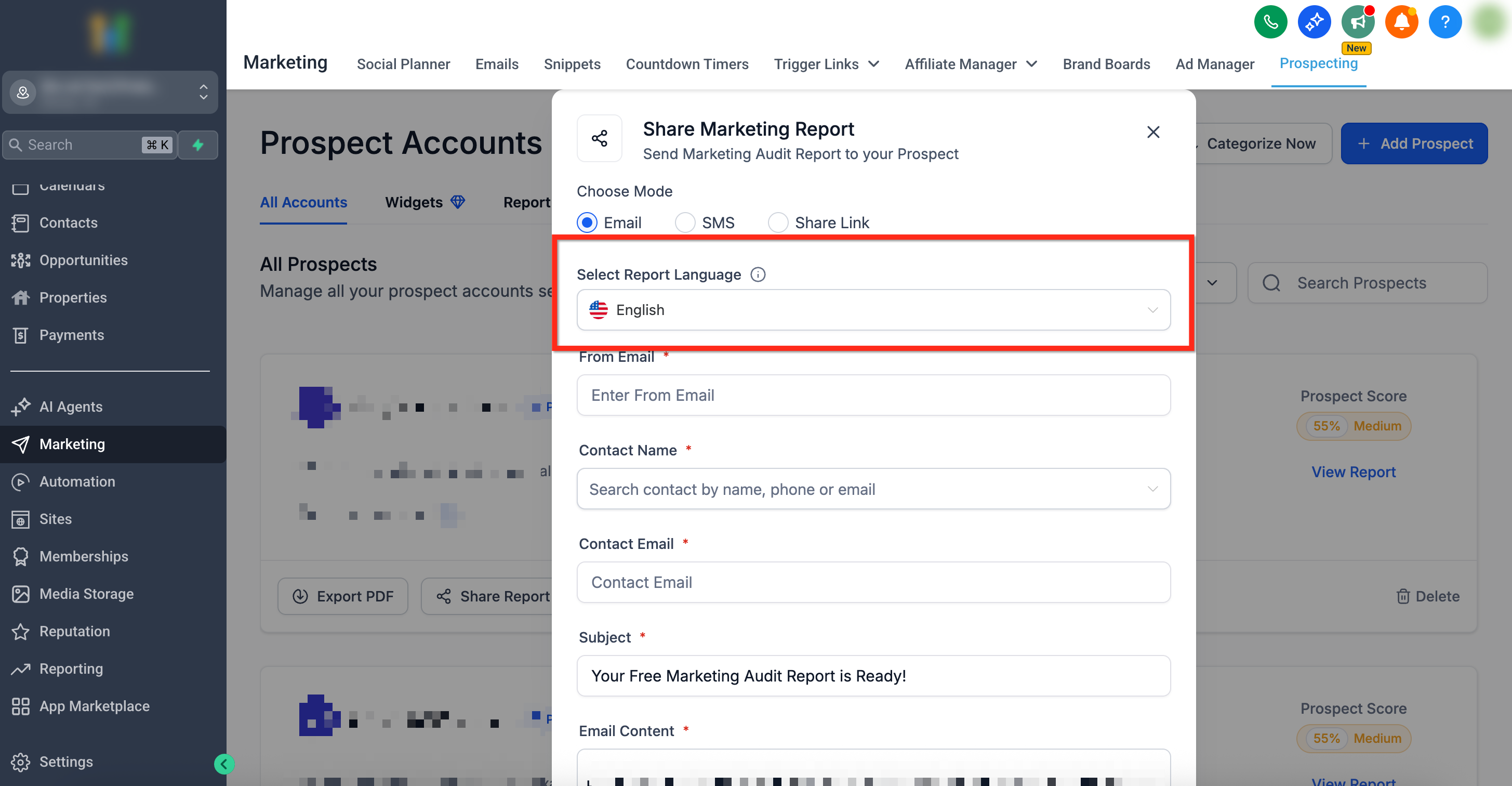
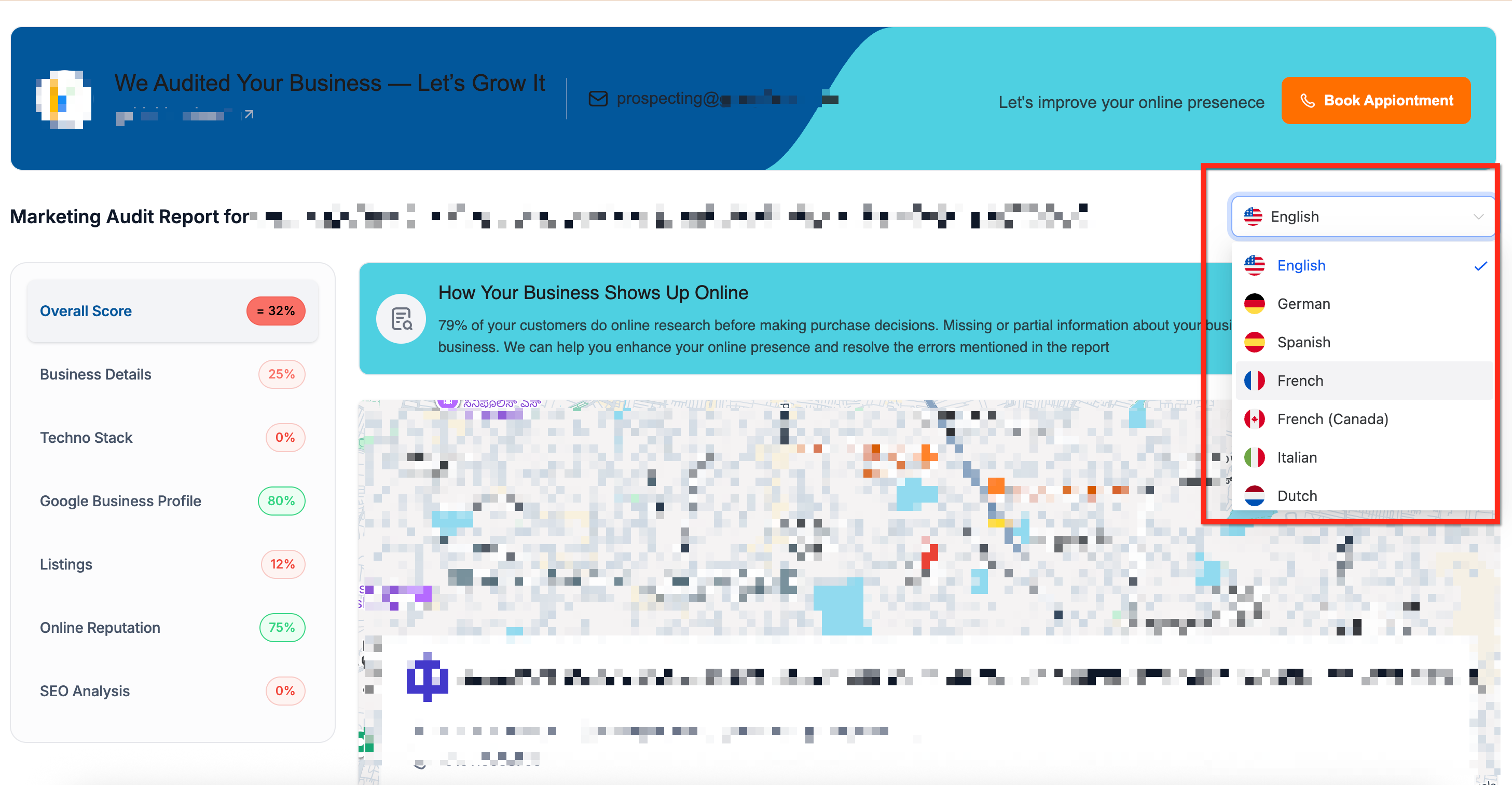
The language choice is made during the share process in the Prospecting Tool. After the recipient opens the link, a language dropdown in the top right corner lets them switch to any of the supported languages right away. All system labels and UI text are translated, while custom business data remains unchanged.
You find the controls inside Marketing > Prospecting Tool. The share workflow offers Email, SMS, or a direct link, and the option to set the initial report language before sending.
03How businesses use multilingual prospect report sharing
- Digital marketing agency. The agency selects German as the report language when sharing a marketing audit with a German speaking prospect. The prospect can later switch to English from the dropdown if needed.
- Real estate brokerage. A broker shares a report via SMS and sets Spanish as the initial language for a client in Mexico. The client opens the link on a phone and sees the report in Spanish immediately.
- SaaS startup. The startup’s sales team shares a link with a French Canadian prospect, choosing French (Canadian) at share time. The prospect can change to English on the page without requesting a new link.
04The numbers and rules that matter
- Supported languages: English, German, Spanish, French, French (Canadian), Italian, Dutch, Danish, Norwegian, Finnish, Swedish, Portuguese (Brazil), Portuguese (Portugal).
05How to set up and use multilingual prospect report sharing in HighLevel
Select language at share time
- Open Marketing > Prospecting Tool and locate or generate the marketing audit report for the prospect.
- Click the Share Report button.
- Choose Email, SMS, or Share Link as the delivery channel.
- Set Select Report Language to the desired language from the dropdown.
- Enter the remaining sending details and either send the report or copy the link to share.
Prospect side language switching
- Open the shared web report link.
- Select a language from the dropdown in the top right corner of the page.
- The report refreshes immediately in the chosen language.
06What it looks like in HighLevel
07Settings that matter
- Select Report Language. Determines the language the recipient sees first when opening the shared web report.
08Things to know before you rely on it
- The feature works only for web reports; PDF exports are not translated.
- Supported languages are limited to the list provided in the article.
- Language switching applies only to system labels and UI text; custom data remains unchanged.
09How it connects to the rest of HighLevel
- Learn how HighLevel grades audit reports Report grading
- Set up a workflow to generate audit reports Generate report workflow
- View pricing and plan options for HighLevel Pricing
Michael's take

I think localized prospect reports can be a useful tactic for agencies that work with non English clients.
Don’t assume the email body translates itself. Write the outreach in the target language.