
01Who this is for
- Digital marketing agencies: they can diagnose speed problems and suggest optimizations for client sites.
- Consulting firms that audit client digital assets: the report supplies concrete data for recommendations.
- Website redesign vendors: they use the health scores to prioritize development work.
02Website performance reports, explained
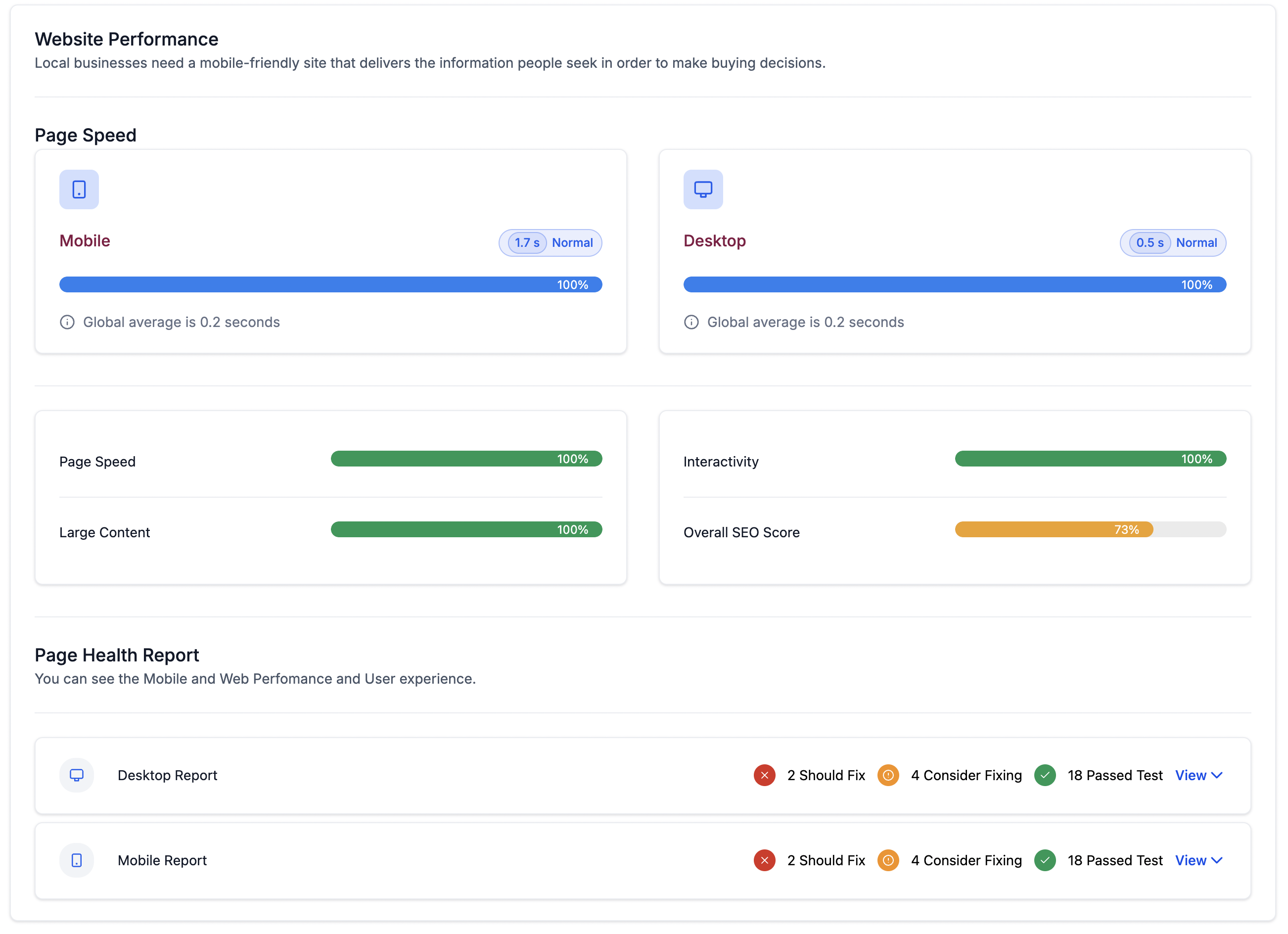
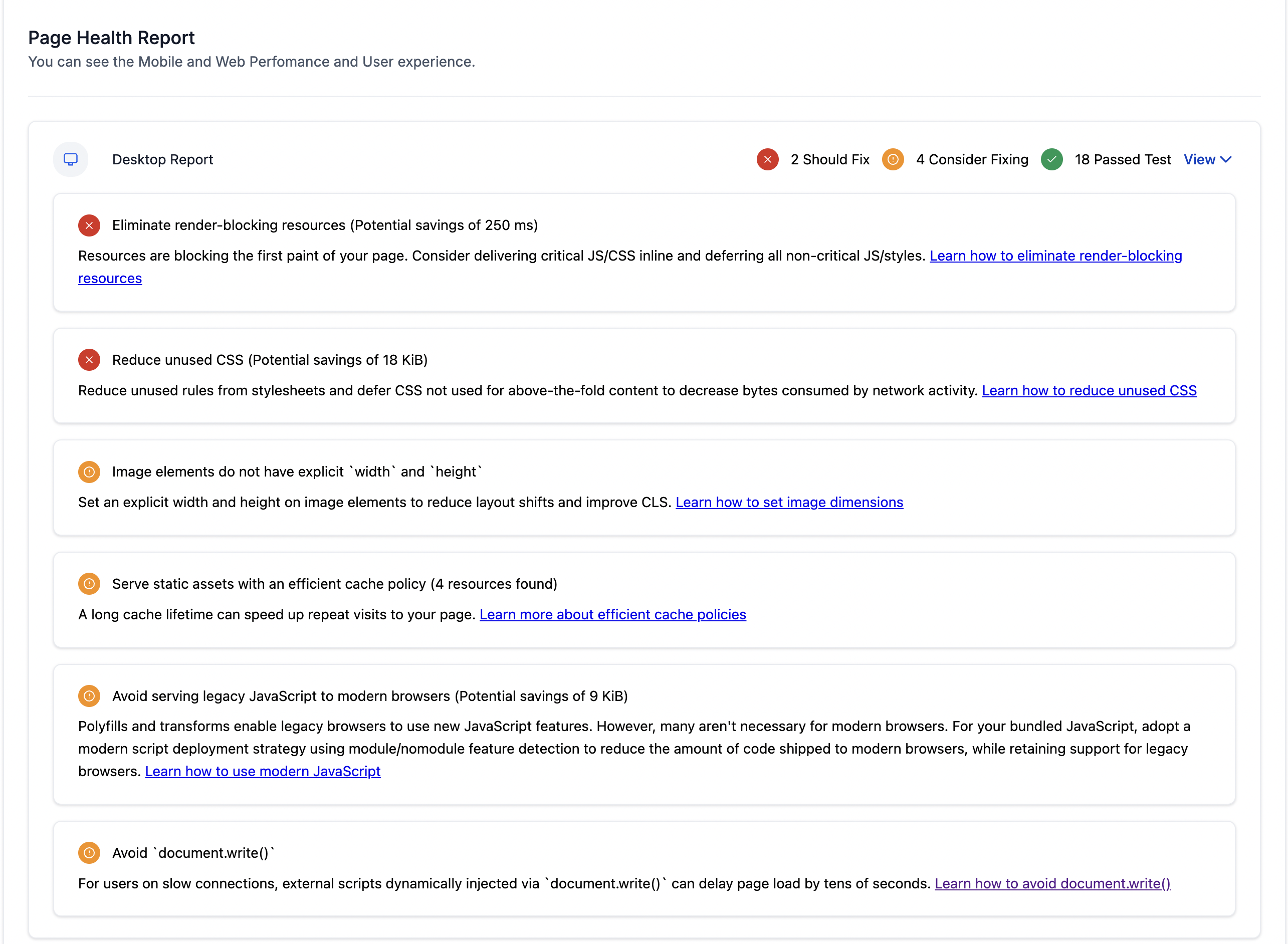
The website performance report provides metrics on loading speed, interactivity, SEO score, and content size for both desktop and mobile versions of a prospect’s site. It also includes a page health summary that highlights areas needing attention.
The report appears inside the Marketing Audit Report generated from the Prospecting tool. After saving a prospect, the audit runs automatically and the performance section can be found by scrolling within the report view.
03How businesses use website performance reports
- Identify performance bottlenecks. Agencies review the page speed and large content warnings to pinpoint slow loading elements that affect user experience.
- Benchmark against standards. The metrics allow agencies to compare a prospect’s site with industry norms and competitor performance.
- Prioritize optimization recommendations. Using the page health overview, agencies can rank issues and plan targeted improvements for better SEO and conversion rates.
04How to set up and use website performance reports in HighLevel
Access website performance report
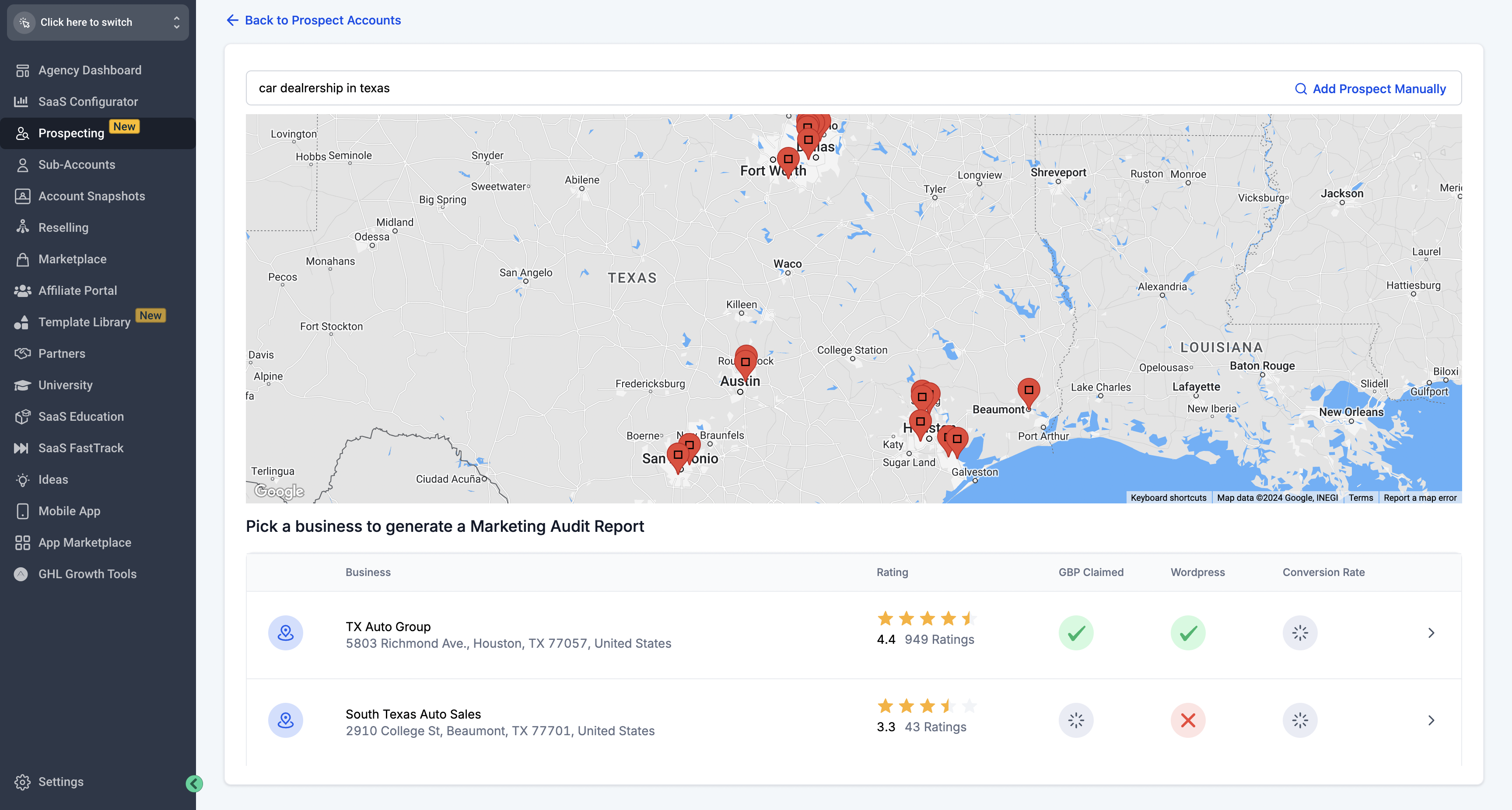
- Open the Prospecting tab and select Add a Prospect.
- Find a nearby prospect and press Save Prospect.
- Allow the system to generate a Marketing Audit report for that prospect.
- Scroll down inside the report until the Website Performance section appears.
05What it looks like in HighLevel
06How it connects to the rest of HighLevel
- Create a Marketing Audit Report using a workflow action. Workflow action
- See differences between free and premium audit reports. Free vs premium
- Understand how grades are assigned in audit reports. Report grades
Michael's take

Michael ReimerFounder of CRM Pros, HighLevel Commander and Certified Admin
Adding a website performance report feels like a useful addition for agencies that rely on data to drive optimization conversations.
Having concrete metrics on speed and SEO health gives agencies a solid foundation for advising clients on performance upgrades.
Get More InformationOpens on HighLevelPublished November 2, 2026 · Updated November 16, 2026