Home/HighLevel/Compare/HighLevel vs Manychat

Compare · Manychat

GoHighLevel vs Manychat. Can HighLevel replace Manychat?

GoHighLevel vs Manychat is a choice between two different kinds of tool. Manychat is a chat marketing tool for Instagram, WhatsApp and Messenger. HighLevel is an all in one platform for CRM, messaging, booking and AI. Here is what each is built for, how the chat features and pricing compare, and when Manychat is the better choice.

HighLevel is an all in one platform for CRM, messaging, booking and AI. Manychat is a chat marketing tool for Instagram, WhatsApp and Messenger.

Michael’s pick

Pricing model
$97a month, flat
What is included
Users: Unlimited
Contacts: Unlimited
How you start
30 daysthrough Michael's link

Competitor

Pricing model
$0Free plan, Pro from $15 a month
What is included
Users: 1 on Free, 3 on Pro
Contacts: By list size, Free up to 1,000
How you start
Free plan
FeatureHighLevelManychat
Built forAll in oneCRM, messaging and AIChat marketingsocial channels
Instagram and MessengerIncludedIncluded
Texting and emailIncludedPro and Premium plans
AI repliesConversation AIpay per use or a planAI featuresPro and Premium plans
CRM pipelines and bookingIncludedNot stated

Manychat Pro is billed by the size of your contact list. Checked on their site, Nov 11, 2026.

The short answer

Yes, for most service businesses GoHighLevel can replace Manychat. HighLevel puts Instagram and Messenger messages, comment automation, Conversation AI, a CRM, booking and follow up in one platform from $97 a month. Manychat is the better choice if you only need chat marketing on social channels and want a free plan to start.

Michael is a sponsored HighLevel affiliate. Links to HighLevel use his partner link at no extra cost to you. HighLevel prices and product facts on this page come from HighLevel's own pricing page and help center, checked on the date above. Manychat facts come from Manychat's own pricing page and home page, checked November 11, 2026.

The real question

Can GoHighLevel replace Manychat?

Yes, if Manychat is one part of how you win customers. When Manychat answers your Instagram and Messenger messages, captures the lead and passes it to another tool for follow up, HighLevel can do that whole job in one account. When social chat is the whole business and Manychat is the only tool you need, HighLevel may be more platform than you want.

The two products start from different places. Manychat describes itself as chat marketing: automation to drive sales and conversions on Instagram, WhatsApp and Messenger. HighLevel, which many people still search for as go high level or GHL, starts from the contact record. Every message, call, form, booking and payment lands on one contact, and automation runs from there.

That difference decides most cases. A local business that wants a lead from an Instagram message to end up booked on a calendar, reminded by text and asked for a review usually needs the wider platform. A creator who wants a comment to trigger a direct message with a link usually does not.

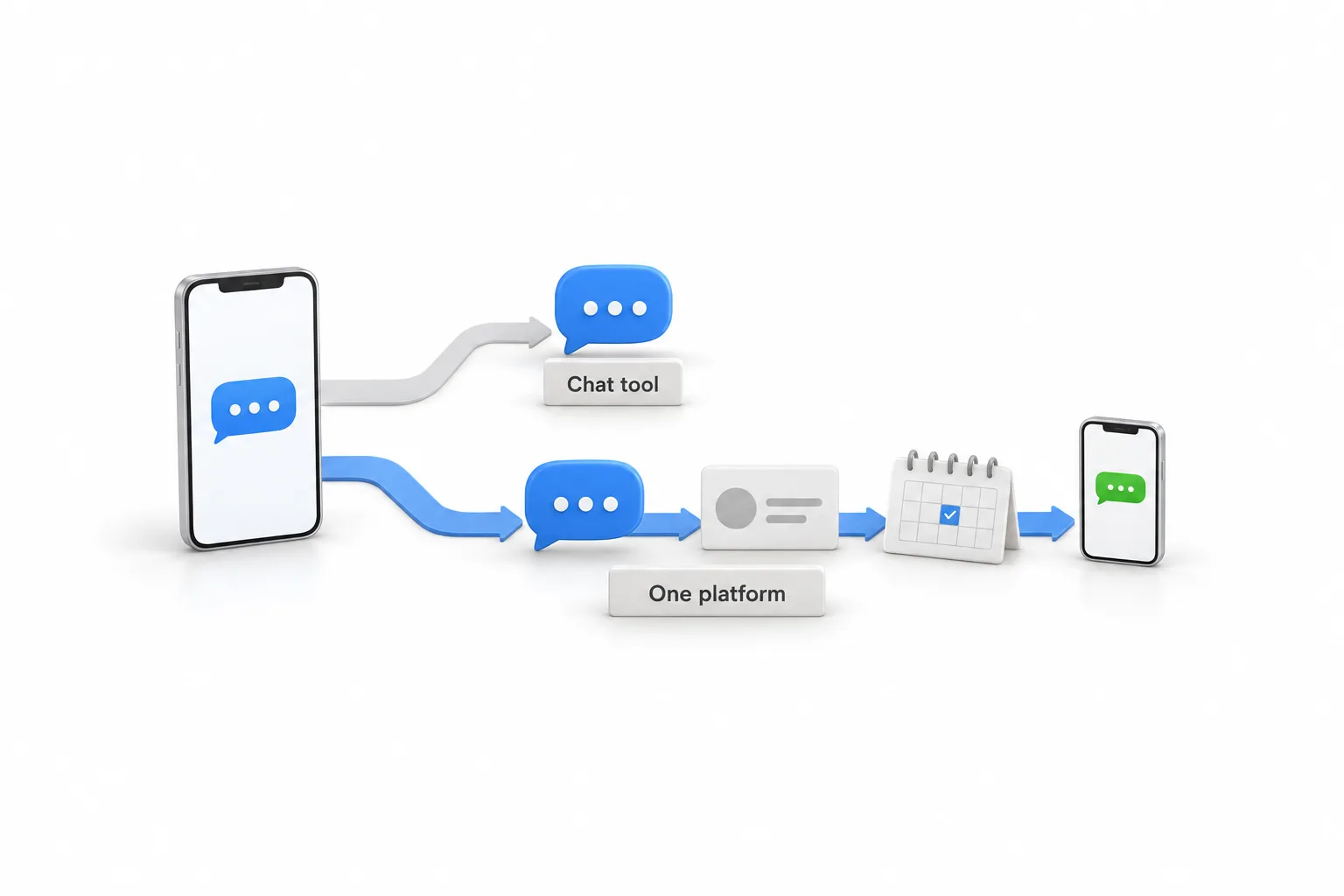
A phone showing a blue chat bubble feeds two ribbons. The upper grey ribbon ends at one blue reply bubble above a plaque engraved Chat tool. The lower blue ribbon runs past a reply bubble to a contact card, a desk calendar with one day checked and a second phone showing a green text bubble, above a plaque engraved One platform

Side by side

How do GoHighLevel and Manychat compare side by side?

This table uses only what each vendor publishes. Where a detail is not stated on Manychat's pricing page or home page, the table says so.

What you are comparingHighLevelManychat
Built forAn all in one platform: CRM, messaging, funnels, booking and AI for businesses and agenciesChat marketing automation on Instagram, WhatsApp and Messenger
Social messagingMessenger and Instagram direct messages arrive in Conversations beside SMS and email. Workflows can react to comments.Instagram direct messages and Facebook Messenger on every plan, including Free
Texting and emailIncluded on every plan, with usage billed at published ratesSMS and email listed on Pro and Premium plans
AI repliesConversation AI across SMS, email, web chat, WhatsApp, Facebook and Instagram, billed pay per use or through AI Employee plansAI features listed on Pro and Premium plans. The price is not stated on the pricing page.
Pricing structureFlat plans at $97, $297 and $497 a month, plus usage. Unlimited contacts and users on every plan.Free plan for up to 1,000 contacts. Pro from $15 a month, billed by the size of your contact list. Premium is custom priced.
TeamUnlimited users1 team member on Free, 3 seats on Pro
Trial30 days through Michael's link (the standard public trial is 14 days)A Free plan in place of a trial
Stronger atTurning a conversation into a booked, followed up customer inside one systemA low cost, focused start with chat automation on social channels

HighLevel figures match GoHighLevel pricing on this site. Manychat figures come from the pricing page on manychat.com, checked November 11, 2026. Prices change, so confirm on each vendor's own site before you decide.

In HighLevel

What does HighLevel do for chat and social messaging?

HighLevel brings Messenger, Instagram, WhatsApp, web chat, SMS and email into one inbox, then lets workflows and Conversation AI act on every message. One connection covers Facebook and Instagram: a Page admin connects both in the subaccount under Settings, Integrations.

  • One inbox. Messenger and Instagram direct messages arrive in Conversations beside SMS and email. The Facebook and Instagram integration page covers the setup.
  • Comment automation. Workflows can react to comments, then carry on with any other step a workflow can run.
  • AI replies. Conversation AI replies across SMS, email, web chat, WhatsApp, Facebook and Instagram. It can draft replies for your team or reply on its own. The Conversation AI guide explains the modes.
  • WhatsApp. A paid subscription at $10 a month for each subaccount, plus message charges. HighLevel and WhatsApp covers setup and the 24 hour reply window.
  • Web chat. A chat widget on your own site feeds the same inbox. The steps are in add a chat widget to your website.
  • What happens next. The same contact can be booked on a calendar, moved through a pipeline and followed up by text and email.

Messaging on Meta channels still follows Meta's rules and your consent obligations in either tool. Changing software does not change them.

Fit

When is Manychat the better choice?

Manychat is the better choice when chat automation on social channels is the whole job and you want to start on a free plan. HighLevel earns its higher price when the chat is only the first step.

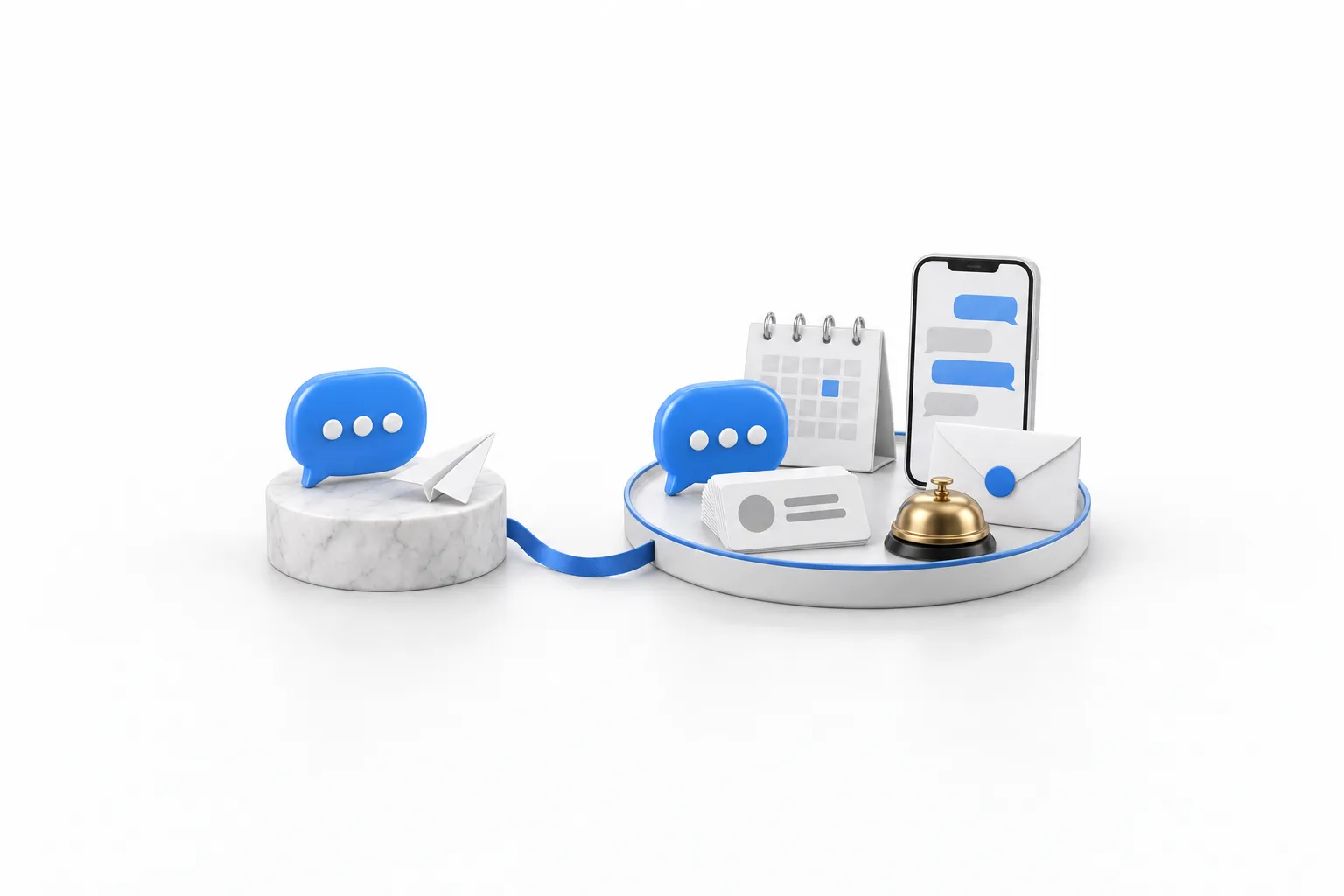
A marble pedestal holding one blue chat bubble and a paper airplane, joined by a blue ribbon to a round white tray that holds a matching chat bubble, a stack of contact cards, a desk calendar, a phone showing a message thread, a sealed envelope and a brass desk bell

Manychat fits when

Social chat is the whole job

  • You only need automation on Instagram and Messenger
  • You want to start on the Free plan, which covers up to 1,000 contacts
  • You already have a CRM and booking tool you are happy with
  • Your budget is closer to $15 a month than $97

HighLevel fits when

The chat is the first step

  • You want the lead booked, reminded and followed up in the same system
  • You also text, call and email your customers
  • You want unlimited contacts and users at a flat plan price
  • You run an agency and manage chat for many clients

Moving

How do you move from Manychat to HighLevel?

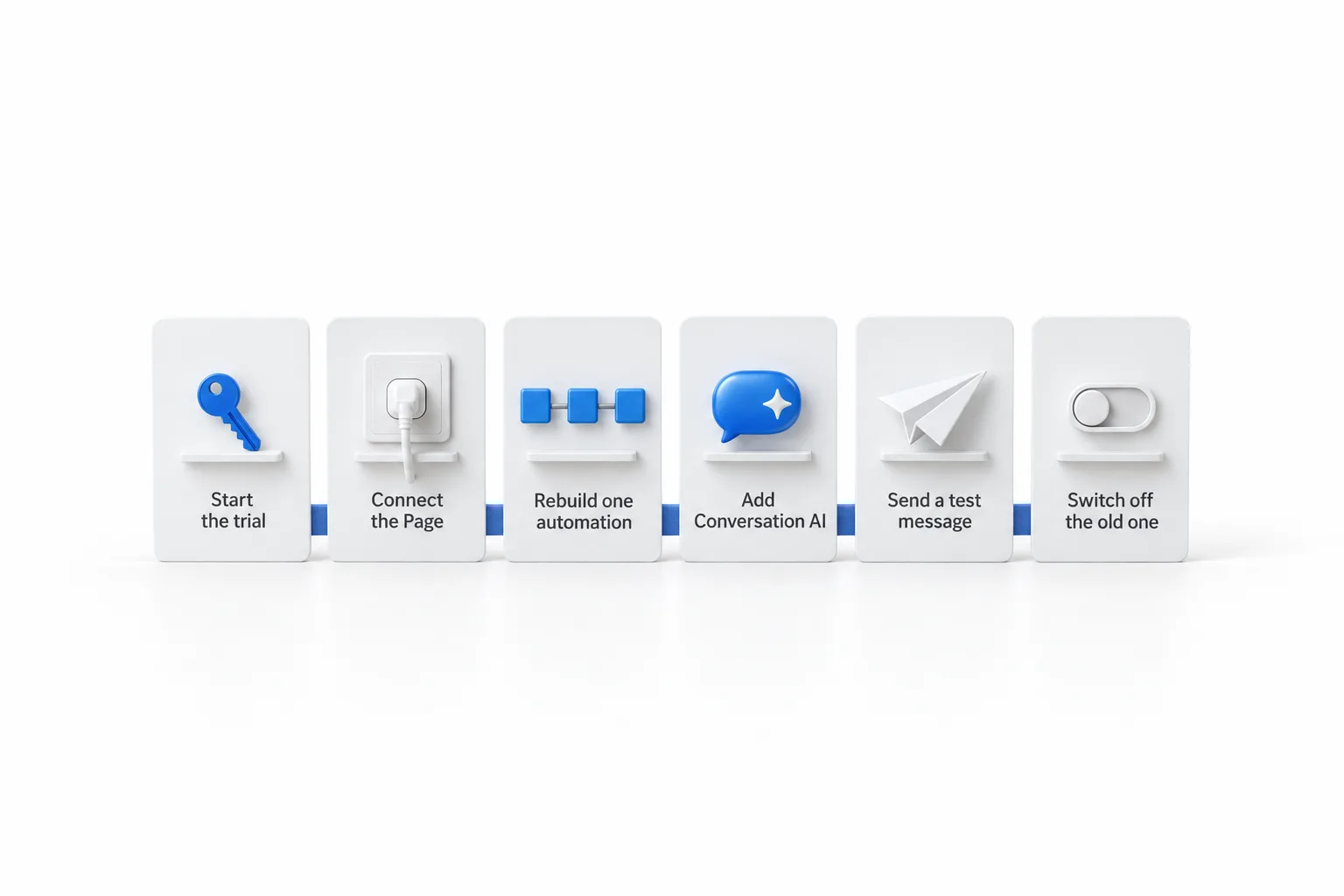
You move by rebuilding your Manychat automations as HighLevel workflows, one at a time, while Manychat keeps running. Plan to rebuild rather than import, and keep only the automations you still use. Work in this order.

  1. Start the 30 day trial through Michael's link, so you have time to test before the first invoice.
  2. Connect Facebook and the linked Instagram account in Settings, Integrations. The person connecting must be an admin of the Facebook Page.
  3. Rebuild your busiest Manychat automation as a workflow. Build your first workflow shows the basics.
  4. Create a Conversation AI bot, train it on your website and FAQs, and start in suggestive mode. The steps are in set up a Conversation AI bot.
  5. Message your own Page from a personal account and check the reply, the contact record and the booking.
  6. Switch off the matching Manychat automation when the HighLevel one goes live, so nobody gets two replies.

If you hold email addresses and phone numbers for your contacts, bring them in with a CSV file. Import contacts covers the format.

Six white step cards in a row joined by a blue ribbon. From left to right they show a blue key labelled Start the trial, a plug in a socket labelled Connect the Page, three linked blue blocks labelled Rebuild one automation, a blue speech bubble with a sparkle labelled Add Conversation AI, a paper airplane labelled Send a test message and a toggle switch in the off position labelled Switch off the old one

Cost

What does each really cost?

Manychat costs less to start, and the HighLevel plan price stays the same however large your list gets. Manychat has a Free plan, and Pro starts at $15 a month, billed by the size of your contact list, so the bill rises as your audience grows. HighLevel is $97 a month on Starter with unlimited contacts and unlimited users.

Both have costs beyond the plan. On HighLevel, phone numbers, texts, calls, email and AI agents are billed on usage. Conversation AI is pay per use, or $50 a month per subaccount for 1,000 responses on AI Employee Growth, or $97 a month per subaccount on AI Employee Unlimited. HighLevel AI usage costs breaks that down. On Manychat, the pricing page lists questions about email and SMS pricing, WhatsApp charges and the cost of Manychat AI, so read those answers on its site before you compare.

A fair comparison prices the whole job. Add Manychat to the CRM, booking, texting and email tools you pay for around it, then set that total against one HighLevel plan plus usage.

Michael Reimer
Michael's takeFounder of CRM Pros · HighLevel Commander

Ask what happens after the chat. If the answer is a booking, a reminder and a follow up, you want the conversation and the customer record in the same place.

Through my link

Start HighLevel through my link and the CRM Pros team comes with it.

Same HighLevel price. The difference is who is in your corner for the first ninety days.

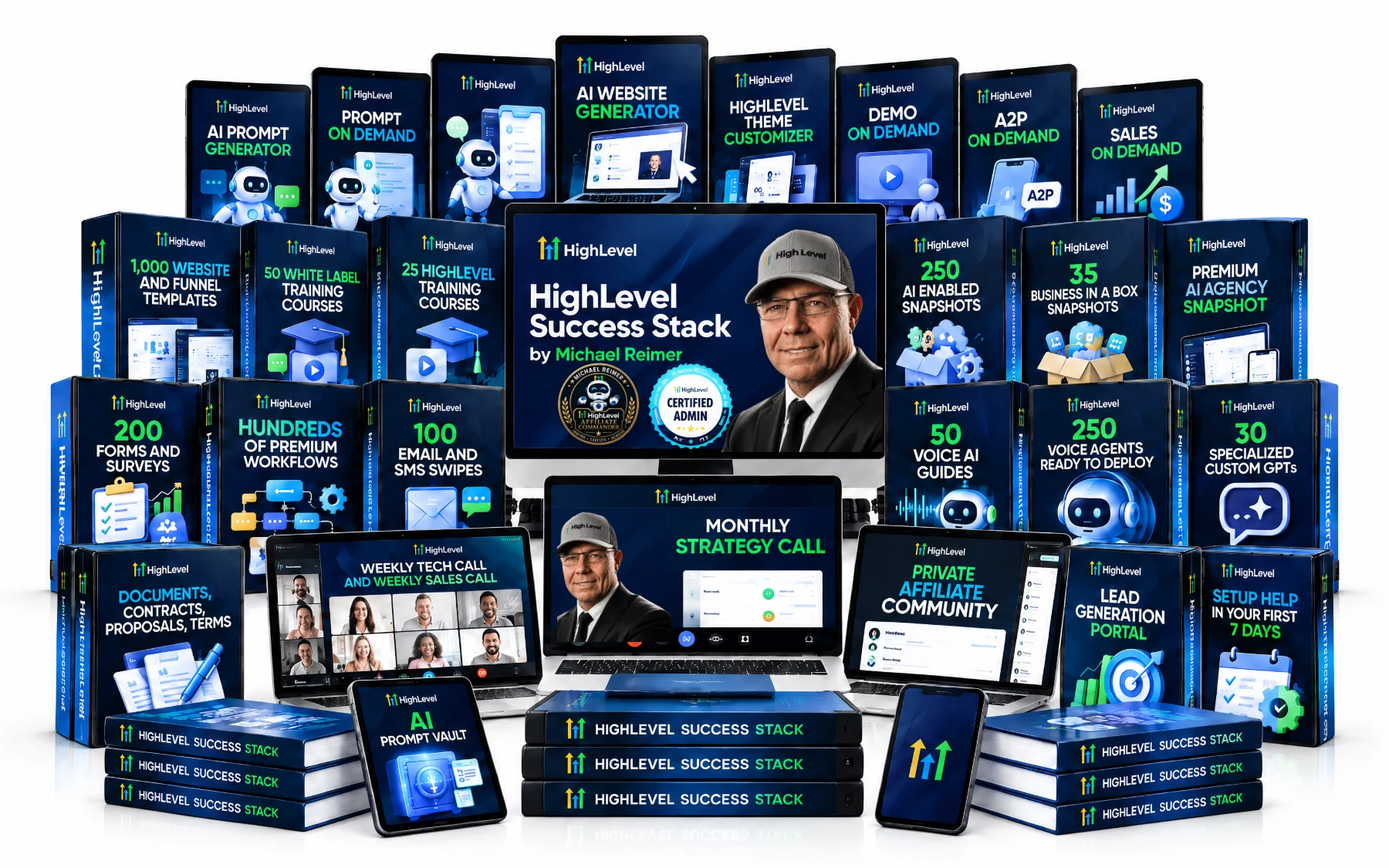
  • Setup help in your first 7 days
  • Your onboarding call with Michael’s team
  • Three live calls every week: tech, sales and Michael’s own call
  • The private affiliate community
  • Snapshots, templates and email swipes
  • Four apps: Prompt, Demo, A2P and Sales On Demand

The Founder Plan is HighLevel’s top plan at $497 a month. It is the former Agency Pro plan with an exclusive feature set, rebilling with markup and the Founders Club. The full breakdown is here.

The Founder PlanWhat it includes and who it is for
The HighLevel Success Stack by Michael Reimer

Questions

Common questions.

Can GoHighLevel replace Manychat?

Yes, for most service businesses. HighLevel receives Instagram and Messenger messages in one inbox, reacts to comments through workflows and answers with Conversation AI, and it adds a CRM, booking, texting and email. Manychat stays the better choice if you only need chat marketing on social channels and want a free plan. The GoHighLevel review covers the wider picture.

Is GoHighLevel cheaper than Manychat?

Not at the entry level. Manychat has a Free plan for up to 1,000 contacts and Pro starts at $15 a month, priced by the size of your contact list. HighLevel starts at $97 a month with unlimited contacts and users, plus usage. GoHighLevel pricing lists every plan.

Does GoHighLevel work with Instagram DMs and Facebook Messenger?

Yes. Once a Page admin connects Facebook and the linked Instagram account in Settings, Integrations, Messenger messages and Instagram direct messages arrive in Conversations beside SMS and email. The Facebook and Instagram integration page covers the connection.

Does HighLevel have AI chat like Manychat?

Yes. HighLevel Conversation AI replies across SMS, email, web chat, WhatsApp, Facebook and Instagram. It can draft replies for your team to approve or reply on its own toward a goal such as a booking. It is billed pay per use or through AI Employee plans. Manychat lists its AI features on Pro and Premium plans.

Can I use Manychat and HighLevel together?

Yes. You can keep Manychat for social chat and use HighLevel for the contact record, booking and follow up. HighLevel connects to other tools through Zapier and webhooks, so check Manychat's integration list for its side. Two tools means two contact lists, so decide which one holds the record.

Can I try HighLevel before I cancel Manychat?

Yes. The standard HighLevel trial is 14 days, and signing up through Michael's link gives you a 30 day free trial. That is enough time to connect your Page, rebuild one automation and compare the results. The GoHighLevel 30 day trial page explains how it works.

Next step

See it in your own account. Thirty days, every feature.

Start a trial, build the first system and test it before the first invoice. Usage fees for phone, SMS, email and AI can apply during the trial.

HighLevel has three plans at a flat monthly price, each with unlimited users and contacts. See what each one includes and what it costs.

Compare the PlansStarter, Unlimited and Founder
⌃

Site preview

Explore the next page

This destination is reserved in the page inventory and is not built yet.