
Calendar
One source of truth
Availability, buffers, minimum notice and conflict settings. Both agents respect them.
Home/HighLevel/AI/AI appointment setter
HighLevel AI · Booking
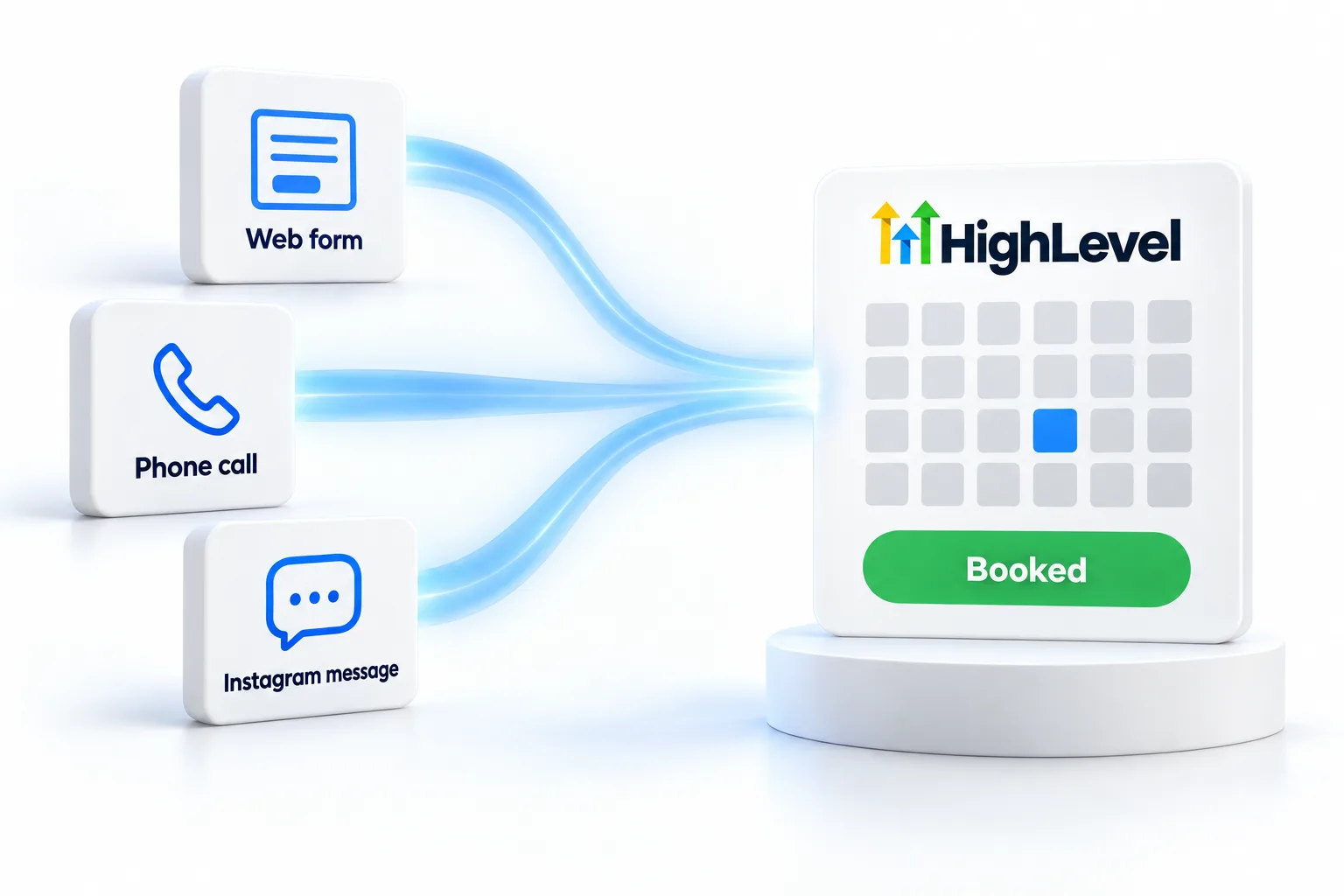
An AI appointment setter does one job: turn a conversation into a booked appointment. In GoHighLevel, you build it from Conversation AI for text and chat, Voice AI for calls, your calendars and a reminder workflow. Here is the whole system.
The short answer
To build an AI appointment setter in HighLevel, set a booking goal on a Conversation AI bot and add an appointment booking action to a Voice AI agent, both pointed at the same calendar. Configure availability, buffers and minimum notice, give both agents two or three qualifying questions, then add a reminder workflow and a no show follow up.
Michael is a sponsored HighLevel affiliate. Links to HighLevel use his partner link at no extra cost to you. HighLevel prices and product facts on this page come from HighLevel's own pricing page and help center, checked on the date above.
The system
Calendar
Availability, buffers, minimum notice and conflict settings. Both agents respect them.
Text and chat
Replies to new leads, asks qualifying questions and books.
Calls
Offers times and confirms during the call, on one calendar or several.
Workflow
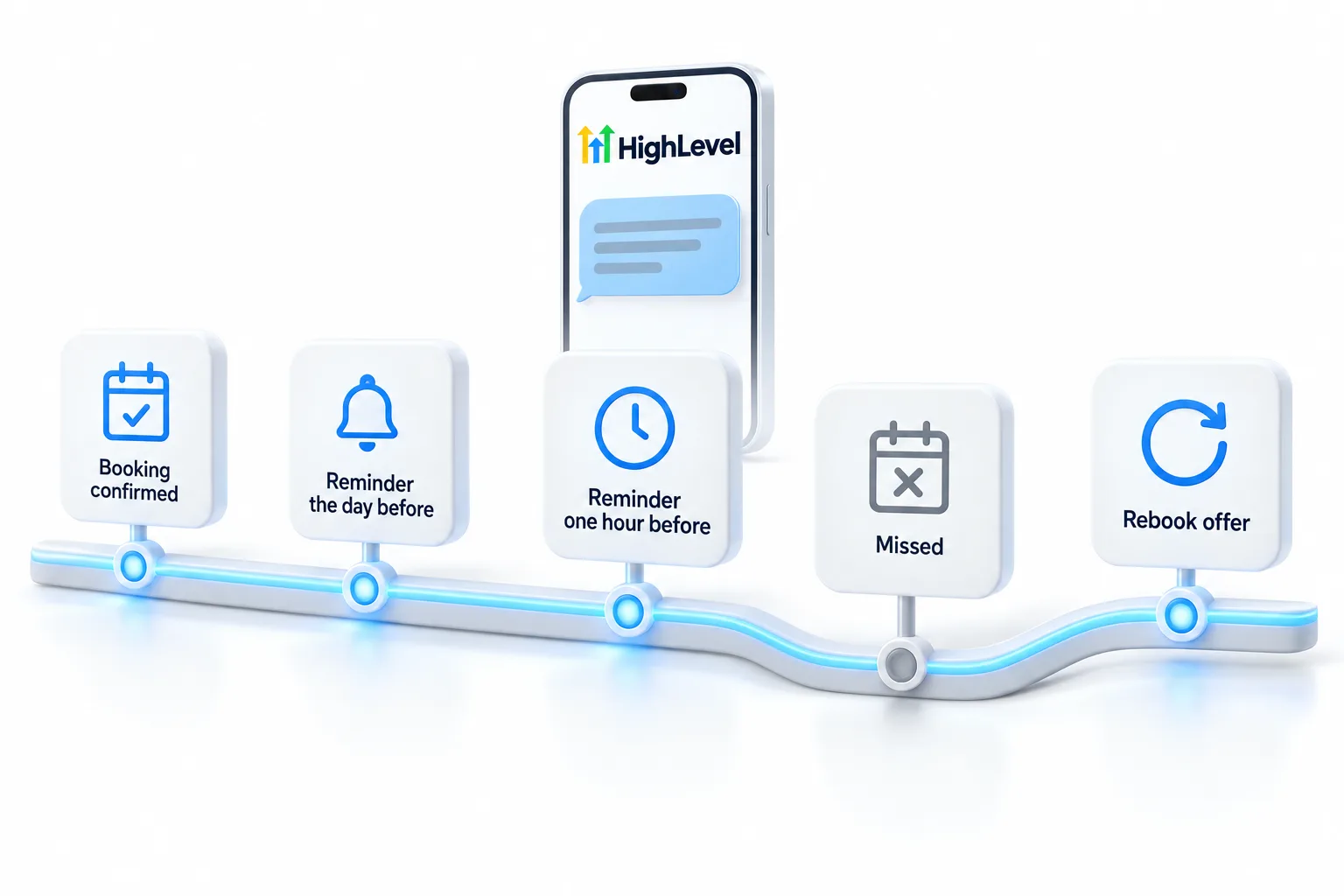
Confirmation, reminders before the appointment and a rebook message if they miss it.
Qualify
Two or three questions are enough: what they need, how soon and where. Each extra question can cost you bookings. Put the rest on an intake form the confirmation text links to.
After booking
If reminders stop going out, the guide to fixing appointment reminders that are not sending covers the usual causes. For the AI charges, see the GoHighLevel AI plans overview. You can build and test the whole setter during a 30 day trial through Michael's link.
Before launch
A booking agent fails in predictable places, so test those places on purpose. Give yourself an hour and act like four different customers on each channel.
Then check what happened after each test: the confirmation text and email, the reminders and the entry in the pipeline. The appointment reminder workflow guide shows the reminder build, and the round robin calendar guide helps if several people take appointments.
Avoid
If your knowledge base is thin, the agent will stall on simple questions and the booking never happens. Training the knowledge base is usually the highest value fix.
Cost
The agents are billed per subaccount, either pay per use or through an AI Employee plan. Growth at $50 a month includes 1,000 Conversation AI responses and 100 Voice AI minutes. Unlimited at $97 a month makes both unlimited under fair use. Phone system charges apply to every call, and text and email charges are separate. For a business that takes calls and messages all day, Unlimited is the predictable choice. Which AI plan is best walks through the decision, and AI lead qualification covers the questions the agent asks before it books. For the whole sales conversation, from the first reply to the handoff, see the AI sales agent guide.

One calendar, two agents. When text and voice book into the same calendar, you never double book and you can measure the whole funnel in one place.
Questions
Yes. GoHighLevel AI books appointments in two ways. Conversation AI books by text and chat through a booking goal, and Voice AI books during a phone call through an appointment booking action. Point both at the same calendar, so every booking follows the same availability, buffers and minimum notice.
Yes. The AI follows the calendar's availability, buffers, minimum notice and conflict settings, so it only offers real openings. That is why the calendar is the source of truth for the whole system. Set those rules on the calendar first, then point Conversation AI and Voice AI at it.
Yes, on calls. Voice AI can choose between eligible calendars based on the caller's intent, so one agent can book a sales call or a service visit on the right calendar. If several people take appointments, a round robin calendar spreads the bookings across the team.
Add a reminder workflow and a no show rebook sequence. Send an instant confirmation by text and email, a reminder the day before and another two hours before. If the appointment is marked as a no show, send a text offering two new times, then create a task for your team if there is no reply in a day.
It runs pay per use or on an AI Employee plan per subaccount: Growth at $50 a month with 1,000 Conversation AI responses and 100 Voice AI minutes, or Unlimited at $97 under fair use. Phone, text and email charges are separate.
Yes, lightly. Two or three questions about need, timing and location are enough. Put anything longer on an intake form linked from the confirmation text.
Run a normal booking, a request for an unavailable time, a pricing question and a request for a person on each channel, then check the calendar, the confirmations and the reminders.
GoHighLevel Voice AI books through an appointment booking action added to the agent. During the call it offers open times from the calendar and confirms the slot with the caller, on one calendar or several. The calendar's availability, buffers and minimum notice still apply, and a workflow sends the confirmation and reminders after the call.
Next step
Start a trial, build the first system and test it before the first invoice. Usage fees for phone, SMS, email and AI can apply during the trial.
HighLevel has three plans at a flat monthly price, each with unlimited users and contacts. See what each one includes and what it costs.
Compare the PlansStarter, Unlimited and Founder