
Website
The web crawler
Exact URL, domain or path crawling. It opens tabs and accordions and reads content that loads as you scroll.
Home/HighLevel/AI/Knowledge bases
HighLevel AI · Knowledge
Most weak AI answers are not a model problem. They are a knowledge problem: the agent was never told the answer. The GoHighLevel knowledge base is where your agents learn your business. Here is what goes in it and how to keep it accurate.
The short answer
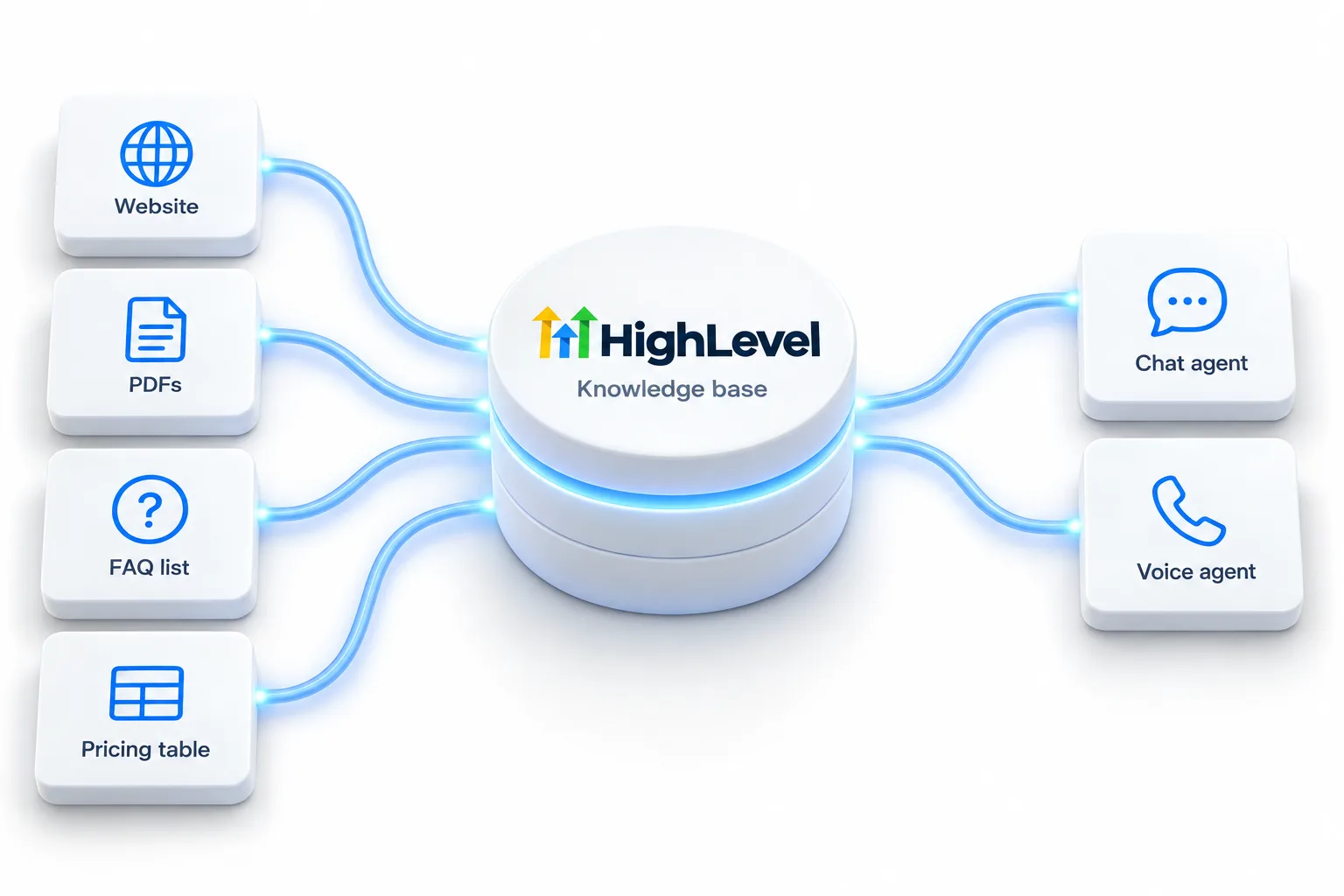
The HighLevel knowledge base is the information your Conversation AI and Voice AI agents answer from. You build it from your website through a web crawler, plus documents, FAQs and tables for structured data such as prices. Trained links can refresh automatically. Keep facts here, not in the agent's instructions, so you update them once.
Michael is a sponsored HighLevel affiliate. Links to HighLevel use his partner link at no extra cost to you. HighLevel prices and product facts on this page come from HighLevel's own pricing page and help center, checked on the date above.
Sources
Website
Exact URL, domain or path crawling. It opens tabs and accordions and reads content that loads as you scroll.
Documents
Policies, service descriptions and guides.
FAQs
The precise answers to the questions customers ask most.
Tables
Prices, service areas, menus and schedules in rows and columns.
Keep it right
Build order
Start with what customers ask, not with what you have lying around. A knowledge base built from real questions answers real questions.
The knowledge base build guide walks through the screens. The knowledge base itself is free for agency and subaccount users under fair use, so the only cost of doing this well is your time.
The split
Facts go in the knowledge base. Behavior goes in the instructions. Mixing the two is the most common reason agents drift.
The reason is maintenance. When a price changes, you update one table and both your text agent and your voice agent answer correctly. If that price also sits in a prompt, you now have two versions and the agent may quote the old one. For help writing the behavior side, see the AI prompt library and the voice agent prompt framework.
For the short definition, see the knowledge base glossary entry. The knowledge base itself is free under fair use, and the agents that answer from it are priced in the GoHighLevel AI plans overview. You can build and test one during a 30 day trial through Michael's link.
Troubleshooting
When an agent answers badly, look at the knowledge before you touch the prompt. Almost every weak answer has one of four causes.
Then write one rule into every agent: when the answer is not in the knowledge base, say so and hand off. What AI can and cannot do explains why guessing is the real risk. One cost note for pay per use accounts: knowledge base content is sent to the model with each conversation, so a larger knowledge base uses more tokens. AI usage costs has the detail.

If I could give one tip about HighLevel AI, it is this: spend twice as long on the knowledge base as on the prompt.
Questions
The GoHighLevel knowledge base is the information your Conversation AI and Voice AI agents answer from. You build it from your website through a web crawler, plus documents, FAQs and tables for structured data such as prices. Keep facts there and not in the agent's instructions, so you update them once.
Yes. The web crawler reads your website and adds its content to the knowledge base, including interactive pages. Trained links can refresh automatically, so changes on the site reach your agents. Add documents, FAQs and tables for anything the website does not state clearly, such as prices.
Partly. Trained links can refresh automatically, so content crawled from your website stays current. Documents, FAQs and tables change only when you edit them. Review the knowledge base whenever a price, a policy or your opening hours change, because every agent answers from it.
Review call and conversation logs for questions the agent could not answer, then add those answers to the knowledge base. Do it weekly at first. Each gap you close improves both the text agent and the voice agent, because they answer from the same knowledge.
Yes. The knowledge base is free for agency and subaccount users, subject to fair use. The agents that answer from it are billed separately.
The knowledge base, ideally in a table. You then update a price in one place and every agent answers from the same source.
Yes. The knowledge base is shared by text and voice agents, which is why it pays to keep each fact in one place.
Usually because the answer is missing, out of date or stated in two places. Most weak answers are a knowledge problem, not a model problem: the agent was never told the answer. Find the question in the logs, add or correct the fact in the knowledge base, and remove any copy of it from the agent's instructions.
Next step
Start a trial, build the first system and test it before the first invoice. Usage fees for phone, SMS, email and AI can apply during the trial.
HighLevel has three plans at a flat monthly price, each with unlimited users and contacts. See what each one includes and what it costs.
Compare the PlansStarter, Unlimited and Founder