
Home/CRM guide/Best CRM for car dealerships
CRM guide · Best CRM for car dealerships
The best auto dealer CRM. Six options, compared fairly.
Independent car dealerships live on fast lead replies, kept test drives, service visits and reviews. This guide compares five purpose built dealer systems and GoHighLevel, with a plain note on where each one fits.
The short answer
The best auto dealer CRM for an independent car dealership is usually a purpose built dealer system such as VinSolutions, DriveCentric, DealerSocket, AutoRaptor or DealerCenter, because those are built around the car deal. GoHighLevel has no dealer management or inventory tools. It works as the follow up layer: fast lead replies, test drive booking, service reminders and review requests.
Michael is a sponsored HighLevel affiliate. Links to HighLevel use his partner link at no extra cost to you. HighLevel prices and product facts on this page come from HighLevel's own pricing page and help center, checked on the date above.
The jobs
What should an auto dealer CRM do for your dealership?
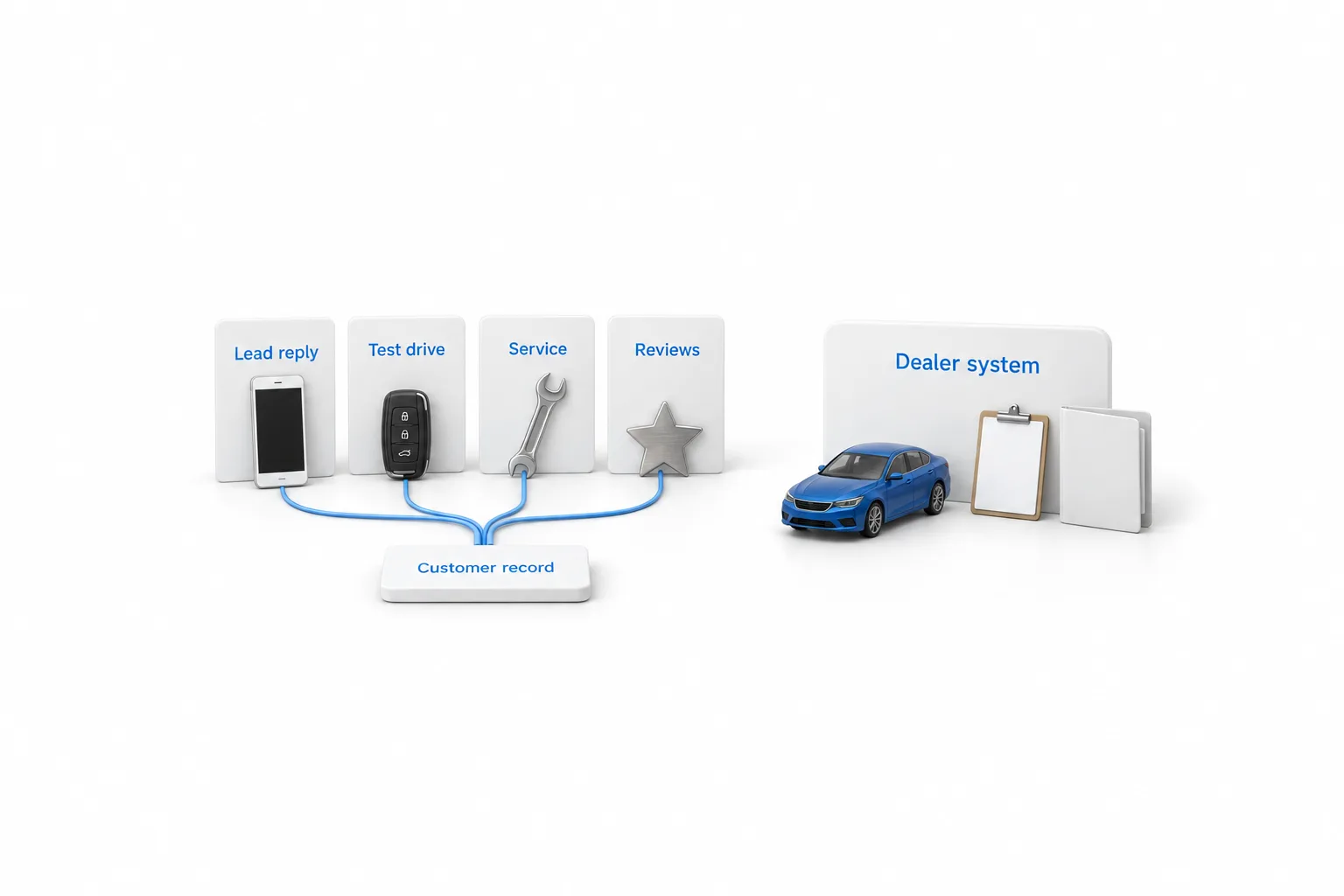
An auto dealer CRM should do four jobs: answer internet leads fast, book test drives, send service reminders and ask for reviews. Deals, stock and paperwork belong to your dealer management system. The CRM looks after the conversations around every sale and every service visit.
| Job | What good looks like |
|---|---|
| Internet lead response | Every lead from your website, a listing site or an ad gets a reply within minutes, then follow up that keeps going until the shopper answers |
| Test drive booking | Shoppers pick a time from your real availability and get reminders, so fewer appointments are missed |
| Service reminders | Past buyers hear from you when service is due, so the service lane stays busy between sales |
| Reviews | Buyers and service customers are asked for a review at the right moment, such as after delivery |
Internet leads deserve the most attention. Shoppers often ask more than one lot about the same kind of car, so a fast, useful first reply gives you the best chance of starting the conversation.
Compare
Which car dealership CRM fits? Six tools compared.
The car dealership CRM that fits depends on what you are missing: deal and inventory tools, or follow up. Five of the tools below are built for dealers, and one is a general platform. The table uses each vendor's own description of its product.
| Tool | Built for | What the vendor lists | Where it is stronger |
|---|---|---|---|
| VinSolutions Connect CRM | Dealerships. The vendor describes it as powered by Cox Automotive | A single view of each customer synced across sales and service, automated follow up, inventory management, access from any device and performance reporting. Texting and call tracking are listed as add ons | Stores that want sales and service on one customer record |
| DriveCentric | Car dealerships, with franchise and independent listed as separate solutions | An AI assistant that replies to new leads, built in texting, email and live video, automated service reminders, and connections to dealer management systems and inventory feeds | Sales teams that sell through conversations and video |
| DealerSocket CRM | Franchise and independent dealers and dealer groups. DealerSocket is part of Solera | A sales, marketing and service platform with desking, data mining and digital retailing tools, a mobile app for text and email, customizable reports and real time analytics | Deal structure and reporting in the same system |
| AutoRaptor | High volume dealers, independent or part of a larger network | One inbox for leads from every source, text, email and voice, desking with a finance and insurance menu, inventory management, mobile access and a dealership website | Leads, messages and desking in one CRM |
| DealerCenter | Independent auto dealers | A dealer management system with a CRM for internet leads, inventory, desking and deal management, credit applications to lenders, accounting integrated with QuickBooks, a buy here pay here module and dealer websites | Dealer management and CRM from one vendor |
| GoHighLevel | Any business, and agencies, that want marketing, sales and AI in one platform | Nothing built for dealerships. No dealer management, no inventory feeds, no desking and no credit applications | Automation, follow up by text and email, booking, Voice AI on the phone and review requests |
VinSolutions, DriveCentric, DealerSocket, AutoRaptor and DealerCenter facts come from each vendor's own website, checked November 11, 2026. This page lists no prices for those five because plans change. Confirm current plans on each vendor's site before you buy.
- You need to structure deals and manage stock. Look at the five dealer systems. A general platform cannot stand in for any of them.
- You run an independent lot. DealerCenter says it caters to independent auto dealers, and AutoRaptor and DriveCentric both name independent dealers among their customers.
- You already own a dealer CRM. Check what it includes before you buy anything new. Several list texting, automated follow up or service reminders.
- Your gap is follow up, the phone and reviews. GoHighLevel puts texting, calling, email, workflows, booking, reviews and AI under one login, and runs beside the system you already have.
Honest view
Is GoHighLevel a good dealership CRM?
Not as the only system in a dealership. GoHighLevel, which many people type as go high level or GHL, is a sales and marketing platform with a CRM inside, and it has no dealer management or inventory tools. It does not desk a deal, pull credit, send an application to a lender or list a vehicle. That makes it a weak fit as a replacement for dealer software.
As the follow up layer, it fits well. HighLevel covers the four jobs in the first table: a reply to every new lead, a calendar for test drives, reminders by text and email, and review requests once you connect Google Business Profile. Voice AI can answer the phone when the showroom is busy. It is billed by the minute, plus the call, on top of the plan.
Two limits matter for service reminders. HighLevel does not read service history from your dealer system on its own, so a reminder needs a date you supply, such as a field on the contact. You can create a custom object to hold a simple vehicle record linked to a customer, but that is a record, not inventory management.
| HighLevel plan | Monthly | Best for |
|---|---|---|
| Starter | $97 | One business, up to three subaccounts |
| Unlimited | $297 | Agencies with many clients |
| Founder Plan | $497 | Selling HighLevel under your own brand |
Usage such as calls, texts, email and AI is billed separately. Contacts and users are unlimited on every plan.
A single dealership usually needs Starter. The GoHighLevel pricing page lists every plan and the usage fees. HighLevel's standard trial is 14 days, and the 30 day trial through Michael's link gives you a month to test it beside your dealer system. A repair shop or a service department has a closer match in GoHighLevel for auto repair shops.
A setup
How do you add a follow up layer beside your dealer system?
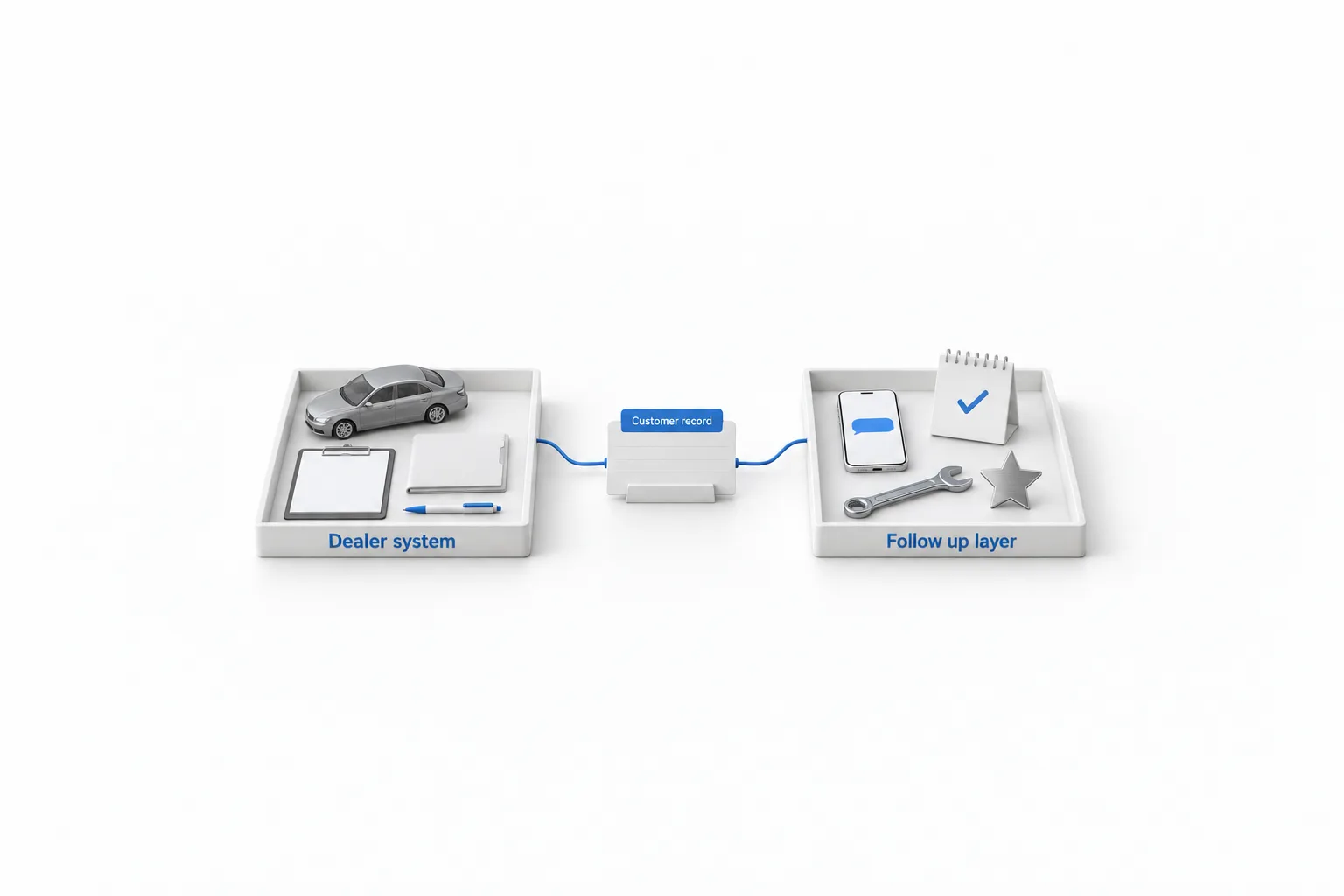
You add a follow up layer in six steps, and the dealer system stays in charge of deals and stock. You can test all six inside the 30 day trial.
- Keep the dealer system as the record for deals and stock. Desking, inventory, credit applications and paperwork stay where they are. HighLevel only handles conversations.
- Bring the leads in. Connect your website forms and Facebook Lead Ads so every new lead lands on a contact record. For leads from third party listing sites, ask how they will reach HighLevel and test it before you rely on it.
- Reply in the first minutes. Build one workflow that texts and emails each new lead, assigns it to a salesperson and creates a task. Turn on missed call text back so a caller who reaches nobody still gets an answer.
- Book the test drive. Create a calendar for test drives with your real hours. A round robin calendar shares bookings across the sales team. Add a confirmation and reminders so fewer appointments are missed.
- Ask for the review. Connect Google Business Profile, then follow the review request workflow guide so a request goes out after delivery or a completed service visit.
- Bring past customers back. Import sold customers with their consent details, then run a database reactivation campaign in small daily batches.
Texting US numbers from a local number needs A2P 10DLC registration, so start that on day one. Text and call only people who gave consent. This is not legal advice.
Choose
How do you choose automotive CRM software?
Start with the job that is costing you sales, not with a feature list. Then ask every vendor on your shortlist the same questions.
- Does it connect to the dealer management system you use today?
- How do leads from third party listing sites arrive, and how fast?
- Are texting, calling and AI included, or sold as add ons?
- Is there a contract term, and what does it cost to leave?
- Can you export your customers and their history?
- Will your salespeople use it on a phone on the lot?
How to choose a CRM gives you six steps that work for any shortlist, and the CRM guide covers the basics and the other industries.
Avoid
What mistakes do dealerships make with a dealership CRM?
The most common mistake is asking one tool to do both jobs. Four to avoid:
- Buying a general platform to replace dealer software. It will not desk a deal or manage stock. Use it for follow up only.
- Slow first replies. A lead answered the next morning may already have a test drive booked somewhere else.
- Never asking for reviews. Car shoppers read them. Ask every happy buyer, every time.
- Texting without consent. Message only people who agreed to hear from you, and honor every opt out.

Keep the dealer system for deals and stock. Use HighLevel for the follow up, so every lead gets an answer in minutes.
Through my link
Start HighLevel through my link and the CRM Pros team comes with it.
Same HighLevel price. The difference is who is in your corner for the first ninety days.
- Setup help in your first 7 days
- Your onboarding call with Michael’s team
- Three live calls every week: tech, sales and Michael’s own call
- The private affiliate community
- Snapshots, templates and email swipes
- Four apps: Prompt, Demo, A2P and Sales On Demand
The Founder Plan is HighLevel’s top plan at $497 a month. It is the former Agency Pro plan with an exclusive feature set, rebilling with markup and the Founders Club. The full breakdown is here.
The Founder PlanWhat it includes and who it is for
Questions
Common questions.
What is the best CRM for a car dealership?
The best CRM for a car dealership is usually one built for dealers, because it is designed around the car deal and your dealer management system. VinSolutions, DriveCentric, DealerSocket, AutoRaptor and DealerCenter are five to compare. A general platform such as GoHighLevel can run the follow up beside one of them.
Is GoHighLevel a good CRM for car dealerships?
GoHighLevel is a weak fit as the only system in a car dealership. It has no dealer management, inventory or desking tools. It is a good fit as the follow up layer: fast replies to leads, test drive booking with reminders, missed call text back, review requests and campaigns to past customers.
Does GoHighLevel have dealer management or inventory tools?
No. GoHighLevel does not include a dealer management system, inventory feeds, desking, credit applications or finance and insurance tools. You can create a custom object to hold a simple vehicle record linked to a contact, but that is a record, not inventory management. Keep your dealer system for deals and stock.
Can car dealerships use GoHighLevel to reactivate sold customers?
Yes. You import past customers as a CSV, build a smart list of the people you want to reach, and send a short text and email through a workflow in small daily batches. Message only people who gave consent, remove anyone who opted out, and answer every reply the same day.
Can GoHighLevel book test drives and send service reminders?
Yes for test drives. A HighLevel calendar shows real availability, and a workflow sends a confirmation and reminders before the appointment. Service reminders work when you give HighLevel a date to count from, such as a field on the contact. It does not read service history from your dealer system on its own.
How much does GoHighLevel cost for a dealership?
GoHighLevel Starter is $97 a month and covers one business with up to three subaccounts. Unlimited is $297 and the Founder Plan is $497. Contacts and users are unlimited on every plan. Phone numbers, texts, calls, email and AI are billed on usage on top. The trial is 30 days through Michael's link.
Keep reading
Related pages.
Next step
See it in your own account. Thirty days, every feature.
Start a trial, build the first system and test it before the first invoice. Usage fees for phone, SMS, email and AI can apply during the trial.
HighLevel has three plans at a flat monthly price, each with unlimited users and contacts. See what each one includes and what it costs.
Compare the PlansStarter, Unlimited and Founder