
In this video Michael Reimer explains how he packages an AI employee for local businesses around four pillars: voice AI, conversational AI, database reactivation and reputation management. He covers how he pitches it, how templates keep onboarding repeatable, where each pillar lives in GoHighLevel and a seven step plan to launch.
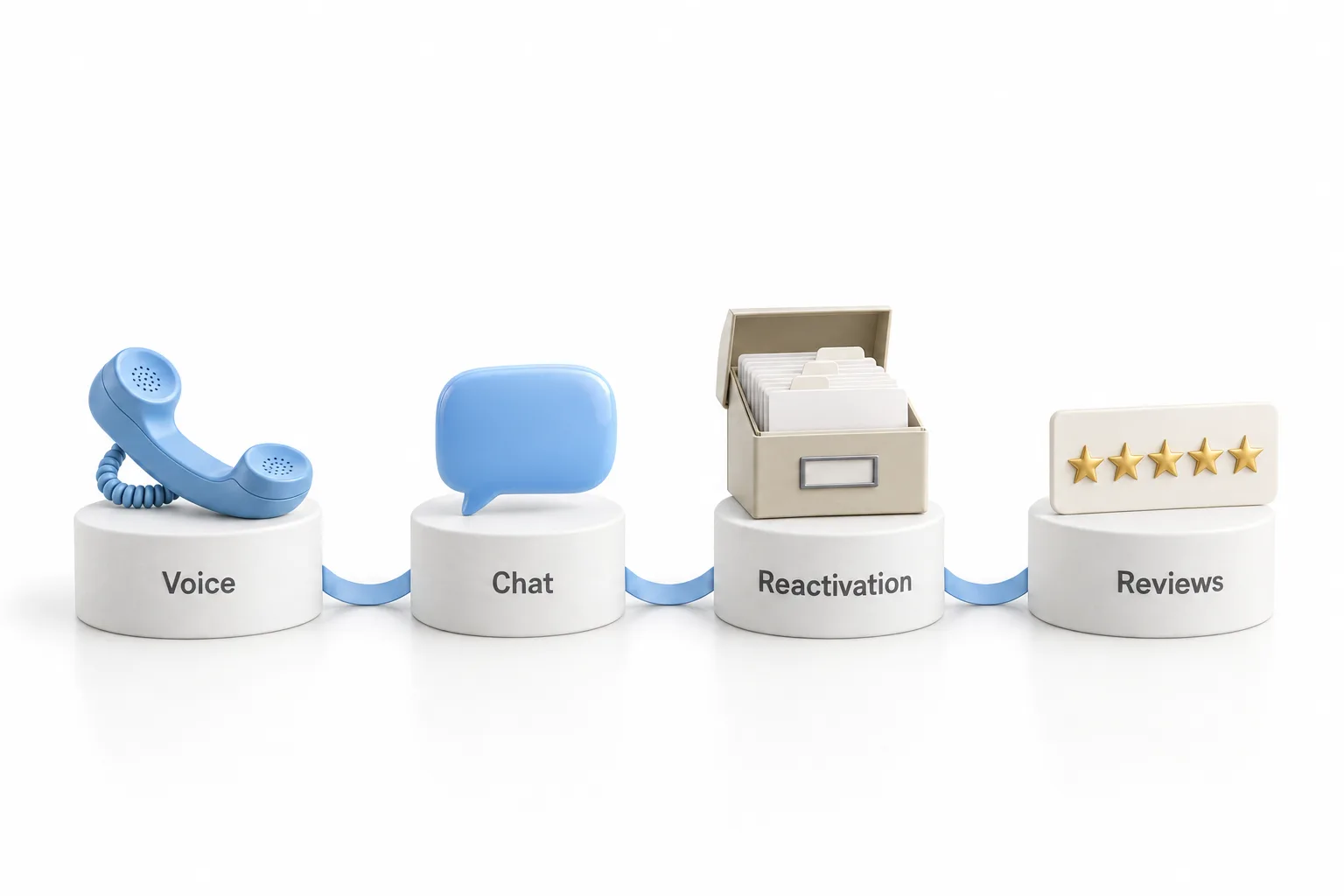
The idea came out of his own company. Michael ran a marine electronics business and, by his own account, was terrible at following up with customers. They came in, paid, and he did not talk to them again until they came back. He found HighLevel to automate that, then added AI, then saw that other businesses had the same gaps. His correction to the common view is that an AI employee is not one thing. It is four.
What do voice AI and conversational AI handle?
Pillar one is a voice AI agent that answers the phone around the clock, books appointments and qualifies leads. Michael stresses that it is not a phone tree and not a voicemail. It is a conversation. The problem it solves is the call at 9:00 at night that goes to voicemail, or the lunch hour call nobody can take. That caller hangs up and tries a competitor.
His example is an auto repair shop. A customer calls after closing and asks about a brake replacement on a 2019 Honda Accord. The agent confirms the shop does that work, offers 10:00 or 2:00 the next day, books the 2:00 slot and takes the caller's name and number.
Pillar two is conversational AI. It lives on the website and also handles Facebook and Instagram messages. Michael separates it from the chatbot that only says to fill out a form. This one understands context, answers specific questions about the business and books to the calendar. In his med spa example, the agent answers a pricing question and books a consultation over text. The Voice AI guide and the Conversation AI guide go deeper on each.
How do database reactivation and reputation management bring in work?
Pillar three is database reactivation. Every business has old customers: people who bought once, people who asked and never bought, people who have not been back in six months or a year. Michael sets up a campaign that reaches them by SMS, email and voice. His example is a home builder with 200 people who asked about a pool and never moved forward. Each gets a personal message about new designs and an invitation to a 15 minute call.
Pillar four is reputation management. Most businesses do not ask for reviews, he says, and when they do they make it too hard. His system asks after a good experience. In the auto shop example, the customer pays for the brake job and two hours later gets a text with the Google review link. A five star review gets a thank you and a response. A one or two star rating alerts the owner right away, so they can reach out and fix the problem.
How does Michael pitch an AI employee to a business owner?
He got it wrong first. He offered an AI chatbot and heard that the business already had a contact form. He offered a voice agent and heard that it sounded complicated and expensive. After months of rejection he changed the pitch. You do not sell voice, chatbots or technology. You sell the outcome.
His script names what the owner already knows. They spend on ads, but nobody answers at 8:00 at night or on a Sunday. They have old customers nobody follows up with. They do not have enough Google reviews to stand out. Then he offers one system that handles all four. He is selling availability, reactivation and reputation.
He did not cold call or run ads to start. He began with his own business, then other marine businesses in his area, then other industries. Referrals did the rest. On price, he charges a one time setup fee plus a monthly fee that covers hosting, maintenance, updates, monitoring conversations, running the reactivation campaigns and support. The guide on how to price AI services covers that decision.
How does onboarding stay repeatable for every client?
At first Michael built a custom system for each client and says he was drowning. The fix was to stop doing custom work. He built one template per pillar: a voice AI template, a chatbot template, a reactivation campaign template and a reputation management workflow template. He describes them as snapshots, built once and used for every client. The snapshot glossary entry explains the term.
For each client he fills in the blanks: services, pricing, availability and branding. Then he connects the voice agent to the phone line, the chatbot to the website and social channels, the reactivation campaign to the CRM and reputation management to the Google Business Profile. He runs a few test conversations per pillar and goes live.

Where does each pillar live inside HighLevel?
In a demo account, Michael opens AI Agents in the left menu. Under Voice AI, the agent list shows what is installed, and the marketplace offers templates such as an automotive repair agent. Once installed, you set the business name, the voice, the first message, the agent goals, a knowledge base, human transfer and booking.
Conversation AI sits in the same area. A new bot can be prompt based or built in a flow builder that looks like a flowchart, and marketplace templates give you a head start. The dental template he opens handles SMS, Instagram, Facebook and website chat. You add a knowledge base, write the bot goals and choose actions: appointments, workflow triggers, contact routing, human handover and automatic follow ups.
Reputation management connects the Google Business Profile and sends review requests by email, SMS or WhatsApp, one at a time or automatically after an event such as a payment. It also has review widgets and video testimonials. Database reactivation is a workflow in Automation: SMS steps, waits, emails and internal notifications that keep a person in the loop. He also previews the newer workflow builder in GoHighLevel.
What is the seven step plan to launch?
Michael ends the build with a plan to start this week.
- Open the account. Set up HighLevel. A 30 day trial is available through Michael's link.
- Build the templates. Spend a few hours on one generic template per pillar.
- List ten prospects. Start with businesses you know, your local area and industries you understand.
- Pitch the outcome. Talk about the calls nobody answers, not about the AI.
- Show a live demo. Let them talk to the voice agent and the chatbot, and walk them through reactivation and reviews.
- Set them up. Charge the setup fee, customize all four pillars and go live.
- Ask for referrals. Once it is booking appointments and collecting reviews, check in and ask who else could use it.
What changes when you launch before it is perfect?
Michael's main lesson is that perfect is the enemy of profitable. He spent months polishing and had no clients. Then he launched, got a first client, learned and improved, and did the same with the second. His line is that you cannot improve what does not exist.
He also gives a reality check. This is a real business and it takes work. You have to learn the technology, sell and support your clients.
What the templates change is the workload. He is not reinventing the setup for each client, which is how he says he grew from one client to more than 20. For the five pillar version of the offer, see the five pillar HighLevel offer.
New to the term? The post on what an AI employee is explains it in plain language. To build the four pillars in your own account, start a GoHighLevel 30 day trial through Michael's link. If you are still comparing platforms, see the best HighLevel alternatives first.