
Home/HighLevel/Integrations/Google Workspace
Integrations · Google Workspace
HighLevel Google Workspace integration. Calendar, Sheets, Drive and more.
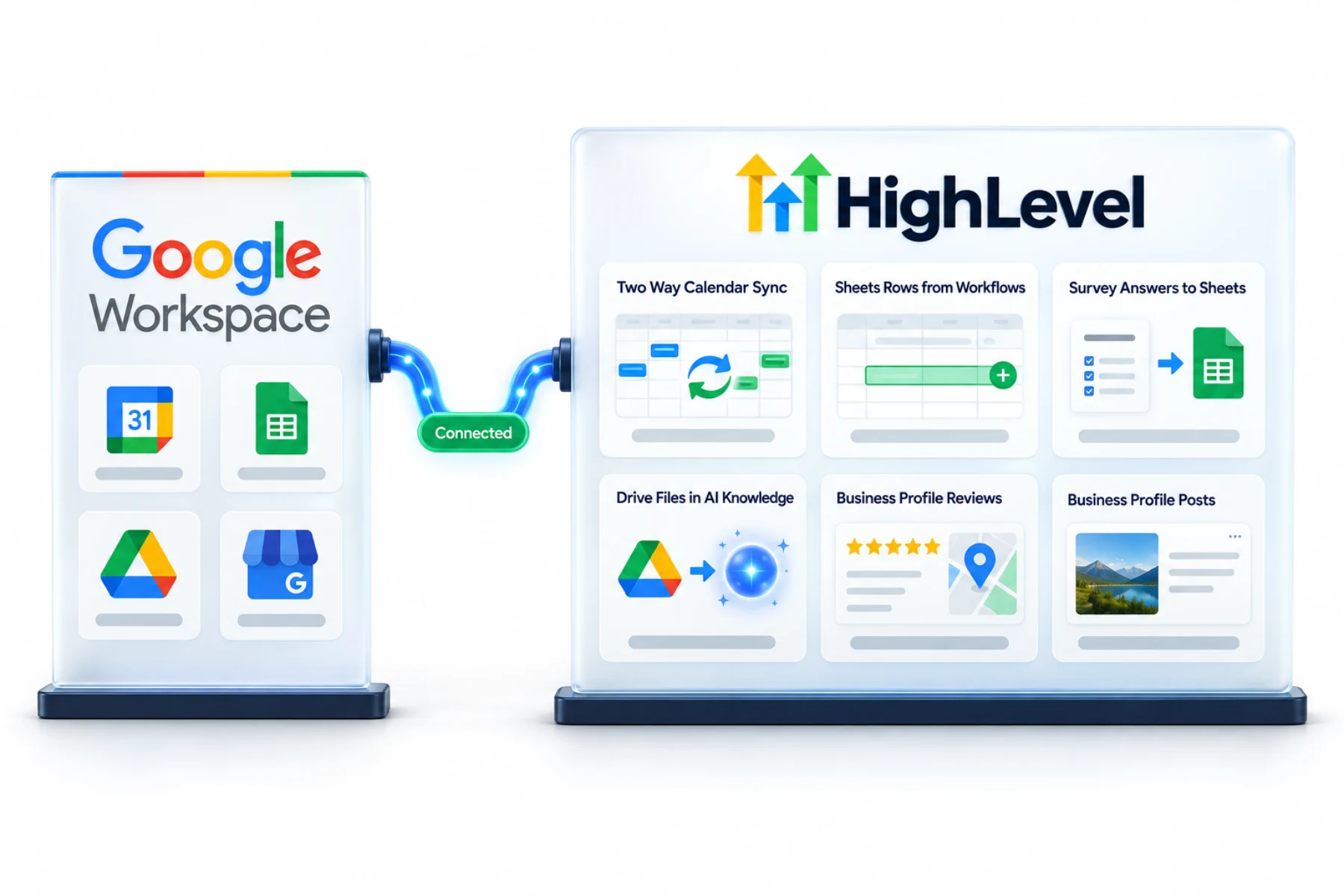
The GoHighLevel Google Workspace integration is several connections: Google Calendar for availability, Google Sheets for workflow data, Google Drive for AI knowledge bases and Google Business Profile for reviews.
The short answer
The GoHighLevel Google Workspace integration covers Google Calendar (two way sync per user), Google Sheets (workflow actions to create and update rows, and survey exports), Google Drive (documents pulled into AI knowledge bases with daily sync) and Google Business Profile (reviews, posts and call tracking). Each user connects their own Google account where required.
Michael is a sponsored HighLevel affiliate. Links to HighLevel use his partner link at no extra cost to you. HighLevel prices and product facts on this page come from HighLevel's own pricing page and help center, checked on the date above.
Connect
How do you connect Google Workspace to HighLevel?
Google Workspace is not one connection. It is several, and each one is made in a different place by a different person. Calendar is personal: each user connects their own Google account while logged in as themselves, and an admin cannot do it for them through login as. Sheets and Business Profile are connected in the subaccount's integrations. HighLevel, or GoHighLevel as it is still widely known, treats each as its own link.
- Connect Google Calendar from Settings, My Profile, Calendar Settings.
- Connect Google in Settings, Integrations for Sheets and Business Profile.
- Add Google Sheets actions in workflows.
- Add Google Drive files to a knowledge base and turn on daily sync.
- Test each connection.
Uses
What can you do with Google Workspace and HighLevel?
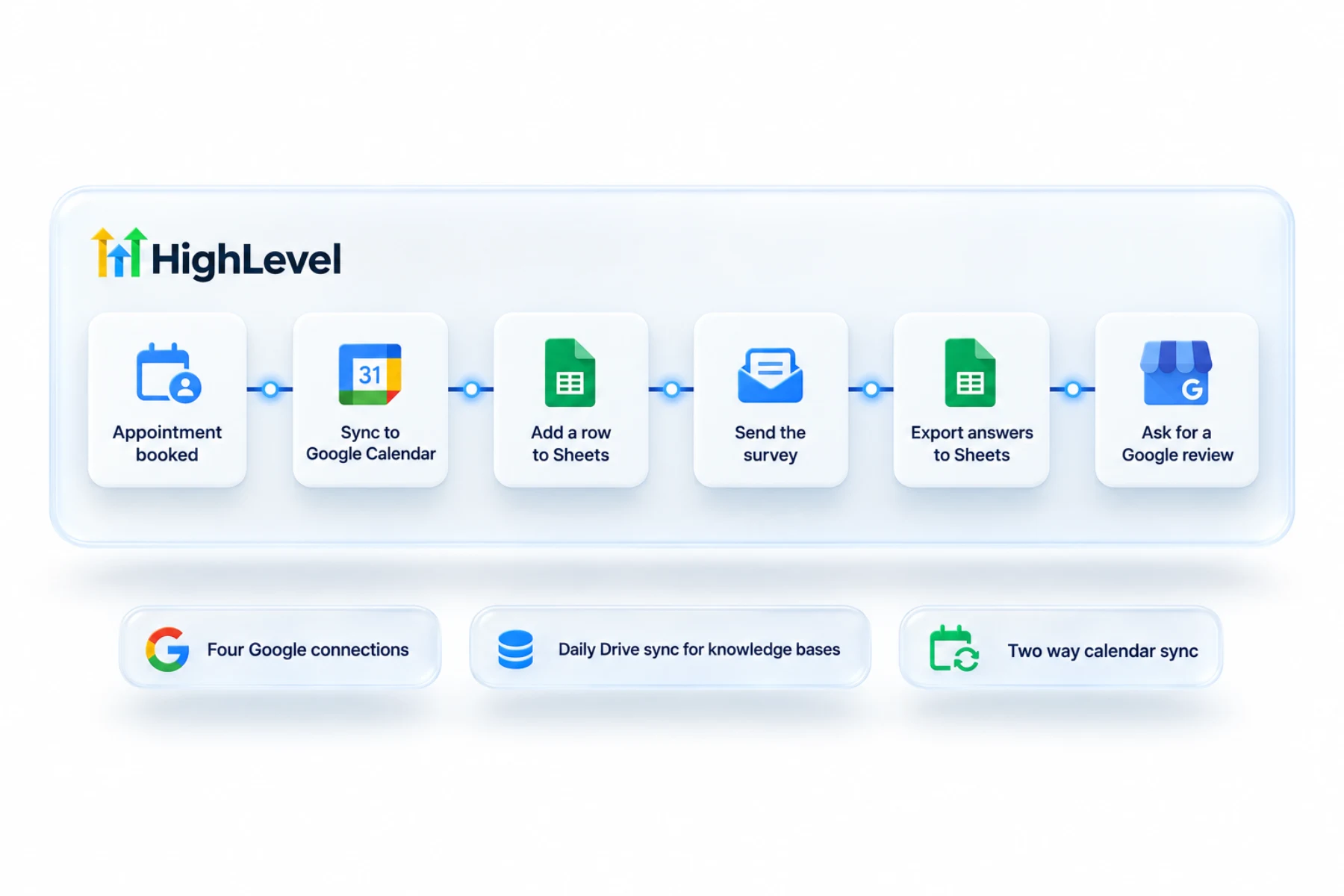
Calendar sync keeps people from being double booked. HighLevel checks the Google calendars you choose for conflicts and writes new bookings to the one you pick. Sheets actions let a workflow create and update rows, which is handy for a simple log the owner already likes. Survey answers can be exported to Sheets too.
Drive feeds AI. Documents from Google Drive can be pulled into a knowledge base and synced daily, so an agent answers from the current version. Business Profile brings reviews, posts and call tracking into the same account.
- Two way Google Calendar sync
- Add and update Google Sheets rows from workflows
- Export survey answers to Sheets
- Google Drive files in AI knowledge bases
- Google Business Profile reviews and posts
Data
What syncs with Google and what does not?
Calendar is two way for each connected user. Bookings made in HighLevel appear in Google, and events in Google block the time in HighLevel. If the connection breaks and you reconnect, HighLevel syncs upcoming appointments that were created while it was down. Disconnecting does not delete appointments already in the system.
Sheets is not a sync. Rows change only when a workflow action runs. Drive files in a knowledge base refresh daily, not instantly. And Business Profile no longer brings in chat messages, because Google ended Business Profile chat in July 2024.
Limits
What are the limits to know about?
Permissions are the usual trouble. During the Google sign in, allow every permission requested. If sync stops later, look in Settings, Integrations, Google for a missing permissions warning and click Reconnect. Fix a calendar not syncing with Google has the steps.
For Business Profile, the Google login needs Owner or Manager access to the location. Connect with an account the business owns. Staff leave, and the connection leaves with them.
In practice
How does a small team use it?
A three person office sets it up once. Each person connects their own calendar. The owner connects the Business Profile, and review requests start going out with the right link, as in build a review request workflow. A workflow adds each new lead to a Google Sheet the owner checks every morning. The price list in Drive feeds the AI agent, as in build an AI knowledge base.
If the team shares bookings, each person's Google calendar is what keeps a round robin calendar accurate.
The step by step guides are connect Google Calendar and connect Google Business Profile. To test the Google connections in your own account, use the 30 day trial through Michael's link. GoHighLevel pricing lists what each plan costs, and if you are still comparing tools, the best HighLevel alternatives page is a fair place to start.
For spreadsheets, read the GoHighLevel Google Sheets integration guide.

Connect Google with an account the business owns, not a staff member's personal one.
Questions
Common questions.
Does HighLevel work with Google Calendar?
Yes, with two way sync per user. Bookings made in HighLevel appear in Google, and events in Google block the time in HighLevel. Each user connects their own Google account from Settings, My Profile, Calendar Settings. HighLevel checks the Google calendars you choose for conflicts.
Can workflows write to Google Sheets?
Yes, with Google Sheets actions. A workflow can create and update rows, which is handy for a simple log, and survey answers can be exported to Sheets too. Sheets is not a sync. Rows change only when a workflow action runs. Connect Google in Settings, Integrations first.
Can AI use Google Drive files?
Yes. Documents from Google Drive can be pulled into a knowledge base and synced daily, so an AI agent answers from the current version. The refresh is daily, not instant. Add the Drive files to the knowledge base and turn on daily sync when you set it up.
Does it connect to Google Business Profile?
Yes. Google Business Profile connects in the subaccount under Settings, Integrations and brings reviews, posts and call tracking into the same account. The Google login needs Owner or Manager access to the location. Business Profile chat messages no longer come in, because Google ended that chat in July 2024.
Can an admin connect Google Calendar for a user?
No. The person who owns the Google account must connect it while logged in as themselves. An admin cannot do it for them through login as. Calendar is a personal connection made from Settings, My Profile, Calendar Settings, and during the Google sign in the user should allow every permission requested.
Will I lose appointments if I disconnect Google Calendar?
No. Existing appointments stay in HighLevel. Disconnecting does not delete appointments already in the system. If the connection breaks and you reconnect, HighLevel syncs upcoming appointments that were created while it was down. Look in Settings, Integrations, Google for a missing permissions warning and click Reconnect.
What access do I need for Google Business Profile?
Owner or Manager access to the profile location. Connect with a Google account the business owns. Staff leave, and the connection leaves with them. Once the profile is connected, review requests can go out with the right link, and reviews, posts and call tracking come into the same account.
Next step
See it in your own account. Thirty days, every feature.
Start a trial, build the first system and test it before the first invoice. Usage fees for phone, SMS, email and AI can apply during the trial.
HighLevel has three plans at a flat monthly price, each with unlimited users and contacts. See what each one includes and what it costs.
Compare the PlansStarter, Unlimited and Founder