
Home/HighLevel/How to/Set up your agency account
How to · Agency setup
How to set up a GoHighLevel agency account. In the order that saves you rework.
The agency account is the top level of HighLevel. Everything you build for clients sits in subaccounts underneath it. Setting the agency up in the right order means you do the branding, phone and email work once, then reuse it for every client.
In the order that saves you rework.
The short answer
Set up a GoHighLevel agency account in this order: fill in your company details, connect your white label domain, set up the phone system and email sending domain, create your first subaccount, add your team with the right permissions, then save a snapshot you can reuse for every client. Starter at $97 a month covers three subaccounts.
Michael is a sponsored HighLevel affiliate. Links to HighLevel use his partner link at no extra cost to you. HighLevel prices and product facts on this page come from HighLevel's own pricing page and help center, checked on the date above.
The order
Eight steps, top down.
- Start your trial and log in to the agency view. If you signed up through my link, book your onboarding call now so the team can walk this with you.
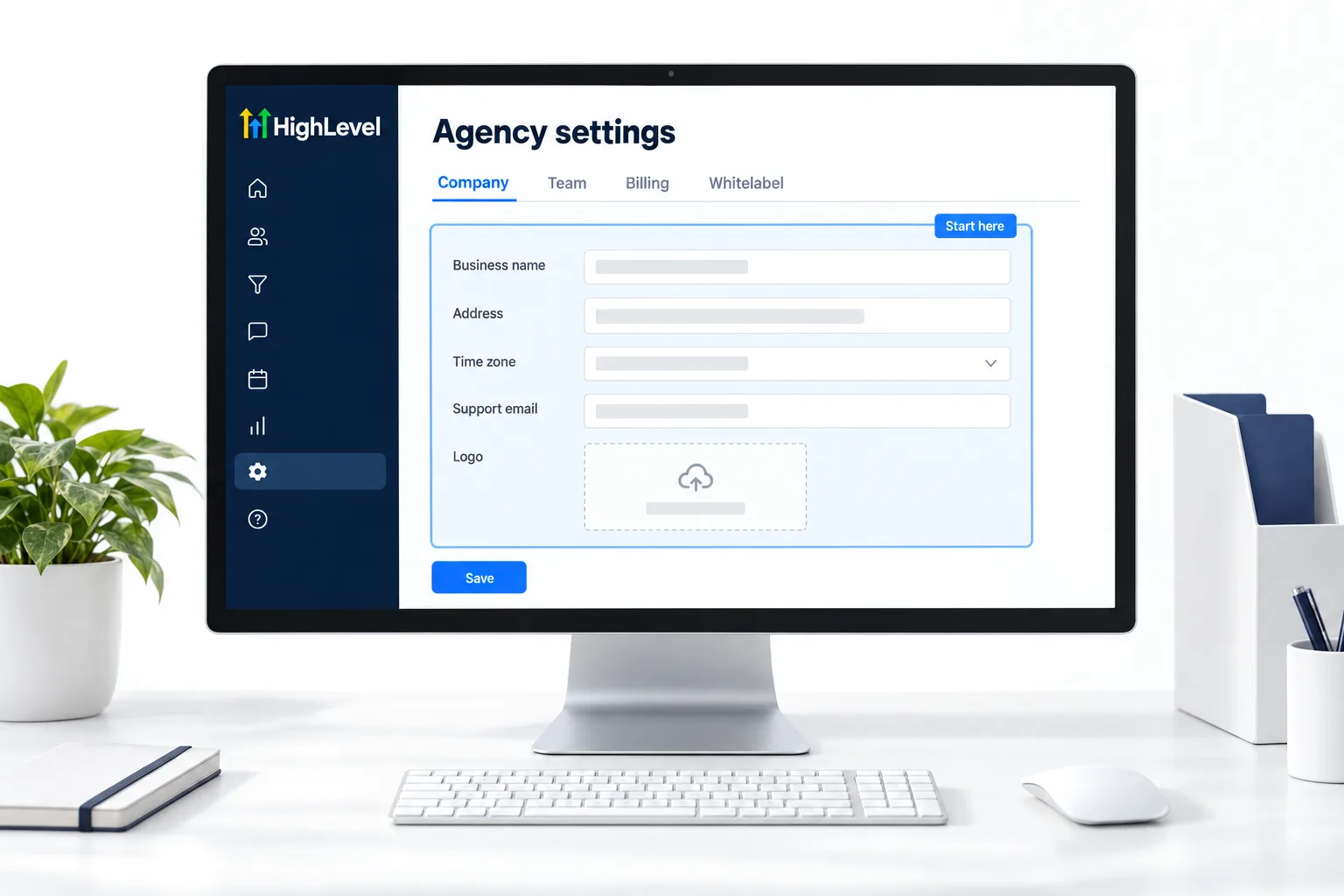
- Open Agency Settings, then Company, and fill in your business name, address, logo and support details. These show up on client facing screens.
- Connect your white label app domain in Agency Settings, Company, Whitelabel. You add a CNAME record at your DNS provider pointing to
whitelabel.ludicrous.cloud. - Decide on your phone system. LC Phone is HighLevel's native option and needs no Twilio account.
- Plan your email sending domain. Each subaccount should send from an authenticated subdomain such as
mail.clientdomain.com. - Create your first subaccount. Use your own business first so you have a live demo.
- Invite your team and set user roles and permissions before they touch client accounts.
- Build the subaccount you want every client to start from, then save it as a snapshot.
What lives where
Agency level versus subaccount level.
| Setting | Where it lives | Why it matters |
|---|---|---|
| Company details and branding | Agency | Shown to clients across the platform |
| White label app domain | Agency | Clients log in on your domain |
| Snapshots | Agency | Templates you load into client accounts |
| Phone numbers and A2P | Subaccount | Each business registers and texts under its own name |
| Email sending domain | Subaccount | Each business sends from its own authenticated domain |
| Workflows, calendars, pipelines | Subaccount | Built per business, or loaded from a snapshot |
Pick the plan
Which plan fits an agency.
Starter at $97 a month covers up to three subaccounts. Unlimited at $297 a month removes the subaccount limit. The Founder Plan at $497 a month adds the tools for selling HighLevel under your own brand with markup. The full comparison is on plans compared.
Before you start
What do you need before you set up a GoHighLevel agency account?
Most of the delay in agency setup is waiting on things you could have gathered first. Have these ready before you log in to HighLevel.
- A HighLevel trial or paid plan. See HighLevel pricing and plans
- Your business name, address, logo and support details
- A domain you control and a login for its DNS provider, so you can add the CNAME record
- A decision on the phone system. See set up LC Phone
- A list of team members and what each one should be able to open
- Your own business as the first subaccount, so you have a live demo
Test it
How do you test the agency setup?
Walk through it the way a client and a team member would.
- Open your white label domain in a browser and confirm the login page loads there.
- Log in and check that your company name, logo and support details show on client facing screens.
- Open your first subaccount and, once the phone and email are set up, send yourself a test text and a test email.
- Log in as one of your team members and confirm they see only what you intended. See set up user permissions.
- Load your snapshot into a fresh test subaccount and confirm the workflows, calendars and pipelines arrive.
Common mistakes
What mistakes should you avoid when you set up an agency account?
- Building client accounts first. Company details and the white label domain are done once at the agency level. Do them before anything else.
- Leaving DNS and A2P until the end. Both involve waiting. Start them early. See register for A2P 10DLC.
- Sending from an unauthenticated domain. Each subaccount should send from its own authenticated subdomain. See set up SPF, DKIM and DMARC.
- Inviting the team before setting roles. Set roles and permissions before anyone touches a client account.
- Rebuilding every client by hand. Build the starting subaccount once and save it as a snapshot.
- Skipping your own business. Your own subaccount is your demo and your test lab.

Build your own business account first. It becomes your demo, your test lab and your proof all at once.
Through my link
Start HighLevel through my link and the CRM Pros team comes with it.
Same HighLevel price. The difference is who is in your corner for the first ninety days.
- Setup help in your first 7 days
- Your onboarding call with Michael’s team
- Three live calls every week: tech, sales and Michael’s own call
- The private affiliate community
- Snapshots, templates and email swipes
- Four apps: Prompt, Demo, A2P and Sales On Demand
The Founder Plan is HighLevel’s top plan at $497 a month. It is the former Agency Pro plan with an exclusive feature set, rebilling with markup and the Founders Club. The full breakdown is here.
The Founder PlanWhat it includes and who it is for
Questions
Common questions.
How do I set up a GoHighLevel agency account?
Work top down. Fill in your company details, connect your white label domain, set up the phone system and email sending domain, create your first subaccount, add your team with the right permissions, then save a snapshot you can reuse for every client. That order means you do the branding, phone and email work once.
What is the difference between the agency account and a subaccount?
The agency account is the top level. It manages company details, branding, the white label domain and snapshots. Subaccounts are the individual businesses you run underneath it, each with its own phone numbers, A2P registration, email sending domain, workflows, calendars and pipelines. Set up the agency level first.
Do I need Twilio?
No. LC Phone is HighLevel's native phone system and works without a Twilio account. Phone numbers and A2P registration live at the subaccount level, so each business registers and texts under its own name. Start A2P early, because it involves waiting. Decide on the phone system before you create client accounts.
Can I get help setting it up?
Yes. Signing up through Michael's link includes setup help in your first 7 days with the CRM Pros team, at the same HighLevel price. Book your onboarding call as soon as you log in so the team can walk the setup with you. Start with the 30 day GoHighLevel trial.
What should I set up first in a new GoHighLevel agency account?
Company details and your white label domain. They are done once at the agency level and show on client facing screens. Then phone, email and your first subaccount. Make your own business that first subaccount, so you have a live demo to show.
What takes the longest in agency setup?
The waiting, not the settings. DNS changes and A2P registration both take time, so start those first. The agency account glossary entry explains what lives at the agency level. Gather your logo, DNS login and team list before you log in, so nothing holds you up.
How many subaccounts can a GoHighLevel agency account have?
Starter covers up to three subaccounts. Unlimited and the Founder Plan remove the limit. See set up your first subaccount for the steps. If you are still choosing a platform for your agency, compare the best HighLevel alternatives before you commit to a plan.
Next step
See it in your own account. Thirty days, every feature.
Start a trial, build the first system and test it before the first invoice. Usage fees for phone, SMS, email and AI can apply during the trial.
HighLevel has three plans at a flat monthly price, each with unlimited users and contacts. See what each one includes and what it costs.
Compare the PlansStarter, Unlimited and Founder