
Home/HighLevel/How to/Build a webinar funnel
How to · Sites
How to build a webinar funnel in GoHighLevel. Register, remind, show up.
HighLevel Webinars run live, on demand and recurring sessions from the Sites area, with registration pages, templates and analytics. The reminders are what decide how many people actually attend.
Register, remind, show up.
The short answer
To build a webinar funnel in GoHighLevel, create a webinar in the Sites area, choose Live, On Demand or Recurring, add the registration form, enter the stream link for live sessions, such as Zoom or YouTube Live, pick a template and publish, then build reminder and follow up workflows triggered by the registration form.
Michael is a sponsored HighLevel affiliate. Links to HighLevel use his partner link at no extra cost to you. HighLevel prices and product facts on this page come from HighLevel's own pricing page and help center, checked on the date above.
Build
How do you build a webinar funnel in HighLevel?
- Open Sites and create a new webinar.
- Choose Live, On Demand or Recurring.
- Build the registration form with name, email and phone.
- For live sessions, enter the stream link, such as Zoom or YouTube Live.
- Pick a template and edit the pages.
- Publish, then build workflows for reminders and replay follow up.
Reminders
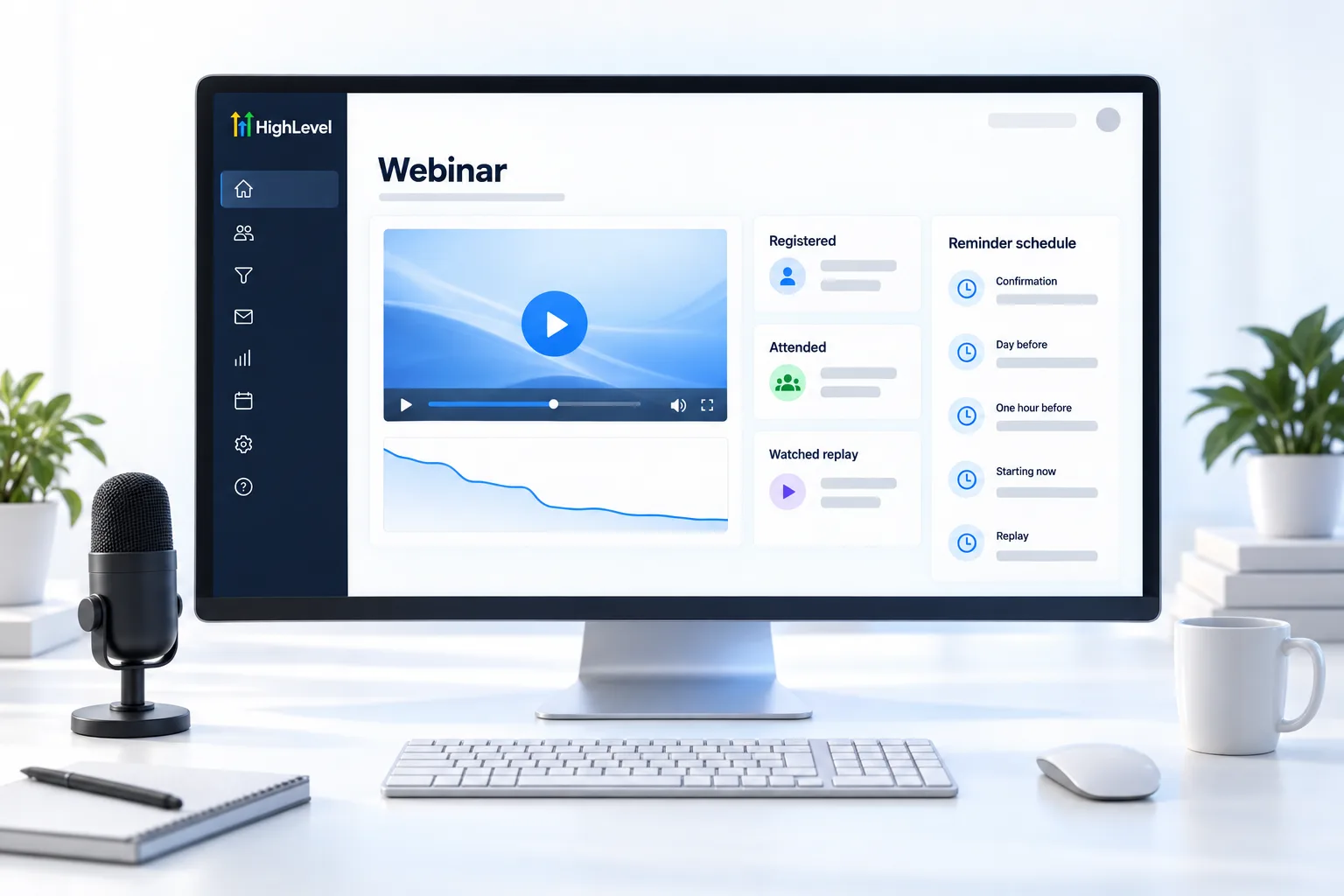
The reminder schedule.
| When | Channel |
|---|---|
| On registration | Email and SMS with the calendar link |
| 24 hours before | |
| 1 hour before | SMS |
| At start | SMS with the join link |
| After | Replay email to everyone |
Before you start
What do you need before you build a webinar funnel?
The webinar tool handles the pages. You bring the session and the follow up. Before you start in HighLevel, or GoHighLevel as it is often searched, have these ready.
- The webinar type decided: live, on demand or recurring
- A stream link for live sessions, such as Zoom or YouTube Live
- The date, time and time zone
- A phone number with A2P 10DLC registration if you will text reminders to US numbers
- Reminder and replay messages written. The pattern matches an appointment reminder workflow
For the wider picture, see whether you can build funnels in HighLevel and how the builder compares in the best funnel builders. You can build and test a webinar funnel during a 30 day trial through Michael's link, and the page on whether HighLevel is worth it weighs the cost against a separate webinar tool.
Test it
How do you test a webinar funnel?
Register for your own webinar and follow every message.
- Open the published registration page on your phone and register.
- Confirm the confirmation page loads and the first email and text arrive.
- Check that a contact was created and the reminder workflow started.
- For a live session, click the stream link in the reminder and confirm it opens the right room.
- After the test, confirm the replay message goes out.
Common mistakes
What mistakes should you avoid when you build a webinar funnel?
- No reminders. Registration is not attendance. The reminders decide how many people show up. If texts fail, see fix SMS messages not delivered.
- A wrong or expired stream link. Click the link in the actual reminder before the day.
- A time with no time zone. Say the time zone in every message.
- Too many fields on registration. Name, email and phone is enough.
- No replay plan. Send the replay to everyone who registered. Many people watch later.

The text that says "we are live now" brings in more attendees than any other message.
Questions
Common questions.
Can HighLevel host webinars?
Yes. HighLevel Webinars run live, on demand and recurring sessions from the Sites area, with registration pages, templates and analytics. For a live session you enter a stream link, such as Zoom or YouTube Live, and HighLevel handles the registration, the pages and the reminders around it.
What streaming tools work with HighLevel webinars?
Live sessions use a stream link, such as Zoom or YouTube Live. You enter the link when you set up the live webinar, and registrants reach the session through it. Before you promote, click the stream link in a reminder yourself and confirm it opens the right room.
Are there webinar funnel templates?
Yes. There is a template library for webinar funnels. Pick a template when you create the webinar and edit the pages to fit your session. The template covers the pages. You still build the reminder and replay workflows, and those decide how many people actually attend.
Can I see who watched the webinar?
Yes, with webinar video analytics. HighLevel Webinars include analytics alongside the registration pages and templates. Use them after the session to see how the webinar performed, then send the replay email to everyone who registered so people who missed it can still watch.
Do I need Zoom to run a webinar in HighLevel?
Not necessarily. For live sessions you enter a stream link, such as Zoom or YouTube Live, so Zoom is one option and not a requirement. HighLevel handles registration, the pages and the reminders around the stream, and you bring the session itself and the follow up.
How many reminders should a webinar have?
Five messages work well. Send a confirmation on registration by email and SMS with the calendar link, an email 24 hours before, a text 1 hour before and a text at the start with the join link. Then send a replay email to everyone after the session.
Should I run it live or on demand?
Choose live when questions and a set date help people decide. Choose on demand when you want the same presentation available any day. Recurring sessions run the webinar on a repeating schedule. You pick Live, On Demand or Recurring when you create the webinar in the Sites area.
What should I test before I promote a webinar?
Register yourself as a test contact on the published page, on your phone. Confirm the registration form works, the confirmation page loads, the first email and text arrive and the reminder workflow started. For a live session, click the stream link and confirm it opens the right room.
Next step
See it in your own account. Thirty days, every feature.
Start a trial, build the first system and test it before the first invoice. Usage fees for phone, SMS, email and AI can apply during the trial.
HighLevel has three plans at a flat monthly price, each with unlimited users and contacts. See what each one includes and what it costs.
Compare the PlansStarter, Unlimited and Founder