
Home/HighLevel/Glossary/Merge Field
Glossary · Merge Field
What is a Merge Field in GoHighLevel? A placeholder filled with real data.
A merge field is a placeholder in a message, such as the contact's first name or appointment time, that HighLevel replaces with real data when it sends.
A placeholder filled with real data.
The short answer
A merge field is a placeholder written in double curly braces, such as {{contact.first_name}} or {{appointment.start_time}}, that HighLevel replaces with saved data when a message sends, and appointment fields only fill when an appointment trigger starts the workflow that sends it.
Michael is a sponsored HighLevel affiliate. Links to HighLevel use his partner link at no extra cost to you. HighLevel prices and product facts on this page come from HighLevel's own pricing page and help center, checked on the date above.
In practice
How does a merge field work in HighLevel?
You write a message once and HighLevel, or GoHighLevel as many people know it, personalizes it for each person. The merge field is how. It is a placeholder in double curly braces, and at send time the platform swaps it for the saved data.
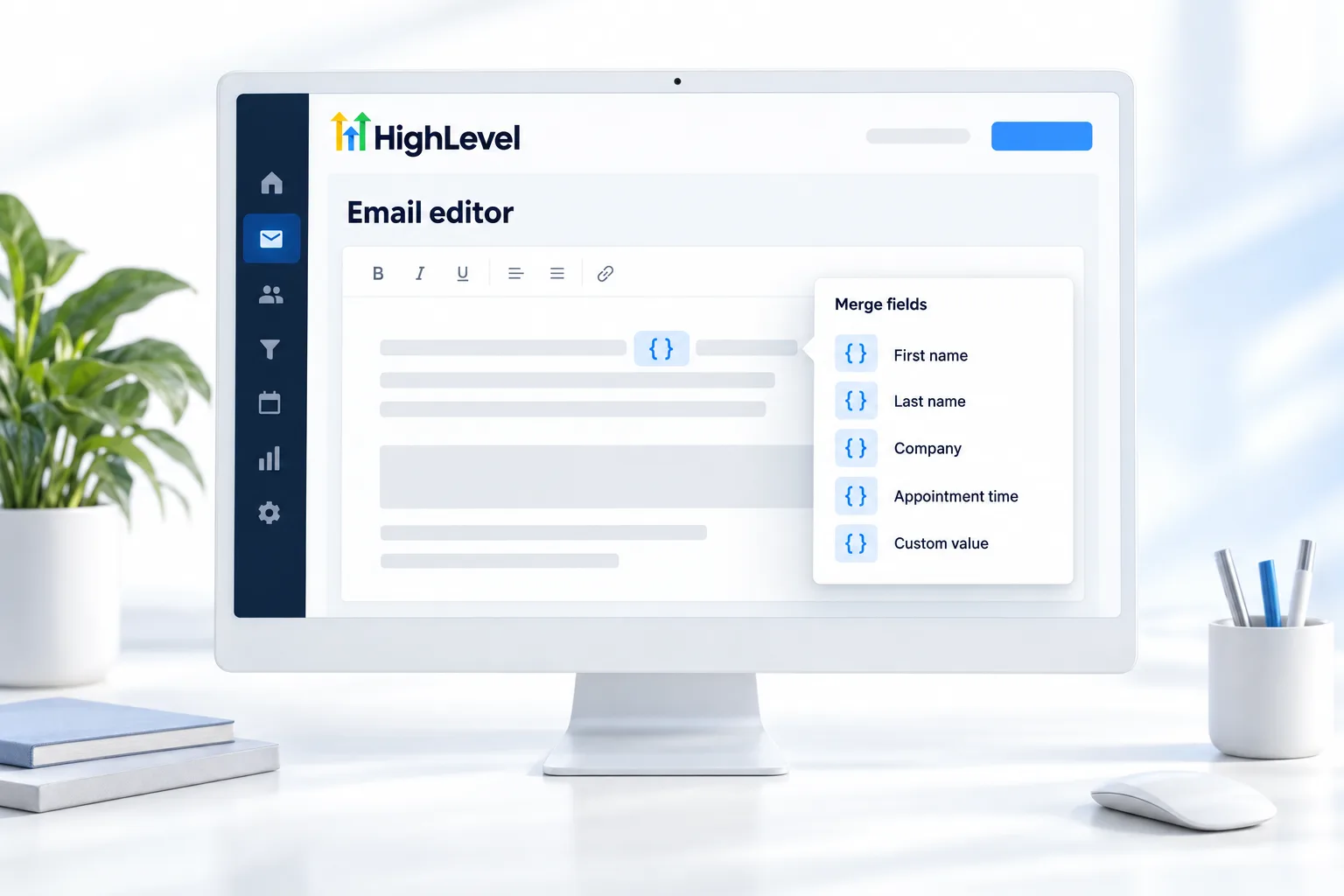
You do not need to memorize the codes. Open the custom value picker in any editor and choose what you want. Contact fields print details about the person. Appointment fields print the booking time. Invoice and other fields are there too. A custom value prints a business detail, and a custom field prints something you store per contact.
One rule catches people out. Appointment fields only fill when an appointment trigger starts the workflow that sends the message. A workflow started by a tag has no appointment to read from.
- Contact, appointment, invoice and other fields
- Inserted with the custom value picker
- Appointment fields need an appointment trigger
- Set defaults so blanks read well
Example
What does a merge field look like in practice?
"Hi {{contact.first_name}}, see you at {{appointment.start_time}}" becomes "Hi Sarah, see you at 3:00 PM".
Take a reminder. The workflow starts from an appointment trigger, so the appointment fields have something to read. The text uses the first name field and the start time field. Sarah, booked for 3:00 PM, gets a message with her name and her time. The next contact gets theirs. Same template, different data.
Watch for
What mistakes do people make with merge fields?
No fallback for missing data is the first. If the contact has no first name, the field prints blank and the greeting reads badly. Set a default that still reads well, such as there.
Appointment fields in the wrong workflow is the second. If the workflow was not started by an appointment trigger, those fields stay empty.
Typing the braces by hand and getting one character wrong is the third. Use the picker. If a field is not showing, fix merge fields not showing covers the causes. Reminder timing is in build an appointment reminder workflow.

Set a default for every merge field. "Hi there" beats "Hi ,".
Questions
Common questions.
What is a Merge Field in GoHighLevel?
A merge field in GoHighLevel is a placeholder written in double curly braces, such as {{contact.first_name}} or {{appointment.start_time}}, that the platform replaces with saved data when a message sends. You write the message once and each person receives it with their own name, appointment time or other details filled in.
Where do I find merge fields in HighLevel?
Merge fields are in the custom value picker, which appears in any editor. Open the picker and choose what you want. Contact fields print details about the person, appointment fields print the booking time, and invoice and other fields are there too. You do not need to memorize or type the codes.
What happens to a merge field if the contact has no data?
The field prints blank. If the contact has no first name, the greeting reads badly because the placeholder is replaced with nothing. Set a default value for every merge field that still reads well, such as the word there in a greeting, so the message makes sense for every contact.
Why is my appointment merge field blank?
Appointment merge fields only fill when an appointment trigger starts the workflow that sends the message. A workflow started by a tag or a form has no appointment to read from, so those fields stay empty. Move the message into a workflow that starts from an appointment trigger and the booking time will print.
How do I insert a merge field?
Open the custom value picker in the editor and choose the field. HighLevel adds the placeholder for you, with the double curly braces in the right place. Use the picker instead of typing the braces by hand, because one wrong character stops the field from filling when the message sends.
Is a merge field the same as a custom value?
Not quite. A custom value is one kind of merge field. It prints a business detail that is the same for every contact, such as the booking link. Merge fields also cover contact, appointment and invoice data, including custom fields, which print something you store for each individual contact.
Next step
See it in your own account. Thirty days, every feature.
Start a trial, build the first system and test it before the first invoice. Usage fees for phone, SMS, email and AI can apply during the trial.
HighLevel has three plans at a flat monthly price, each with unlimited users and contacts. See what each one includes and what it costs.
Compare the PlansStarter, Unlimited and Founder