
Home/HighLevel/Glossary/Conversation AI
Glossary · Conversation AI
What is Conversation AI in GoHighLevel? AI that replies to messages.
Conversation AI is HighLevel's AI for text based conversations. It replies to SMS, chat and social messages, answers questions and books appointments.
AI that replies to messages.
The short answer
Conversation AI is HighLevel's AI for text based channels such as SMS, web chat and social messages that answers questions, collects details and books appointments, and each bot runs Off, in Suggestive mode where it drafts replies for staff, or on Auto Pilot.
Michael is a sponsored HighLevel affiliate. Links to HighLevel use his partner link at no extra cost to you. HighLevel prices and product facts on this page come from HighLevel's own pricing page and help center, checked on the date above.
In practice
How does Conversation AI work in HighLevel?
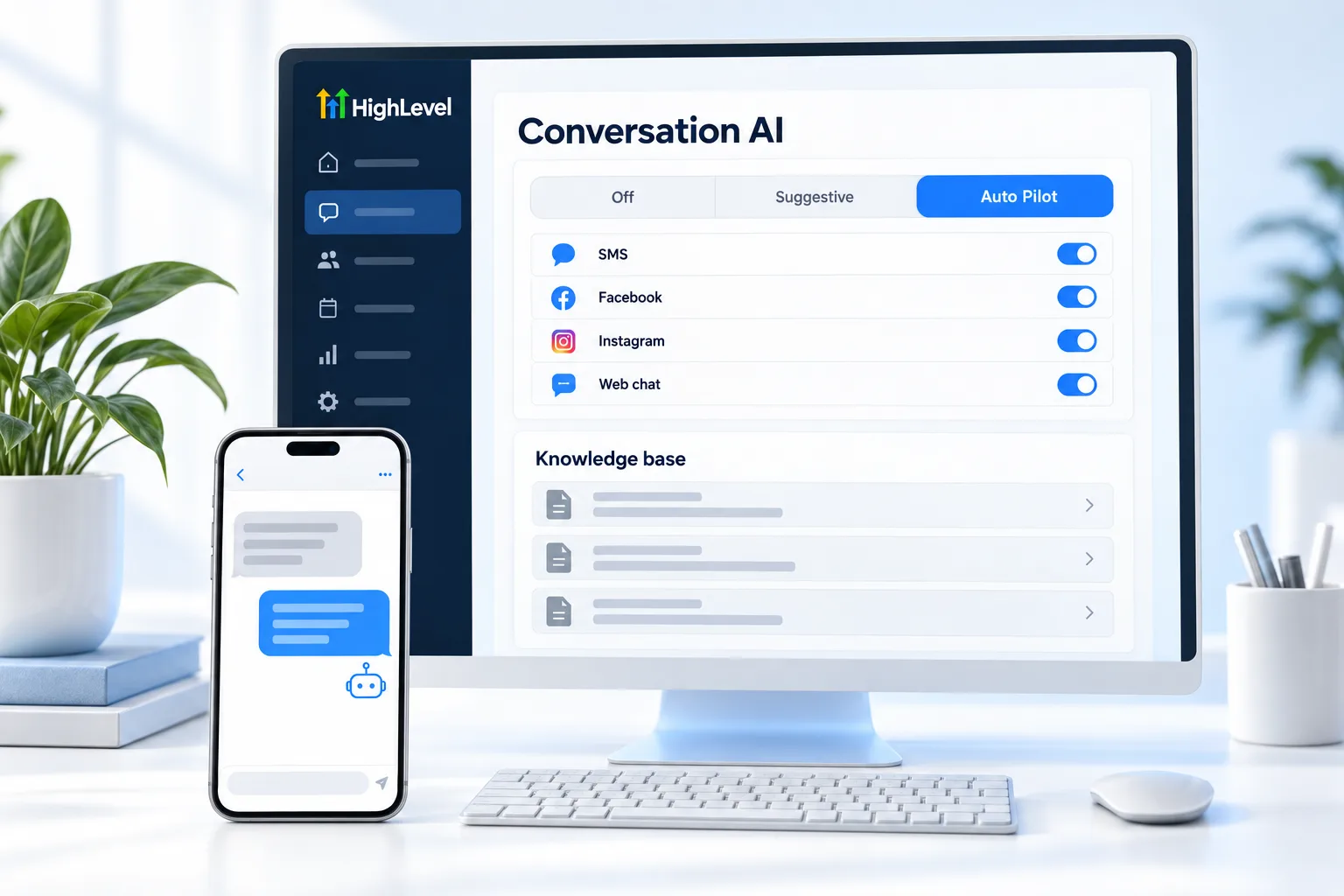
Conversation AI lives in the subaccount under AI Agents, Conversation AI. You create a bot, tell it about the business and choose the channels it answers, such as SMS, web chat, Facebook and Instagram. When a message comes in on one of those channels, the bot reads it and replies. In HighLevel, also known as GoHighLevel, it works inside the same Conversations inbox your team already uses.
There are three ways to build one. Guided Form Setup suits lead capture, booking and simple questions. Prompt Based setup suits people who are comfortable writing detailed prompts. The Flow Based Builder handles advanced logic and paths with several steps. Connect a calendar if the bot should book, and attach a knowledge base so it answers from real business facts.
Each bot runs in one of three modes. Off does nothing. Suggestive drafts a reply and a person reviews and sends it. Auto Pilot sends replies on its own. New bots may start Off, so check the status switch. The build steps are in set up a Conversation AI bot.
- Guided, prompt based or flow based setup
- Uses knowledge bases
- Books into calendars
- Works in the mobile app
Example
What does Conversation AI look like in practice?
A missed call text back gets a reply at 9pm, and Conversation AI books the caller for the next morning.
Picture a dental office. A caller hangs up at 9pm and gets the missed call text back. She replies asking if the office takes new patients. Conversation AI answers from the knowledge base, asks what day suits her and books the opening on the connected calendar. In the morning the front desk sees the whole thread in Conversations with the appointment already on the schedule.
Watch for
What mistakes do people make with Conversation AI?
Going straight to Auto Pilot is the big one. Run Suggestive for a week first. Every reply your team corrects shows you what to fix in the setup.
The second is a thin knowledge base. If the bot has no source for prices or hours, it cannot answer well. Fix the source before you rewrite the prompt.
The third is forgetting the status switch. If the bot is not replying at all, it is often still Off. Fix Conversation AI not responding lists the checks. Consent rules still apply to AI replies, which AI compliance and consent covers.

Run Suggestive mode for a week before Auto Pilot.
Questions
Common questions.
What is Conversation AI in GoHighLevel?
Conversation AI in GoHighLevel is the AI for text based conversations. It replies on channels such as SMS, web chat, Facebook and Instagram, answers questions from a knowledge base, collects details and books appointments on a connected calendar. Each bot runs Off, in Suggestive mode where staff approve drafts, or on Auto Pilot.
Where do I find Conversation AI in HighLevel?
Conversation AI is in the subaccount under AI Agents, Conversation AI. Create a bot there, tell it about the business and choose the channels it answers. You can build with Guided Form Setup, Prompt Based setup or the Flow Based Builder. Replies appear in the same Conversations inbox your team already uses.
Which mode should I start in?
Start in Suggestive mode. The bot drafts each reply and a person reviews and sends it. Run it that way for about a week, because every reply your team corrects shows what to fix in the setup or the knowledge base. Switch to Auto Pilot once the drafts are consistently right.
Can Conversation AI book appointments?
Yes. Conversation AI books appointments when you connect a calendar to the bot. It asks what day suits the person and books an opening on that calendar, and your team sees the whole thread in Conversations with the appointment already on the schedule. Connect the calendar before you test booking.
Which channels does Conversation AI answer?
Conversation AI answers text based channels such as SMS, web chat, Facebook and Instagram. You choose the channels for each bot when you set it up, so one bot can cover several channels or just one. Phone calls are not part of it. Voice AI handles calls, and both answer from a knowledge base.
Why is my Conversation AI bot not replying?
The most common reason is the status switch. New bots may start Off, so the bot sends nothing. Open the bot and switch it to Suggestive or Auto Pilot. If it replies but answers poorly, check the knowledge base first, because a bot with no source for prices or hours cannot answer well.
Next step
See it in your own account. Thirty days, every feature.
Start a trial, build the first system and test it before the first invoice. Usage fees for phone, SMS, email and AI can apply during the trial.
HighLevel has three plans at a flat monthly price, each with unlimited users and contacts. See what each one includes and what it costs.
Compare the PlansStarter, Unlimited and Founder