
Home/HighLevel/Glossary/Voice AI
Glossary · Voice AI
What is Voice AI in GoHighLevel? AI that answers calls.
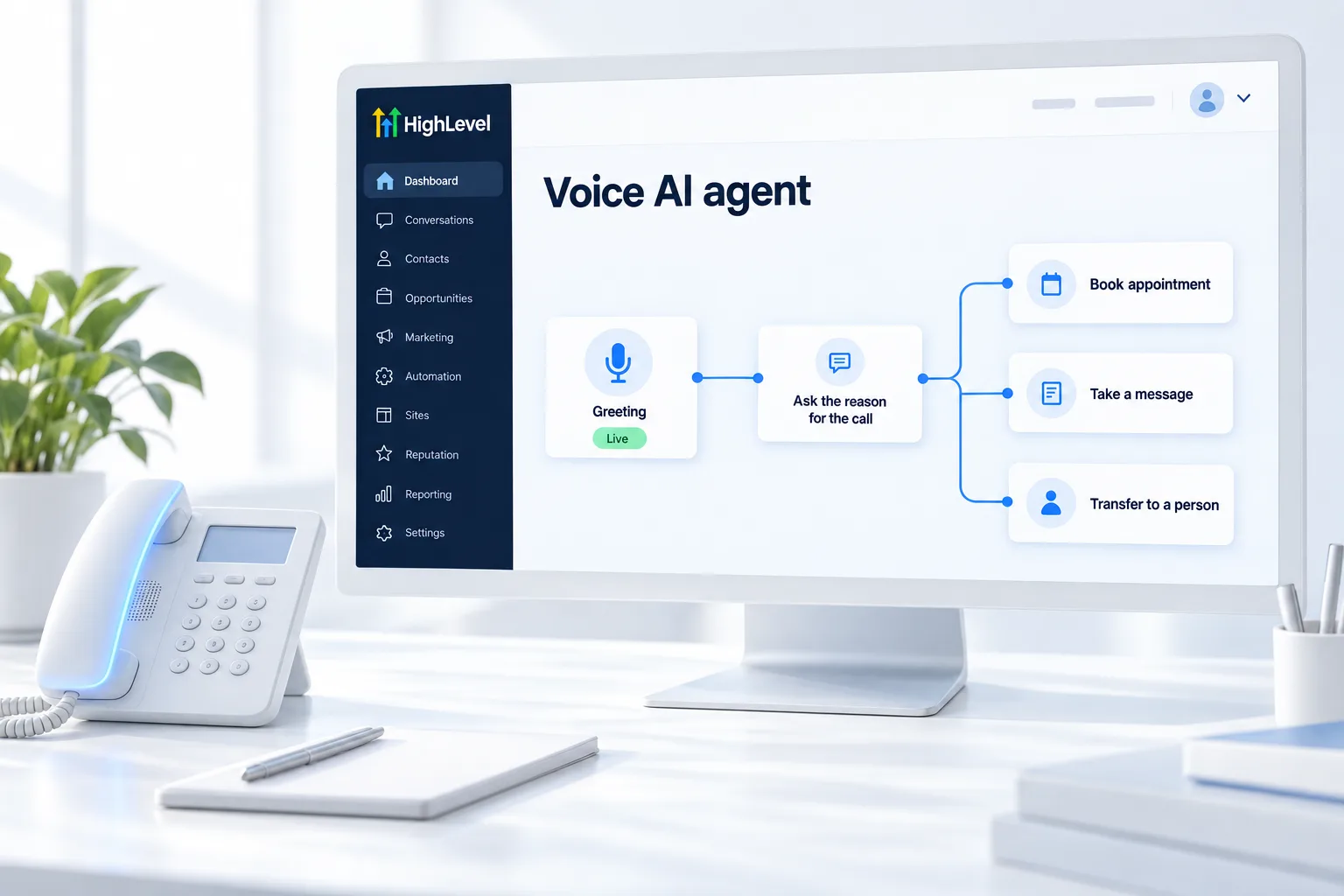
Voice AI is HighLevel's AI phone agent. It answers calls, answers questions, books appointments and logs every call with a summary.
AI that answers calls.
The short answer
Voice AI is HighLevel's AI phone agent that answers calls, uses a knowledge base to answer questions, books appointments, transfers to staff and logs each call, and you build agents in AI Agents, Voice AI, often starting from a Flow Builder template.
Michael is a sponsored HighLevel affiliate. Links to HighLevel use his partner link at no extra cost to you. HighLevel prices and product facts on this page come from HighLevel's own pricing page and help center, checked on the date above.
In practice
How does Voice AI work in HighLevel?
Voice AI is an agent that talks on the phone. In HighLevel, or GoHighLevel as it is often called, you build one under AI Agents, Voice AI. Click Create Agent, choose Flow Builder, then pick the template that matches the call type or choose Create Your Custom Agent.
The template gives you instructions and actions to edit. Rewrite the instructions in the business's own voice: hours, services and booking rules. Connect a calendar so it can book, attach a knowledge base so it answers from real facts, and assign a phone number. Then test and publish. The steps are in set up a Voice AI agent.
Every call is logged with a summary. Outbound calling is capped at 5,000 calls per location per day. Usage is billed separately, and current plans and included minutes are on AI usage costs.
- Built from templates or custom
- Connects to calendars and knowledge bases
- Call logs and summaries
- Outbound capped at 5,000 calls per location per day
Example
What does Voice AI look like in practice?
A plumber's Voice AI answers a 10pm emergency call and books the first morning slot.
Before any customer hears it, call it yourself. Be a caller who wants to book. Be a caller with a question it should not answer. Ask for a person. Call after hours. Interrupt it. Each test call shows you something to change in the instructions. Expect to rewrite them a few times before launch.
Watch for
What mistakes do people make with Voice AI?
Launching after one test call is the first. Call it many times, with the awkward cases included.
Leaving the template wording as is comes second. Callers notice. Put in the real hours, services and booking rules.
Outbound calls without consent is the third. The FCC ruled in February 2024 that AI generated voices count as artificial voices under the TCPA, so outbound AI calls need proper consent. See AI compliance and consent. If the agent is not picking up, see fix Voice AI not answering calls.

Call your own agent twenty times before a customer does.
Questions
Common questions.
What is Voice AI in GoHighLevel?
Voice AI in GoHighLevel is the AI phone agent. It answers calls, answers questions from a knowledge base, books appointments on a connected calendar, transfers to staff and logs every call with a summary. You build agents under AI Agents, Voice AI, often starting from a Flow Builder template.
Where do I find Voice AI in HighLevel?
Voice AI is in the subaccount under AI Agents, Voice AI. Click Create Agent, choose Flow Builder, then pick the template that matches the call type or choose Create Your Custom Agent. Connect a calendar, attach a knowledge base and assign a phone number, then test and publish.
Is there a limit on outbound Voice AI calls?
Yes. Outbound Voice AI calling is capped at 5,000 calls per location per day. Usage is billed separately from the plan, and the current plans and included minutes are on the AI usage costs page. Outbound AI calls also need proper consent from each contact before you place them.
Can Voice AI book appointments?
Yes. Connect a calendar to the agent and it can book appointments during the call. Put the real booking rules in the agent's instructions, along with hours and services, so it offers the right times. Then call the agent yourself many times, awkward cases included, before a customer does.
Can I build a Voice AI agent without a template?
Yes. When you create an agent, choose Create Your Custom Agent instead of a template. A template gives you instructions and actions to edit, which is faster for common call types. Either way, rewrite the instructions in the business's own voice with its real hours, services and booking rules.
Do outbound Voice AI calls need consent?
Yes. Outbound AI calls need proper consent from each contact. The FCC ruled in February 2024 that AI generated voices count as artificial voices under the TCPA, so the consent rules for artificial voice calls apply. Check consent before any outbound campaign and read the AI compliance and consent page first.
Next step
See it in your own account. Thirty days, every feature.
Start a trial, build the first system and test it before the first invoice. Usage fees for phone, SMS, email and AI can apply during the trial.
HighLevel has three plans at a flat monthly price, each with unlimited users and contacts. See what each one includes and what it costs.
Compare the PlansStarter, Unlimited and Founder