
01Who this is for
- Founders who need a dependable email sending service for marketing campaigns, because the integration removes deliverability concerns.
- Agency owners managing multiple client locations, since the SMTP setup can be applied at the agency level for all subaccounts.
- Small business operators who send customer notifications, because the free SendGrid tier supplies the required API key and sender verification.
02SendGrid SMTP provider, explained
The integration lets HighLevel use SendGrid’s API to send outbound messages. After the API key is stored, each email the platform dispatches routes through SendGrid’s servers, benefiting from their deliverability infrastructure.
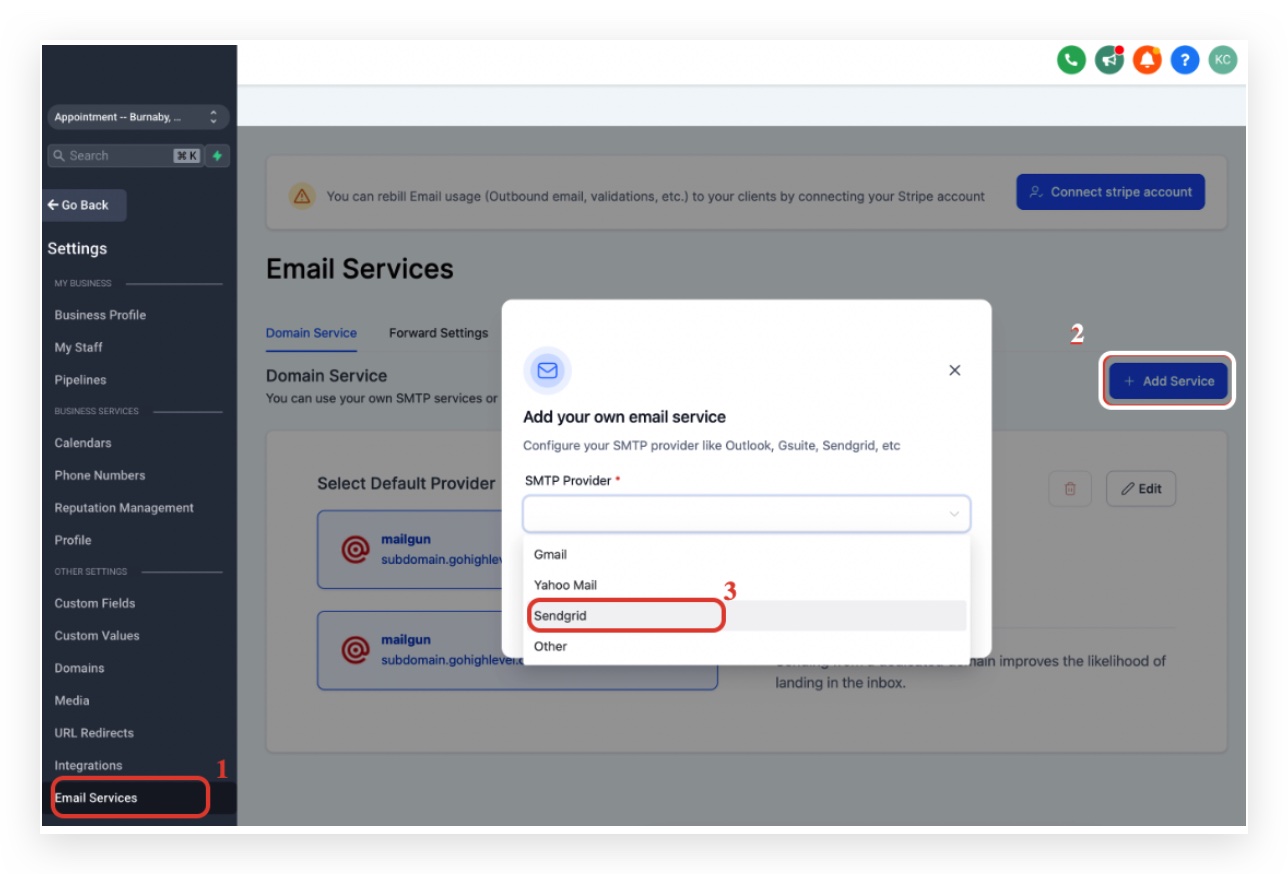
The configuration lives inside the Email Services section of a subaccount. You select SendGrid as the service, provide the required credentials, and then verify a sender identity within SendGrid. Once saved, the provider appears as the active SMTP choice for that location.
If a test email fails, the platform shows a red triangle icon that reveals the exact error, allowing you to correct mismatched sender addresses or verification gaps.
03How businesses use SendGrid as the SMTP provider
- Dental practice. The practice creates a full access API key in SendGrid, copies the key, and then adds it in HighLevel under Email Services > Add Service > SendGrid. After verifying the practice’s email as a single sender, appointment reminders are sent through SendGrid.
- Real estate agency. The agency sets up a SendGrid API key, inputs the key as the password with the username “apikey” in HighLevel, and verifies the agent’s email address. Property listing updates are then dispatched via the integrated SMTP service.
- Online course creator. The creator generates an API key in SendGrid, pastes it into HighLevel’s SendGrid service entry, and verifies the teaching email as a sender. Course enrollment notifications are reliably delivered using the configured provider.
04Before you start
- A SendGrid account must exist before starting the integration.
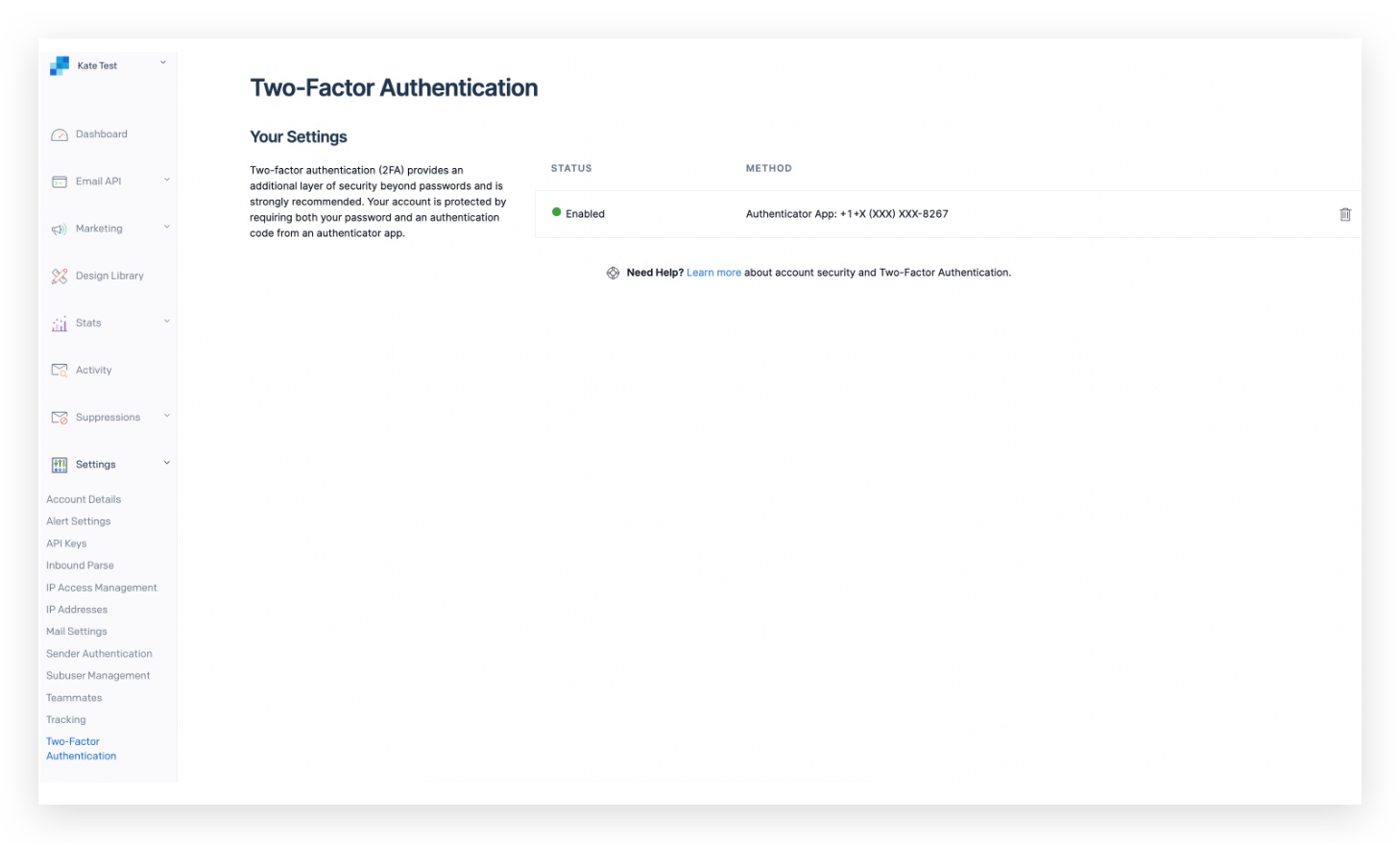
- Two factor authentication must be enabled in SendGrid to allow full access API keys.
05How to set up and use SendGrid as the SMTP provider in HighLevel
Sign up for SendGrid
- Visit signup.sendgrid.com and create a new account if you do not already have one.
Get your SendGrid API key
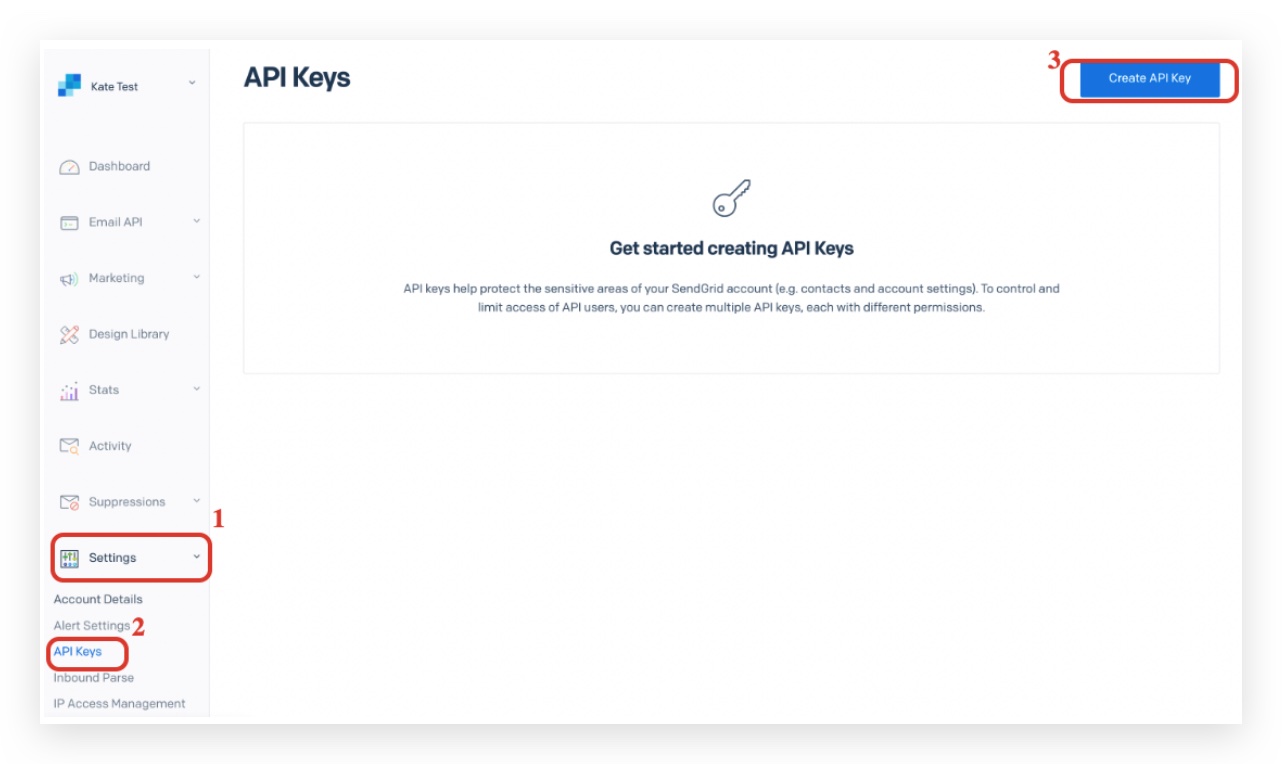
- Open SendGrid and navigate to Settings > API Keys.
- Click the Create API Key button.
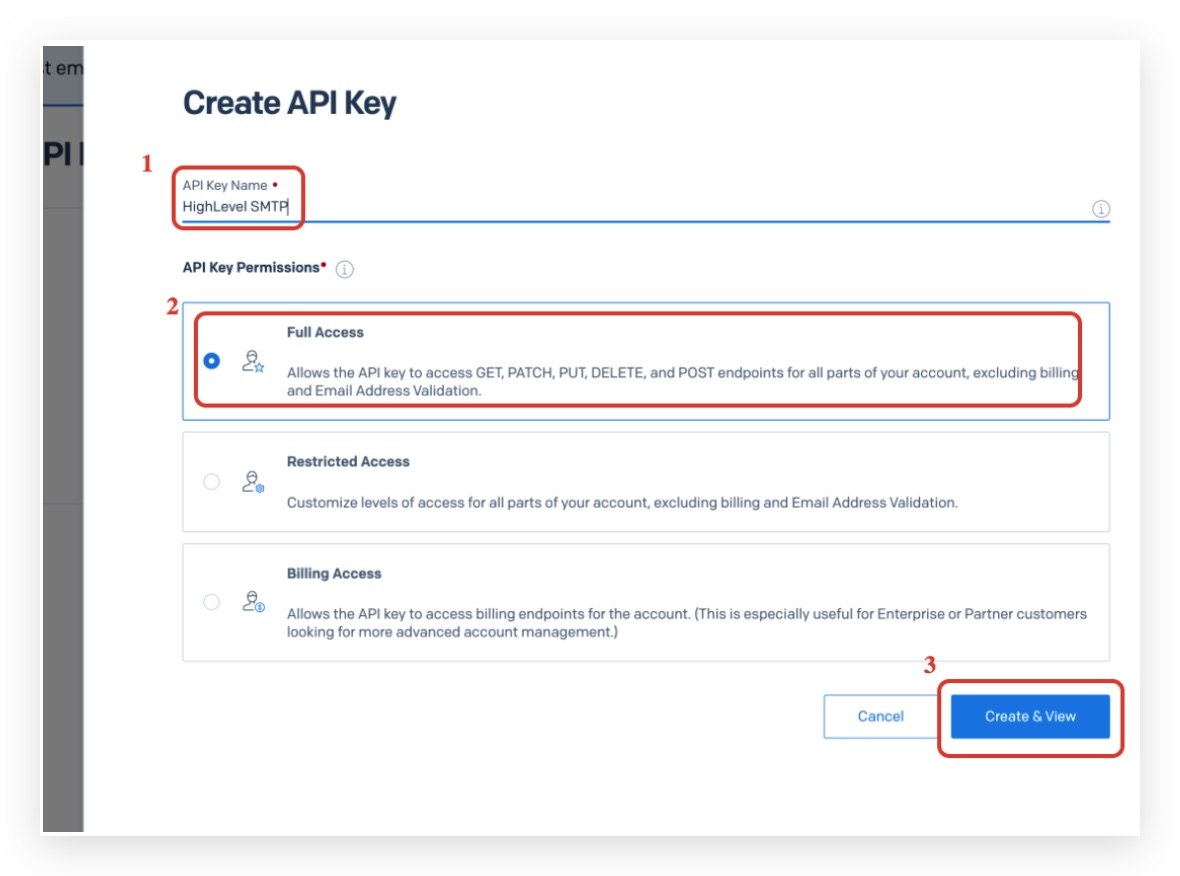
- Enter a name for the key and set API Key Permissions to Full Access.
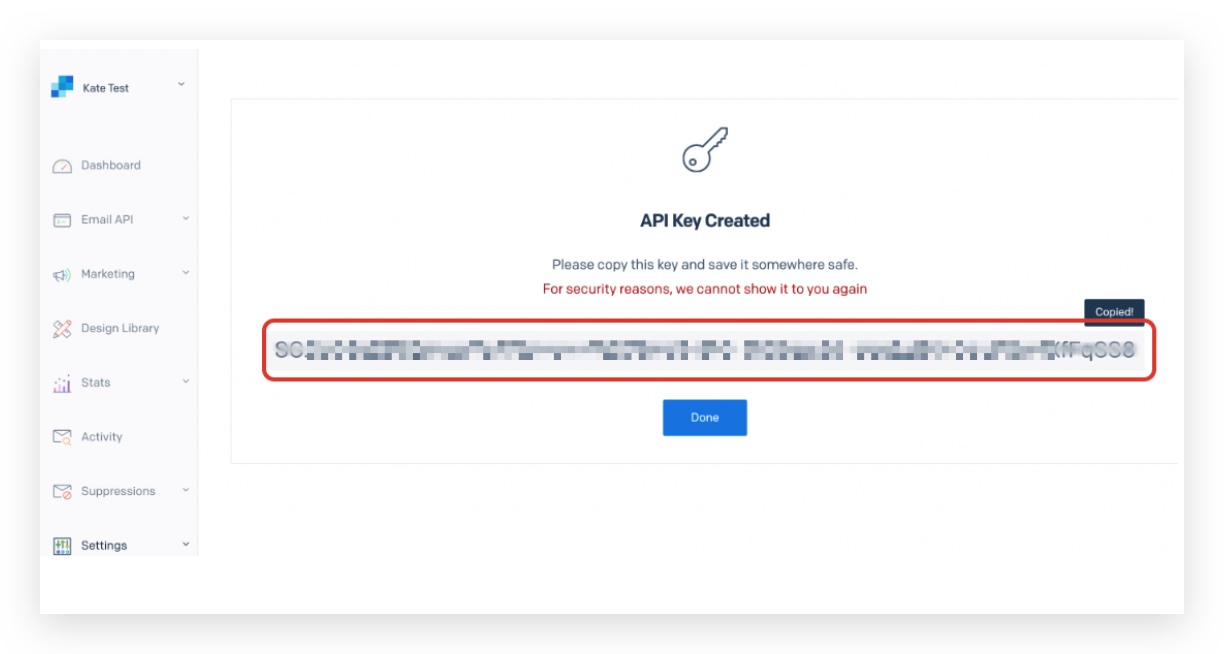
- Select Create & View, then copy the displayed API key.
Add your API key to the platform
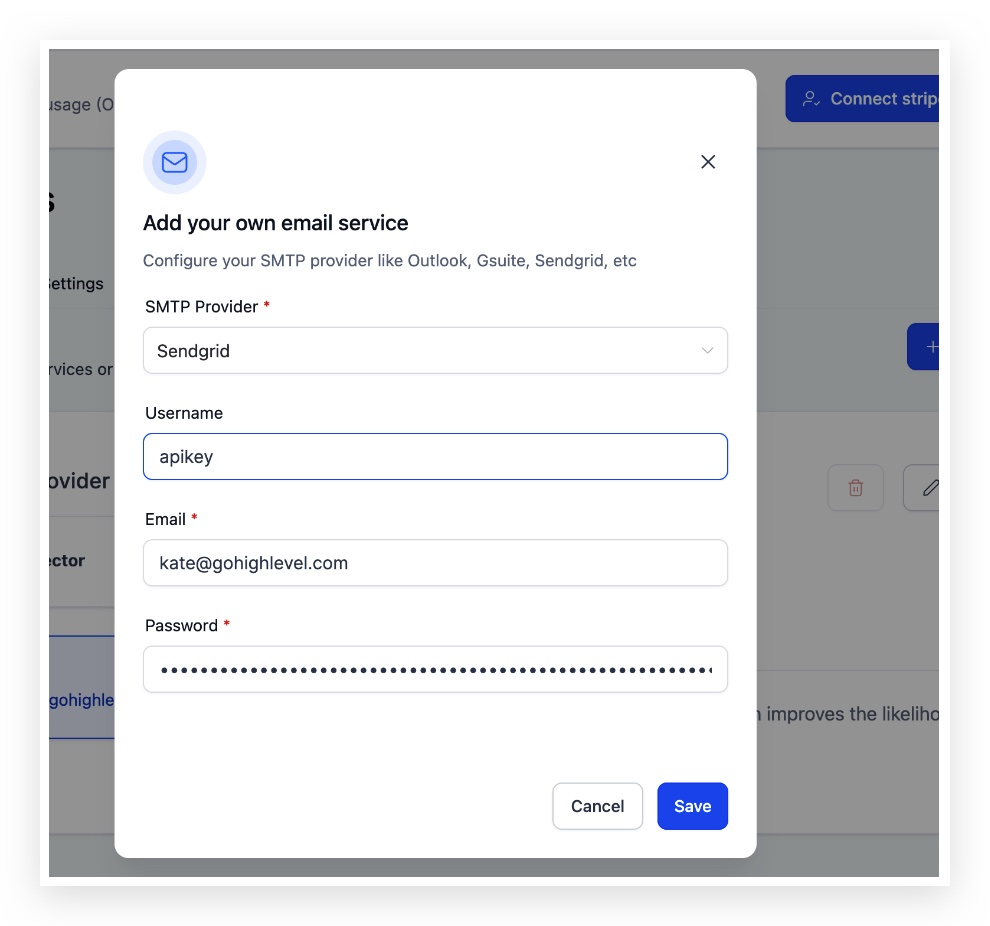
- Open the SendGrid service entry in HighLevel’s Email Services.
- Enter “apikey” as the Username.
- Provide the SendGrid login email as the Email.
- Paste the copied API key into the Password field and click Save.
Set up two factor authentication with SendGrid
- In your SendGrid account, go to Settings and enable two factor authentication before creating a full access API key.
Verify your SendGrid account as a single sender
- Create a sender using your SendGrid login email and verify it in SendGrid.
Save again to complete the integration
- Return to HighLevel and click Save again to finalize the integration.
06What it looks like in HighLevel
07Settings that matter
- API Key Permissions. Determines the level of access the generated key has; it must be set to Full Access for the integration to work.
- Username. The fixed value that HighLevel expects for SendGrid authentication; it should always be “apikey”.
- Email. The login email associated with the SendGrid account; it identifies which SendGrid account the API key belongs to.
- Password. The field where the full SendGrid API key is entered; it is not the account password.
08Things to know before you rely on it
- SendGrid shows the full API key only once; copy it before leaving the screen.
- The free SendGrid tier provides API access and sender verification, but higher sending volumes may need a paid plan.
- Two factor authentication is mandatory before a full access API key can be created.
- If an API key is regenerated, the previous key stops working immediately and must be updated in HighLevel.
09If something goes wrong
- 550 sender identity error when sending a test email. Verify the From address as a single sender in SendGrid or ensure a masked sender matches the verified SMTP address.
10How it connects to the rest of HighLevel
- How to set up SMTP providers in HighLevel SMTP provider setup
- Using Zoho as your SMTP Provider Zoho SMTP guide
- HighLevel pricing and plans Pricing
- Start a 30 day HighLevel trial Free trial
- The HighLevel Founder Plan Founder Plan
Michael's take

Connecting SendGrid gives you a dedicated channel for sending email through a verified SMTP provider.
The first thing to get right is the API key permissions. Set them to Full Access and copy the key before you leave SendGrid.