
01Who this is for
- Course administrators who run in person workshops can issue proof of completion without automated triggers.
- Training managers handling external certifications can manually record achievements for learners not in the platform.
- Compliance officers can provide certificates for testing scenarios where automatic issuance is not desired.
02Offline certificates, explained
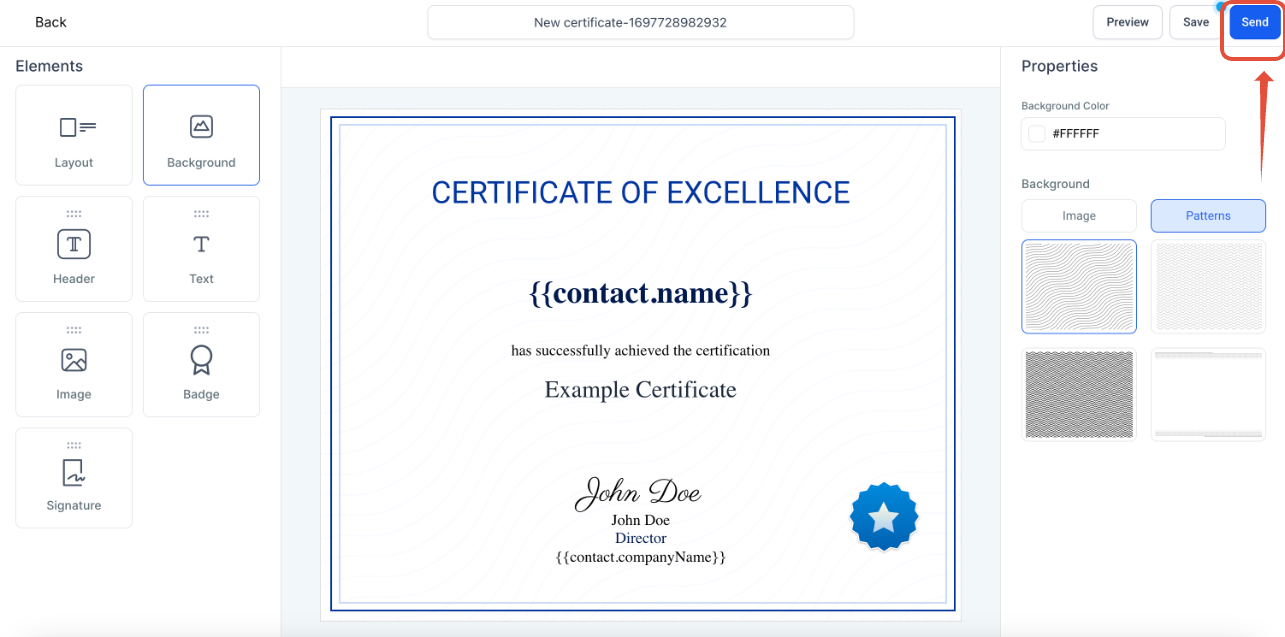
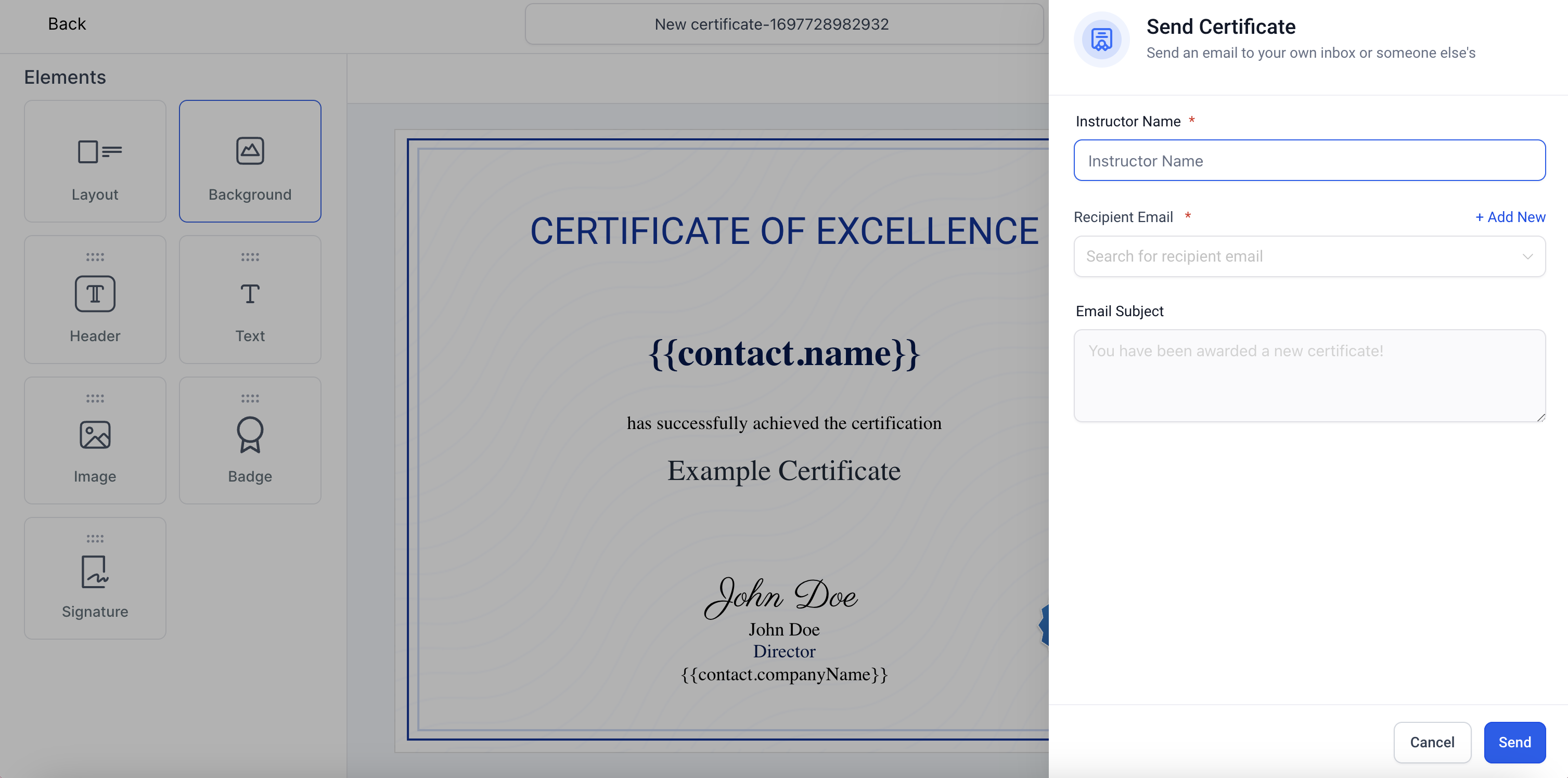
The offline certificate feature lets you create or select a certificate template and send it manually to any email address. After choosing the template, you click Send, enter the instructor’s name and the learner’s email, and the platform delivers a PDF link by email. Every time you use the feature, HighLevel records the action in an Issued Certificates list that you can open from the Memberships area.
This capability lives under Memberships > Certificates. It works independent of any automated course or quiz flows, so you can issue certificates for training that happens outside the platform or for test runs. The email delivery is automatic once you confirm the send, and the PDF is generated on demand.
All sent certificates are stored in the Issued Certificates view, giving you a single place to audit who received what and when.
03How businesses use offline certificates
- Fitness studio. The studio selects a certificate template for class completion, enters the trainer’s name and the client’s email, and clicks Send. The client receives a PDF link to download their attendance certificate.
- Corporate compliance team. The team creates a template for safety training, adds a new contact for an external contractor, fills in the details, and sends the certificate. The contractor receives a PDF as proof of compliance.
- Educational nonprofit. The nonprofit picks an existing graduation certificate, inputs the instructor’s name and the learner’s address, and dispatches the email. The learner can download the certificate from the link provided.
04How to set up and use offline certificates in HighLevel
Send offline certificate
- Log in to your HighLevel account.
- From the dashboard, select Memberships.
- Click Certificates.
- Select an existing certificate template or create a new one.
- Click the Send button.
- Enter the instructor name and recipient email, adding a new contact if required.
- Click Send to email the PDF download link to the learner.
Track issued certificates
- From the dashboard, select Memberships.
- Click Certificates.
- Select Issued Certificates to view all sent records.
05What it looks like in HighLevel
06How it connects to the rest of HighLevel
- Create a certificate template to use for offline issuance. Create a template
- Design the email that is sent with the offline certificate link. Manual email template
- Learn how certificates are issued automatically on course completion. Course completion certificates
Michael's take

Offline certificates are a handy add on for anyone who still runs in person classes or needs to certify external learning.
If you only use fully automated online courses, you can skip this feature.