Home/HighLevel/Features/Calendars & Appointments/Fixing Google calendar writer access error in HighLevel

Calendars and Booking

Fixing Google calendar writer access error in HighLevel

In short

Google calendar writer access error in HighLevel occurs when the synced account lacks permission to modify events. Granting "Make changes to events" permission on the calendar resolves the issue.

AreaCalendars & Appointments · Troubleshooting Calendars
Used forCalendars & Appointments
Setup steps4 steps in 1 task
Last updatedNovember 3, 2026

01Google calendar writer access error, explained

The error occurs when the HighLevel linked Google account does not have “Make changes to events” permission on the selected calendar.

02How to set up and use Google calendar writer access in HighLevel

Grant writer access to Google calendar

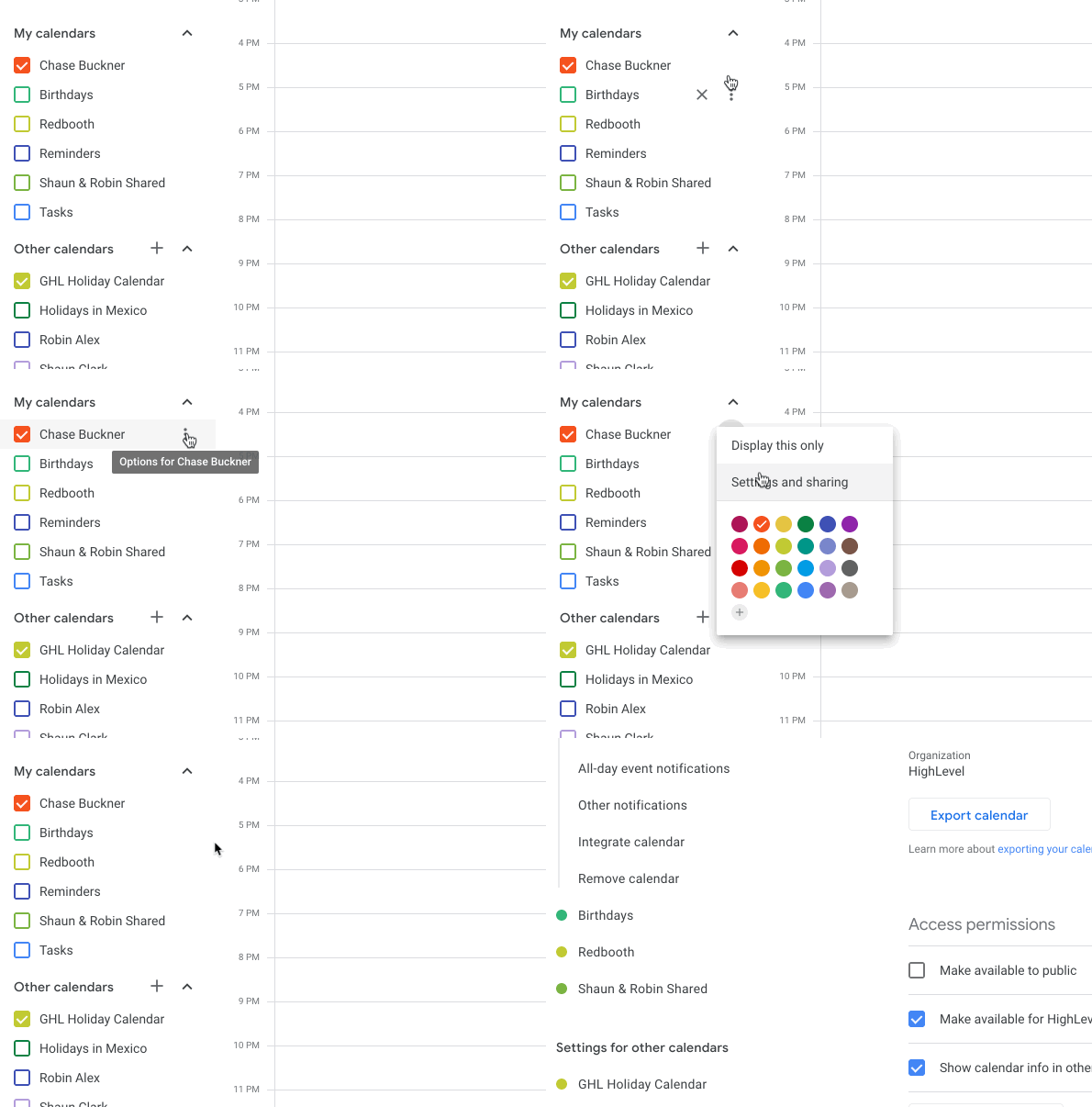
  1. The owner of the Google calendar logs into Google and opens calendar.Google.com.
  2. Hover over the desired calendar then click the three dot icon and select "Settings And Sharing"
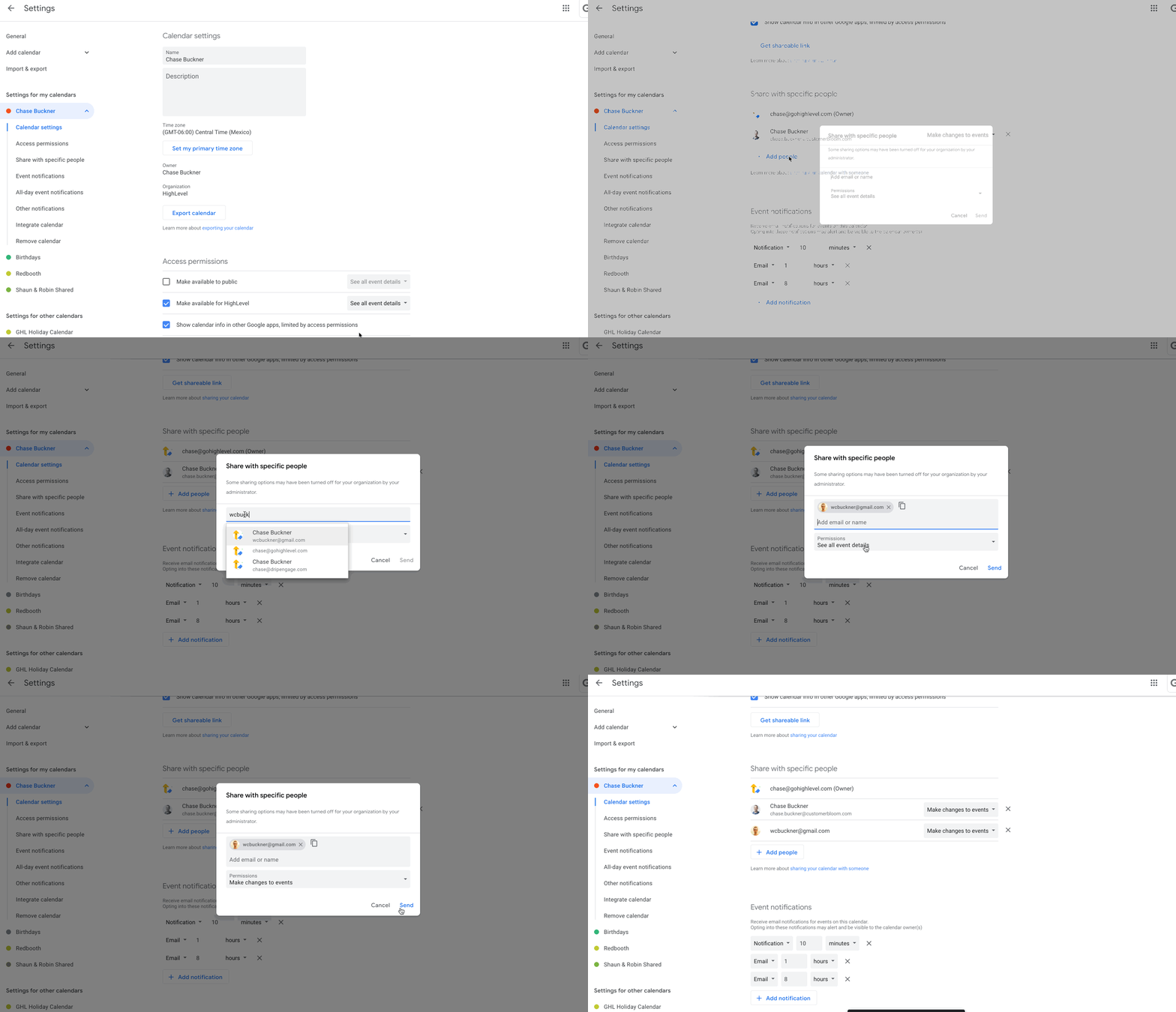
  3. Scroll down to "Share with specific people", click "Add People", and add the email address of the Google Account that is synced in HighLevel.
  4. Set the Permissions to "Make changes to events" and click Send to save.

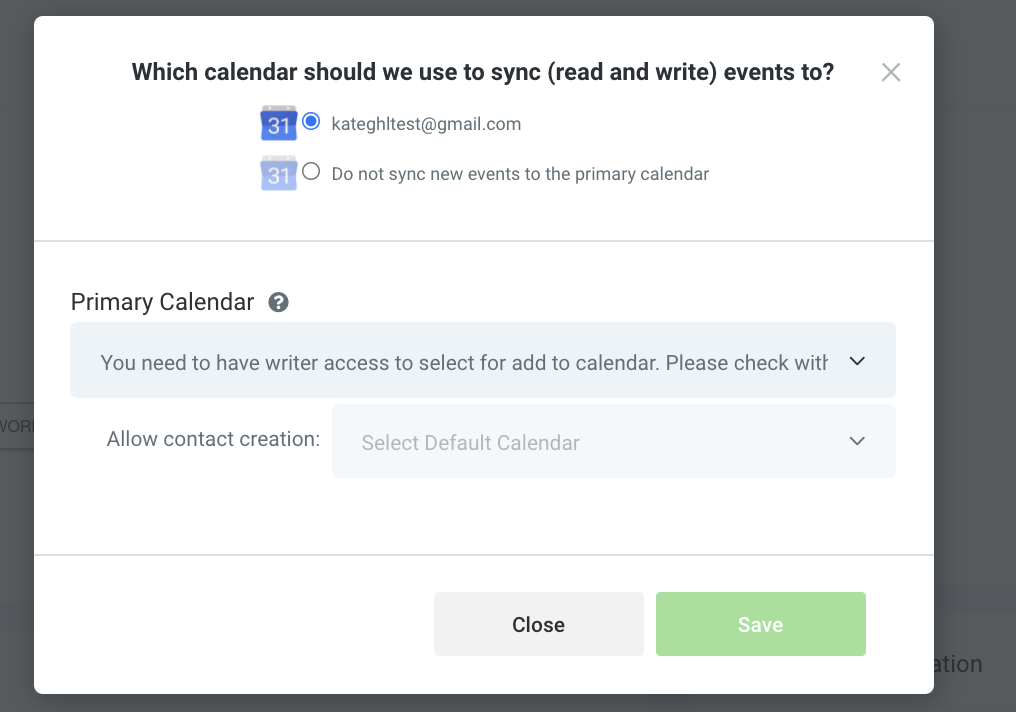
03What it looks like in HighLevel
04If something goes wrong

  • You need to have writer access to sync appointments to the selected Google Calendar. Add the HighLevel email address in the calendar’s sharing settings and give it "Make changes to events" permission.

Michael's take

Michael Reimer
Michael ReimerFounder of CRM Pros, HighLevel Commander and Certified Admin

Watch out for that writer access warning. If the calendar owner hasn’t explicitly allowed the HighLevel email to edit events, nothing will flow and you’ll keep seeing the error.

Get More InformationOpens on HighLevelPublished November 2, 2026 · Updated November 3, 2026

Common questions

Common questions about Google calendar writer access.

What does the error message say?

You need to have writer access to sync appointments to the selected Google Calendar. Please check with the Google Calendar owner in case syncing is required.

How can I resolve the writer access error?

Add the HighLevel email address to "Share with specific people" on the calendar and set the permission to "Make changes to events".

Next step

Pick the features that matter. Then get the plan that unlocks them.

Explore the features you want, start with the five at the top, and upgrade through my link when you are ready. The bonuses and the team come with it.

The features directory explains every HighLevel feature in plain English. Browse it to see what the platform can do.

Back to the FeaturesSee the full details
⌃

Site preview

Explore the next page

This destination is reserved in the page inventory and is not built yet.