
Home/CRM guide/Best CRM for service businesses
CRM guide · Best CRM for service businesses
The best CRM for service businesses. Answer every call, book every job.
For local service businesses, most leads arrive by phone and most are lost when nobody answers. The right CRM answers or texts back every call, books the job and asks for the review afterward.
The short answer
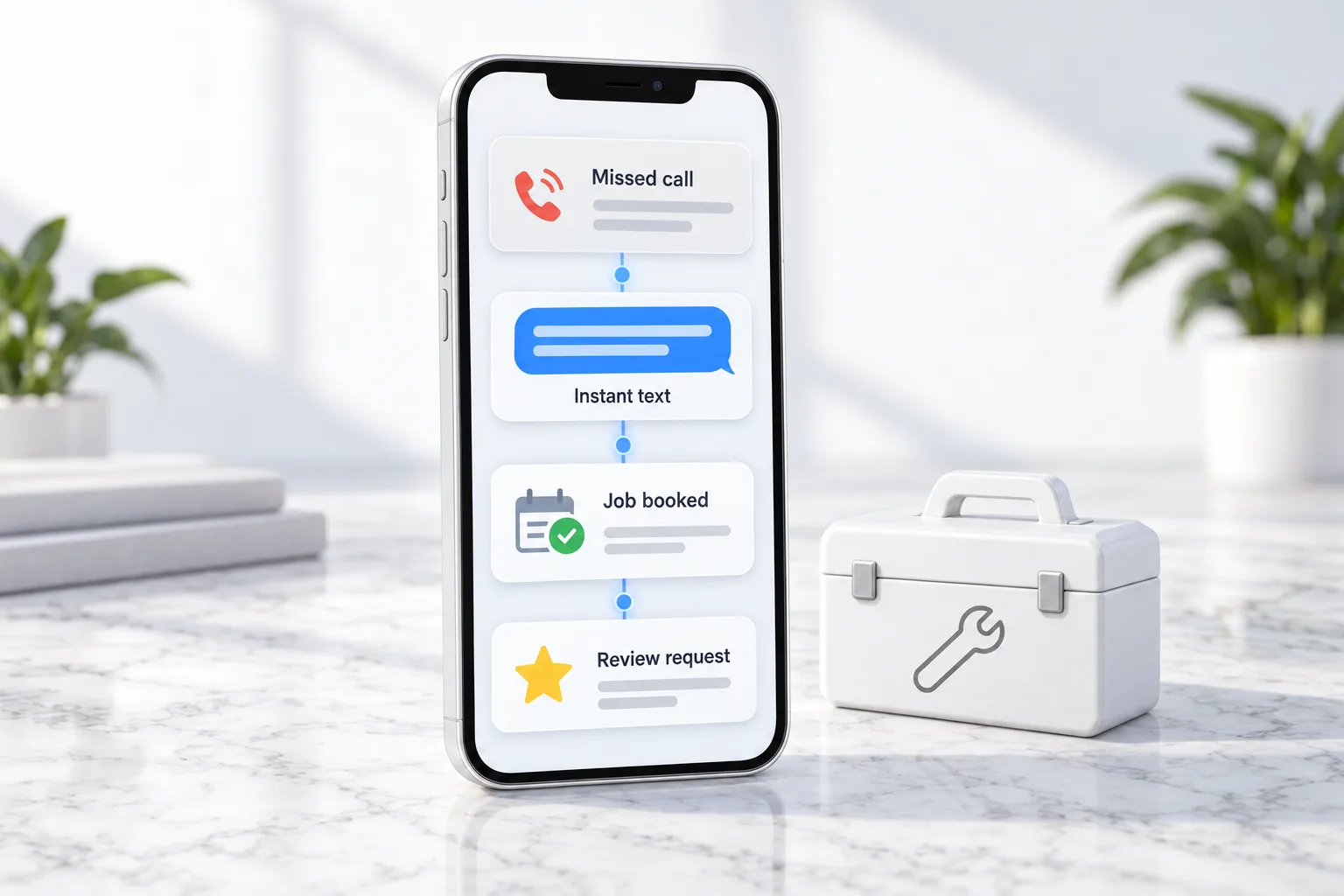
The best CRM for local service businesses answers or texts back every call, books jobs into the calendar, sends reminders, requests reviews after each job and reactivates past customers. HighLevel includes missed call text back, Voice AI, booking, reputation and campaigns from $97 a month.
Michael is a sponsored HighLevel affiliate. Links to HighLevel use his partner link at no extra cost to you. HighLevel prices and product facts on this page come from HighLevel's own pricing page and help center, checked on the date above.
Needs
What service businesses need.
| Need | Why |
|---|---|
| Call answering | Most leads call |
| Missed call text back | Save the lead in seconds |
| Booking | Jobs on the calendar |
| Reviews | Local search runs on reviews |
| Reactivation | Past customers come back |
A setup
A simple first system.
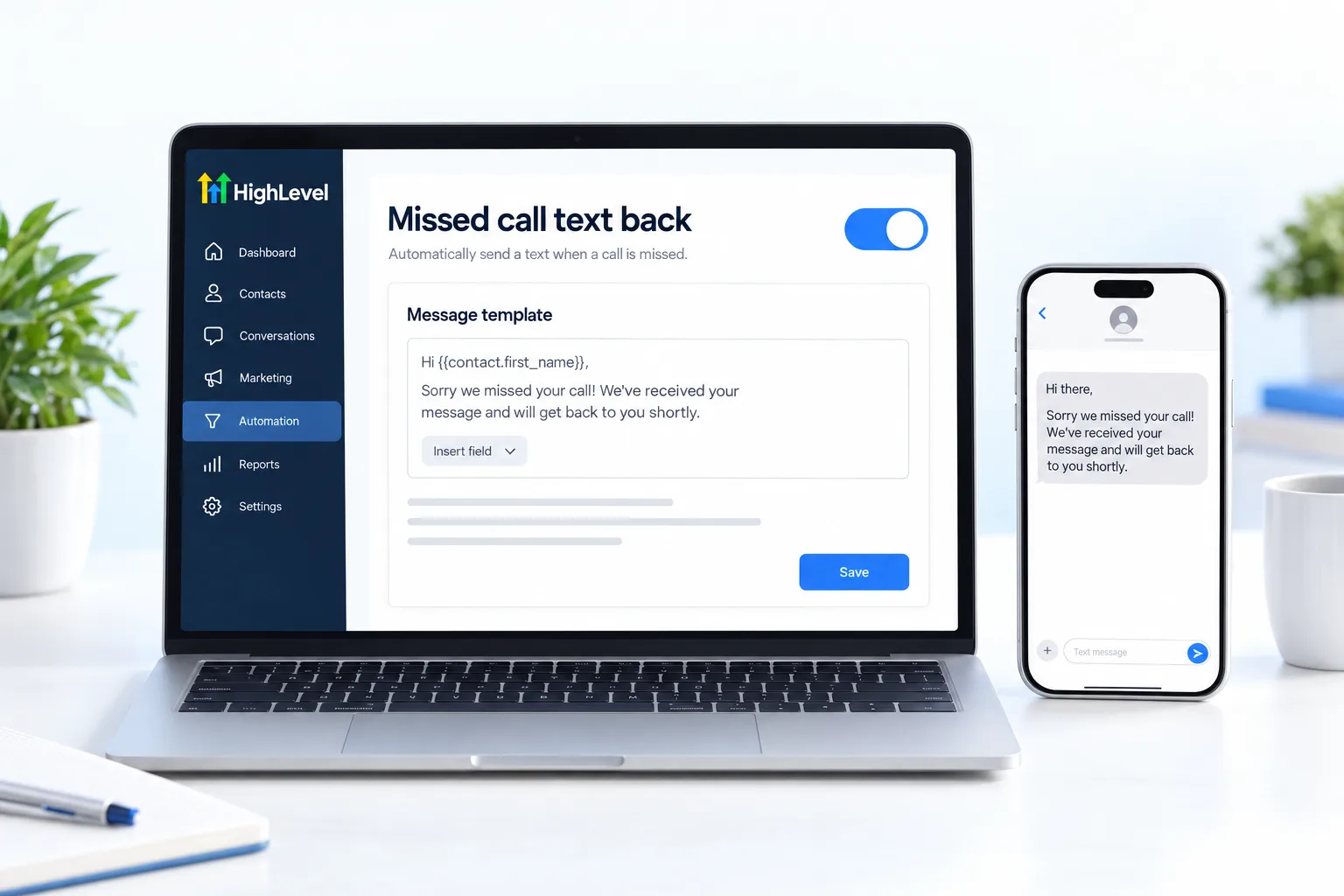
- Set up LC Phone and turn on missed call text back.
- Connect Google Business Profile.
- Add a booking calendar and reminder workflow.
- Add a review request workflow after each completed job.
- Run a reactivation campaign for customers not seen in 12 months.
Compare
Check these on any CRM.
- The price of the plan you would really need
- Limits on contacts, users and sends
- Whether texting, calling and AI are included or extra
- How easy it is to export your data
- Whether there is a free trial
| HighLevel plan | Monthly | Best for |
|---|---|---|
| Starter | $97 | One business, up to three subaccounts |
| Unlimited | $297 | Agencies with many clients |
| Founder Plan | $497 | Selling HighLevel under your own brand |
Usage such as calls, texts, email and AI is billed separately.
Worked example
What happens to a missed call when the system is on?
Here is one call, from ring to review, at a service business that has the five pieces in place.
- The phone rings while the crew is on a job. Nobody can answer.
- The caller gets a text within seconds. It says the business is on a job and asks how it can help. Or an AI receptionist answers the call directly.
- The caller replies. They describe the problem and the reply lands in one inbox, on the contact record.
- The job is booked. The caller picks a time, and a reminder goes out before the visit.
- The job is done. Marking it complete sends a review request.
- Months later. A reactivation message checks in and offers the next service.
Every step is on the same record, so the office can see the whole history. The LC Phone setup guide, the review request workflow guide and the reactivation campaign guide cover the builds. For calls answered by AI, see AI receptionist setup. Two videos show the offer built on this system: the Five Pillar HighLevel offer for local businesses and the four pillars of an AI employee for local businesses.
Honest view
Should you replace your job management software?
Usually not. Scheduling crews, dispatching and job costing are what field service software is built for. A CRM like HighLevel is built for the part before and after the job: catching the lead, following up, booking, asking for the review and bringing the customer back.
The two work well together. Keep the job software your team knows and connect it with Zapier or webhooks, so a new booking or a finished job can pass between them. If you are weighing the two types of tool, HighLevel vs Housecall Pro compares them fairly. For other options, see the best CRM for small business comparison, and use the 30 day trial through Michael's link to prove missed call text back on your own phone line.
Comparing tools before you commit? Read the best CRM for contractors. Comparing tools before you commit? Read the best CRM for travel agencies. Comparing tools before you commit? Read the best CRM for landscapers. In the trades? Read GoHighLevel for home services.
Avoid
What mistakes do service businesses make with a CRM?
- Texting before registering. Business texting to US mobile numbers needs A2P registration. Do it first, or messages will not deliver.
- A text back that sounds like a robot. Write it the way the owner would text a customer.
- No Google Business Profile connection. Reviews and messages from Google should flow into the same place. See the Google Business Profile guide.
- Asking for reviews late. Ask the same day the job is finished, while the customer is pleased.
- Building everything at once. Start with missed call text back, prove it, then add the next piece.

Start with missed call text back. It is the fastest proof any local business will see.
Through my link
Start HighLevel through my link and the CRM Pros team comes with it.
Same HighLevel price. The difference is who is in your corner for the first ninety days.
- Setup help in your first 7 days
- Your onboarding call with Michael’s team
- Three live calls every week: tech, sales and Michael’s own call
- The private affiliate community
- Snapshots, templates and email swipes
- Four apps: Prompt, Demo, A2P and Sales On Demand
The Founder Plan is HighLevel’s top plan at $497 a month. It is the former Agency Pro plan with an exclusive feature set, rebilling with markup and the Founders Club. The full breakdown is here.
The Founder PlanWhat it includes and who it is for
Questions
Common questions.
What CRM is best for service businesses?
The best CRM for a service business answers or texts back every call, books jobs into the calendar, sends reminders, requests a review after each job and reactivates past customers. Most leads arrive by phone and most are lost when nobody answers, so call handling matters more than any other feature.
Can AI answer my calls?
Yes. HighLevel Voice AI can answer calls when the crew is on a job and nobody can pick up. If you are not ready for an AI agent, missed call text back sends the caller a text within seconds so the lead is not lost. Voice AI usage is billed separately from the plan.
Can I keep my job management software?
Yes. Keep the job management software your team knows for scheduling crews, dispatching and job costing, and connect it to the CRM with Zapier or webhooks. The CRM then handles lead capture, follow up, reviews and reactivation, which is where leads are usually lost.
How much does it cost?
HighLevel starts at $97 a month on the Starter plan, which fits one business. Usage such as calls, texts, email and AI is billed separately, so add it to your estimate. Through Michael's link you get a 30 day trial to test the system with real calls first.
Do I need to register before texting customers?
Yes. Business texting to US mobile numbers from local numbers needs A2P 10DLC registration. Submit it before you turn on missed call text back or reminders, so your messages are not blocked or filtered by the carriers. You complete the registration inside your HighLevel account.
Does missed call text back cost extra?
There is no separate fee for the feature. Missed call text back is part of the platform. You turn it on once and it runs for every missed call. Each text it sends is billed as normal messaging usage, the same as any other text your business sends.
Should a CRM replace my field service software?
Usually not. Field service software is built for scheduling crews, dispatching and job costing, so keep it for that. Use the CRM for lead capture, follow up, reviews and reactivation, and connect the two so a booked job and a finished job trigger the right messages.
Next step
See it in your own account. Thirty days, every feature.
Start a trial, build the first system and test it before the first invoice. Usage fees for phone, SMS, email and AI can apply during the trial.
HighLevel has three plans at a flat monthly price, each with unlimited users and contacts. See what each one includes and what it costs.
Compare the PlansStarter, Unlimited and Founder