
01Who this is for
- Founders of agencies that manage client SEO projects, because they need to pause services without losing work.
- Marketing managers who run in house SEO, to keep implemented fixes while suspending further automation.
- Technical SEO consultants, to retain audit data and pixel fixes for easy re engagement later.
02SEO unsubscription flow, explained
The unsubscribe flow activates as soon as the SEO subscription is cancelled. HighLevel keeps every fix that was applied via the SEO Pixel script on the website, but stops all background crawling and new recommendation generation. Projects that used the pixel automatically enter a frozen state; no manual steps are required.
In the frozen state, fixes remain live as long as the SEO Pixel script stays in the site code. If the script is removed, the optimizations disappear immediately. All project settings, audit data, and applied fixes stay stored in the account, making future re subscription straightforward.
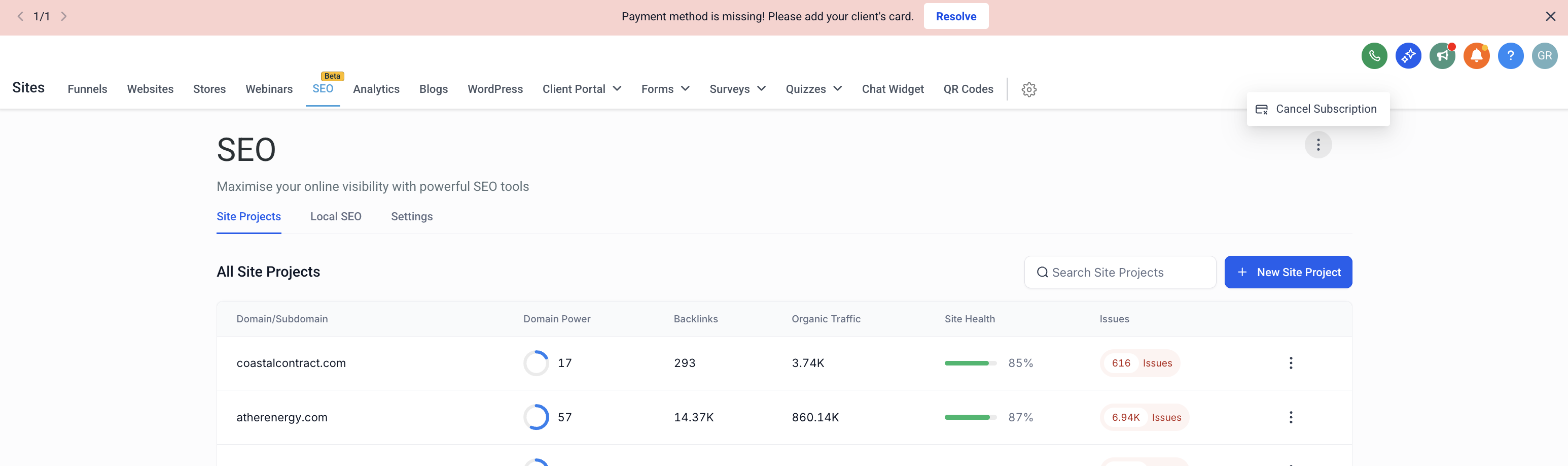
The feature lives inside the Sites > SEO section of each subaccount. Cancellation is performed from the Site Projects tab, where a three dot menu offers the Cancel Subscription option. After cancellation, the system handles the transition to frozen status in the background.
03How businesses use SEO unsubscription flow
- Digital marketing agency. The agency cancels a client’s SEO subscription at the end of a contract. HighLevel automatically freezes the client’s project, keeping the pixel fixes live while pausing further crawling. The agency can later reactivate the subscription and restore full automation without rebuilding the project.
- Ecommerce brand. The brand pauses its SEO plan during a seasonal slowdown. HighLevel moves the site’s SEO project to a frozen state, preserving existing pixel fixes on the storefront. When the brand resumes the plan, it simply re subscribes and the project unfreezes, resuming crawls and new recommendations.
- Local service business. The business decides to stop paying for SEO temporarily. After cancellation, HighLevel keeps the SEO Pixel script on the website, so current optimizations stay active. If the business later wants to remove those changes, it manually deletes the pixel script from its site code.
04How to set up and use SEO unsubscription flow in HighLevel
Cancel the SEO subscription
- Open the subaccount and go to Sites > SEO.
- Select the Site Projects tab.
- Click the three dot menu in the upper right corner of the SEO page and choose Cancel Subscription.
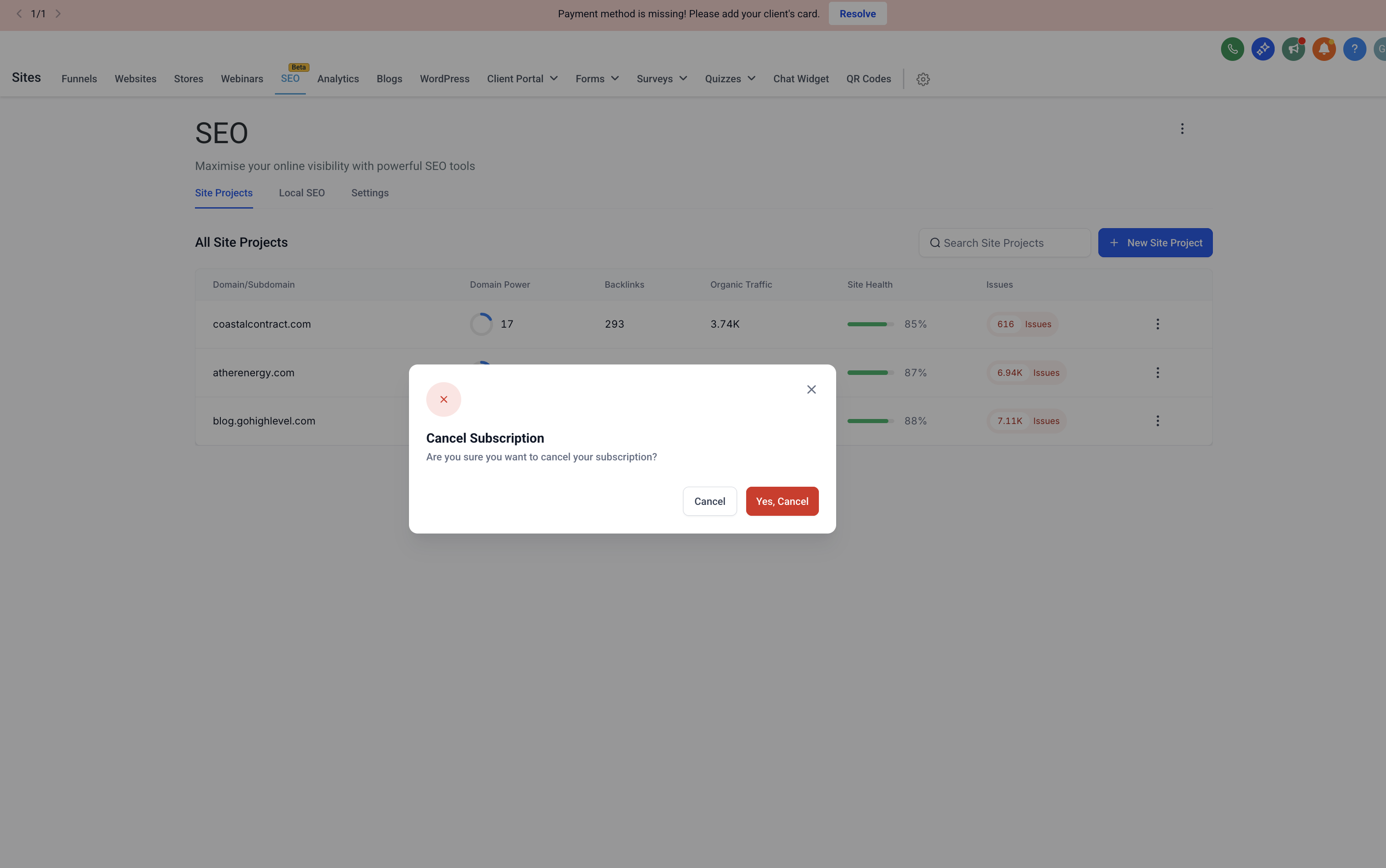
- In the confirmation window, press Yes, Cancel to finalize the cancellation.
05What it looks like in HighLevel
06Things to know before you rely on it
- Projects that used the SEO Pixel switch to a frozen state automatically after cancellation.
- Automation such as site crawling and new recommendation generation is paused while the subscription is inactive.
- Fixes remain live only while the SEO Pixel script stays installed on the website; removal of the script ends the optimizations.
07How it connects to the rest of HighLevel
- HighLevel SEO dashboard overview SEO dashboard
- Managing SEO site projects Site Projects
- How to delete an SEO site project Delete projects
Michael's take

The SEO unsubscription flow is a small convenience rather than a real shift. It simply makes sure you don’t lose work you’ve already done when you decide to pause or end your SEO plan. The pixel fixes you’ve earned stay in place, and everything is kept tidy for a later comeback.
A local boutique that invested in SEO Pixel fixes for its online shop fits nicely. If the owner needs to pause spending, the site keeps the existing optimizations, and later, a quick resubscribe gets the whole system back up without starting from zero.